Author: Derek Seaman

XenDesktop 7 Pt 8: Install Server VDA

XenDesktop 7 Pt 8: Install Server VDA

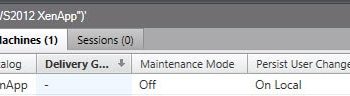
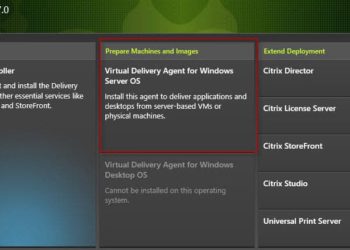
Citrix radically changed the "XenApp" 7 architecture in XenDesktop 7. Gone is the massive complexity, many consoles, and lengthy configuration times. I don't have much XenApp experience, but the consoles I've seen of prior versions seemed mind bogglingly complex. Two major themes of XenDesktop 7 is simplification and unification. The "Application" portion of XenDesktop...

XenDesktop 7 Pt 7: Citrix Receiver Config

XenDesktop 7 Pt 7: Citrix Receiver Config

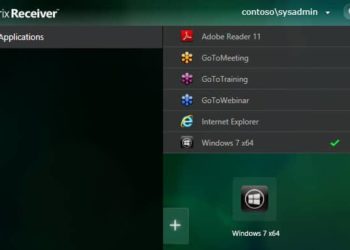
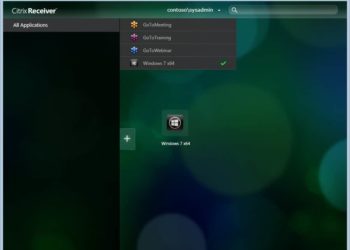
Now that we've completed the first six parts of this series to configure the XenDesktop 7 back-end services, it's now time to use Citrix Receiver v14 and connect to our new VDI infrastructure. This is super easy, and the most fun part! Unlike previous versions of the Citrix Receiver, there is...

VMware ESXi 5.1 Patches Released

Hot off the presses are some ESXi 5.1 patches. This build of ESXi 5.1 (1157734) fixes several bugs and more importantly addresses some security issues. As always in any environment, please test out the patches thoroughly before putting them into production. Each environment is unique, and issues may surface that could cause you some headaches. These...

What’s new in Cisco UCS 2.1(2a)?

What’s new in Cisco UCS 2.1(2a)?

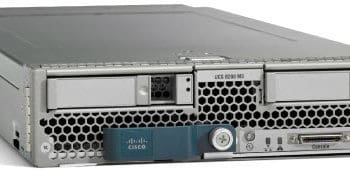
A few days ago Cisco released an incremental upgrade to the Cisco UCS Manager firmware, version 2.1(2a). This is more than just a bug fix, and it enables some new hardware, storage enhancements, and operational enhancements. Cisco finally enabled the SD card slot, found on the B200 M3 and other...

XenDesktop 7 Pt 6: Create a Delivery Group

XenDesktop 7 Pt 6: Create a Delivery Group

In the first five parts of this series on XenDesktop 7 we've done everything needed to complete the last step, which is creating a XenDesktop 7 Delivery Group. This enables users, or groups of users, to access their desktop or applications. Delivery groups are where you can target various user...

XenDesktop 7 Pt 5: Configuring Citrix StoreFront

XenDesktop 7 Pt 5: Configuring Citrix StoreFront

One of the last steps to configure XenDesktop is to setup Citrix StoreFront. What is StoreFront? StoreFront is basically the web tier in a three tiered architecture (StoreFront, Desktop Controller, SQL database). It's more than just a pretty face. Citrix Receiver directly talks to StoreFront, even if you never use...

XenDesktop 7 Pt 4: Create Machine Catalog

XenDesktop 7 Pt 4: Create Machine Catalog

This is the fourth installment of the XenDesktop PoC guide, where we create a XenDesktop 7 machine catalog. As we near the point where we can dole out VDI VMs to users, one of the last steps is to create a catalog of VMs. These could be Windows 8, Windows...

XenDesktop 7 Pt 3: Install VDA

XenDesktop 7 Pt 3: Install VDA

This installment of the XenDesktop installation series will show you how easy it is to install the XenDesktop 7 VDA (Virtual Delivery Agent). The VDA can be installed on client VMs, servers (for XenApp), or physical PCs if you want to remote high-powered 3D graphics. It contains the 'secret HDX...

XenDesktop 7 Pt 2: Configure Citrix Studio Site

In Part one of my Citrix XenDesktop 7 installation guide we installed all of the XenDesktop 7 components on a single Windows Server 2012 VM. In this second edition we will setup the Citrix Studio site, which connects the XenDesktop 7 Studio to a database, vCenter, storage, and virtual networks....

XenDesktop 7 Pt 1: Role Installation

XenDesktop 7 Pt 1: Role Installation

In case you missed the announcement or my blog post last week, Citrix XenDesktop 7 finally hit the streets. It is a very major release of the product, merging XenDesktop and XenApp into a single management system. Gone are the days of a dozen or more different consoles to manage...

CloudVolumes Pt 4: Testing the AppStack

CloudVolumes Pt 4: Testing the AppStack

This is the fourth installment of my CloudVolumes spin around the block. So far the installation as has been quick, encountered no product problems, and the experience seems polished even for a v1.0 product. Given my good experience thus far, I can't wait to see CloudVolumes AppStack in action. Can I really instantly...

CloudVolumes Pt. 3: Create AppStack

Welcome to Part 3 of installing and configuring CloudVolumes. In Part 1 I provided a short introduction on what CloudVolumes is and started the management console installation process. In Part 2 I configured basic settings such as Active Directory, vCenter, and datastores. Now we are ready to install the CloudVolumes agent...

Page 23 of 47 1 22 23 24 47