It’s been quite a while since I’ve written about my favorite macOS apps, so it’s time for an update! This post has nearly 40 of my favorite macOS. Yes, that’s a lot. I’ve tried to find the best-in-class apps for each function.
All of the apps below are ones that I have installed on my Mac and I use regularly. I recently migrated to a new Mac and I did a thorough review of my apps. I dropped a few and added a few new ones. I specifically left out any AI apps like ChatGPT, Claude, or Gemini. Which one you use is a personal preference and that can frequently change.
I hope that of the nearly 40 apps below (in alphabetical order) you find a few that you like. Many are paid, but come on people, these apps really rock and developers deserve to be compensated. Also, all of the apps below are notarized by Apple and thus you don’t need to bypass Gatekeeper to use them.
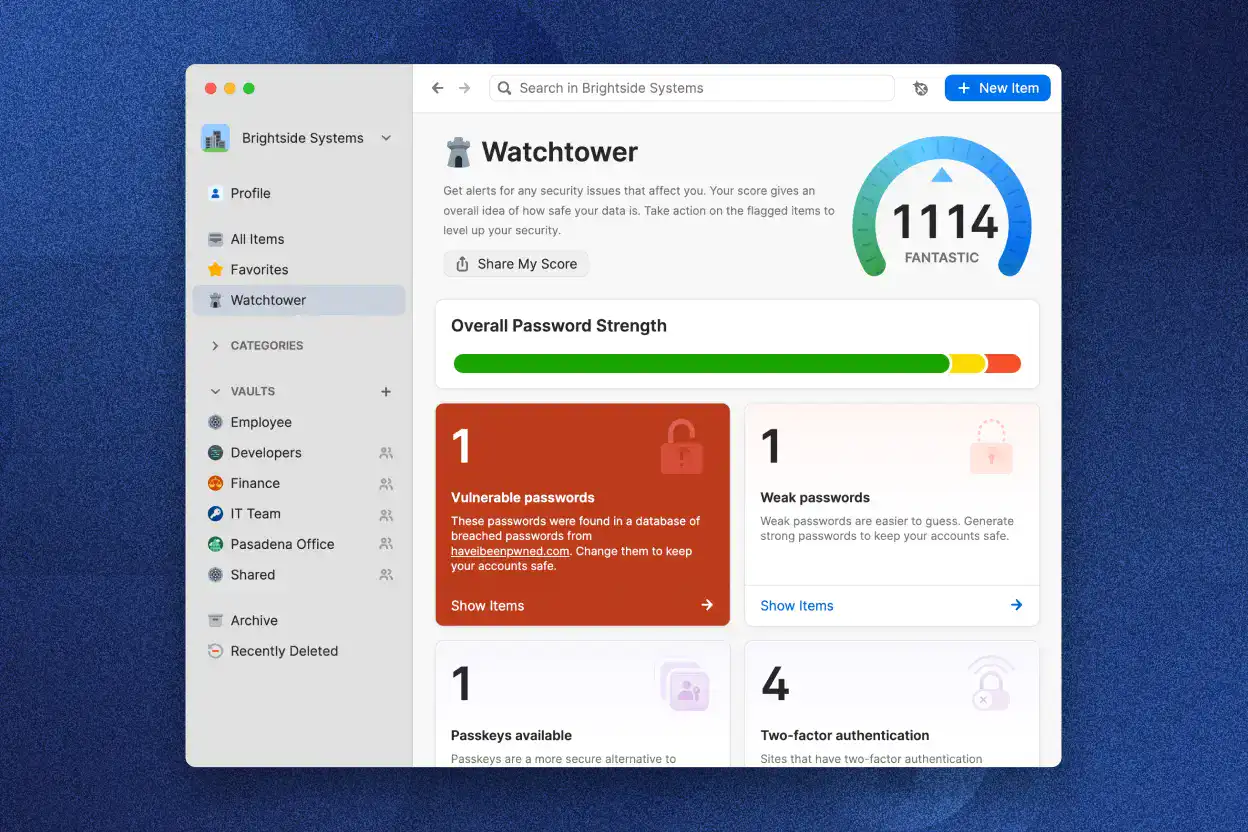
(From $2.99/mo) 1Password 8 is an awesome cross-platform password and privacy manager. It has clients for macOS, iOS, Windows, Android, Linux, and many browser extensions including Chrome, Safari, Firefox, Brave, and Edge. Security researchers often pick 1Password as the best option. Often the recommends come down to two options for password management: 1Password and Bitwarden.
1Password has much stronger protection of your password vault than Bitwarden. 1Password uses a 128-bit secret key plus your master password vs. just a master password for Bitwarden. This means your vault’s security is not dependent on the security of your master password. If for some reason your encrypted vault is compromised, an attacker would need BOTH your 128-bit secret key and your master password to access your vault. Good luck trying to crack that!
1Password also has routine 3rd party security audits, which they publicly publish the results. If you are using any password manager other than 1Password I would urge you to strongly consider migrating. 1Password also has support for Passkeys, which is the future of secure logins. The Apple password manager is FINE for very basic needs and better than nothing. However, it pales in comparison to 1Password for power features.
If you are developer, 1Password has a great CLI interface that can work with third party apps like Royal TSX (covered below). It can store your SSH keys, for example, and from your favorite terminal you can securely access your 1Password vault and authorize access via Touch ID or your Apple Watch.
Some people balk at paying for a password manager. However, it’s a cornerstone of your online security and provides immense value. Your password manager literally holds the keys to your kingdom, so paying for an ongoing subscription is a small price to pay.
AlDente Pro
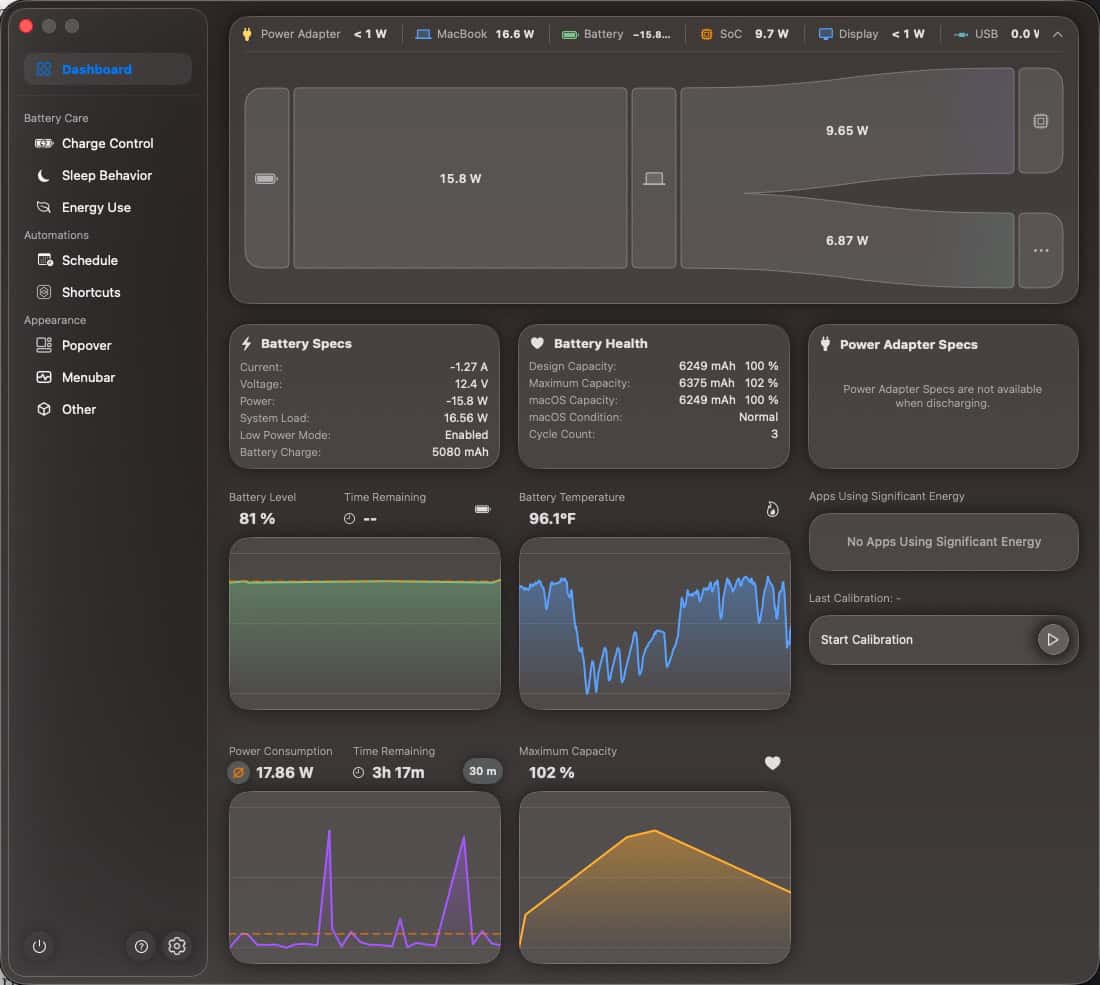
(Free/Pro) Aldente is a MacBook battery manager that can help reduce the wear and tear on your battery for increased lifespan. Fairly recently Apple let you set the maximum charge level of the battery, which is great. I had my MacBook Pro M1 Pro for nearly 5 years and during that period the maximum charge level was set to 80%. Guess what my battery health is? 99%! Yes, 99% after almost 5 years and it was literally plugged in 24/7 for those 5 years.
Recent versions of Aldente really stepped up their game and now offer a beautifully designed user interface and dashboard. It also has a ton of menu bar customizations, scheduling, Shortcuts support and more. If you want to take control of your MacBook battery, Aldente is the way to go. I purchased the Pro version and it’s been worth every penny.
AmneziaWG
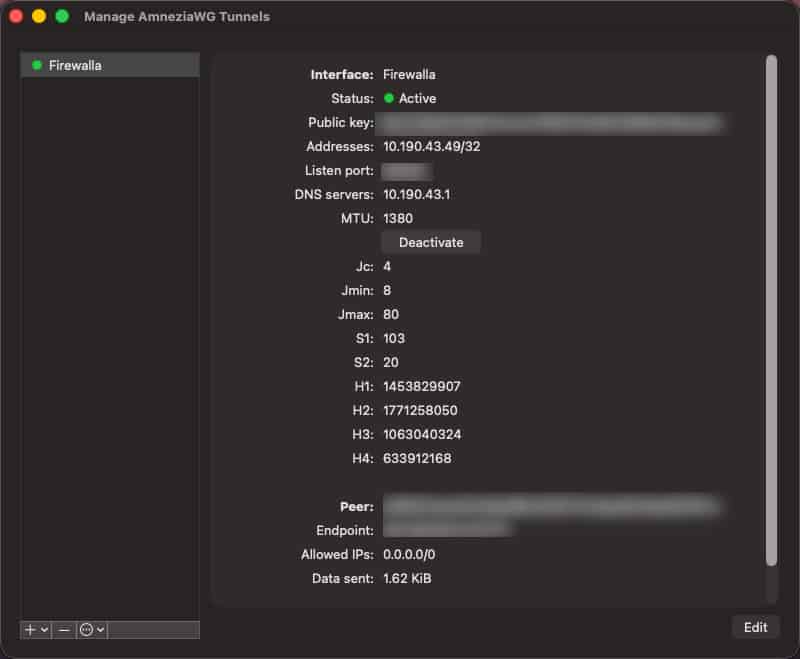
(Free; Premium options) AmneziaWG is a fork of the WireGuard-Go VPN, but it tries to eliminate the identifiable network signatures that make a WireGuard VPN detectable by deep packet inspection (DPI) systems. In short, it’s a WireGuard VPN that is harder for third parties to detect and block. They have various deployment options, including soft-hosted (free) and premium hosted options.
My Firewalla firewall has native AmneziaWG support, so I can use it for free to VPN into my home network. If you are currently using a WireGuard VPN, I highly recommend looking into AmneziaWG as a replacement. I hope that commercial providers like Proton VPN start offering AmneziaWG as an option.
BetterDisplay 4
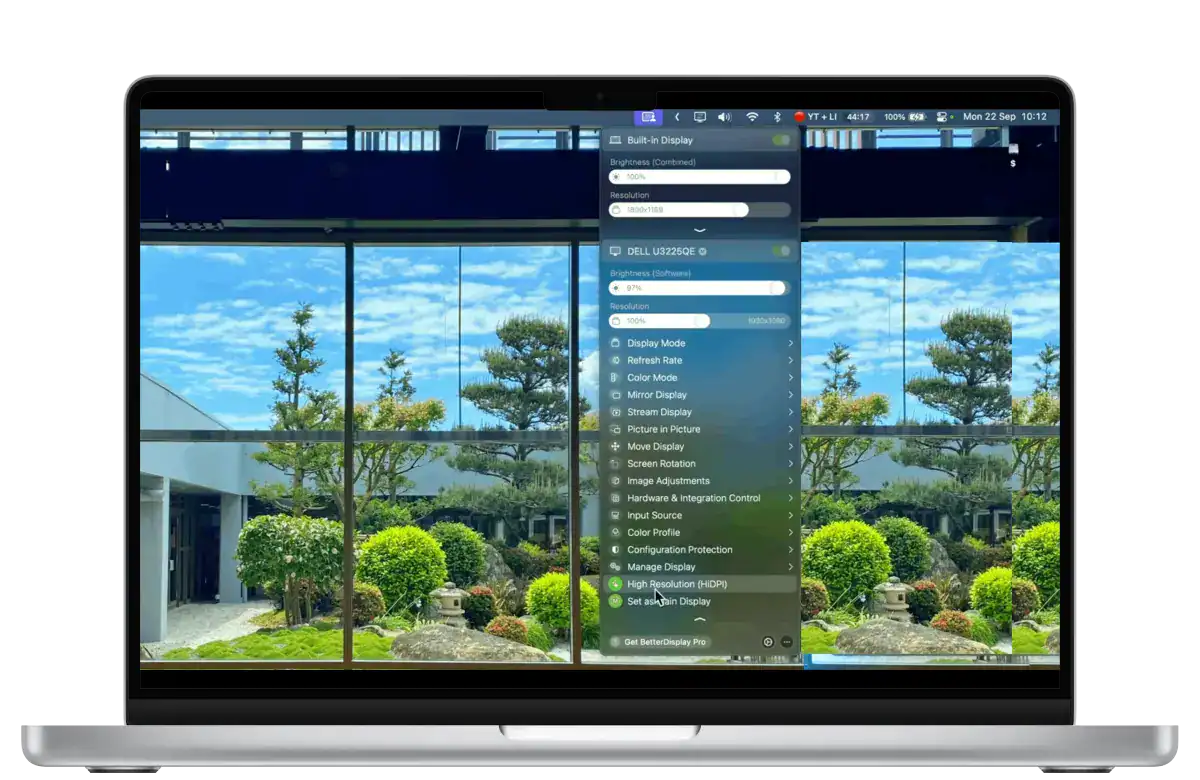
(Free/$10 Pro one-time) BetterDisplay is an awesome monitor management utility. It allows you to configure virtually every aspect of your monitor including custom resolutions, HiDPI, software adjustment of brightness/contrast, monitor input switching, and a lot more. The UI has an astonishing amount of customization (almost too much, IMHO), including extensive keyboard shortcuts.
It is indispensable to me, as I use a BetterDisplay hotkey switch my Dell monitor’s eKVM inputs between my personal and work Macs. The developer is also extremely active on Discord and almost instantly replies to questions or feature requests. This is certainly an “advanced” utility, but if you need the functionality it’s worth every penny.
Carbon Copy Cloner 7
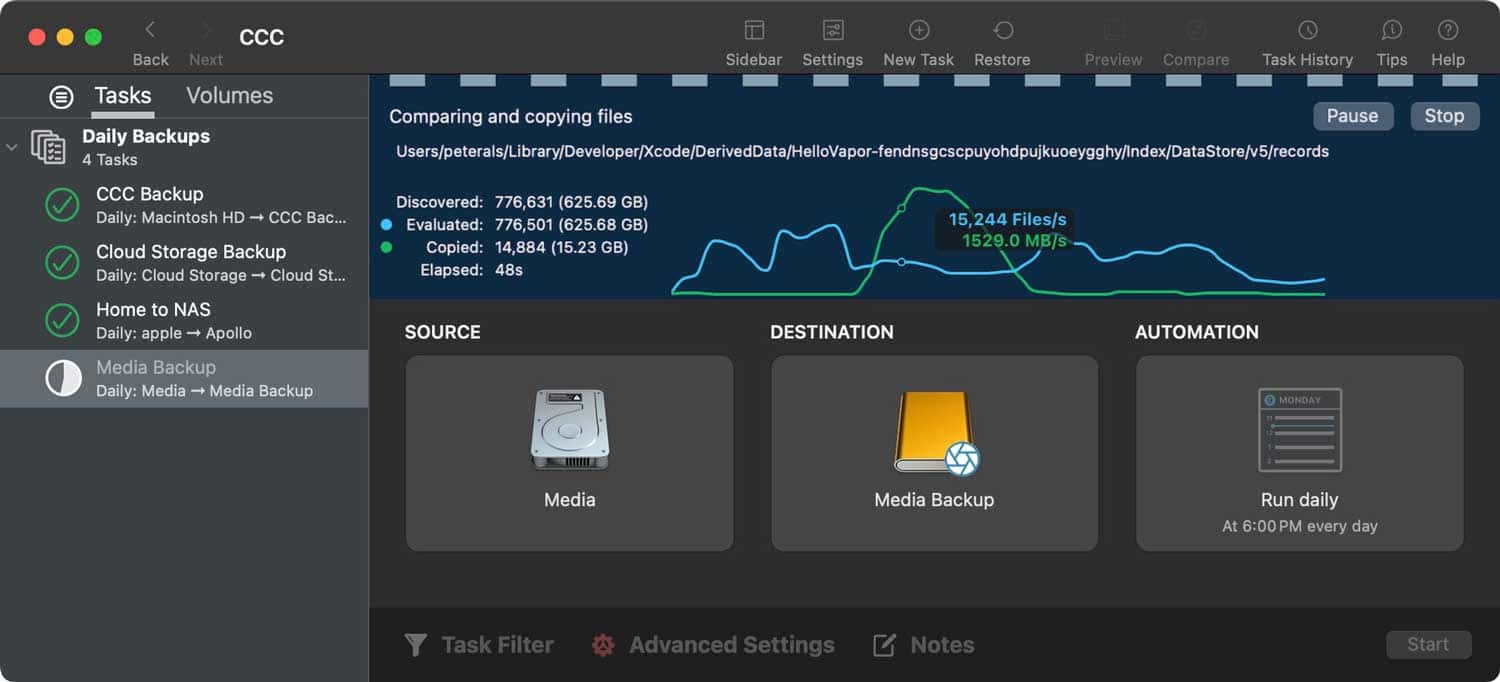
($49.99 one-time) Carbon Copy Cloner is a robust macOS backup utility. CCC is super fast, supports APFS, snapshots, and a variety of backup targets including external disks and NAS. It is designed to back up your entire Mac, including some cloud drives.
Carbon Copy Cloner is regularly updated and is quick to support new macOS releases. It’s very robust, and should you have a tech support issue they are fast to respond. It doesn’t have native cloud backup target options, so it’s best for local backup targets (NAS, USB, etc.).
It can backup some cloud storage sources (like OneDrive), but it has some limitations. For example, it has some limitations with iCloud photos. You can read all about their cloud storage support here. If you want to perform a full iCloud backup (including photos), you can check out Parachute Backup (covered below). I personally pair CCC with Parachute Backup for complete backup coverage of both my Mac and iCloud account.
ChronoSync
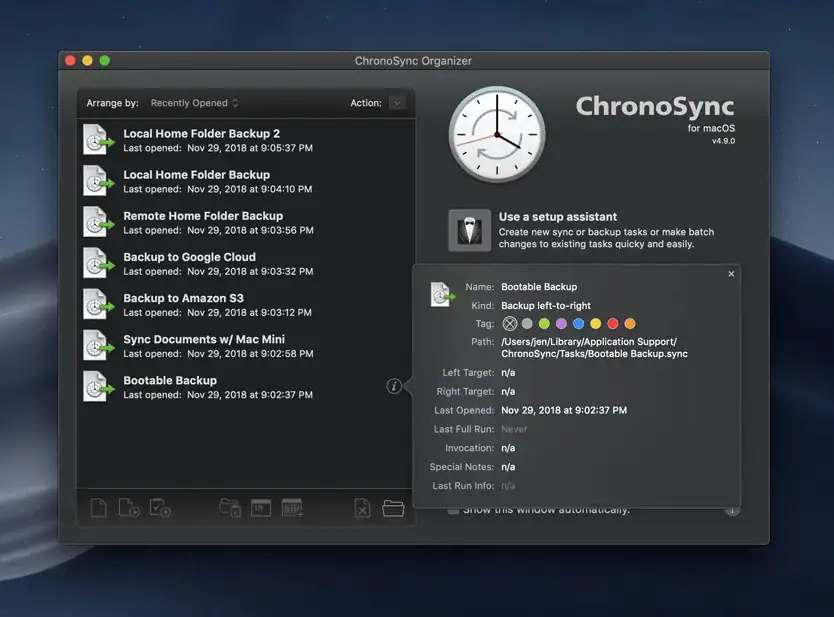
(From $49.99 one-time) ChronoSync is a file copy and backup utility. I found myself needing to copy a few TB of files between removable media devices and my NAS. I tried various free solutions, but they weren’t reliable or kept crashing. So I forked out the money and used ChronoSync. It was rock solid, fast, and highly configurable. It can also do backups, but I like Carbon Copy Cloner for that. If you want to use it for backups, it also supports Amazon S3 and Backblaze B2 targets which is great for offsite backups.
ConnectMeNow 4
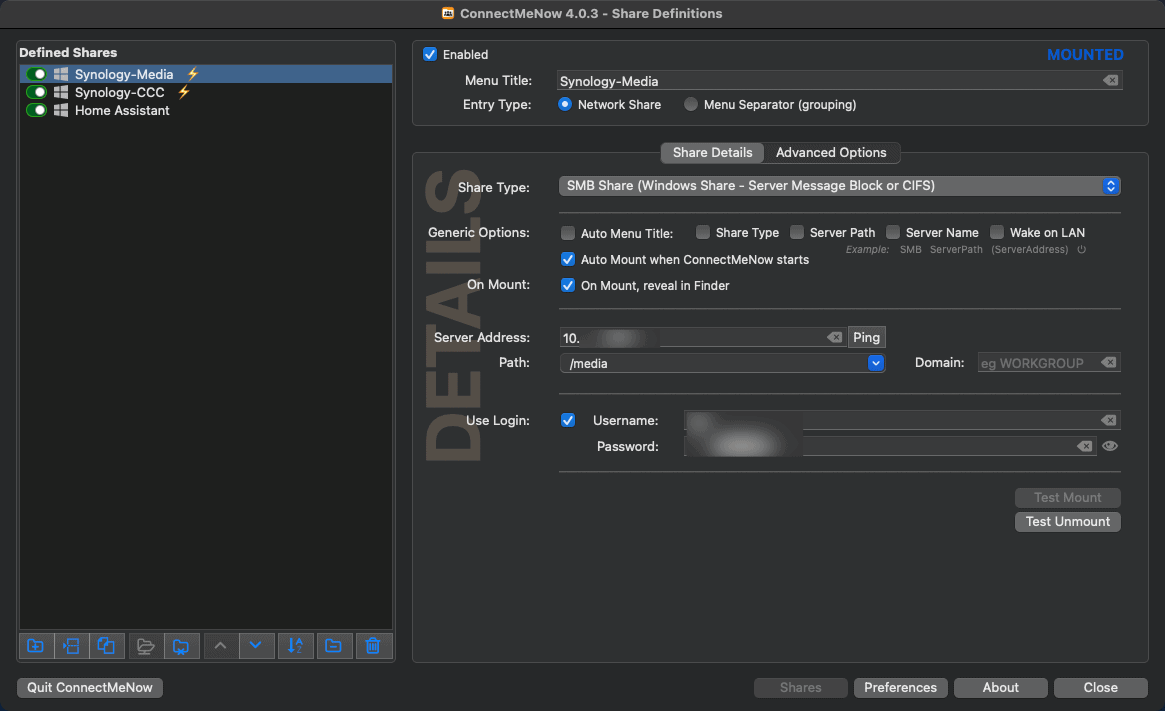
(Free) ConnectMeNow 4 is a free utility that helps automate the management and mounting of network file shares. It supports SMB, AFP, NFS, SSH, WevDav, and more. It can auto-mount at startup, and stores the credentials for the shares so they can be easily mounted in the background. I use it for mounting shares from my Synology NAS. It’s one of those utilities I can just setup once and forget about it. My network shares are always mounted and ready to use.
Consul
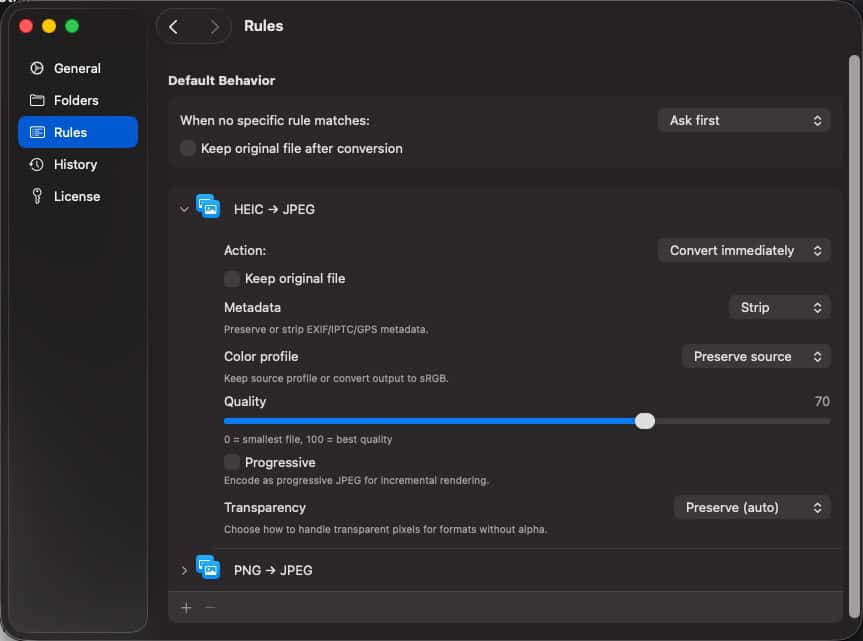
($19, one time, $9/yr for updates) Consul is an innovative file converter for macOS. It supports dozens of file formats, including images, video, audio, PDF, documents, subtitles, E-Books, JSON, YAML, archives, 3D models, fonts, and more. You can see the full list here. The innovative part is that by merely changing the file extension of a file, it will be converted to the new format. During the first conversion process you can specify the output format, quality and create a rule. All subsequent files with the same extension will be converted automatically in the background. It can even create backups of the original files.
When paired with Hazel (covered below) it’s a powerful combination. You can use Hazel’s advanced rules to automatically convert files to a specific format just by changing the file extension.
Cotypist
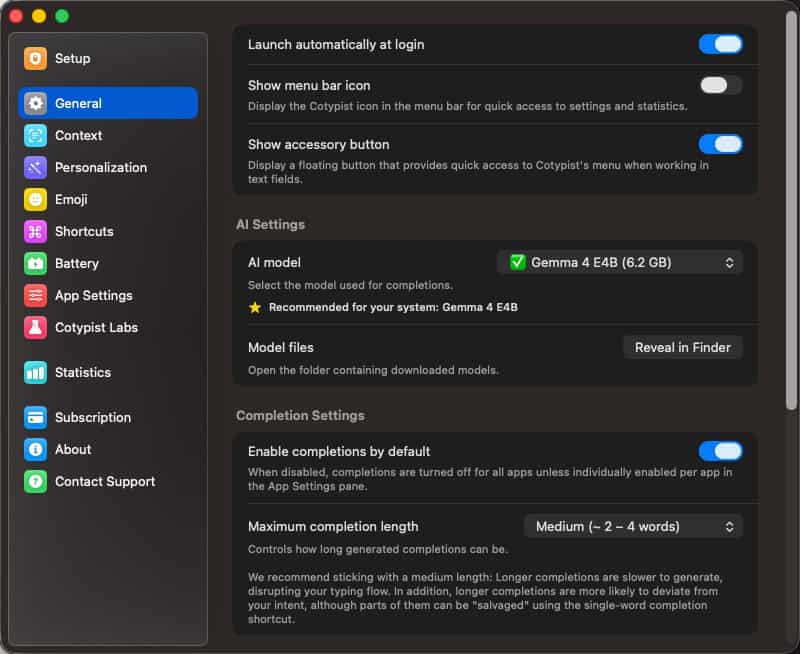
(Free, Plus $6/m0, Pro $9/mo) Cotypist is a Mac app that predicts what you are typing and suggests completions using local AI models. Suggestions are generated in real-time and appear as you type. Pressing the tab key will insert the suggested completion. It operates entirely locally, and models range from 800MB to 16GB. On my MacBook Pro with M5 Max and 36GB of RAM I’m using the 6.2GB Gemma 4 E4B model. It’s astonishingly fast and accurate.
It learns your writing style so it just keeps getting better. It also reads the content of all your open apps, so it knows what you are working on. I can be browsing the web in one app, then when writing a blog post about the content it is aware of the context and makes the suggestions accordingly. Pretty slick!
Craft
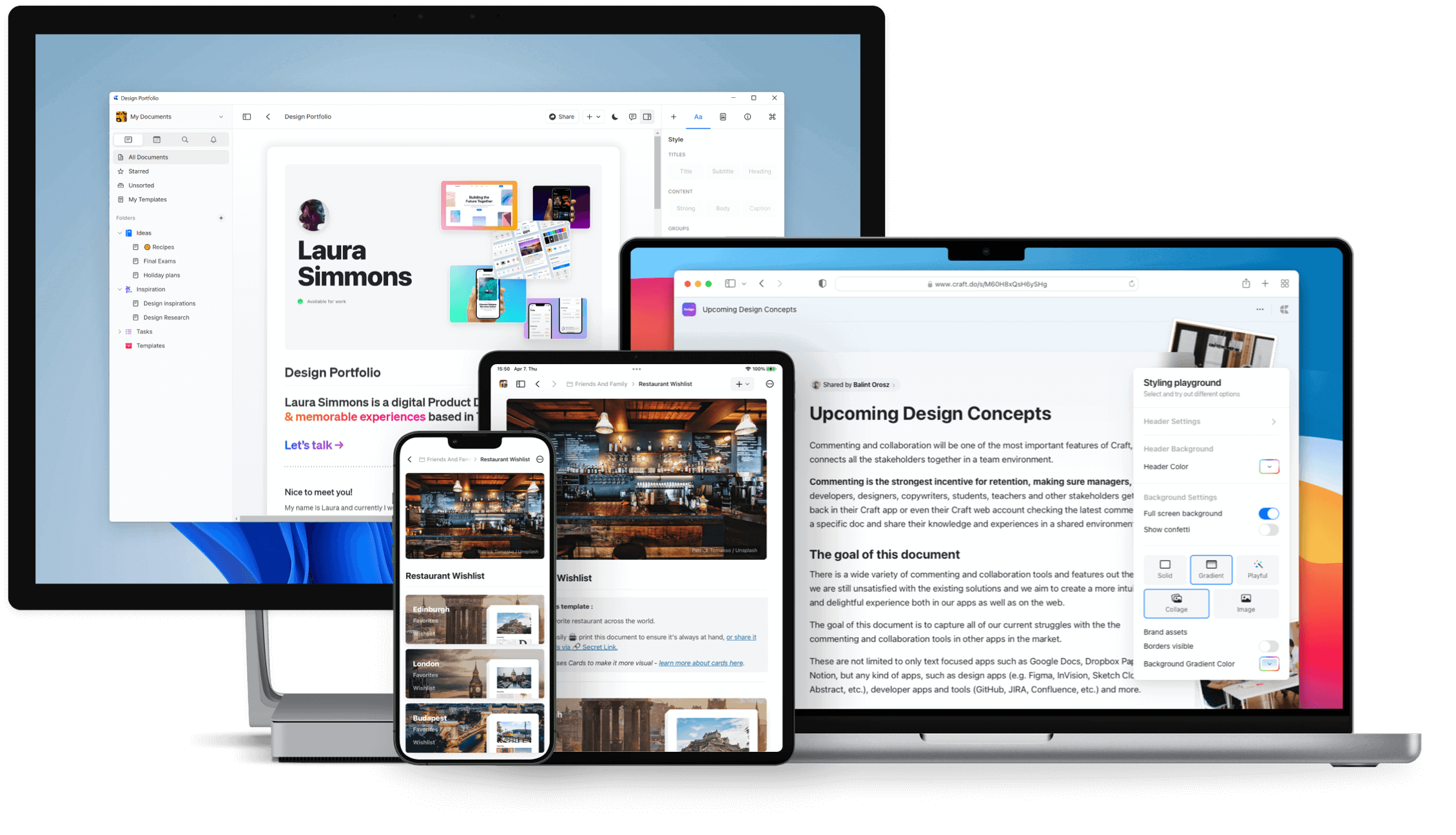
(Free/Pro $4.80/mo) Craft is cross-platform document creation and note taking/organizing application. It’s easy to use, has apps for multiple devices (iPhone, iPad, Mac, Windows, web), and has collaboration and sharing features. The developers are also very active and constantly release new updates with great enhancements.
I use Craft as my digital brain. It’s where I store all my notes, ideas, articles, etc. It’s also been featured as the Mac App of the Year, Apple Design Award finalist, and more. Being able to access all of my notes on all of my devices is a huge plus.
DiskLens
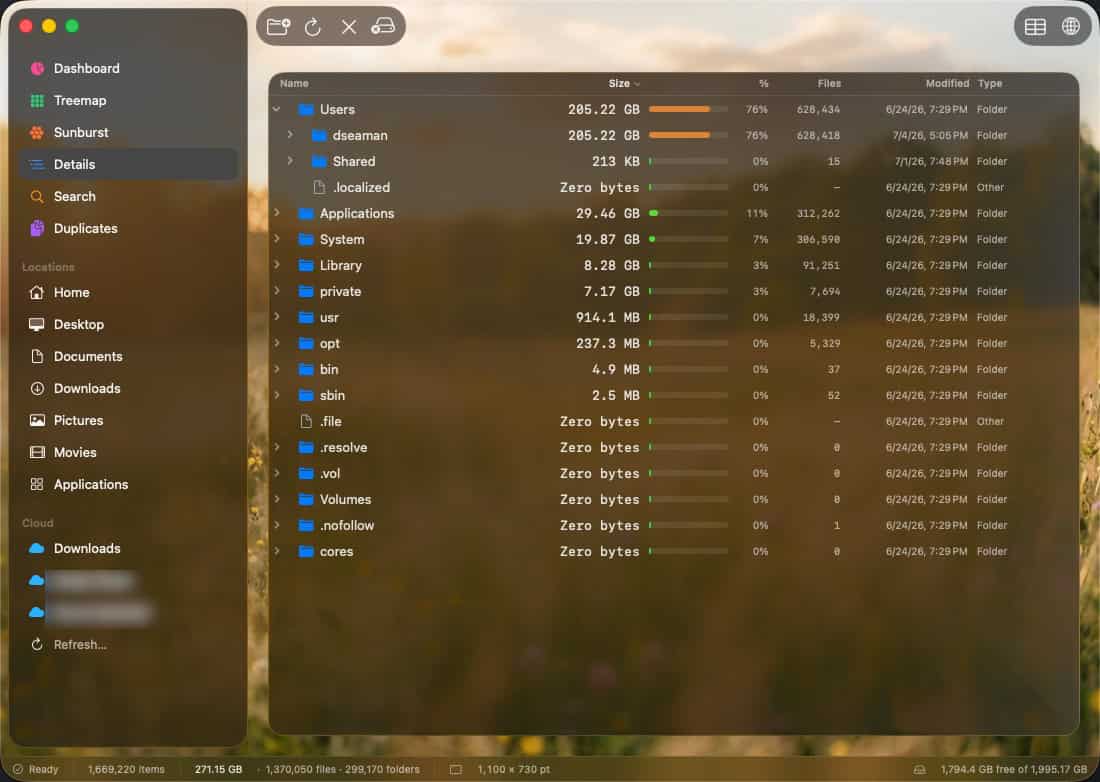
(Free) DiskLens is a beautiful, easy-to-use, and powerful disk usage analyzer for Mac. It features a clean and intuitive user interface, with a variety of views such as a treemap, sunburst, details, and more. It also has a duplicate finder, which can be used to find duplicate files on your Mac. It’s blazingly fast and makes it easy to drill down into your disk usage to find the space hogs. I personally find the UI better than DaisyDisk, which is a similar app.
Dropover
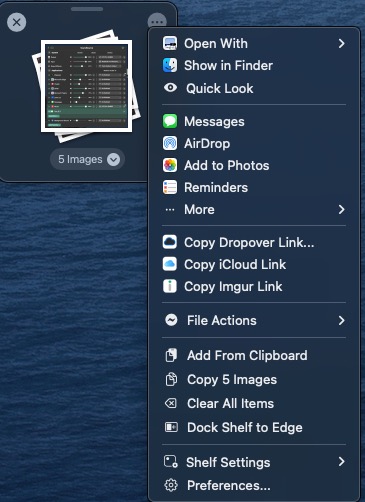
($6.99 one-time) Dropover is a very innovative file management utility. It lets you collect any number of files and folders into stacks just by shaking them. Once you’ve collected all of the files/folders you want, you can easily do number of actions on the collection including AirDrop, copying, add to Photos, batch rename, and much more.
Fantastical
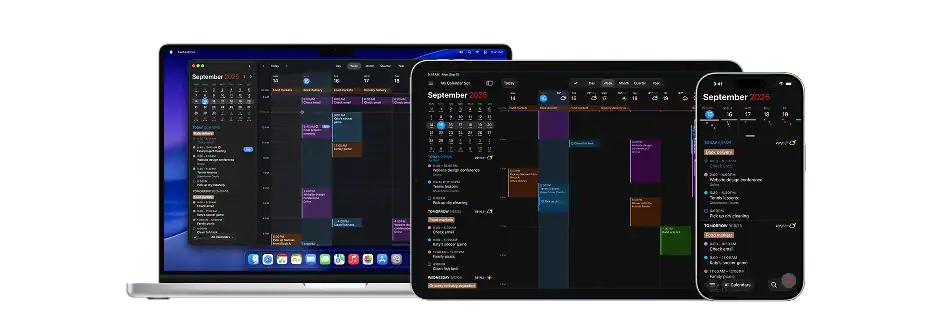
($4.75/mo) Fantastical is one of those must-have calendaring apps for power users that is supported across the Apple ecosystem (macOS, iOS, iPadOS, WatchOS). It is one of the Mac apps that I use the most and deeply love. It also also won Mac App of the Year and is an Apple Design Award winner.
Fantastical is both visually beautiful as well as functional. It can give you a single pane of glass view for a large range of calendars including iCloud, Google, Microsoft 365, Outlook.com, Meetup.com, Zoom, Yahoo, Webex, MS Exchange, Todoist, etc. It always has Day 1 support of new headline Apple OS features like Focus Modes and lock screen widgets.
Hazel
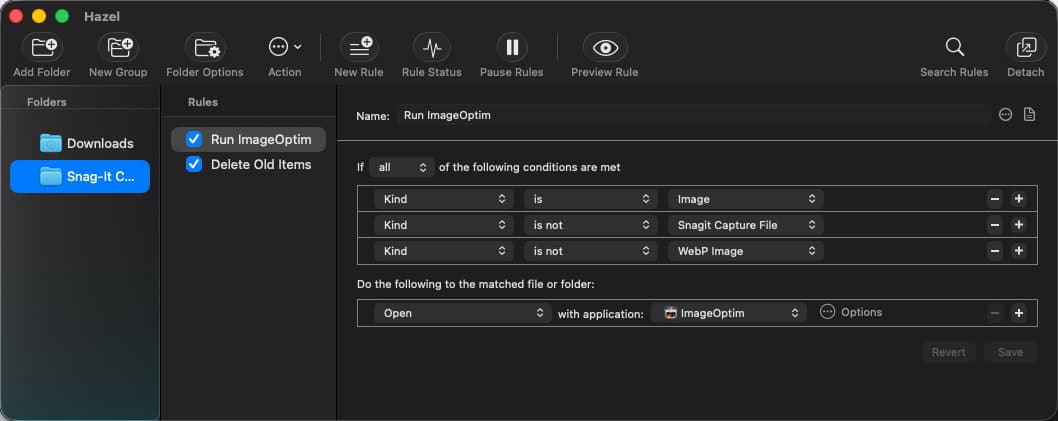
($42 one-time) Hazel is a macOS automation app that lets you create complex rules to automatically organize your files. It supports Shortcuts, AppleScript, and Automator. Hazel can open, archive, tag, rename, move, copy, and delete files all based on rules you create. I use Hazel in conjunction with ImageOptim and Consul to automatically optimize my images. If you are into automation on your Mac, Hazel is a must-have. It can also do things like automatically clean up your downloads folder.
Hemo
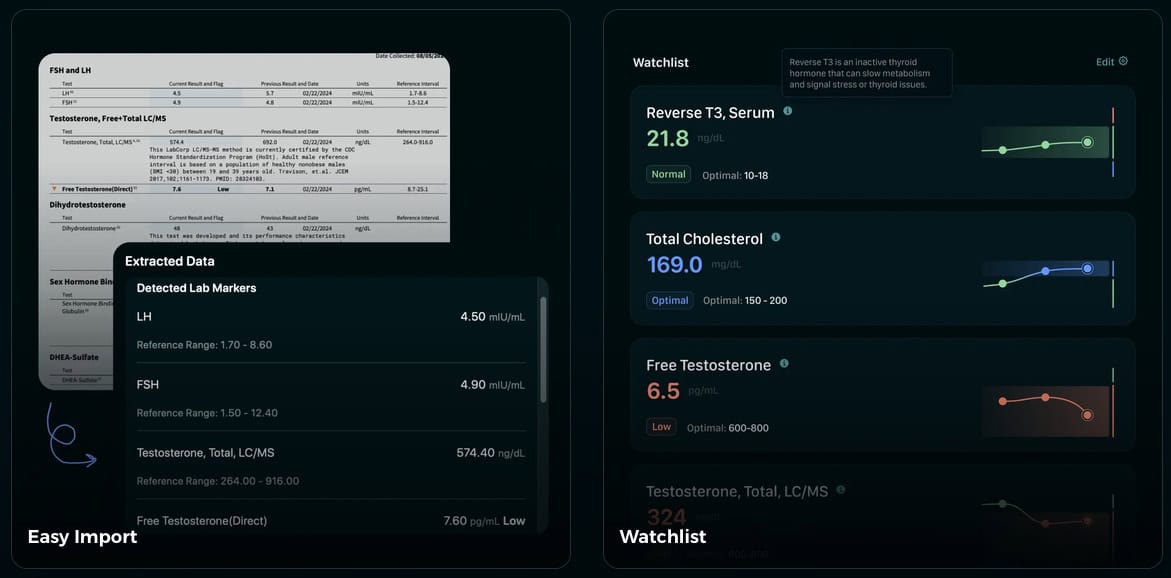
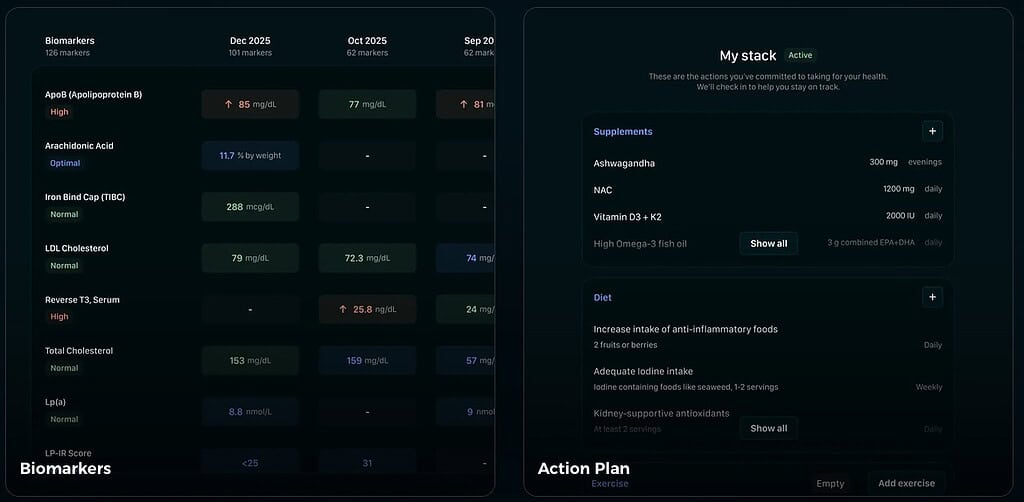
(Free; In Beta) Hemo is a health tracking app for your Mac that OCRs all of your lab results and generates a personalized action plan. It also has a number of other features, such as dashboards, charts, trend analysis, exportable reports and more. It uses AI to import all of your lab results from PDFs, and stores each biomarker into a local database. Yes, LOCAL database. The only cloud component is the OCR engine and your personal data is never stored in the cloud or shared with anyone.
The app is currently in an extended beta, and available via TestFlight on the Mac. The indy developer is extremely responsive to feedback and has been adding new features at a rapid pace. In fact, at my request he added a full export/import feature in just a few days to help me migrate to my new Mac. I’ve made dozens of other feature requests over the past year which he’s been adding as well.
I’ve dumped years of lab results from all kinds of providers and formats, and it handles them like a champ. I love all of the dashboard and having a single place to look up all of my labs. You can also add “actions” or “notes” to track things like starting or stopping medications, starting a new exercise program, etc. This is all shown on a beautiful timeline so you can help coordinate all of your health efforts with lab results. It also supports exporting your biomarkers to a PDF, so you can take it to your doctor.
ImageOptim
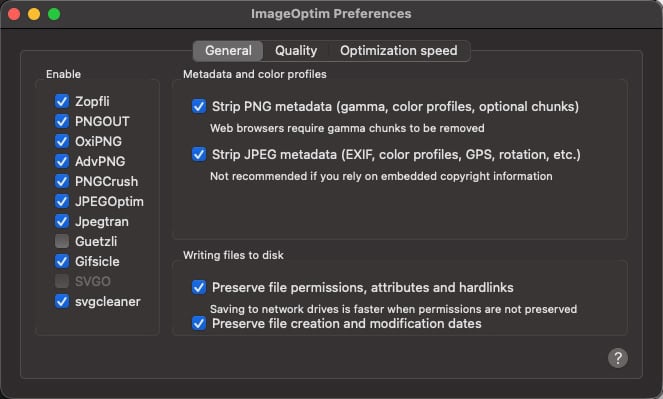
(Free) ImageOptim is a free image optimization tool for macOS. It can dramatically reduce the size of your images without sacrificing quality. It has a number of options to control the level of optimization. By default, it’s lossless, but you can set it to be lossy if you wish. I have a Hazel rule that automatically runs ImageOptim on any image that is added to specific folders. It pops up a notification window where it shows you how much it reduced the size of the image.
iMazing
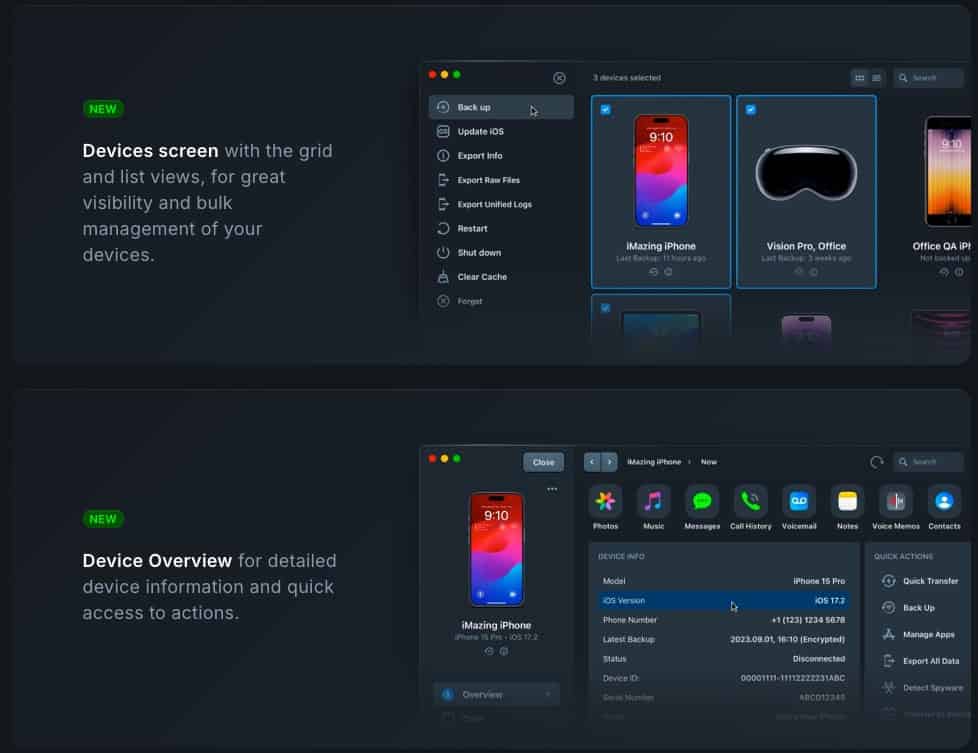
(1 Device, $29.99/yr) iMazing is a tool for managing your iOS and iPadOS devices. It allows you to easily transfer files between your Mac and iOS/iPadOS devices, perform device backups, download .ipa files, export iMessages, and tons more. It also has a spyware analysis feature that can see if your device has been compromised by Pegasus, NoviSpy, and other spyware. Check out their website for more information and all of the features. If you want a Swiss Army knife for your iOS/iPadOS devices, iMazing is it.
iStat Menus 6
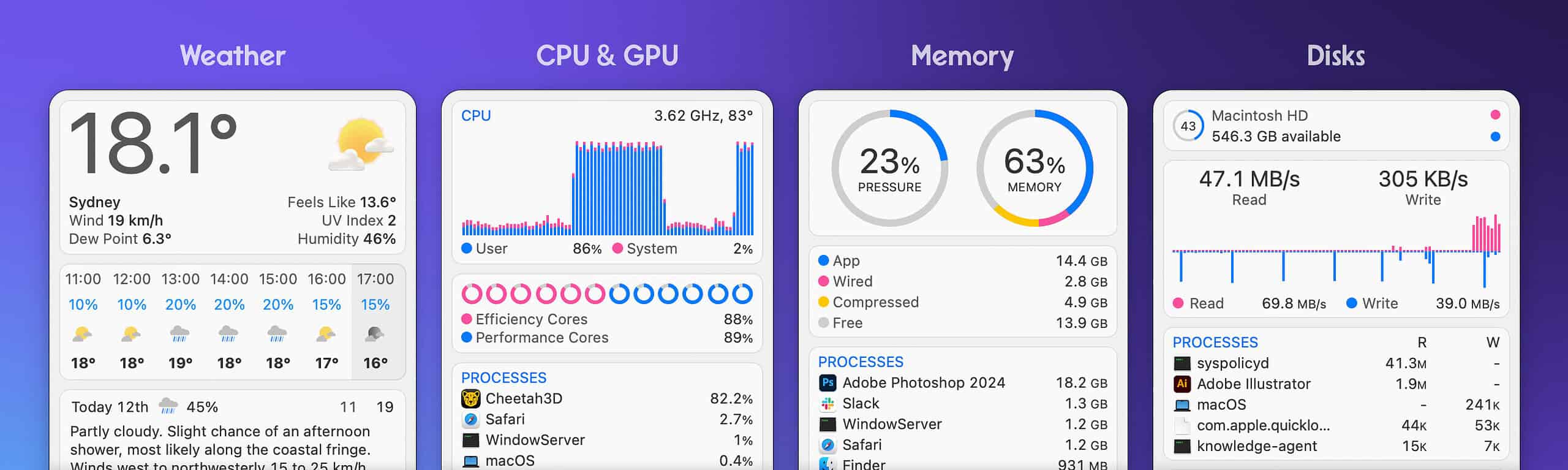
($11.99 one-time) iStat Menus 6 is an advanced Mac system monitor for your menu bar. It is highly configurable, and can show stats for network, CPU, GPU, memory, disks, battery, weather, time, and more. At a glance in your menu bar you can tell exactly what is happening on your Mac.
In my menu bar I monitor network throughput (up and down), CPU utilization for all 18 core on my MacBook, clocks for multiple timezones, and battery status. It is highly, highly customizable so you only view the vital stats that are important to you without cluttering up the menu bar. It also has a number of themes, so you can make it look however you want.
Karabiner-Elements
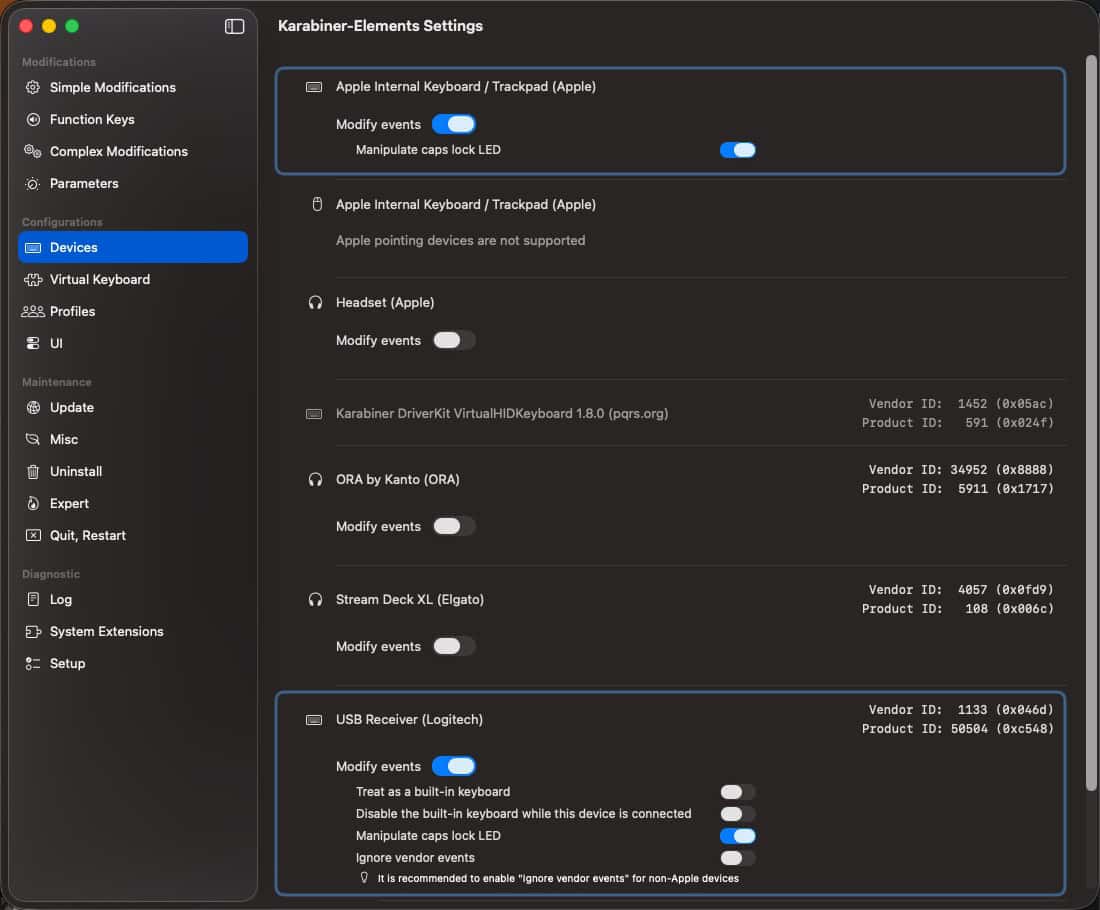
(Free) Karabiner-Elements is a free and open-source keyboard remapping software for macOS. It allows you do advanced keyboard remapping, such as: configuring caps lock to be a “hyper key” combining all four macOs modifier keys (command, option, control, and shift) into a single key. It is extremely reliable and capable of highly complex remappings.
Malwarebytes Premium
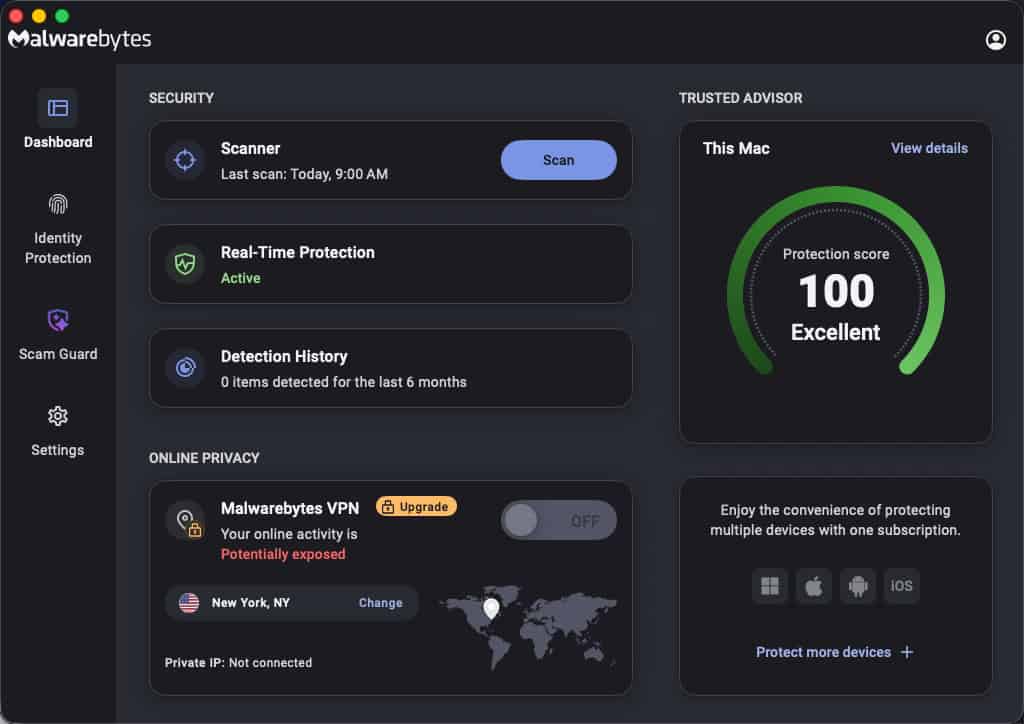
(Standard, $44.99/yr) Malwarebytes Premium is an AI powered antivirus that protects your Mac from malware, ransomware, phishing, and more. While malware on a Mac is rare, it is still possible. This lightweight, easy-to-use software is easy to use and runs quietly in the background. It features web protection, malware protection and app blocking. It also injects a native content filter into macOS at the network level, so it can block malicious websites and downloads. The company is well known in the security industry and has been around for ages. So I trust them more than some rando “do it all” app that includes “antivirus”.
MediaInfo
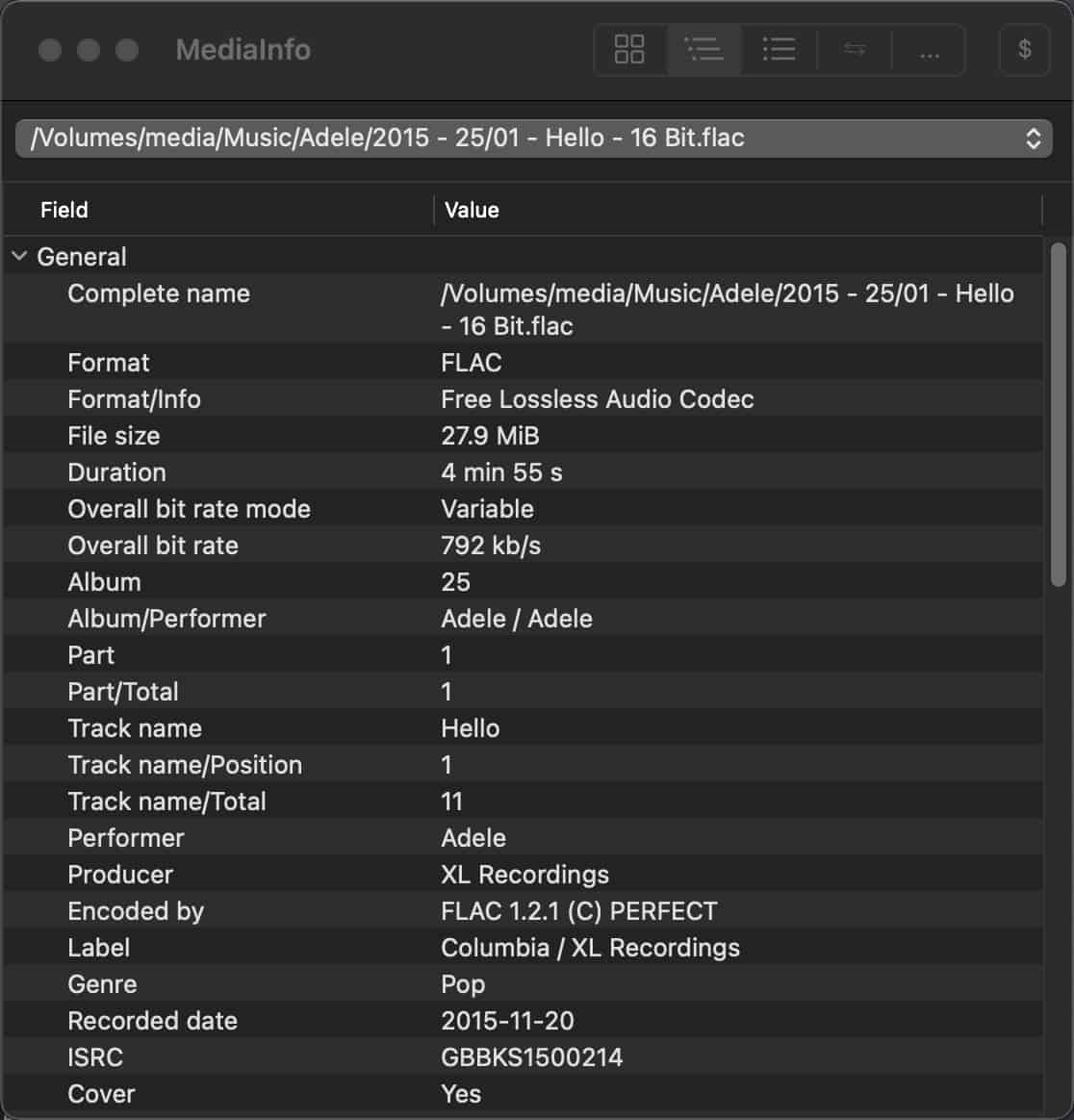
($0.99 one-time) MediaInfo is a great little utility for digging deep into the properties of your video and audio media files. It can display information such as container type, bitrates, writing application, codec, channels, bit depths, subtitle languages, etc. You can also export information as text, XML, JSON, EBUCore and more.
Menuwhere
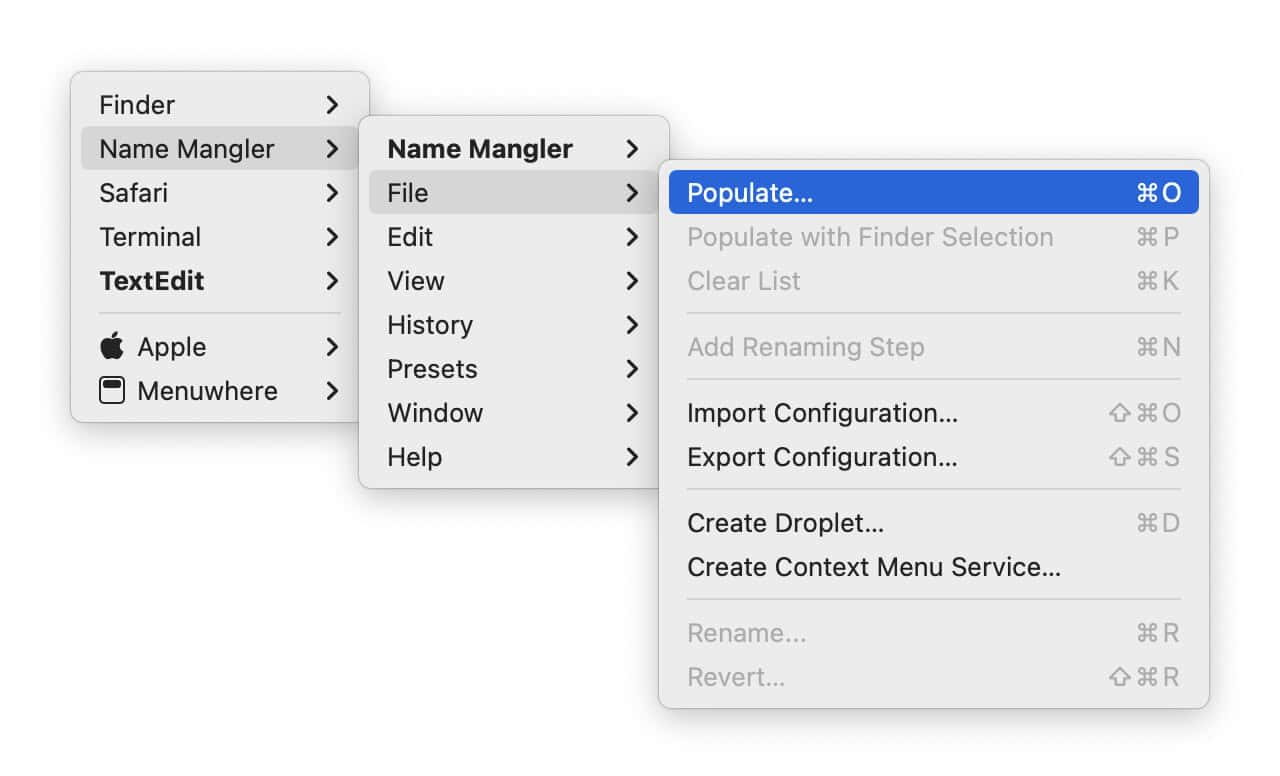
($3 one-time) Menuwhere is a utility that lets you open the menus normally located in the top left of your screen anywhere you want. This is particularly useful for those with large or ultra-wide screen monitors. It means less mousing and less eye/neck strain trying to read menus in the top left corner.
Hold down the configured modifier (e.g. CMD), right click, and the menu will appear where your mouse pointer is. I can’t count the number of times a day I use this on my ultrawide monitor.
MuteDeck
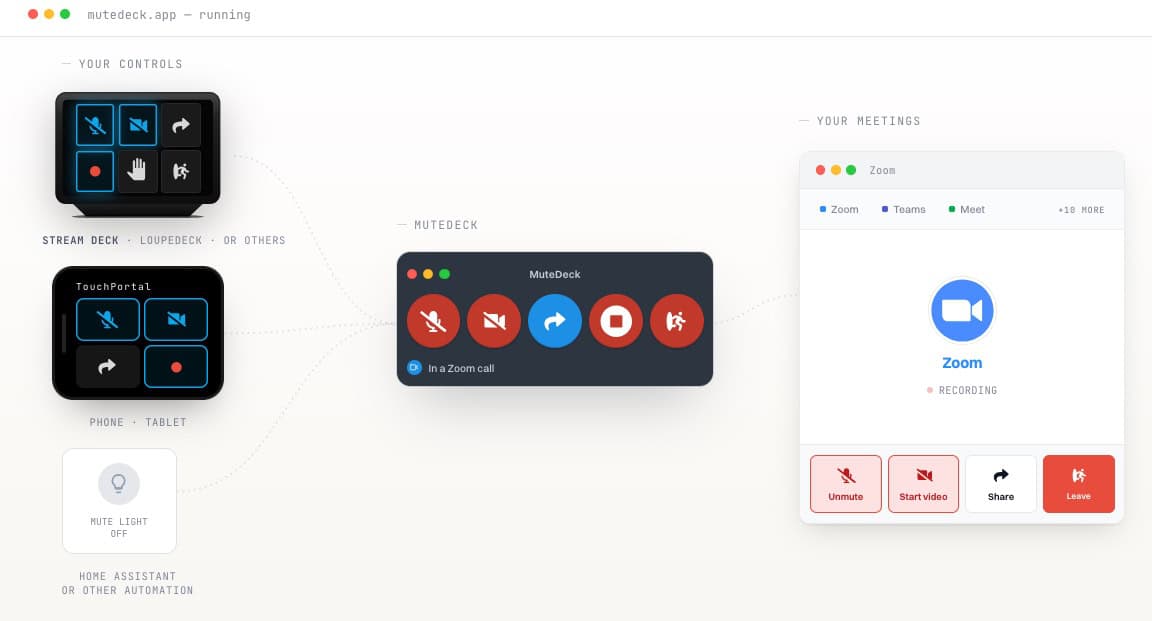
($14.00 one-time, $10/yr for updates) MuteDeck is a must have utility for those of you that are on daily Zoom, Microsoft Teams, WebEx, or Google Meet meetings. When combined with an Elgato Streamdeck or Loupedeck, it offers awesome control over mute, camera, raising your hand, leaving a meeting, and much more. You can easily program your Streamdeck to control your meetings and even have different button icons that dynamically change state depending whether you are muted or not, for example.
OpenIn 4
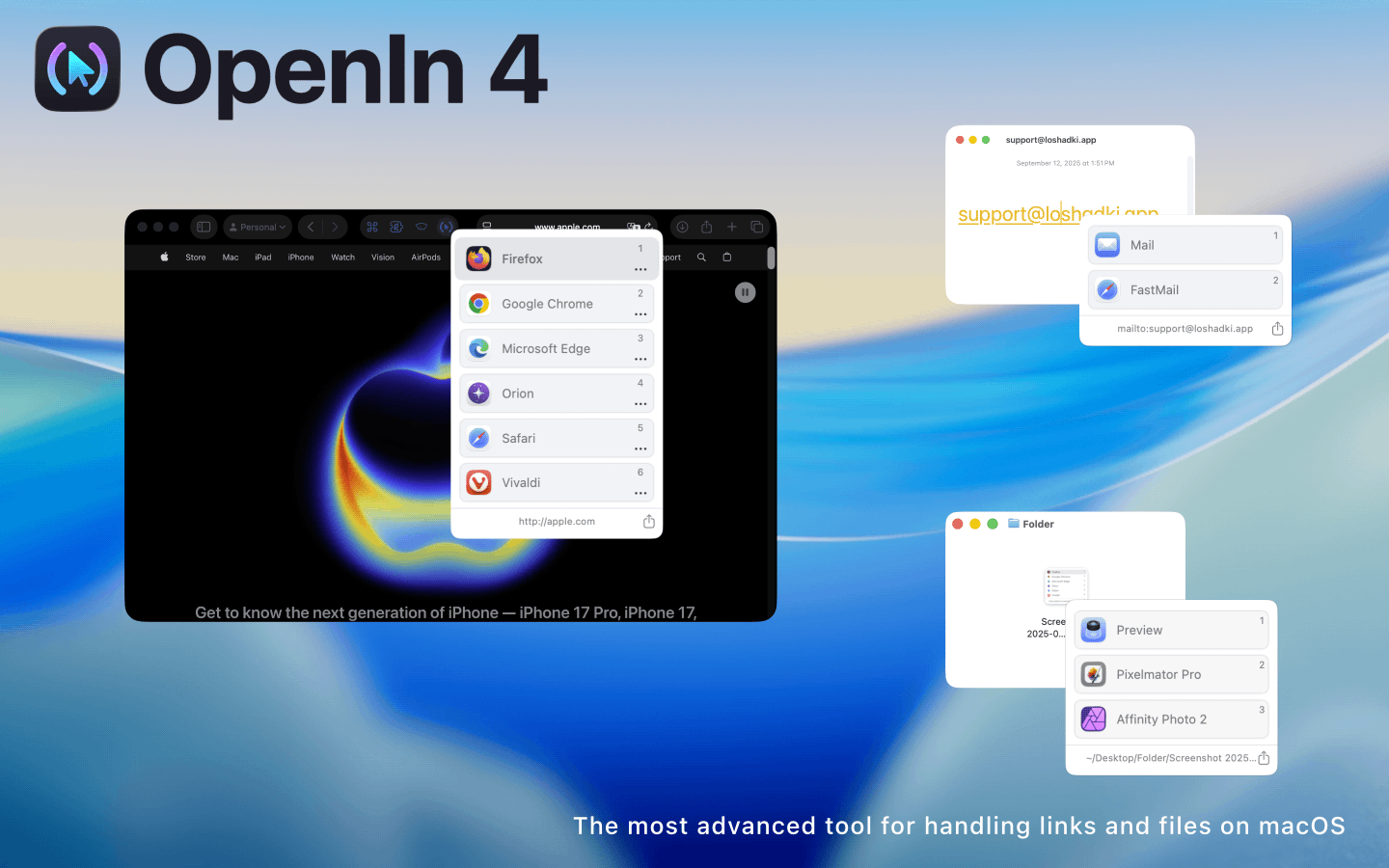
($11.99 one-time) OpenIn 4 is an amazing app that intelligently handles multiple browsers, mail apps, call apps (Zoom, Facetime, etc.), and file types. It has a robust rules engine that allows you to customize what browser opens what type of links or domains, select between multiple mail apps, and a lot more. If you use multiple browsers, leverage browser profiles, or want certain URLs to open in a specific browser, this app is for you.
The rules engine even supports JavaScript for highly advanced rules, such as stripping out the query string from a URL. I also like the browser profile support, so I can open specific links in a specific browser and browser profile.
Parachute Backup
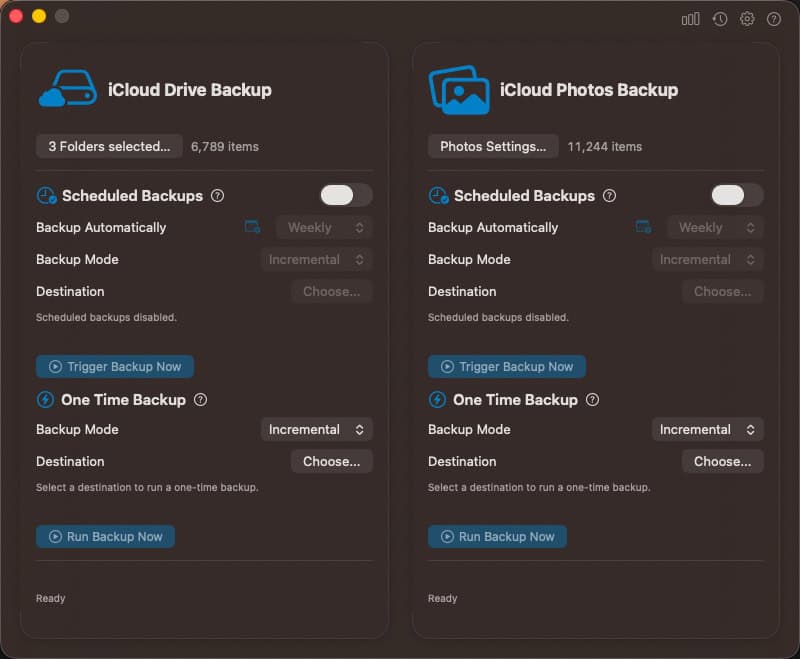
($14.99 one time) Parachute Backup is an awesome dedicated iCloud backup utility. It backs up both your iCloud drive and iCloud photos. One feature that is great is that is supports smart offloading. Parachute will automatically download files from iCloud Drive (including photos), back them up, then evict them from from your Mac so you don’t fill up your disk with iCloud content.
I find Parachute to be a good complement to Carbon Copy Cloner. CCC backups up my entire Mac to my NAS, and Parachute fully backs up my iCloud Drive and iCloud Photos.
Pastepal
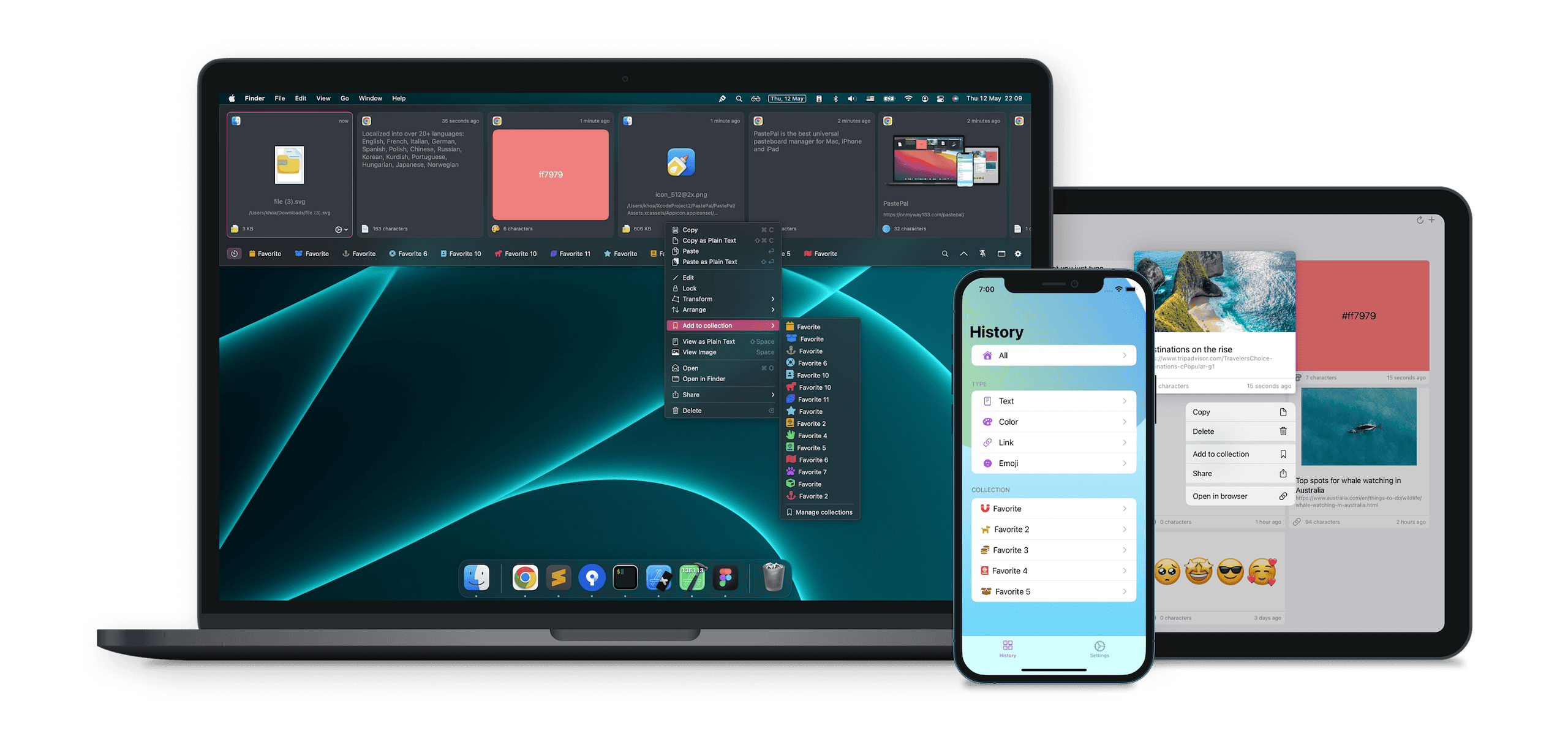
(Free/$14.99 Pro) PastePal is an awesome clipboard manager for the Mac, iPhone and iPad. It supports iCloud Sync, universal clipboard, keyboard shortcuts, search, and more. I really love the hot corner feature, which I have setup to slide in from the left side of my monitor when my mouse hits the edge. This lists all my recent clipboard contents, so I don’t have to remember a hotkey or click on a menu bar icon.
PastePal also has advanced, like pasting as plain text, changing the capitalization, and more. It has full keyboard shortcut support, so you can really customize it to your liking.
Raycast (covered below) and macOS Tahoe also have a clipboard history feature as well. However, I still prefer PastePal as it has a lot more features, and I really love the ‘slide in’ from the left feature to see the history of my recent clips.
PDFgear
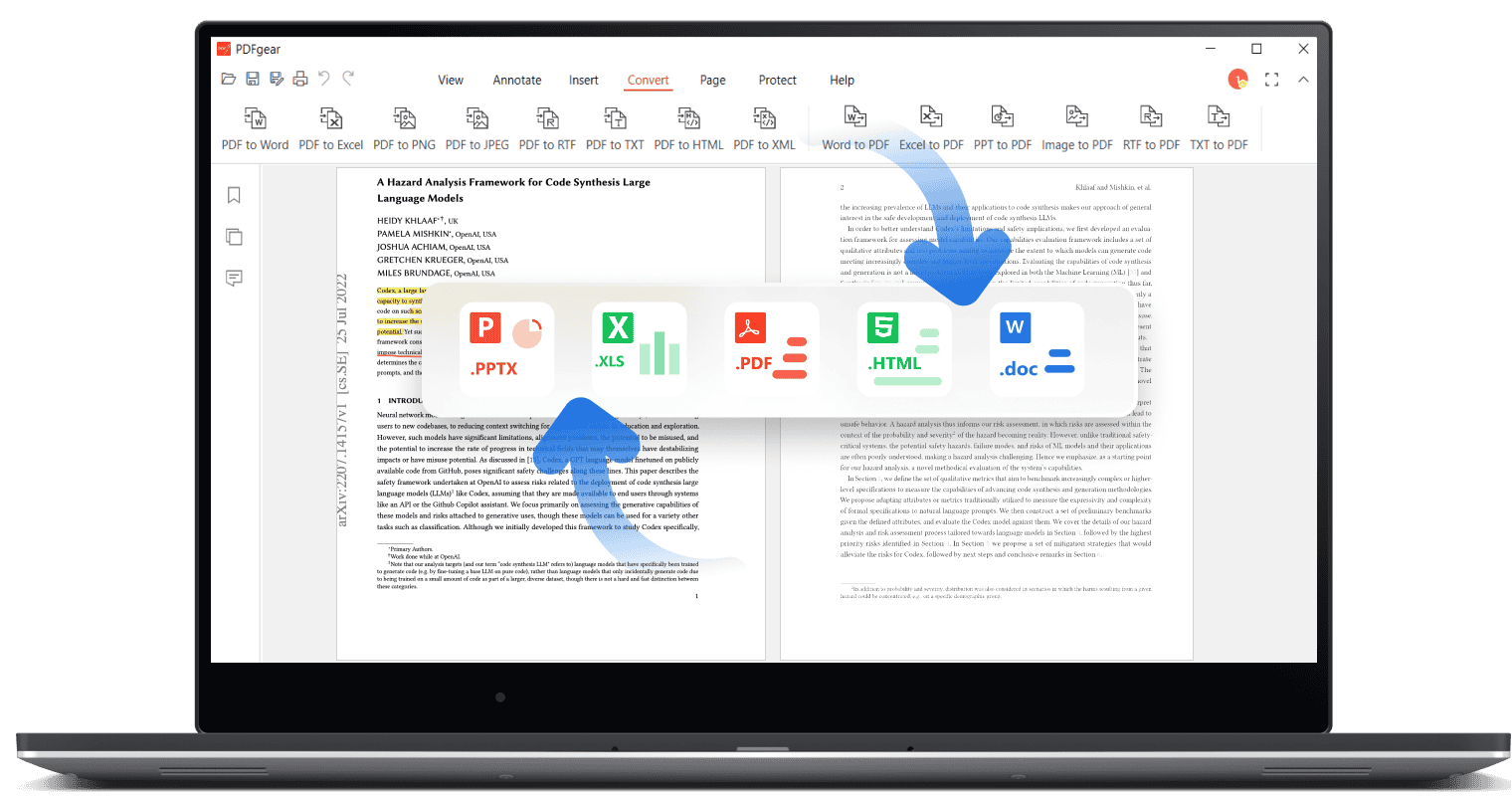
(Free) PDFgear is a complete PDF editor for Mac. It has features such as converting PDF to Word, PDF to Excel, PDF to JPG, and more. It supports OCR, so you can convert scanned PDF files to editable text. Additionally, it has a built-in form filler, so you can fill out PDF forms without having to print them out. For a free utility, PDFgear is quite impressive.
PowerPhotos
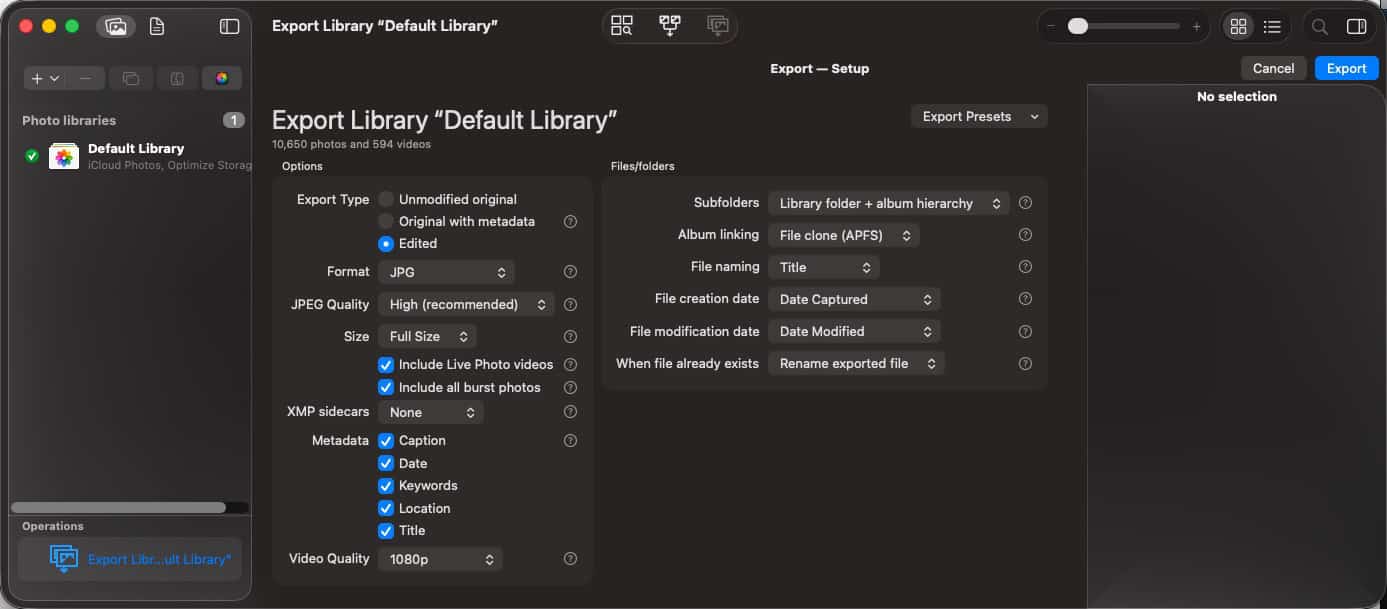
($39.95, one-time) PowerPhotos is an awesome companion to your iCloud Photo Library. It can perform such actions as merging multiple iCloud Photo Libraries, delete duplicates, advanced export options, and more. If you have a ton of photos across multiple iCloud Photo Libraries, PowerPhotos is a great option.
Raycast
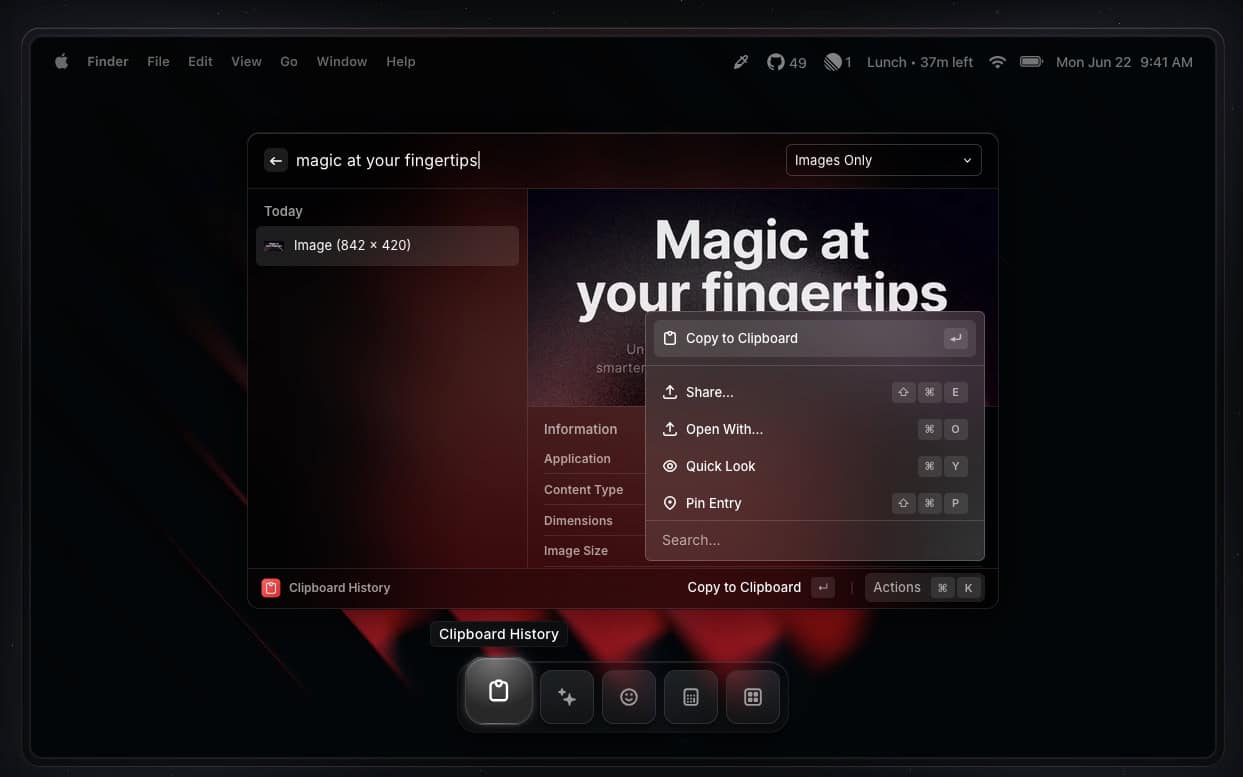
(Free/Pro $8/mo) Raycast is a modern replacement for Alfred or Spotlight. I literally use Raycast dozens of times a day as my “launcher” app for the Mac. Spotlight in macOS Tahoe is a lot better than it was, but I still prefer the power of Raycast. It has extensions for Dropover, Amphetamine, Apple Mail, Apple Notes, 1Password, Warp, and hundreds more programs. I find that it really streamlines my workflow and lets me quickly get things done. Look at Raycast if the Tahoe’s Spotlight isn’t enough for you.
Rectangle Pro
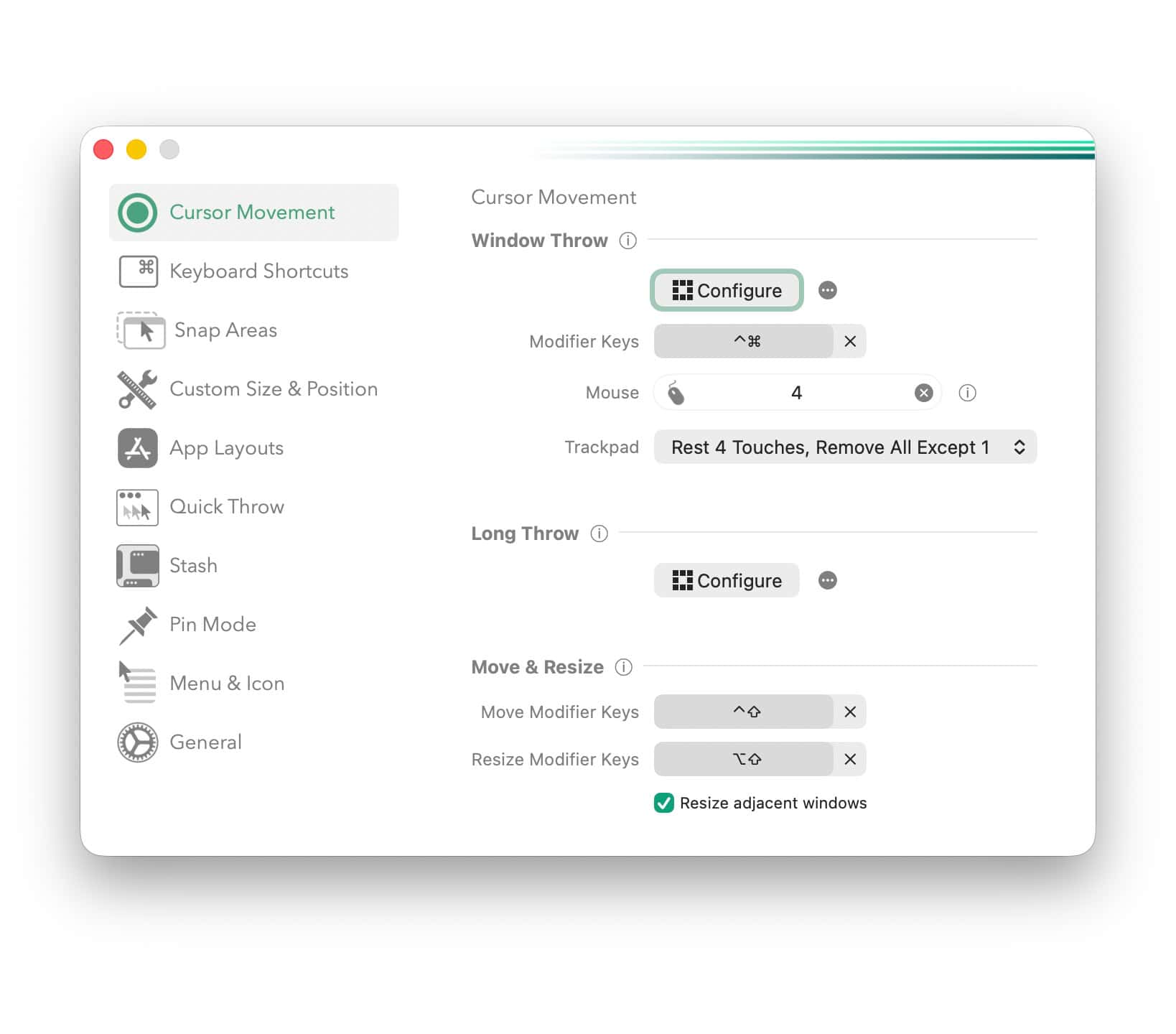
(Free/$9.99 on-time for Pro) Rectangle (Pro) is an amazing window manager for macOS. Frankly, Apple’s native window management pales in comparison to Microsoft Windows. However, Rectangle (Pro) is a highly configurable window management utility that catapults macOS far ahead of Microsoft Windows.
The free version is great, and may suit your needs. The Pro version adds a lot more features. I’ve barely scratched the surface of all the features. I use Rectangle Pro in conjunction with my StreamDeck to activate shortcuts. One feature I love is ability to group application window positions. By pushing a button on my StreamDeck, I can activate a group of windows and have specific apps snap to specific positions. Super handy!
Royal TSX 6.0
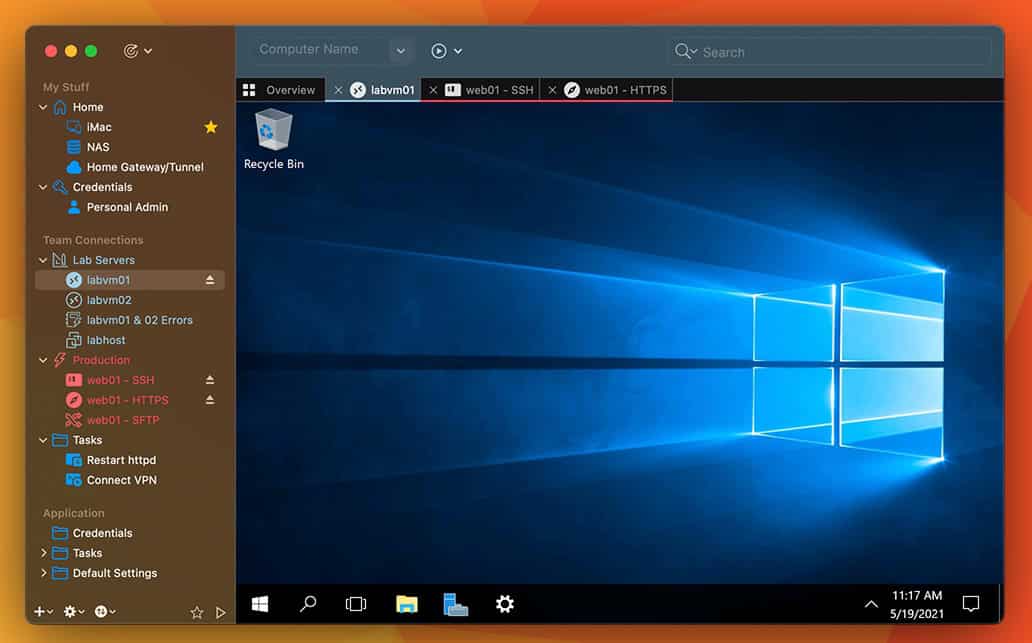
($65 one-time) Royal TSX is the swiss army knife for IT people for connecting to remote systems. Via plugins it supports Remote Desktop (RDP), Terminal, VNC, Web pages, File transfers, VMware, Hyper-V, PowerShell, and more. It has a beautiful macOS interface, and is deeply integrated with OS features like using TouchID or your Apple watch to authenticate to Royal TSX sessions.
One of the features I really like is that it integrates with 1Password CLI. This means all of my credentials are stored in 1Password and Royal TSX can automatically grab them and I can approve access with TouchID or my Apple watch. It can seamlessly access your SSH keys, usernames, and passwords, etc. from 1Password.
Sleeve 3
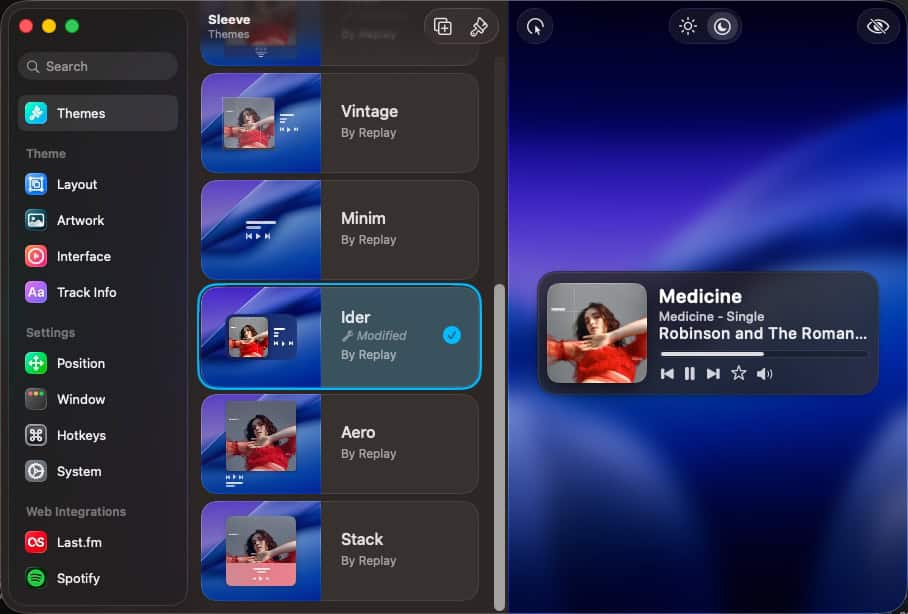
($5.99/one time) Sleeve 3 is the ultimate music player companion for macOS. It supports Apple Music, Spotify, and Doppler. It enables you do create a highly customized music playing window on your desktop. You can use different layouts, fonts, artwork, and custom hotkeys. I use Sleeve in conjunction with my Stream Deck to control my music. The amount of customization is amazing. I setup hotkeys for volume up/down, favorite a track, and more.
Snag-It
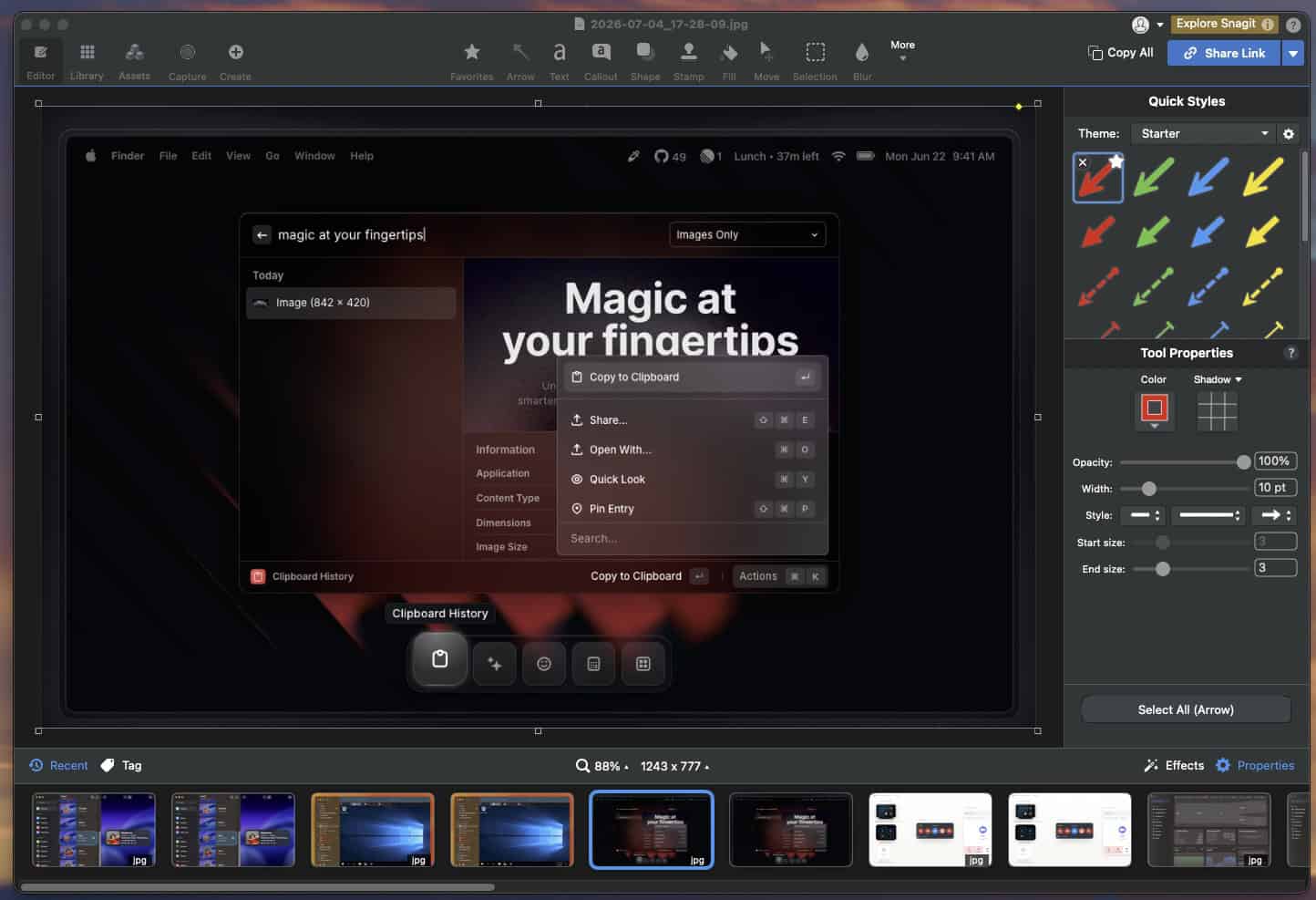
($39/yr) Snag-It is a fully featured screen capture and snippet editing utility for the Mac (and Windows). It has about every feature you can imagine, such as panoramic scrolling capture, screen recorder, animated GIFs, text replace, stamps, templates, and rich sharing options.
I’ve tried a few other Mac-first screen capture utilities, and they all fell short in key areas for my usage patterns. The Snag-it UI is not very “Mac” native, and I feel the size of the app is a bit bloated, but in terms of features I love it. I tried to give Cleanshot X and Shottr a good try, since those are popular Mac-native screen capture utilities. However, the user interface and workflow just didn’t work for me. So even though the Snag-It UI looks more like a Windows app than Mac, the features are worth it for me.
SoundSource 6
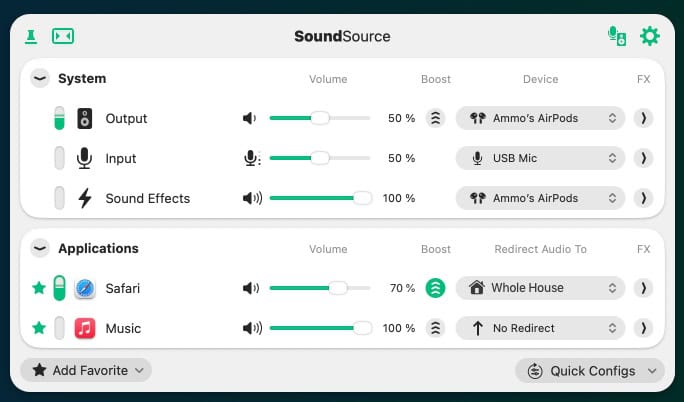
($39 one-time) SoundSource 6 is an audio control app that gives you very granular control over the sound on your Mac. If features per-application control, add effects via industry standard plugins, headphone EQ, quick menu bar access, and a lot more. The developers also keep up with the latest macOS releases to ensure full compatibility. If you want to customize the sound on your Mac, SoundSource 6 is a great option.
TextSniper
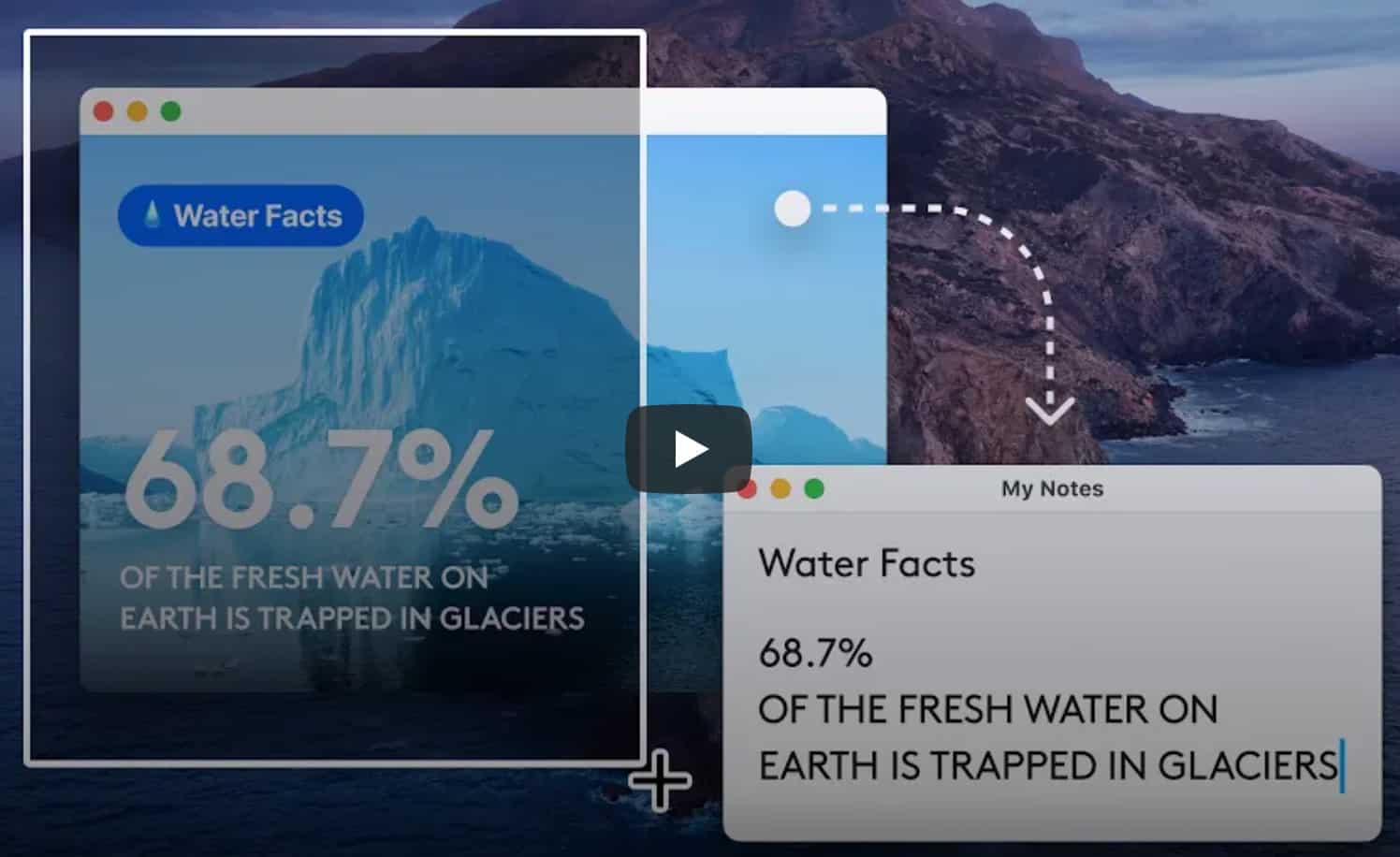
($7.99 one-time) TextSniper is an on-screen OCR tool that lets you extract text from almost anywhere. Yes, Monterey and later ships with Live Text, and that might be sufficient for very occasional use. But TextSniper is much more versatile. It supports QR codes and barcodes, text to speech and is very fast. I have Stream Deck buttons that trigger TextSniper to copy the text from the screen and instantly pastes it to the clipboard.
Thaw
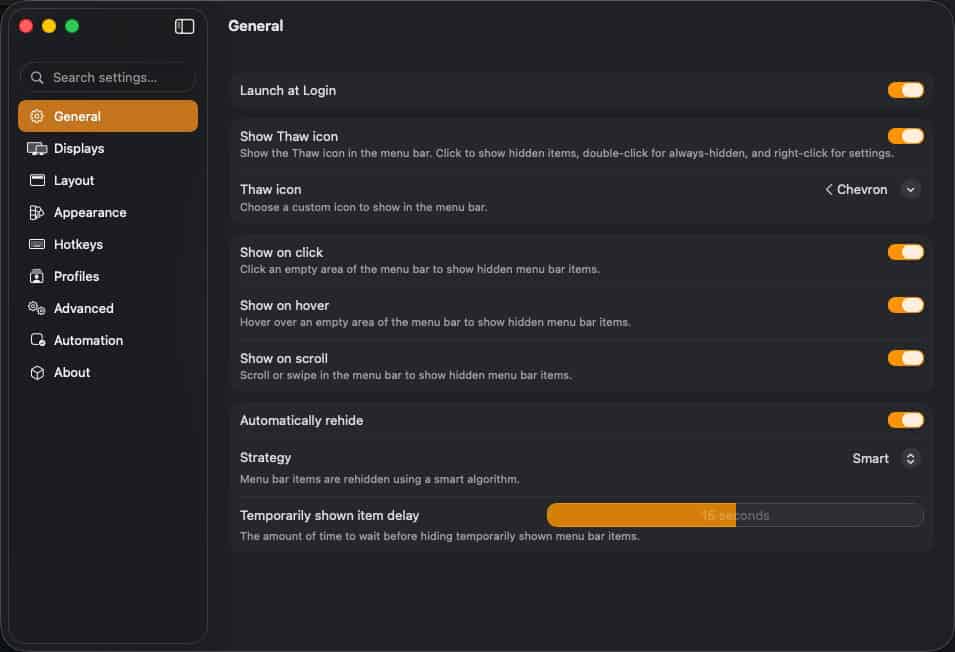
(Free) Thaw is a powerful open source macOS app that lets you take control of your Mac’s menu bar. Previously I had been using Bartender 6, which was fine. However its had a turbulent history and become increasingly buggy. Thaw is a fork of Ice, and is being actively developed. In fact, it has early support for macOS Golden Gate.
It has a number of features, such a monitor specific settings, hotkey support, global hooks, scripting, and more. If you need more menu bar control than Tahoe or Golden Gate provides, then Thaw is a great free choice. Keep an eye on their v2.x train that will support macOS Golden Gate.
ToothFairy
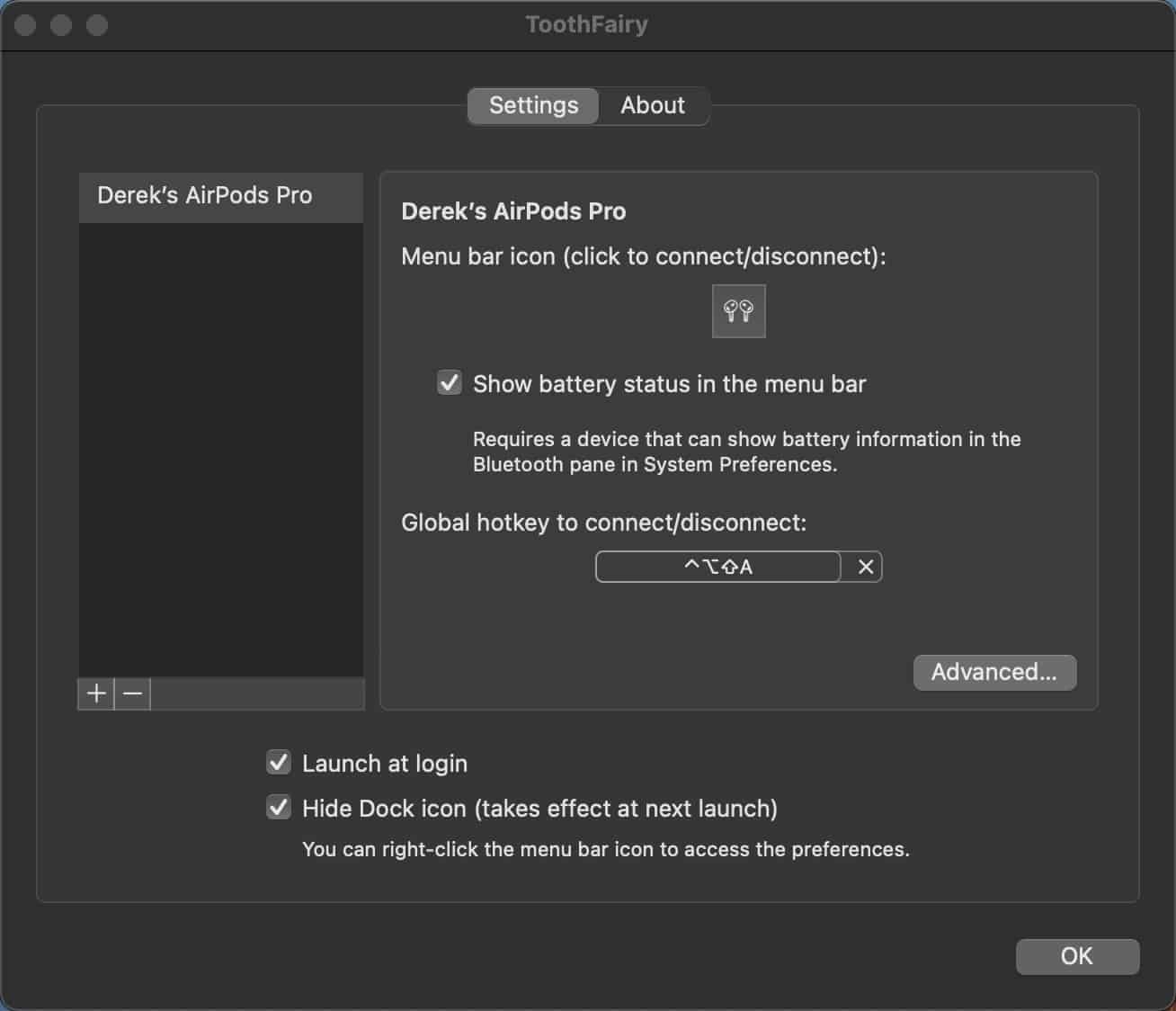
($5.99 one-time) ToothFairy is an app that lets you connect (or disconnect) your AirPods, or any bluetooth device, with one click in the menu bar. It can show the battery level of the connected device, and works great with a Stream Deck via assignable keyboard shortcuts. It has a huge device icon library including AirPods 3, AirPods Pro 2, Beats Fit Pro, Beats Studio Buds, Galaxy Buds Live, AfterShokz Aeropex, Sony WF-1000XM4 and more.
I have a button on my Stream Deck that lets me connect my AirPods Pro 3 with a single tap. I also love the battery level indicator, so if I’m using my AirPods Pro for an extended period of time I can see the battery level at a glance.
Updatest
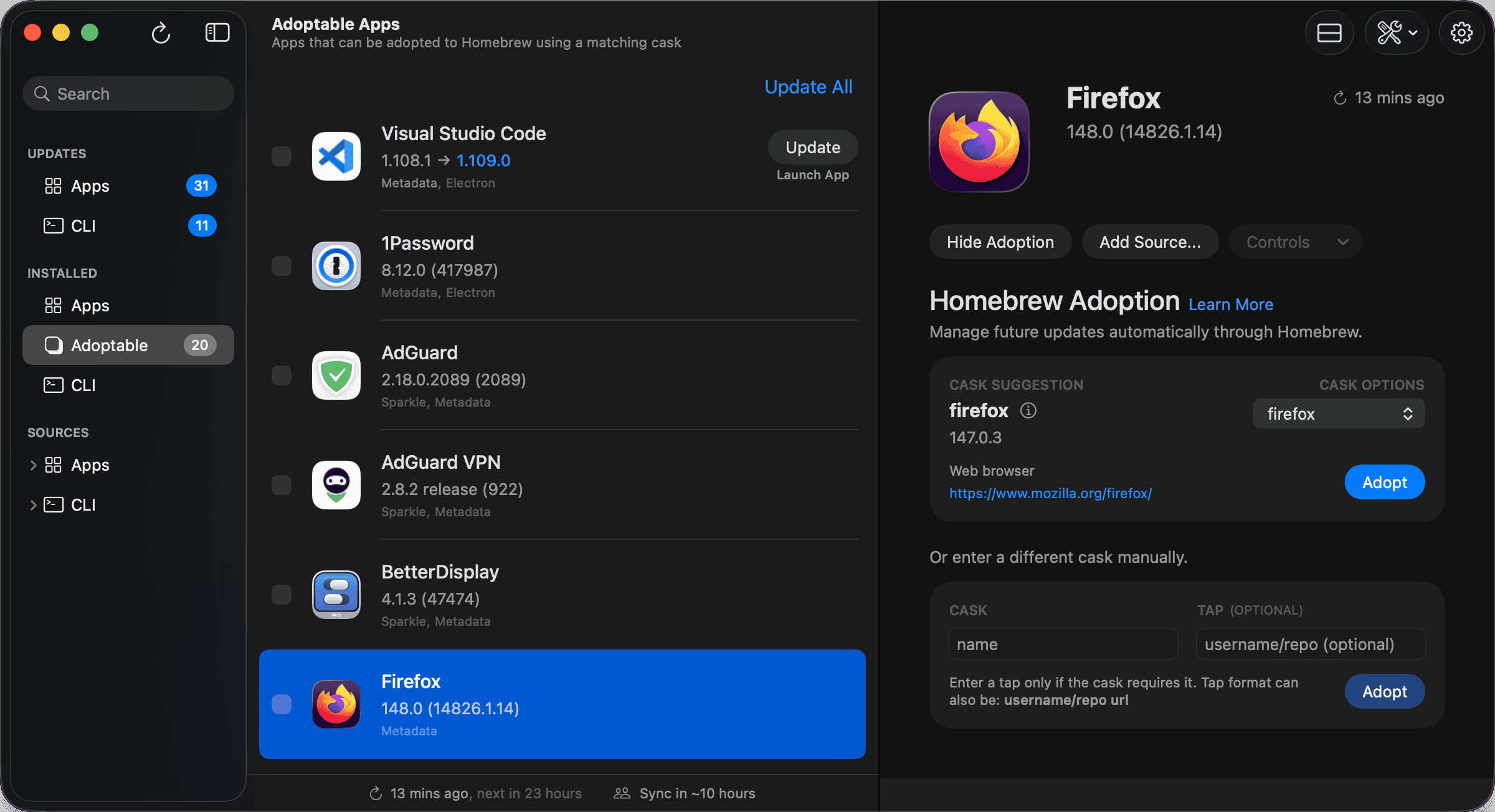
($12.99 one time) Updatest is a great app that lets you manage your macOS app updates. It integrates with the macOS App Store, Homebrew, Sparkle, and more. While a lot of apps have built-in auto-update features, Updatest is a great way to manage your app updates in one place and make sure you don’t miss any.
A new feature in beta is called Updatest Network. Via a subscription it will allow Updatest to participate in crowd-sourced updates. This is a great way to discover updates that you may have missed or are gradually rolling out to users. It’s also perfect for apps that it can’t automatically update, helping you keep everything up to date.
Summary
Now that I’m more than 7 years into my macOS journey, I’ve found a lot of apps that I use every day. I’m constantly delighted by what developers put out and the high quality of the apps. Yes, Mac apps can be expensive and many are paid. However, developers put a lot of time and effort into them and it’s worth it to support them. I hope that some of the apps I’ve listed are new to you and will become a part of your daily workflow.
If I had to pick one MVP app that is a must-have, it would be Cotypist. It is creepy how well it predicts what I’m typing and saves me a lot of time every day. Hopefully one or more of the apps I’ve covered will be equally as useful to you.




Great list, Derek – I picked up a couple of new utilities from it. One gap I ended up solving with a local-first tool: screenshot management. I used to lose captures in Desktop clutter, now every screenshot lands in a searchable on-device archive with OCR, so I can find any past capture by text. It complements the usual suspects nicely. Thanks for the roundup!
Following up on your picks – the screenshot/utility category is where I found the biggest workflow win this year. I run a local-first capture tool that turns every screenshot into searchable text via on-device OCR, so anything I grab on screen becomes part of a permanent, queryable archive instead of Desktop clutter. It sits nicely next to the apps you recommended. Worth a spot on next year’s list!