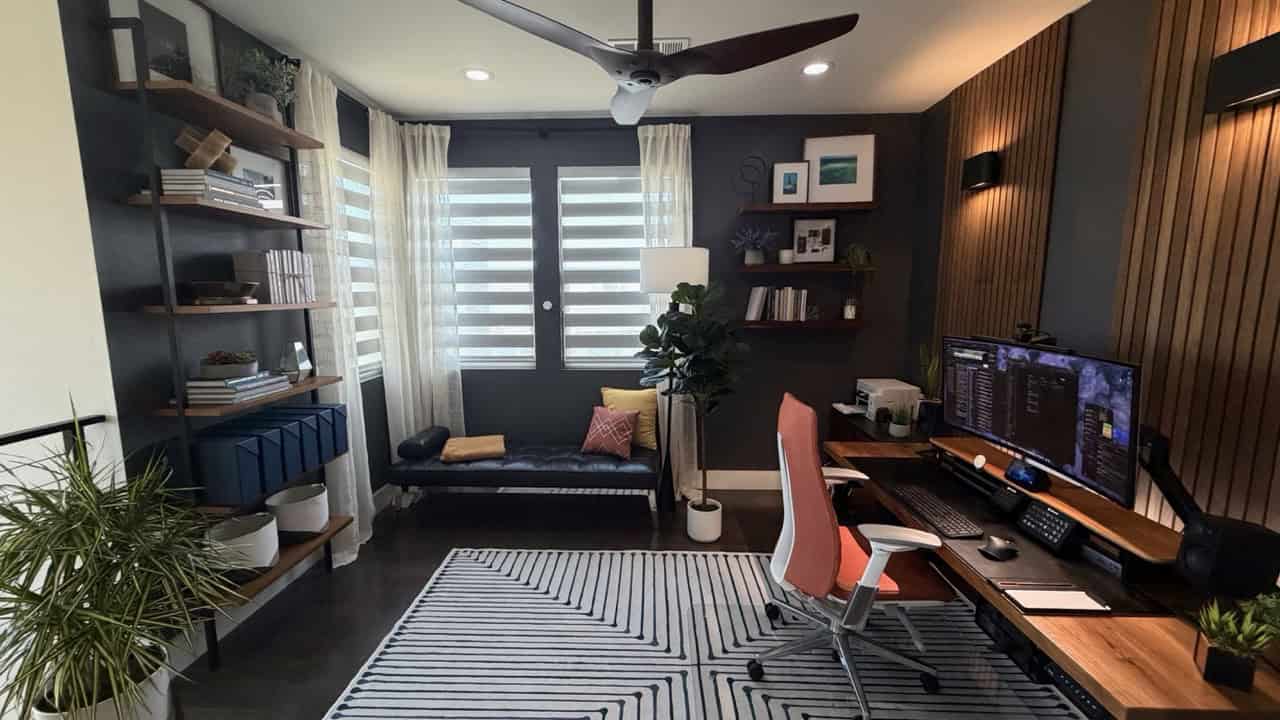
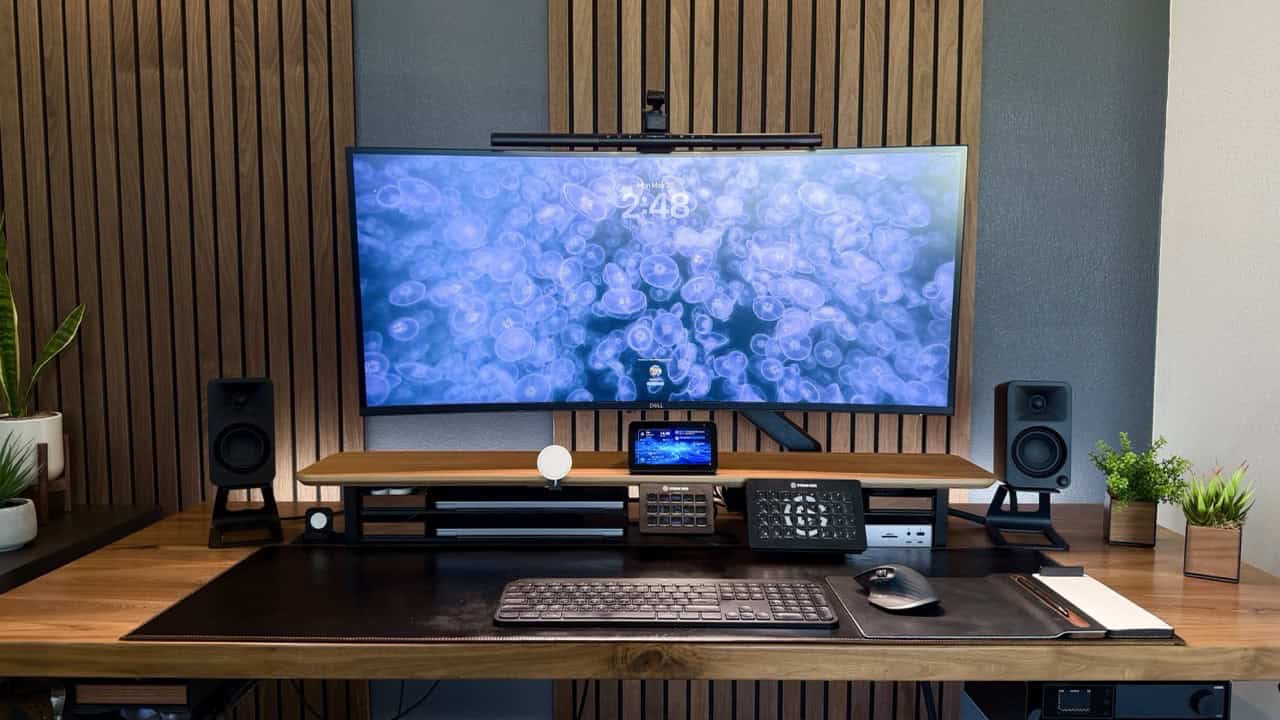
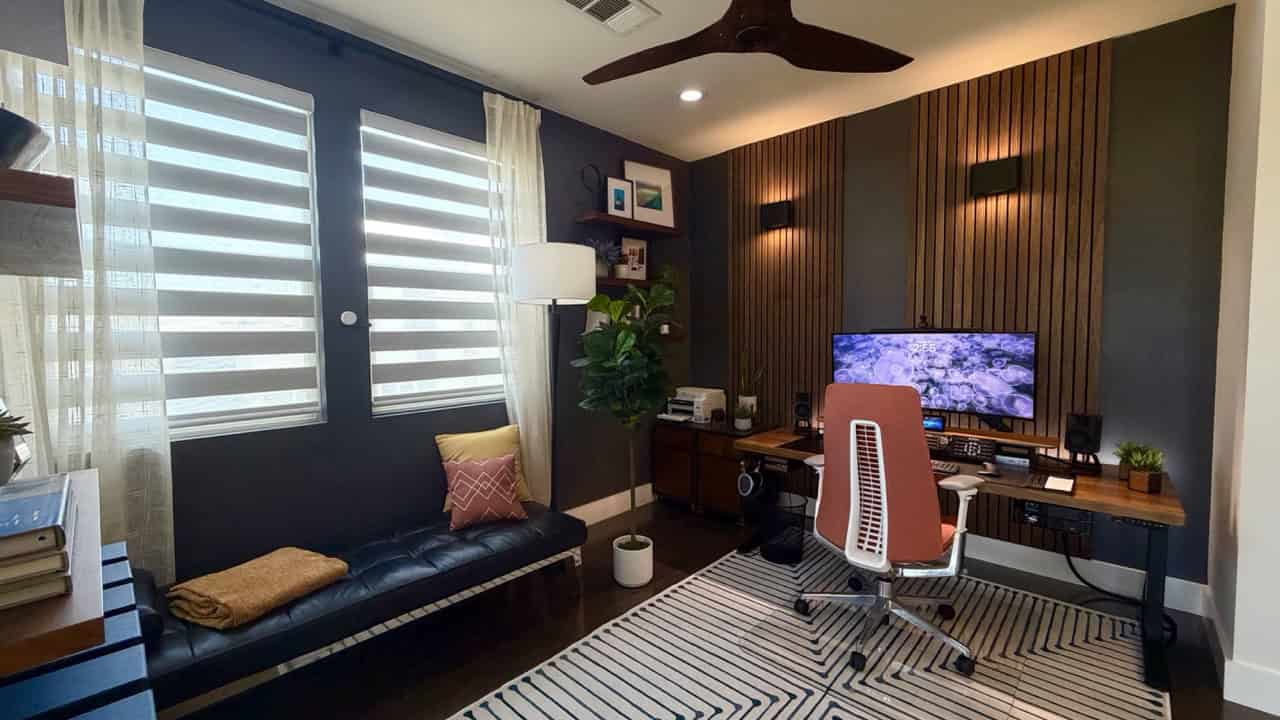
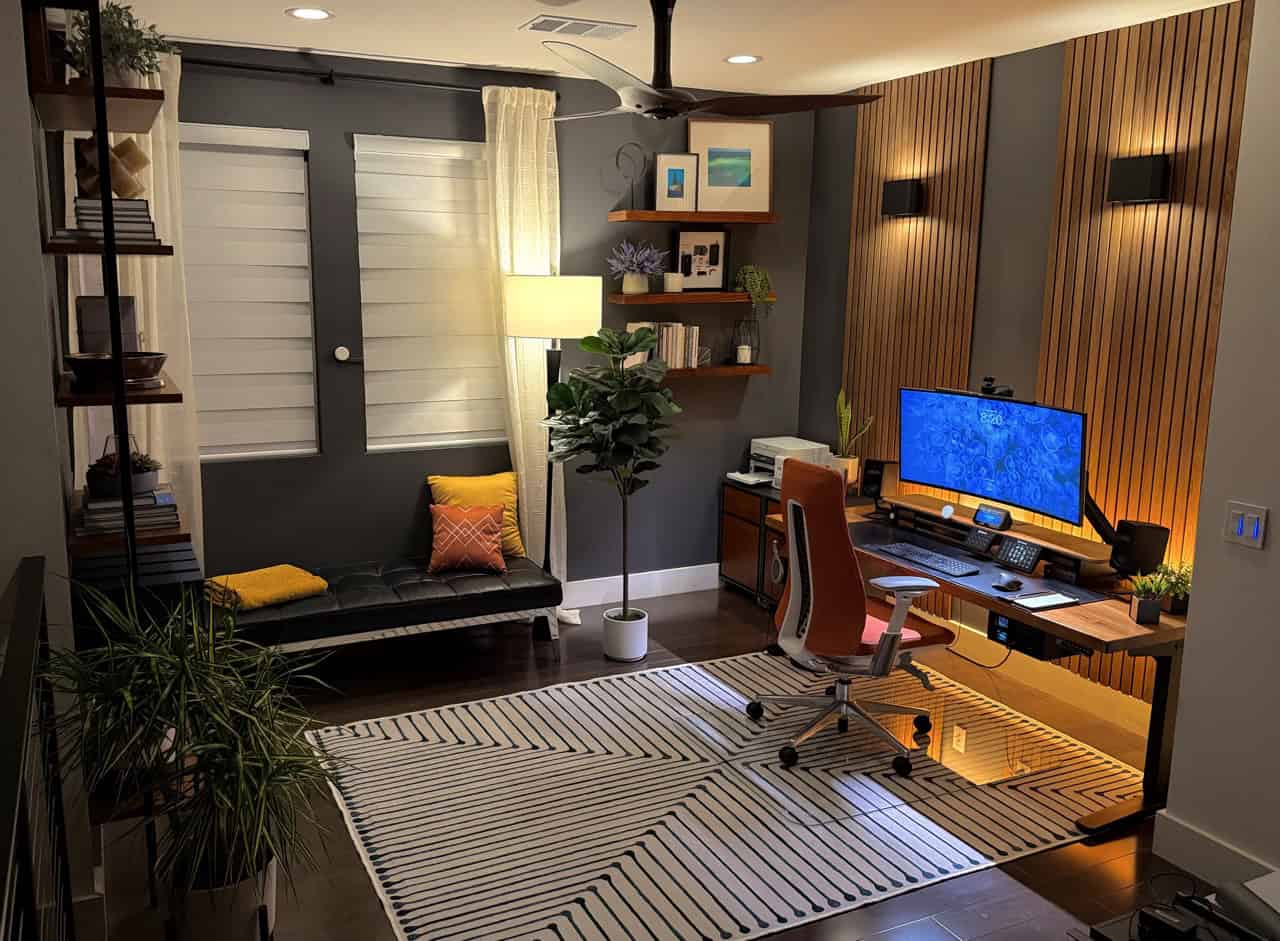
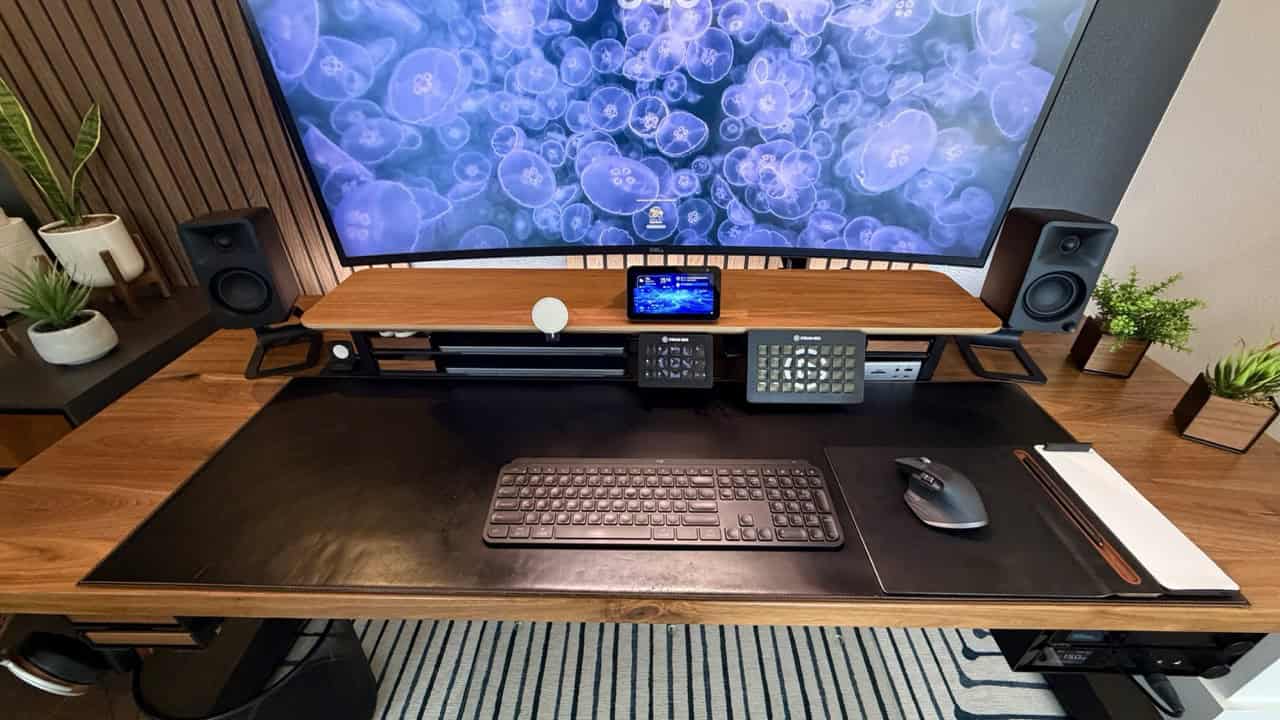
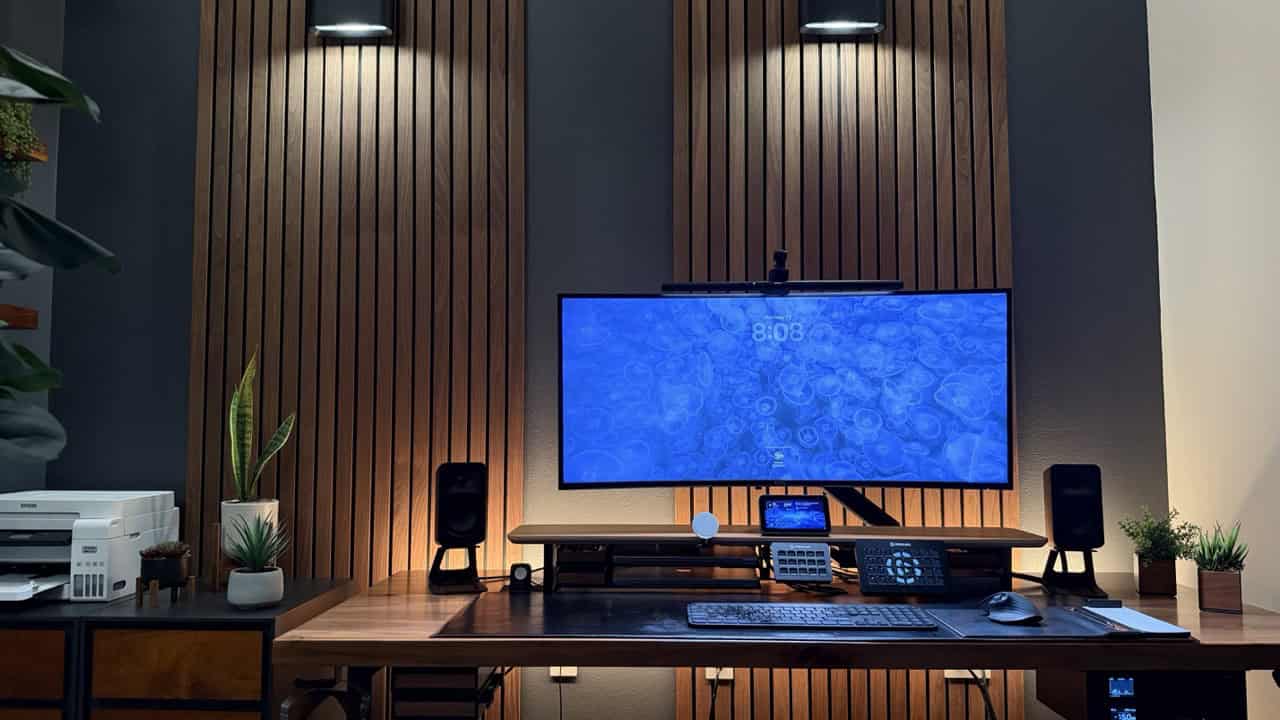
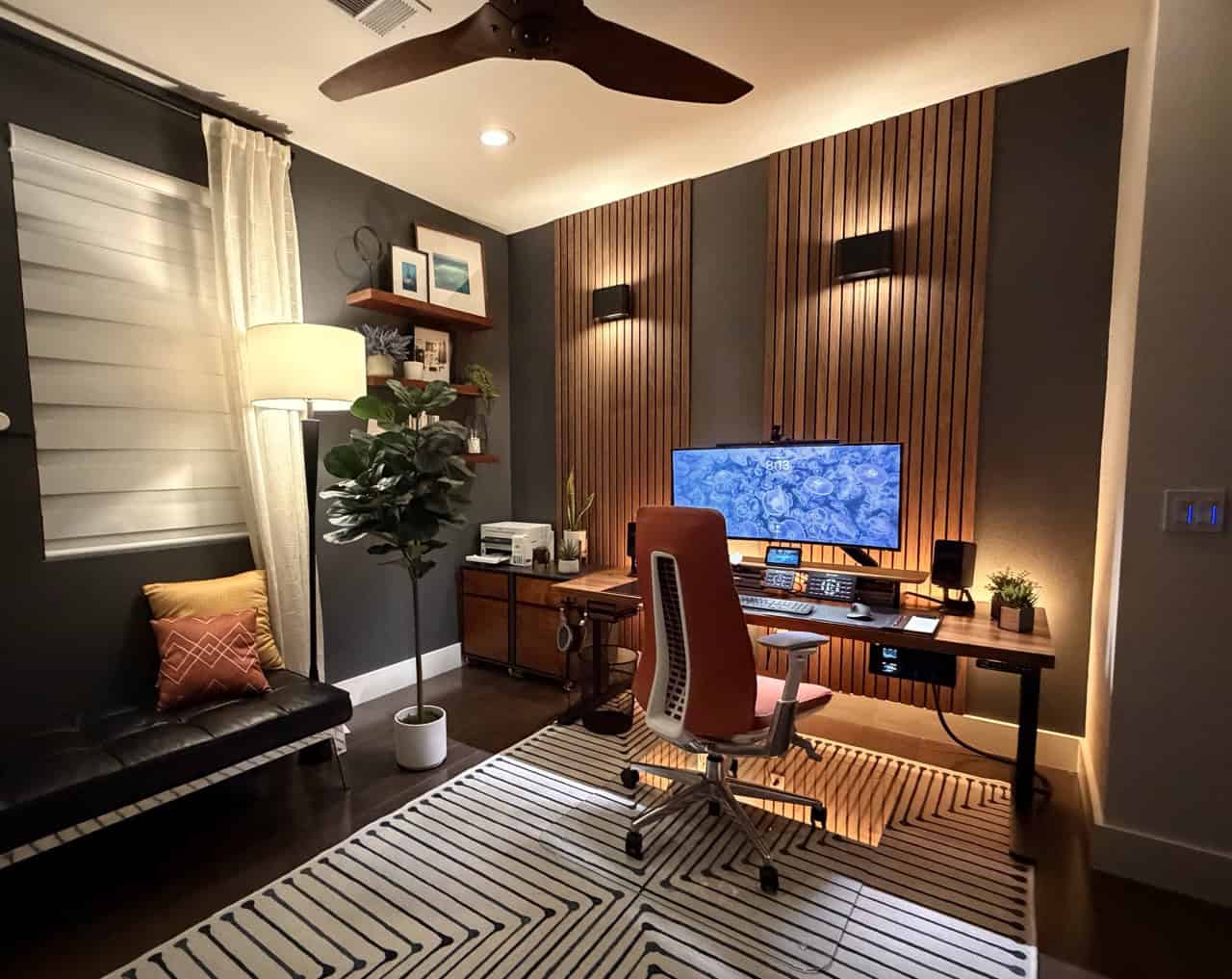
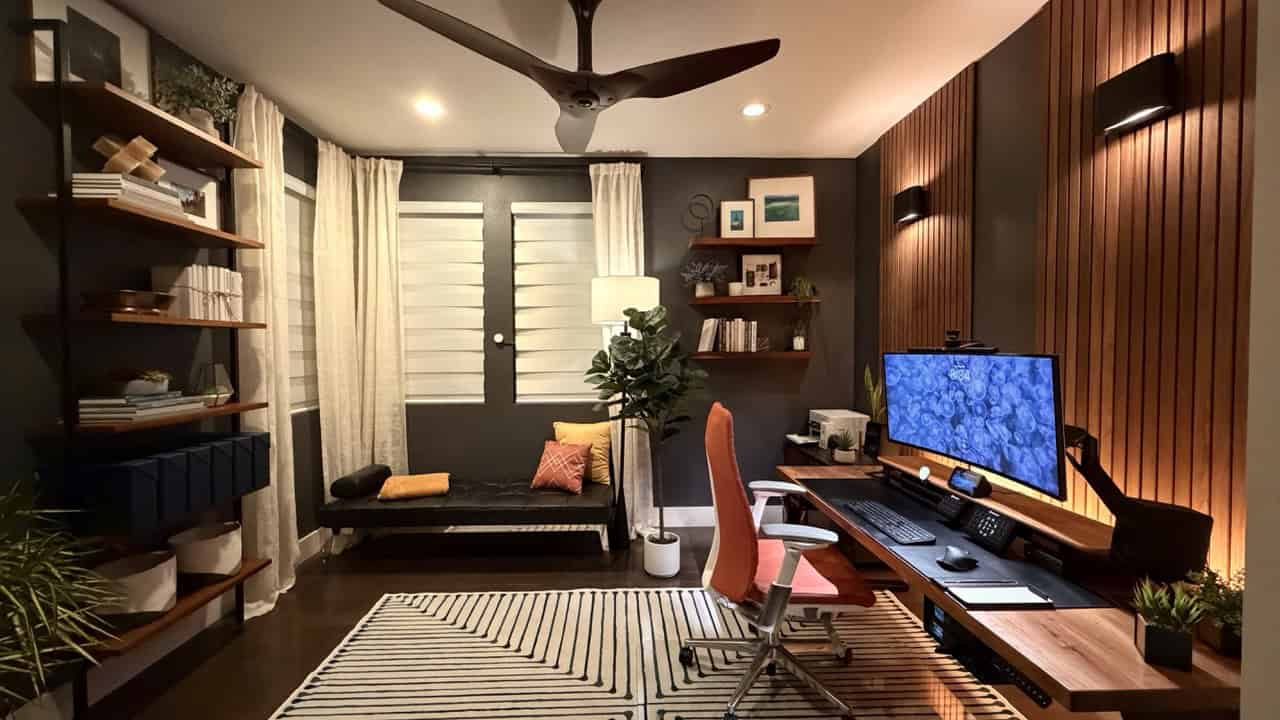
For the last few years I’ve written detail posts on my dream home office setup. Now that we are mid way through 2026 it’s time for an update. Since my last post in late 2023 I’ve made a lot of upgrades to my home office and now it’s better than ever. While no single upgrade was ‘massive’ for 2026, cumulatively they have really put the finishing touches on my office.
What’s new for my 2026 dream office desk setup?
40″ Ultra Wide 5K2K Dell Monitor (2025 model)
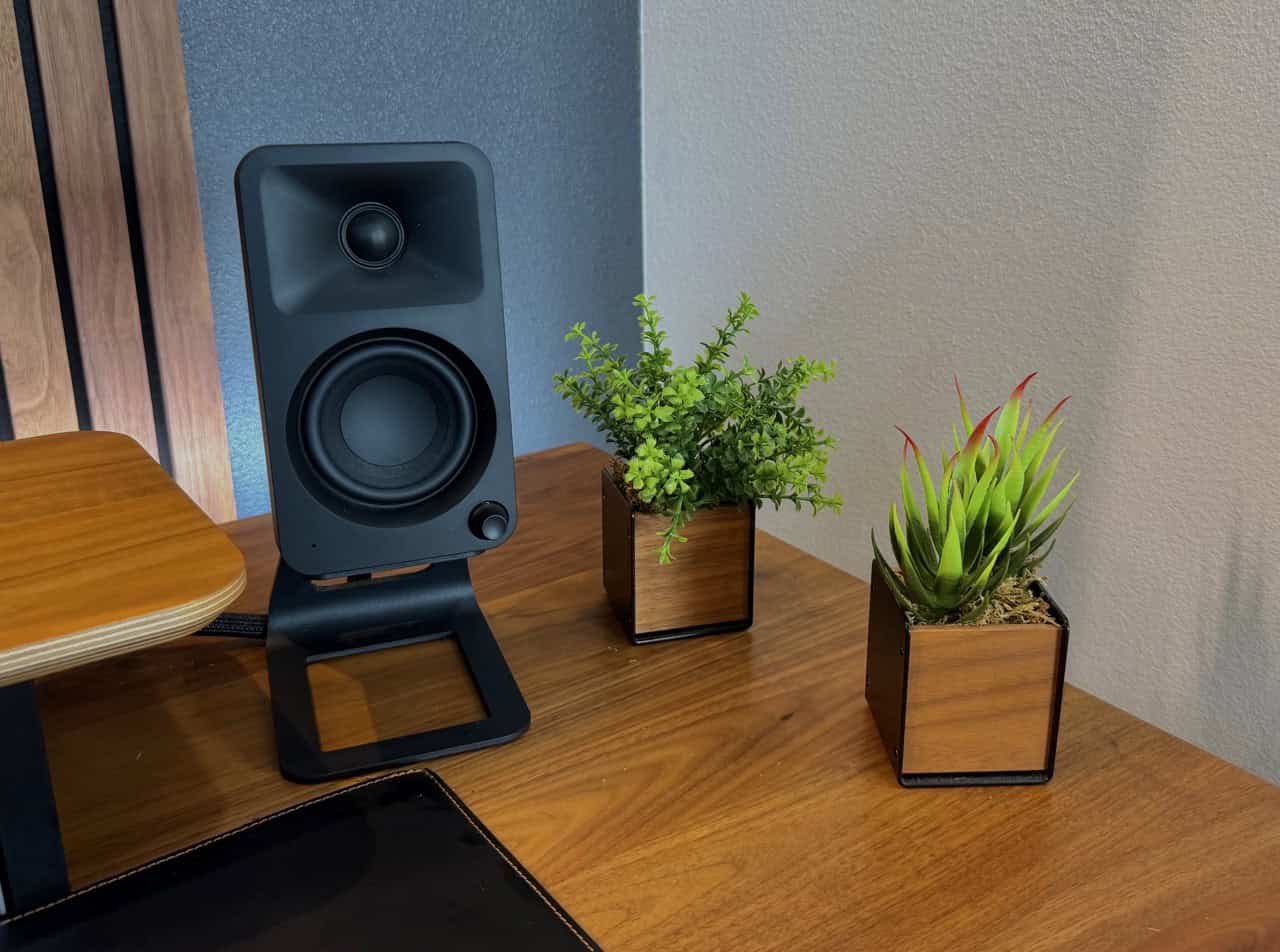
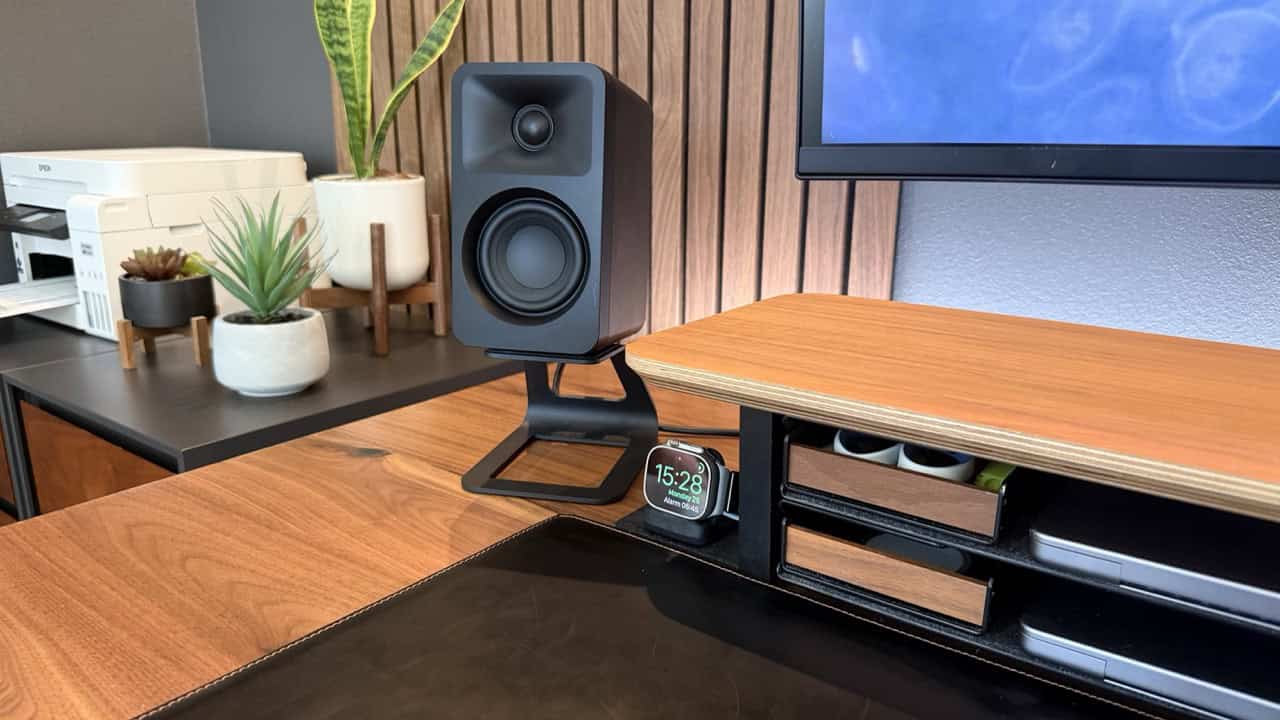
Kanto ORA Speakers
Logitech MX Master 3s mouse
Logitech MX Keys S (Black)
BenQ ScreenBar Pro
Balolo Magsafe holder (v2)
Balolo Stream Deck XL holder
Balolo Tray Set (x2)
25w Apple Magsafe puck
Eve Energy Wall Outlet
Ikea Grillplats smart plugs
Amazon Echo Show 5 (Jail broken)
Walnut acoustic slat wall panels
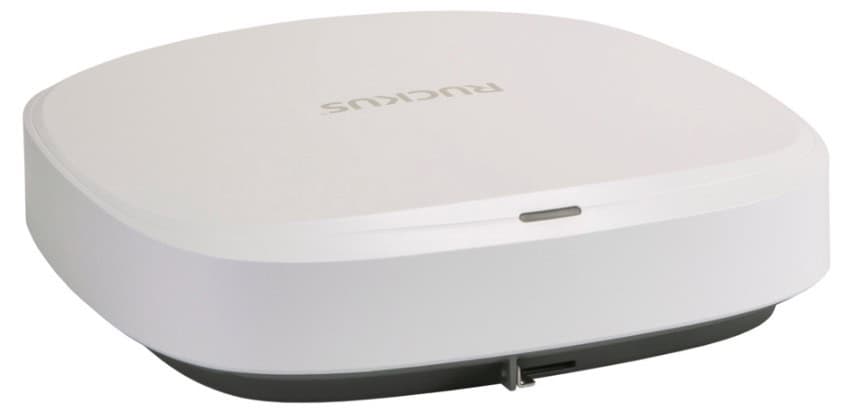
Ruckus R770 Wi-Fi 7 Access Points
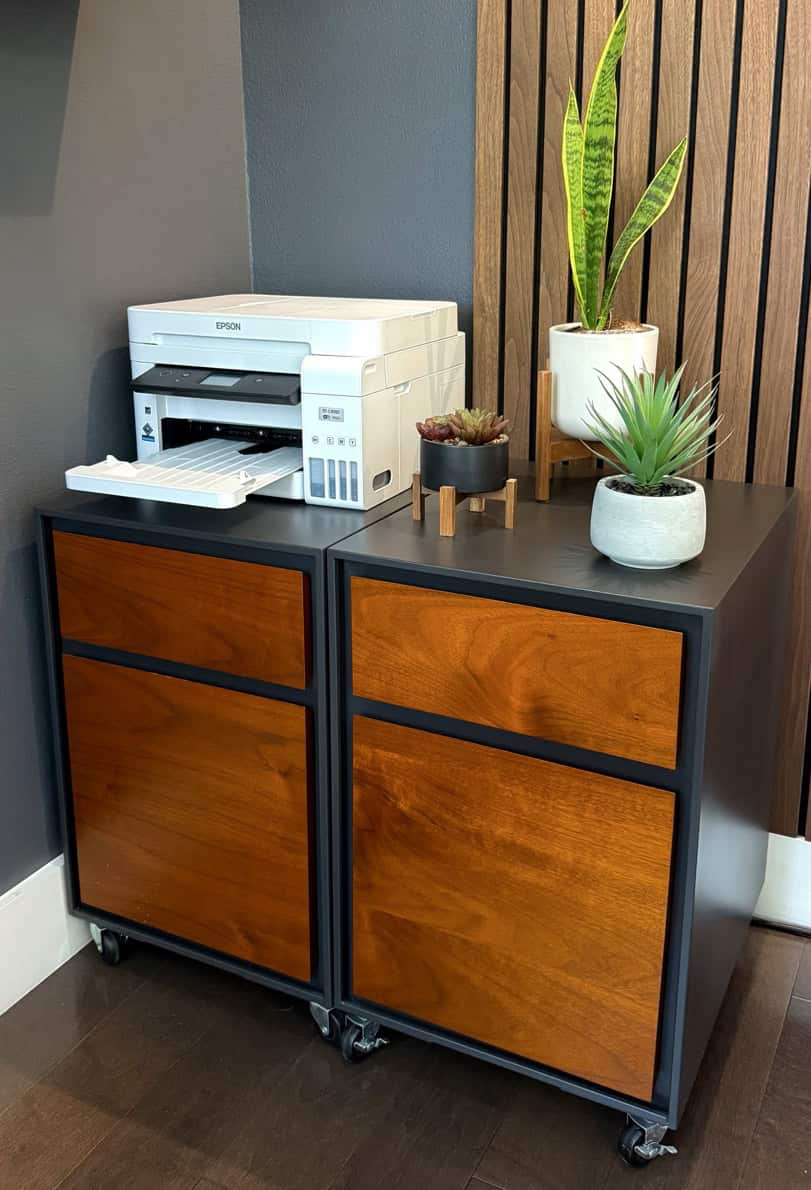
Epson WorkFoce ST-C4100 Supertank Color MFP
Live Plants
Layerd Lighting
For the past few years my lighting setup hasn’t changed much. During my office makeover a couple of years ago I aimed for color flexibility and dimmability in my lights and settled on the Philips Hue system.The standard Hue LED strip didn’t cut it in terms of brightness and LED density. So, I designed a custom LED strip using Hue-compatible parts from Sowilo DS. Voila! A ‘neon’ lighting effect with zero hotspots. Using an aluminum diffusion channel helps with heat dissipation and ensures a smoother light spread.
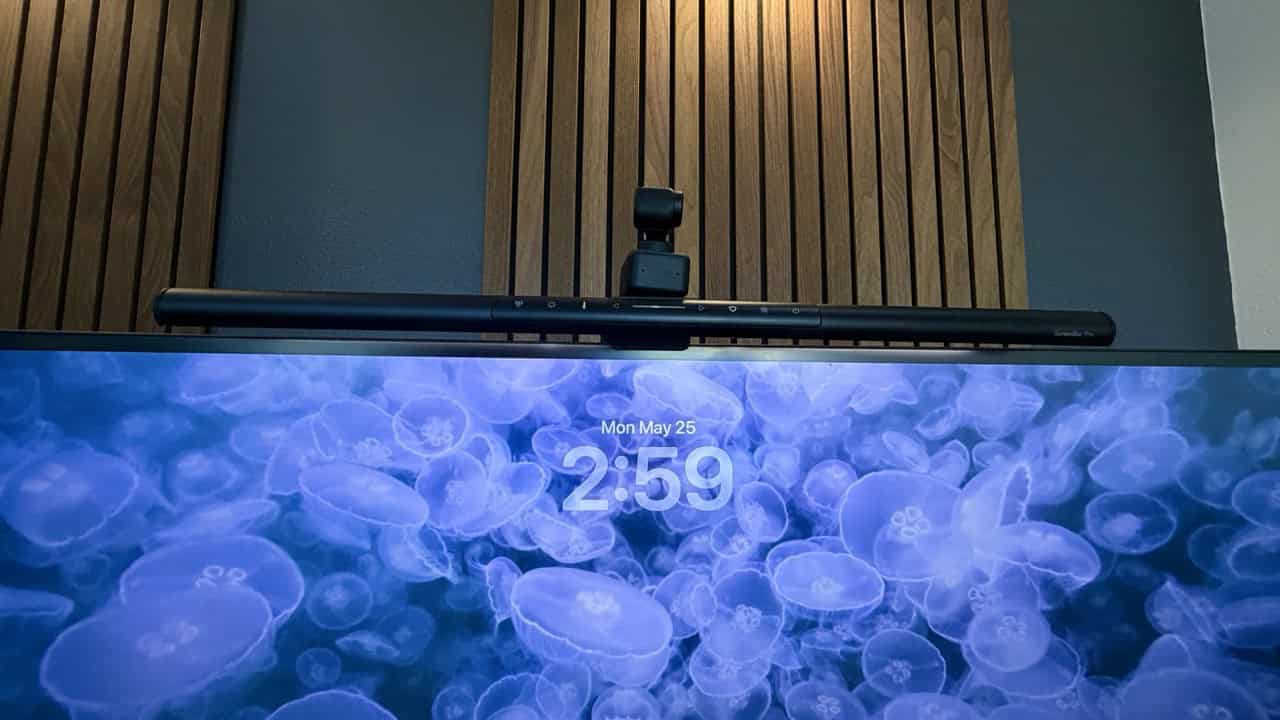
New for 2026 is the BenQ ScreenBar Pro desk light for better task lighting. This is an upgrade over my previous BenQ ScreenBar Halo monitor light. This version is brighter and they’ve integrated all of the controls into the bar instead of a desk cluttering puck. It also incorporates motion detection so when you step away from your desk the light will turn off after a few minutes. The new “Pro” version is also way cheaper than the previous Halo version, making it a no brainer to get.
If you’ve never used a monitor light, you are missing out. It reduces eye strain, provides good light for your mouse/keyboard, and really helps with the mood lighting. The LEDs are very energy efficient, and you can also change the LED color temp.
Philips Hue Compatible LED Lighting Modules and LED Strip
Also new for 2026 are the Philips Hue Dymera wall sconces. These are used as accent lighting on the walnut slat wall panels. I really like the extra layer of light they provide. To control all of the lights I now have the Inovelli white series dimmer. These Matter over Thread dimmers have a ‘smart blub mode’. This allows me to control the lights with Home Assistant and the physical paddles, but keep constant power to the lights so they don’t fall off the network.
Finally, I removed the Philips Hue Bridge and paired all of the lights directly to Home Assistant via Zigbee and Zigbee2MQTT. Direct pairing makes the lights more responsive, and I have more control over each light. One less bridge is also a plus. However, this means I can’t control the lights with the Hue app.
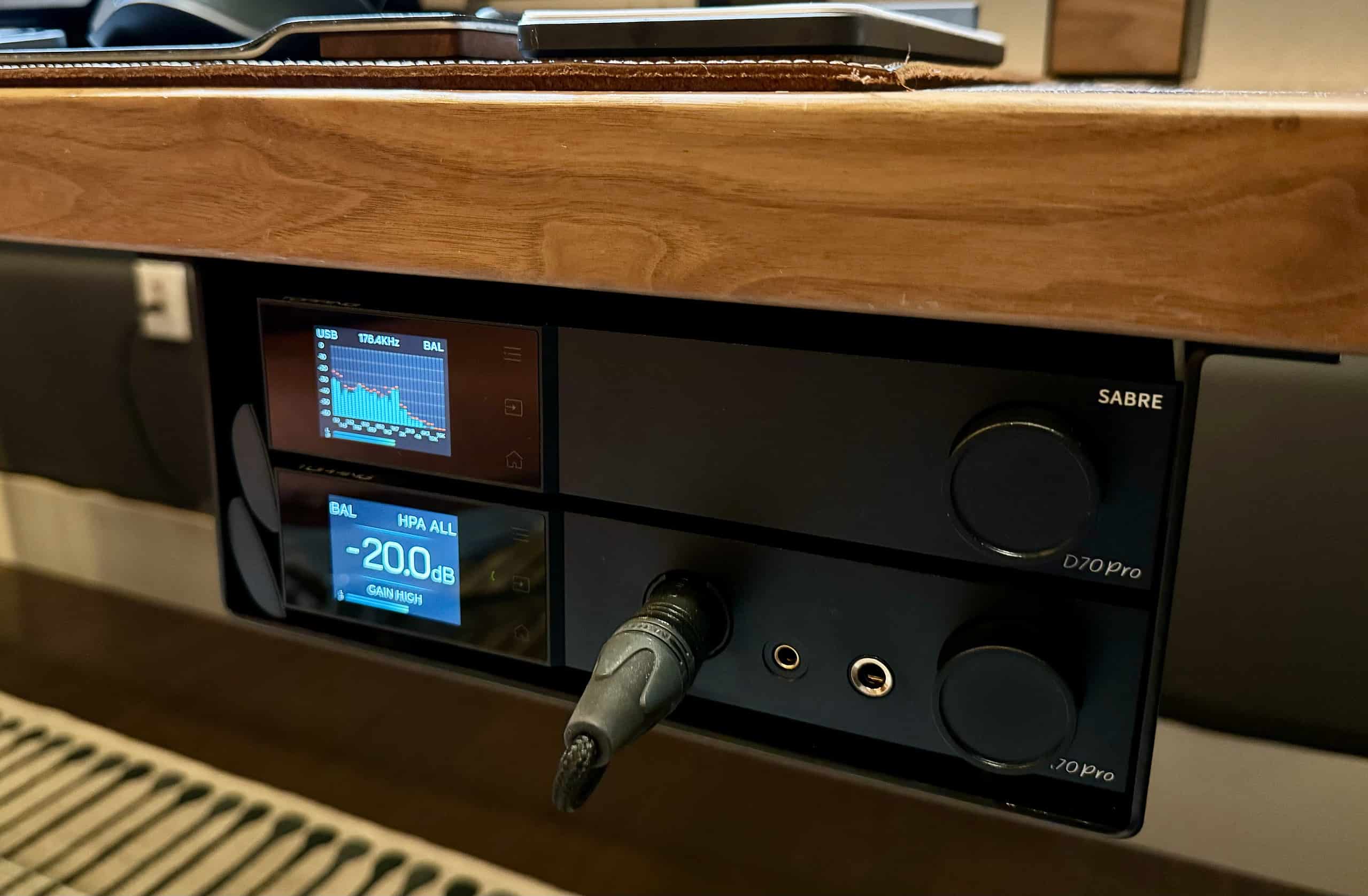
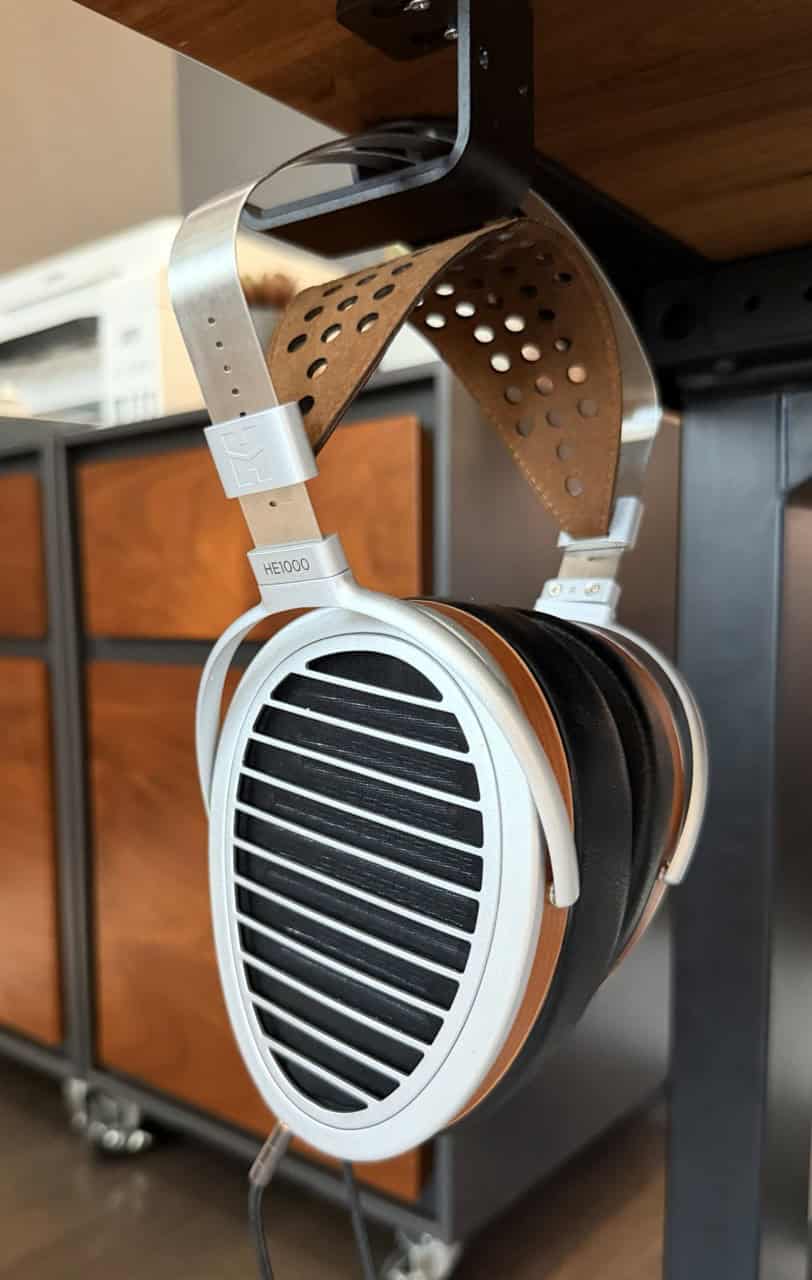
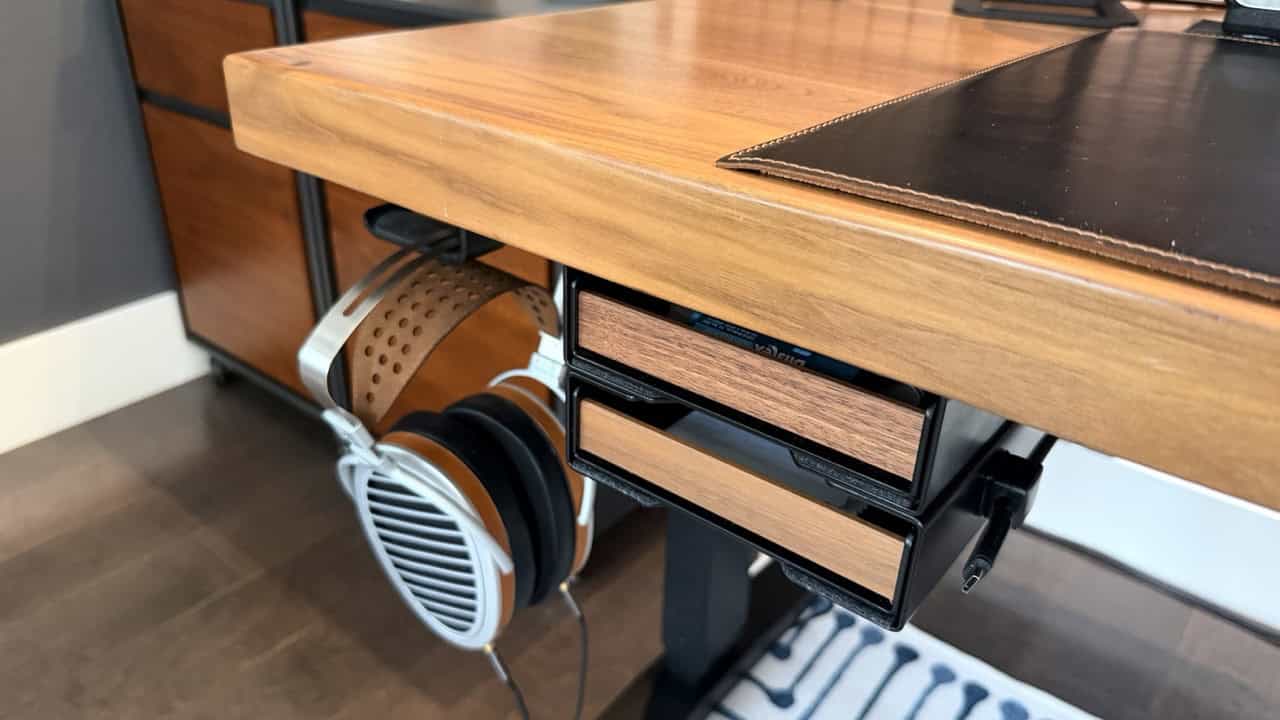
In 2023 I upgraded my Topping headphone DAC/Amp combo, to the D70 Pro Sabre and A70 Pro. I also got the Hifiman HE1000 V2 Stealth Magnet open back magnetic planar headphones. All three devices sound absolutely amazing so nothing has changed here in the last few years.
Topping A70 Pro Headphone Amp and D70 Pro SABRE DAC with Protocase Custom Mounting Bracket
To mount the DAC and amp under my desk I designed a custom powder coated cold rolled solid steel offset bracket via Protocase.com. I have a link at the bottom of this section to an article I published on how to design your own custom Protocase brackets.
The DAC is connected via USB to my personal Mac. The DAC is also plugged into an Eve Energy Thread/Matter smart plug. I use the 12v trigger connected to the Topping amp so I can control the power state of both devices from Home Assistant via my Stream Deck XL.
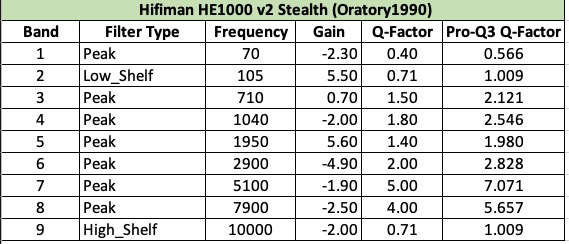
The DAC and amp interconnects use high quality balanced XLR cables. My Hifiman HE1000 v2 Stealth headphones use a balanced XLR cable to the amp. For headphone EQ I use the settings from Oratory1990 on Reddit combined with the FabFilter Pro-Q4 (upgraded for 2025) audio plugin for my Mac.
All of my music playback is via Apple Music with lossless audio tracks. The table below shows the EQ settings from Oratory’s analysis of my headphone pair. Note that if you use FabFilter Pro-Q4 you need to use the alternate “Q” Factor numbers, due to quirks in their plugin. You can use the Oratory1990 conversion spreadsheet to get the proper values for other headphones.
Hifiman HE1000 v2 Stealth EQ Settings
The sound quality from this audiophile Topping DAC/Amp and Hifiman headphone stack is amazing. Until you’ve heard S-tier open back magnetic planar headphones, you don’t know what you are missing. From the wide open sound stage, punchy sub-bass, and technical accuracy is hard to match. Open back headphones do “leak” a lot of sound, so they aren’t a good fit for an open office environment. But in a private environment they can’t be beat! Needless to say these headphones don’t leave my desk. Apple AirPods Pro 3 are my go-to for portable audio.
Hifiman HE1000 v2 Stealth Headphones (Open Back, Magnetic Planar)
Desktop Speakers
New for 2026 are my desktop speakers, the Kanto ORA speakers. While most of my music listening is on my Hifiman headphones, having desktop speakers can come in handy for watching YouTube videos or listening to webinars. They are connected via USB to my personal Mac, and also support Bluetooth for a connection to my work Mac. I don’t use these speakers a lot, but when I’m watching a YouTube video or a webinar they are great.
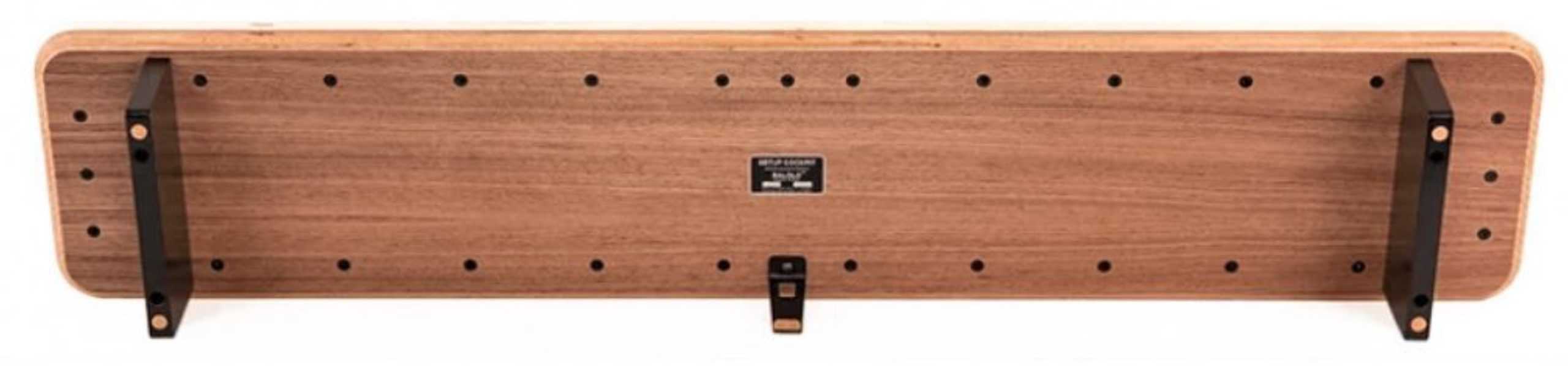
A few years ago I got the Balolo American Walnut desk shelf. This is a super premium modular desk shelf with a number of available accessories. The beauty of their mounting system is that you can configure it however you like with the underside mounting holes.
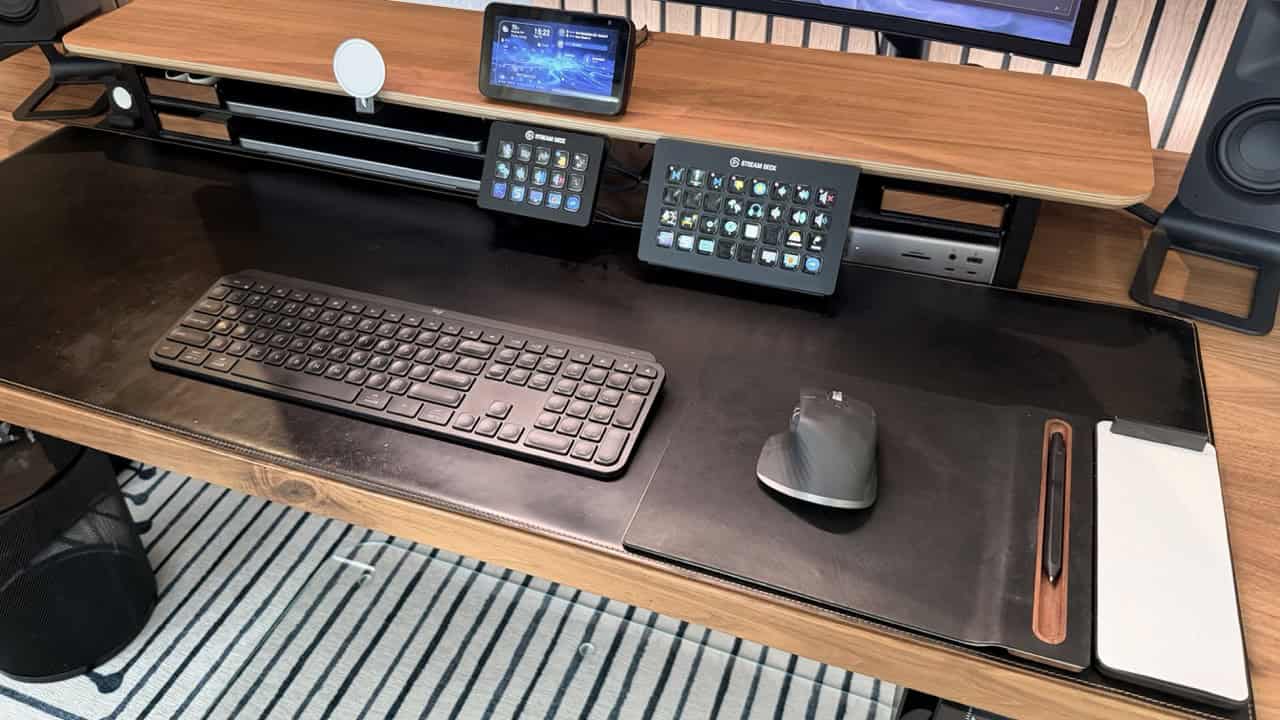
Over the years Balolo has released new accessories, which has helped me round out my setup. New for 2026 is the updated iPhone MagSafe v2 puck, Stream Deck XL holder, and two under-desk trays. I am most excited about the new Stream Deck XL as it now perfectly mounted slightly above my desk surface for a clean look.
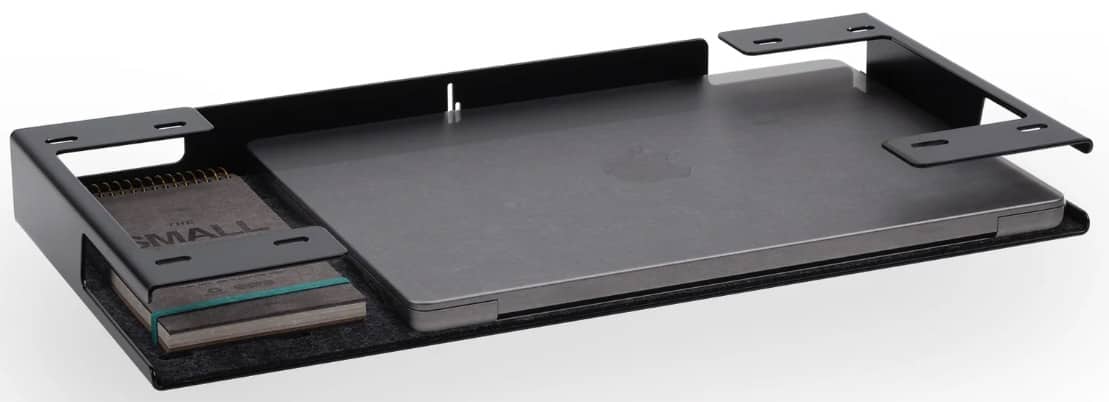
On the left side of my desk shelf are two wide trays, for my two 14″ MacBook Pros. They are cleverly designed with cutouts on both sides so that your laptop can be plugged in, yet still slide all the way in. Plus, they are vegan felt lined. Out of the box you can’t stack the metal shelves on top of each other, but a few dabs of epoxy fixed that. Mounted on the right above the dock is another large tray for miscellaneous stuff.
Other accessories include the catch all trays (also vegan felt lined) and two pen holders that are doubling as planters. All of the accessories are very high quality with very heavy gauge powder coated steel and American walnut. The steel is so thick that many accessories could used as a deadly weapon. The setup does command a premium, but I have no regrets. It looks fantastic, is very functional, and will last a long time.
Balolo Cockpit Desk Shelf (Large)
Balolo Large Tray (14" MacBook Pro Shown)
Balolo Walnut Cockpit Monitor Shelf (Large)
Brand new are the two Balolo Modular Trays in Walnut. These replace my old desk drawer that was more industrial looking. These trays nicely compliment the other Balolo products I have and make the desk feel more cohesive. I also have an extra USB-C cable tucked away that can pull out and be used to charge my iPad or other devices.
In 2023 I got a custom full leather black desk pad from Etsy which has held up exceptionally well. The desk pad is 16″ x 50″ (40cm x 127cm) and was handmade in Turkey. I bought a cork roll from Amazon that adheres to the underside pad for extra desk protection.
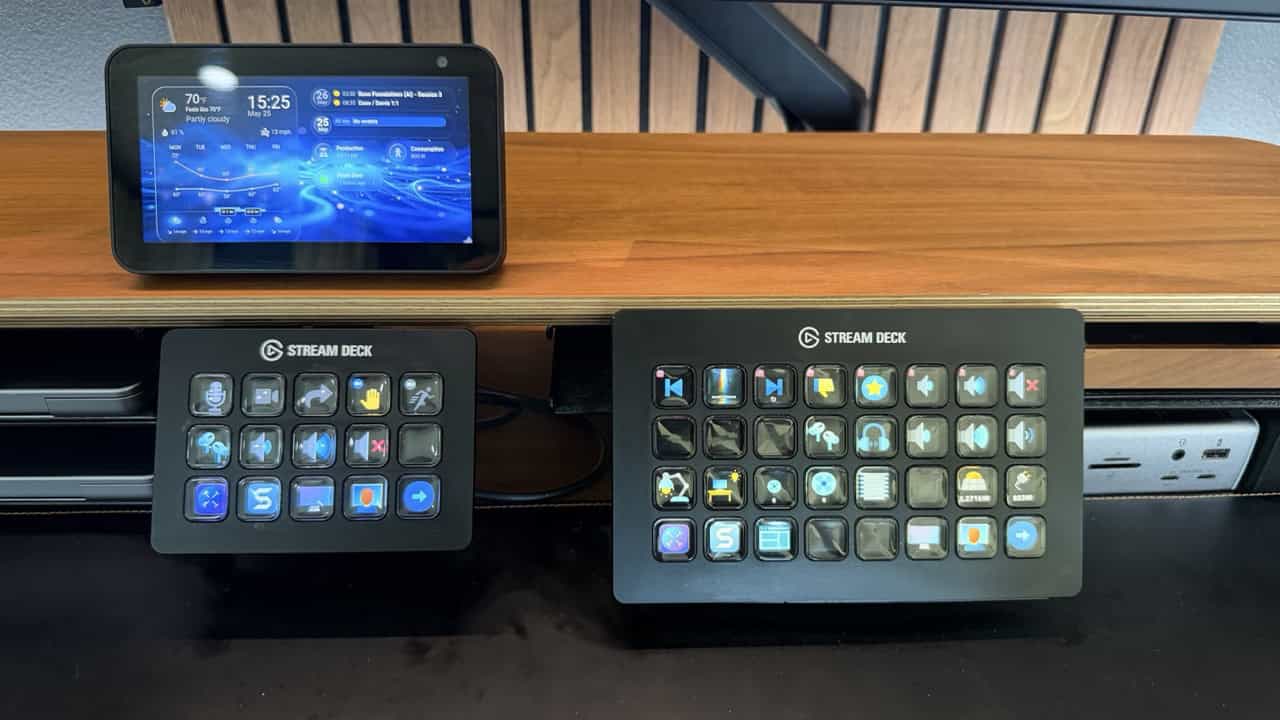
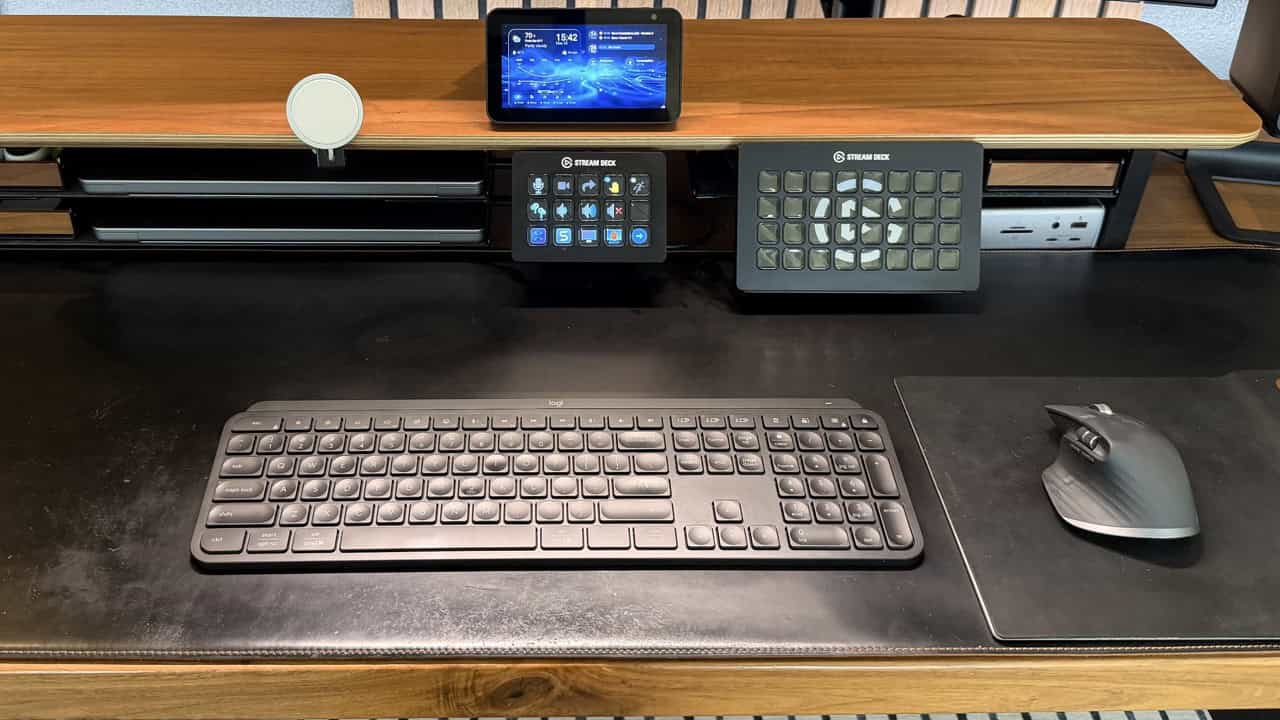
For controlling my home office and audio setup I have the Stream Deck XL, which I’ve had for a couple of years. I have a full blog post here on my Stream Deck configuration. The configuration regularly changes, as I find new tasks to control or automate. It is an awesome productivity tool and one I can’t recommend enough. I also have a smaller Stream Deck for my work Mac, which I mostly use for Teams controls and the monitor’s KVM switch.
The Grovemade accessories remain for 2026. These include mouse pad with walnut pen tray, pen, and notepad. These are high quality accessories that really finish the look of my desk while remaining modern and clean.
Stream Deck MK.2 and XL, Amazon Echo Show 5
Spigen Apple Watch Charger, Balolo Catch All Trays in Walnut
To keep my iPhone and Air Pods Pro charged I have two Apple 25w MagSafe charger pucks. One is on the Balolo MagSafe charger mount under my monitor. The second MagSafe charger in the lower left Balolo tray for my AirPods.
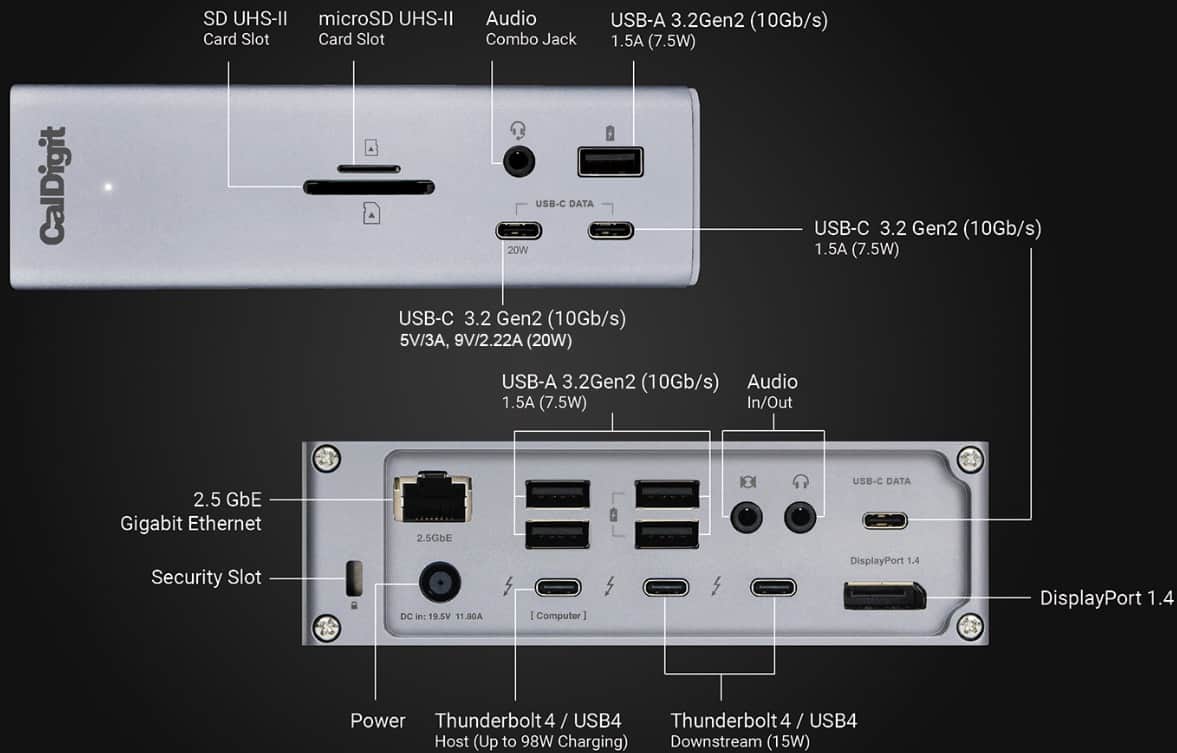
I’ve had my 14″ M1 Pro MacBook Pro for a few years, with no plans to upgrade until the rumored OLED M6 Pro/Max generation is released in late 2026 or learly 2027. My MacBook has held up exceptionally well, but I’m anxious to upgrade in the coming months. I also have a 14″ MacBook Pro with M1 Pro from my employer. The Caldigit TS4 dock powers my personal 14″ MacBook Pro and provides a number of ports:
2.5Gbps Ethernet
1x DisplayPort 1.4
1x Thunderbolt 4 (to host)
2x Thunderbolt 4 (Downstream)
3x USB-C (10Gbps)
5x USB-A (10Gbps)
SD and microSD Card Slots
Audio In/Out
Audio Combo Jack
98W PD for laptop
The Caldigit TS4 is perfect with the Dell 40″ monitor, as the DisplayPort 1.4 output can drive the monitor at full 5K2K @ 120Hz (110 Hz on my M1 Pro). It also has a rear facing TB4 host port, so the front stays uncluttered. For me, it has the perfect balance of ports for all of my peripherals. And unlock most any other dock out there, it has a beefy 230W power supply so it charge your laptop at the max 98W and power all other peripherals too.
I am planning for later in 2026 to upgrade to the CalDigit TS5 Plus, which supports Thunderbolt 5 and 10 Gbps Ethernet. It would not have a discernible impact with my M1 Pro MacBook Pro, so I’m not anxious to upgrade.
Caldigit TS4 Dock (Personal Mac)
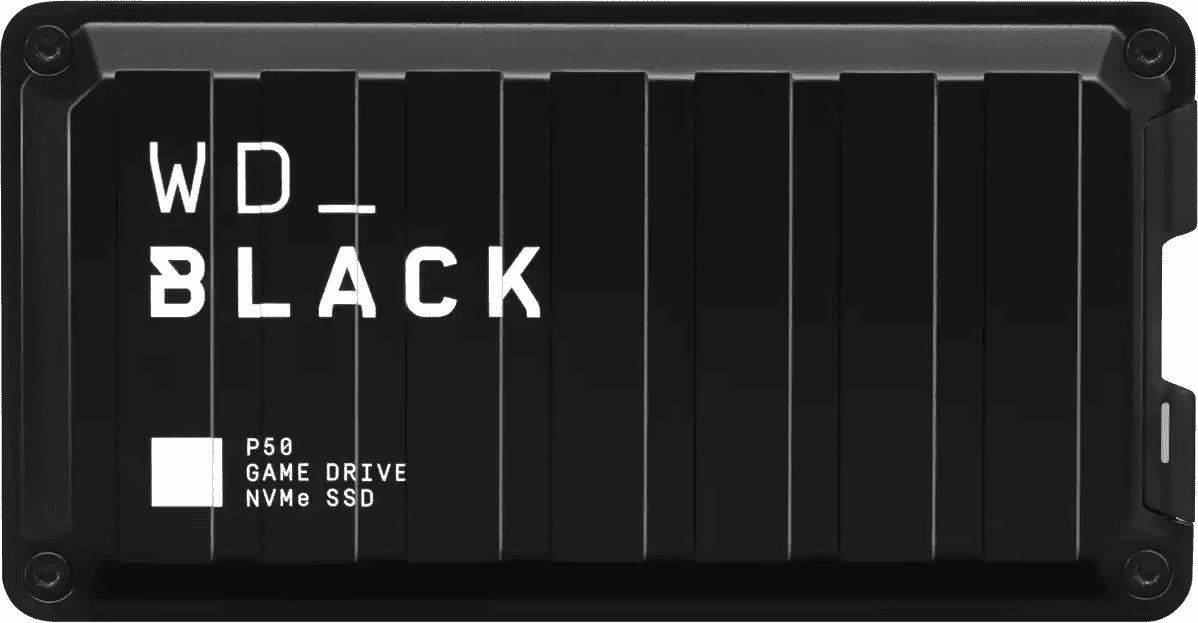
My personal Mac has a locally attached Western Digital Black NVMe SSD for local backups via Carbon Copy Cloner (CCC). CCC also sends nightly backups to my Synology. And I also use the Backblaze macOS client for continuous backups to the Backblaze cloud, for disaster recovery purposes.
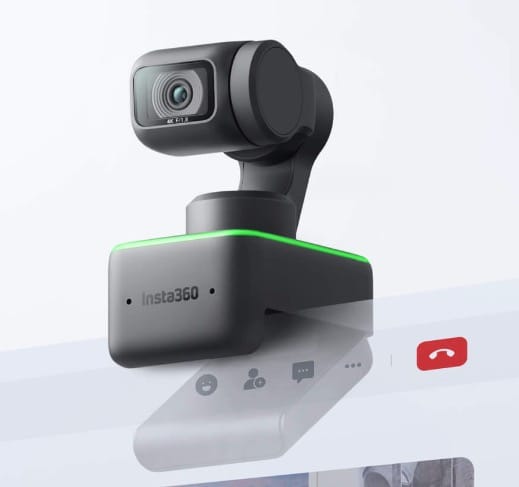
Still around for 2026 is the Insta360 Link AI-powered webcam. Image quality is eye popping, the motorized three axis gimbal is super useful, and the AI tracking and auto-leveling is nearly perfect. Insta360 came out with a new webcam model (Link 2), but this version is so good I don’t need to upgrade. I also have a Cable Matters USB4 switcher, with a tiny wireless remote, than can independently switch which Mac the webcam is connected to.
Insta360 Link 4K Webcam (AI Powered) with 3 axis Gimbal
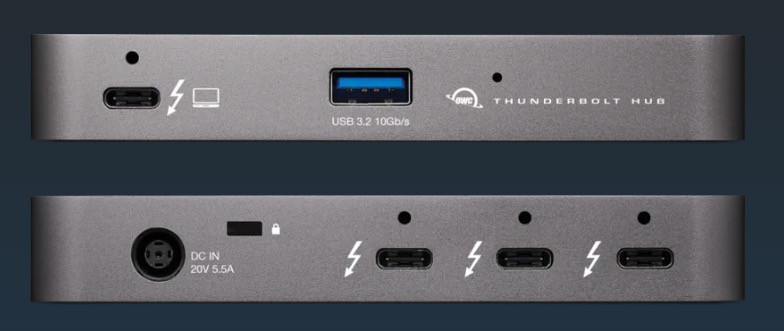
Carried over from 2024 is a tiny OWC Thunderbolt 4 hub for my work Mac. With the Balolo desk shelf I wanted single cable connectivity to my work MacBook Pro. The OWC TB4 hub enables just that, and allows me to connect the 2.5Gbps NIC USB-C dongle, Insta360 Link webcam (via USB switcher), and provides the ThunderBolt connection to my Dell monitor.
OWC Thunderbolt 4 Hub (Work Mac)
I now have the Logitech MX Keys S for Mac, which is a great keyboard. I still use the Logitech MX Master 3s mouse, which is one generation older than the latest model. But the MX Master 4 series didn’t really appeal to me, so I’m not upgrading until my mouse dies.
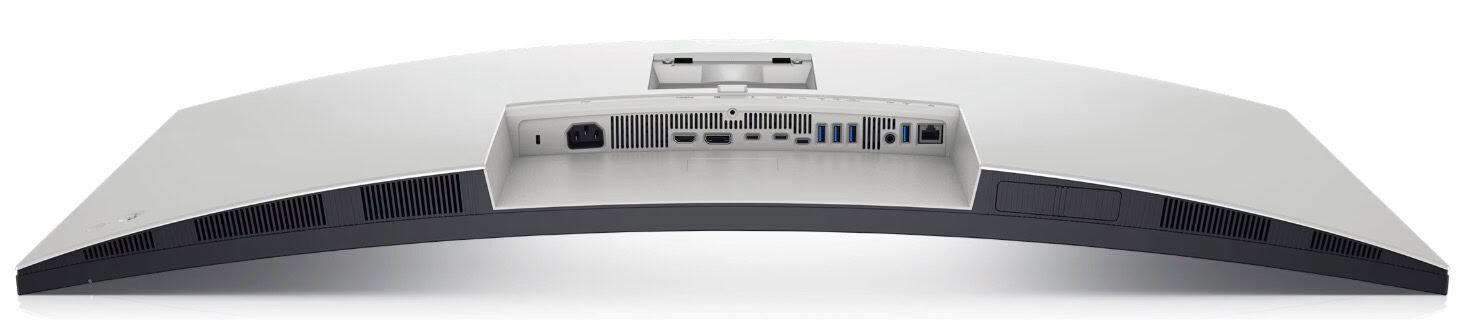
I use the mouse and keyboard with the proprietary Logitech USB-A Bolt receiver, which is plugged into my monitor so that it can be switched between both computers via the monitor’s KVM switch. Battery life on both is really outstanding, and the Logi Options+ really lets you fully customize the keyboard and mouse. I’m very happy with this setup and it’s all color coordinated with the space gray Macs.
For optimal Bolt receiver performance I had to use a short USB extension cable to relocate the receiver to just peek down below the bottom of the Dell monitor to avoid significant Bluetooth interference. With the relocation connectivity has been flawless.
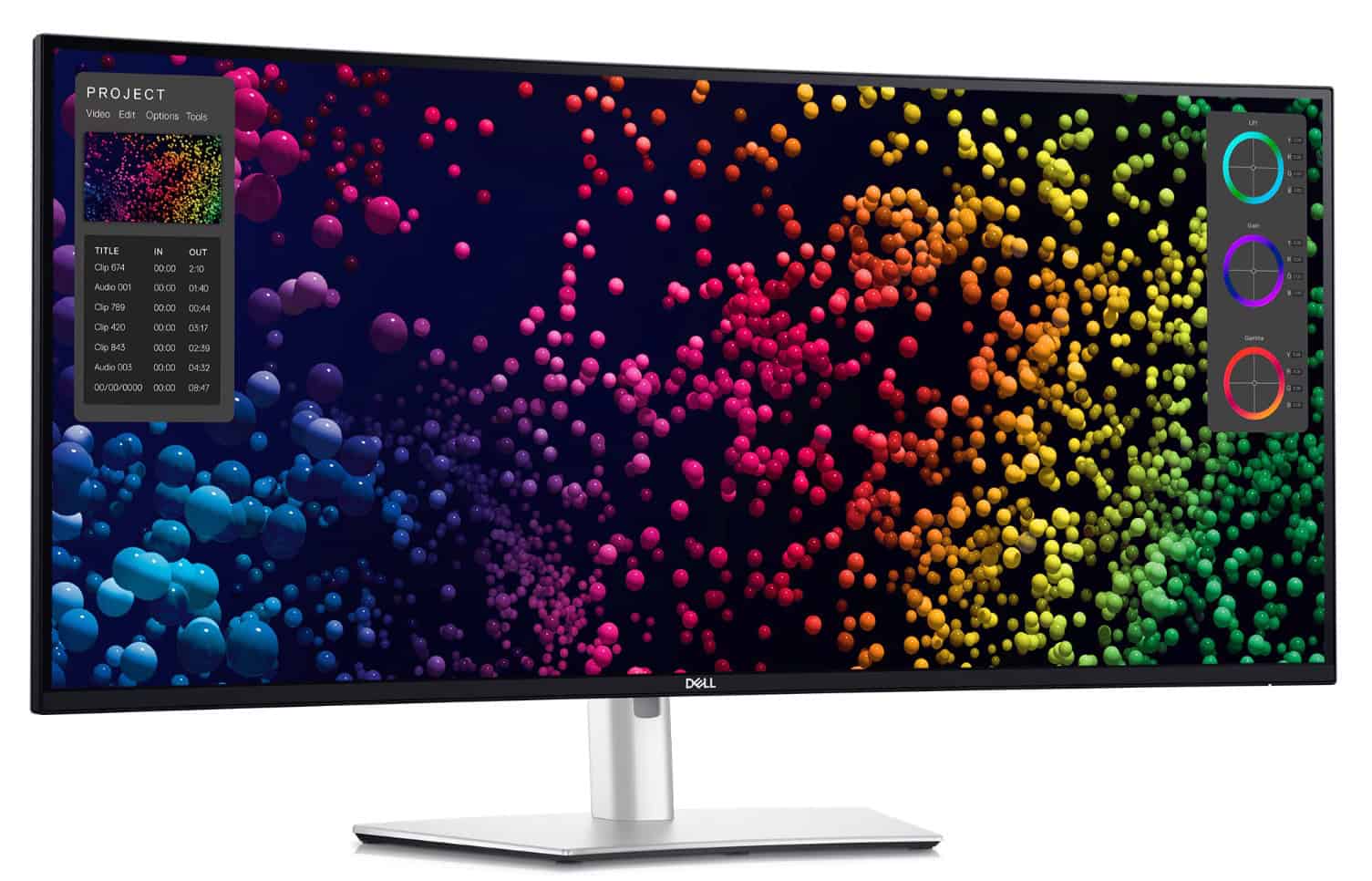
Previously I was using the Dell U4021QW ultra wide 40″ monitor. It topped out at ThunderBolt 3 and 60 Hz. For 2026 I upgraded to the Dell Ultrasharp 40-inch Curved WUHD monitor (U4025QW). This is a ThunderBolt 4 21:9 5K2K (5120 x 2160) 120 Hz monitor. It has a built-in eKVM, and works great with Macs and PCs alike.
The primary reason I upgraded to this newer version is the 120 Hz refresh rate and the improved “IPS Black” panel. Unfortunately my MacBook Pro M1 Pro can’t fully drive 5K2K at 120 Hz due to a chipset limitation. However, thanks to a Reddit post I was able to get a full 110 Hz refresh. Apple M2 processors and later should support the full 120 Hz.
I will say that in the future I would like a better quality monitor. The Dell is fine, but ideally I’d like a true Retina quality wide screen with higher brightness. I don’t want to go back to dual 27″ monitors, even if they had an amazing Retina picture. Something like a 36″ wide screen 6K mini-LED would be perfect. But sadly, no such thing exists.
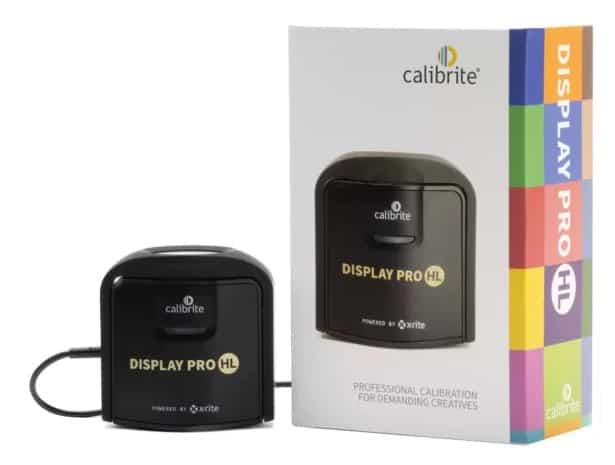
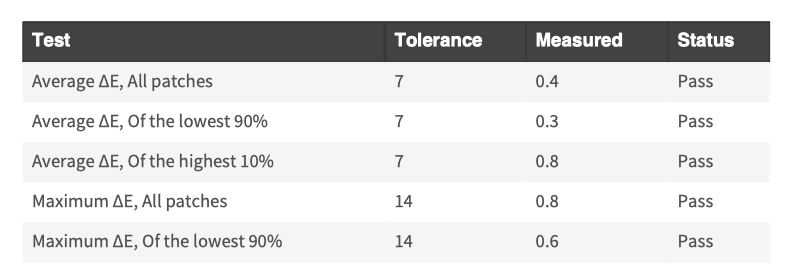
For accurate colors I use Calibrite ColorChecker Display Plus HL. This is a monitor calibration tool which makes a MASSIVE difference in picture quality. Even if you aren’t doing photo/video editing, a cheaper edition of the ColorChecker is a worthwhile investment. And as monitors age their colors can shift, so doing a calibration check every few months is smart. Post calibration the monitor was very color accurate, with the maximum Delta E 0.8 or less.
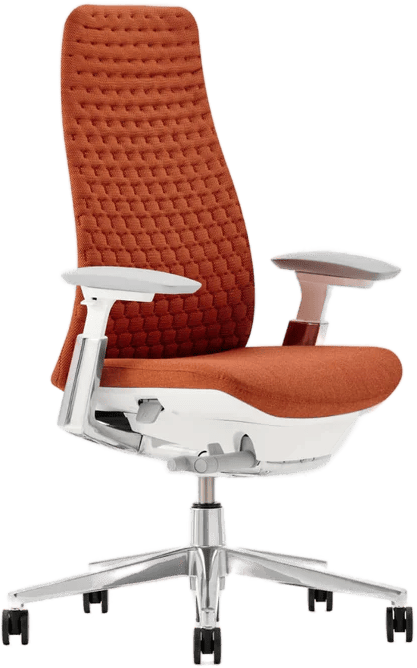
In mid-2023 I got the Haworth Fern chair in Nautical orange. This is an amazing comfortable “S-Tier” chair, and was given extremely high marks by many Youtube reviewers. I must have to agree with them. The comfort, flexibility and style are unbeatable. I also like the Nautical Orange for a pop of color. It has held up very well and I still love sitting in it.
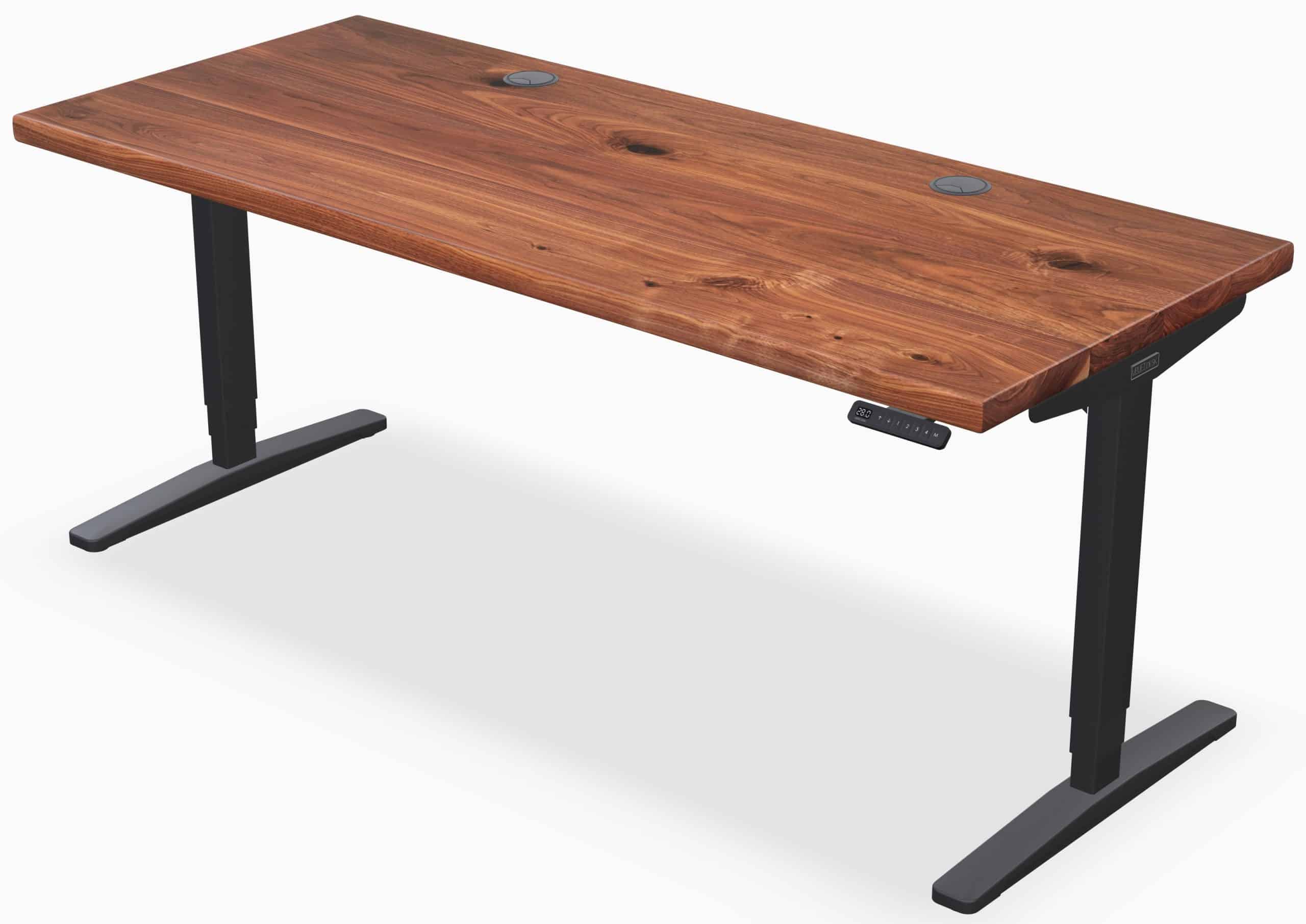
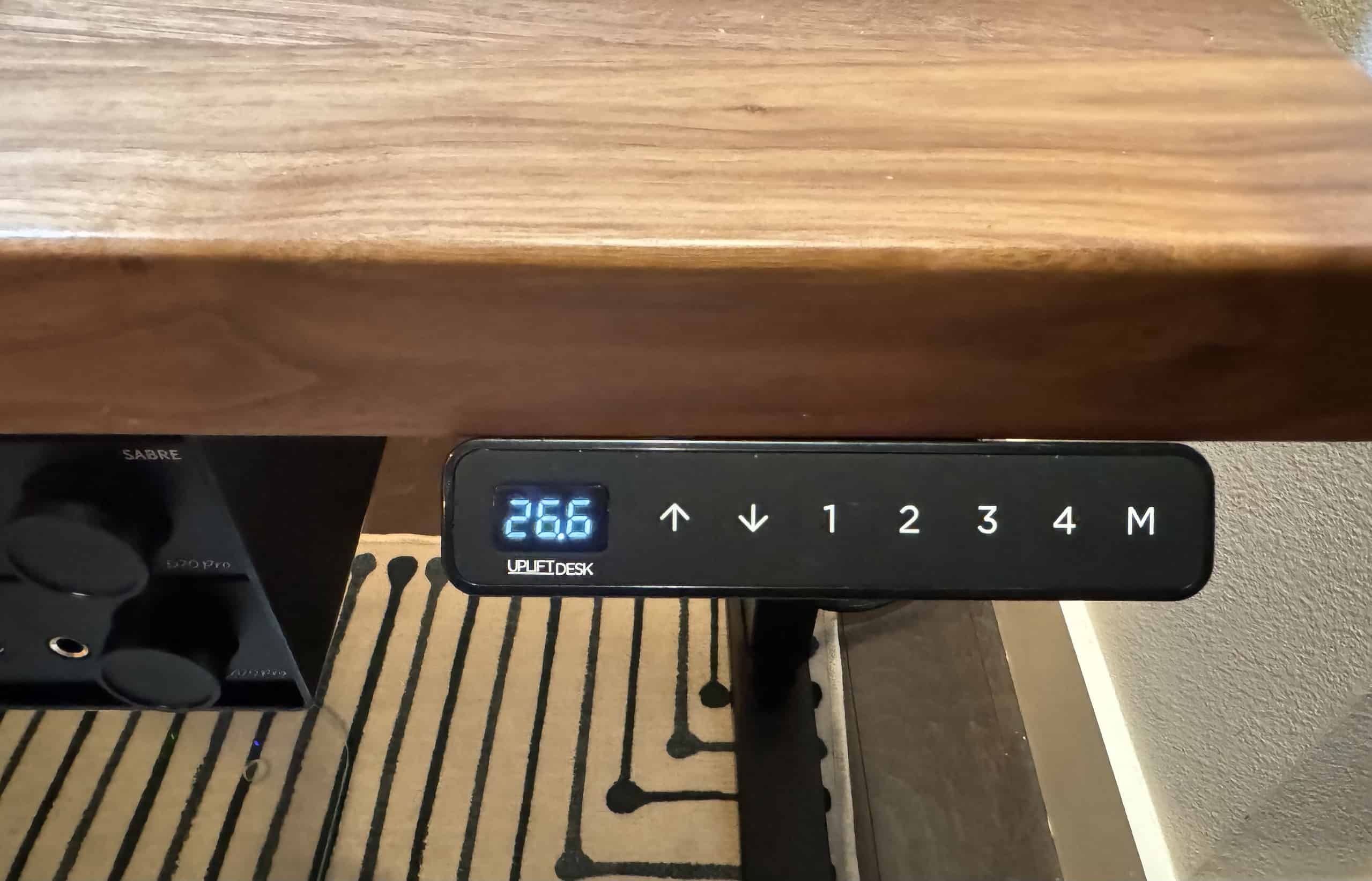
Unchanged for a few years is the centerpiece of my office: the Uplift Standing Desk v2 in solid walnut, with a “T” frame. The top is 1.75″ thick (4.5cm) and is 72″ x 30″ (183cm x 76cm). It has has a beautiful rich matte finish. The smart controller lets you set up to four pre-set heights. The motors are very smooth and quiet. I chose the “T” frame over the “C” frame as the “T” model allows for better placement of the cable tray under the desk. The desk also has a 15 year warranty to boot.
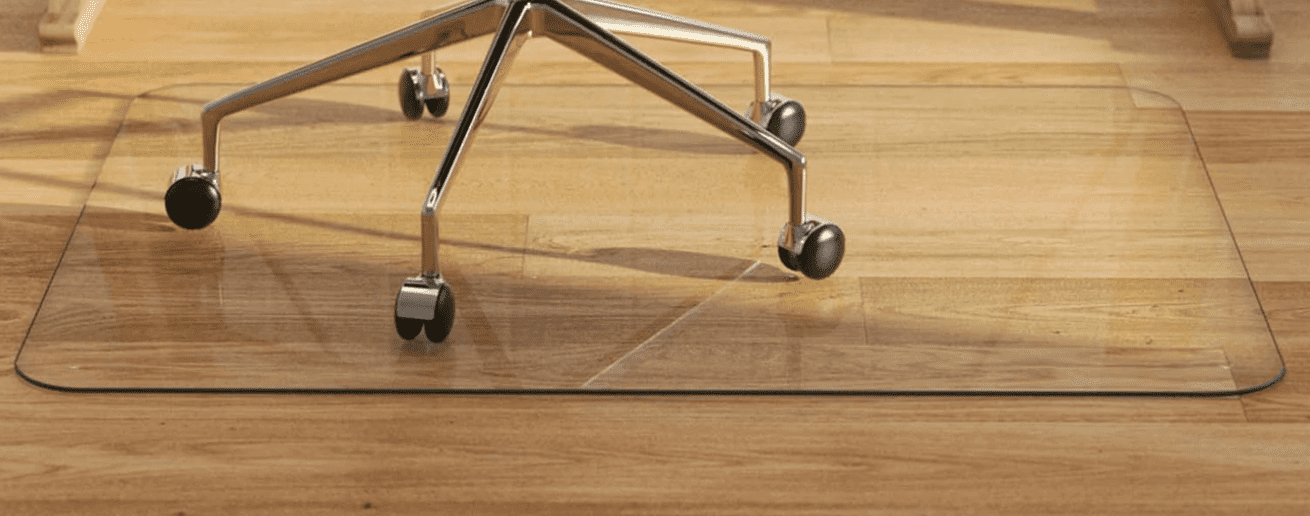
Finally, I still have my glass (yes real glass) chair mat from Vitrazza. It’s super strong (rated at 1000 pounds), and very easy to roll your chair on. Much smoother than the more traditional heavy acrylic office chair mats.
UpliftDesk V2 72" x 30" x 1.75" (182cm x 76cm x 4.5cm) T-Frame Walnut Sit/Stand Desk
UpliftDesk Smart Controller
Haworth Fern Chair (Nautical Orange)
Vitrazza Glass Chair Mat
Several months ago I also ditched my old HP ink jet printer. HP’s transition to a subscription model for the ink really annoyed me. I replaced it with the Epson WorkForce ST-C4100 Supertank Color MFP. It’s been a great all-in-one printer which includes a scanner and copier. The macOS software is functional, but not great. It still uses Intel binaries, so hopefully Epson will update the software to use Apple Silicon before Rosetta 2 goes away in a future macOS update.
I’m a bit OCD about cable management. I wanted to pay special attention to cable management for my office refresh. It’s really hard to tidy up so many cables and accessories. However, I’m pretty proud of how good my cable management turned out.
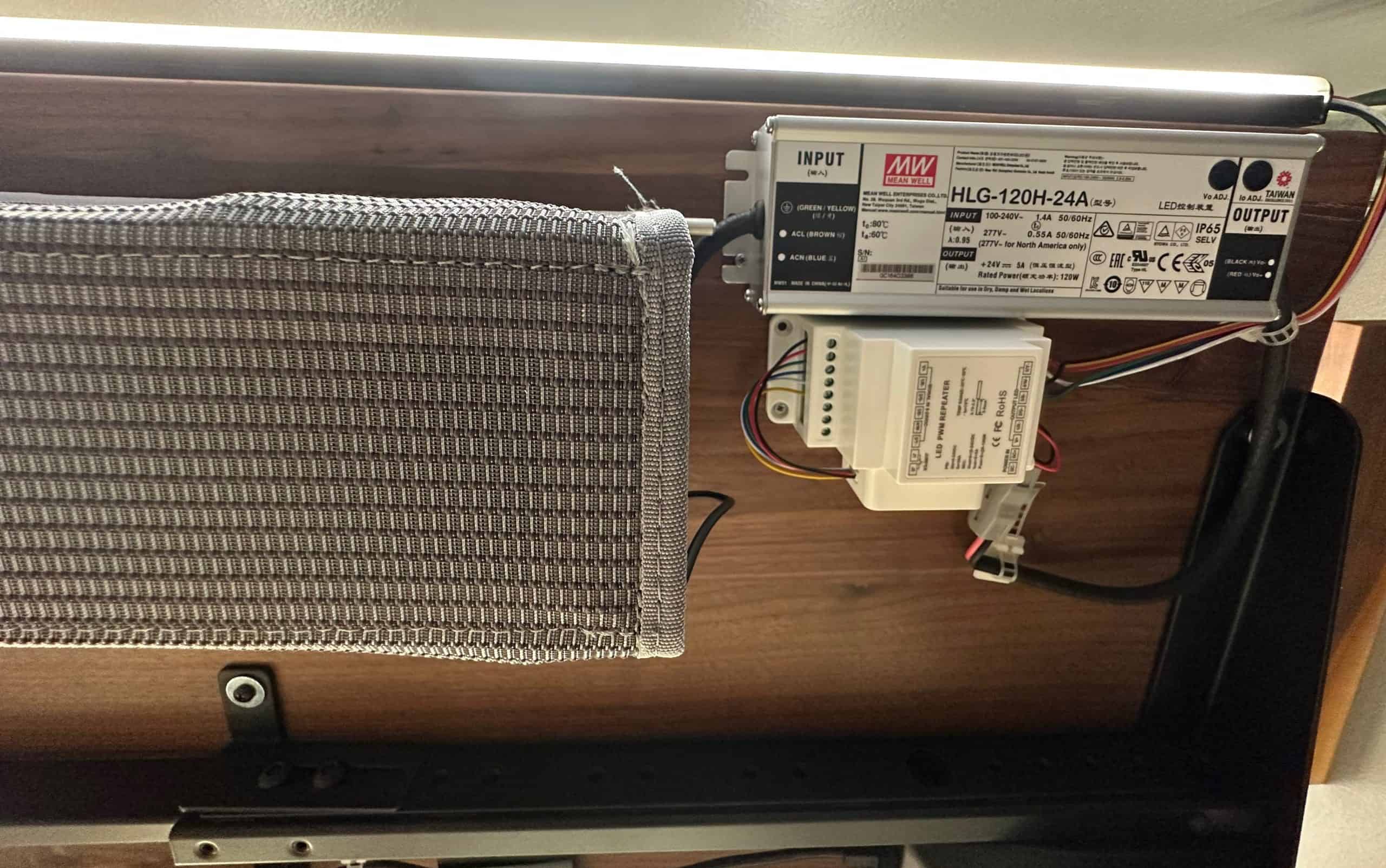
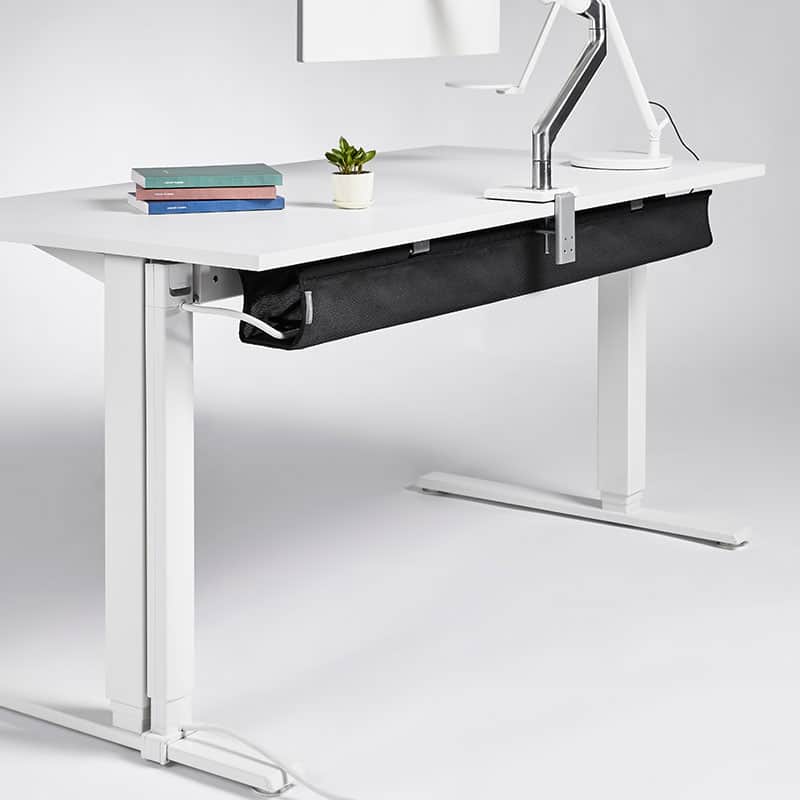
Under the desk and at the very back is the Humanscale NeatTech large cable tray. This is a fabric mesh tray that you can unclip one side and it unfolds downward to access all of the cables and devices like power strips. On my 72″ (183 cm) wide desk it runs along the majority of the table, but leaves a nice amount of space on both sides for other devices. It works really, really well! I also have a 16-outlet surge protector in the cable tray for all my power needs.
Humanscale NeatTech Fabric Cable Tray
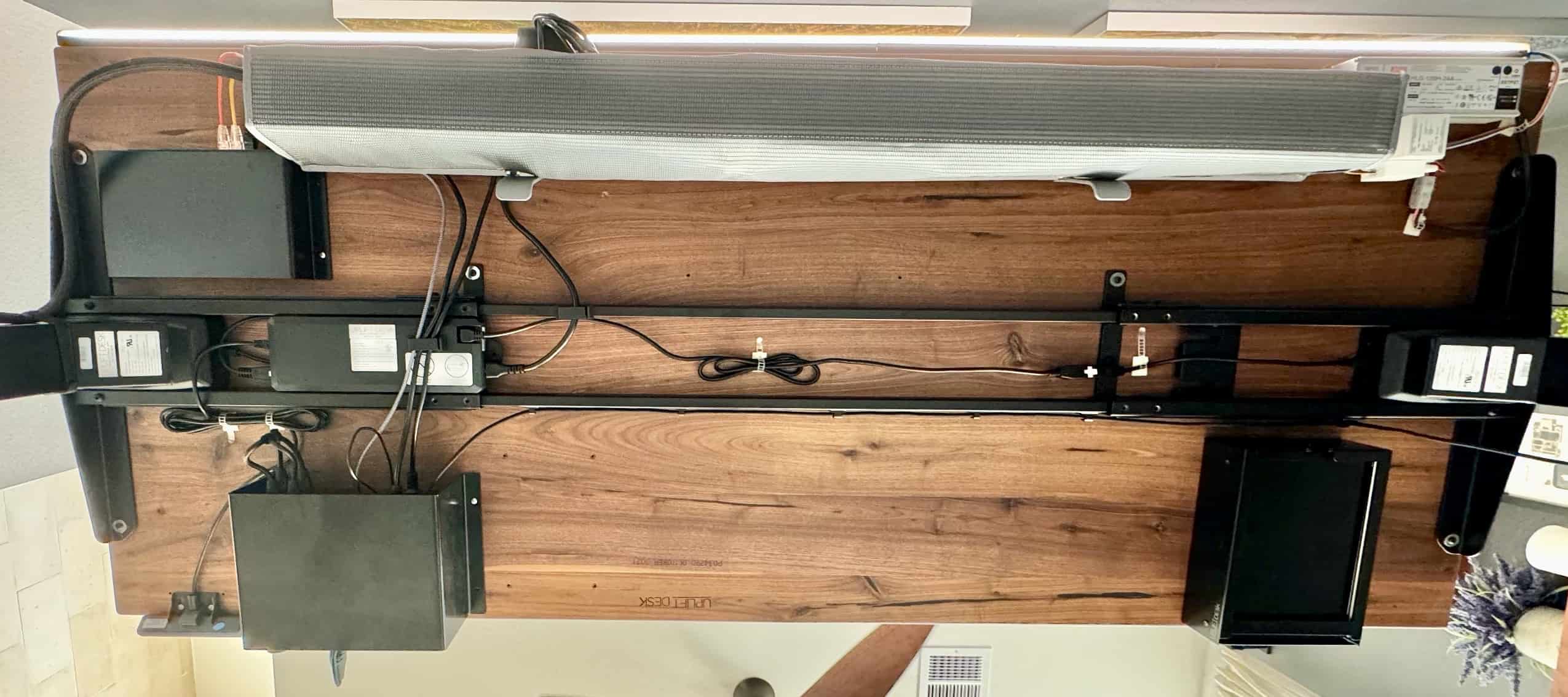
I’m proud to say that the under side of my desk is nearly as OCD neat as the top. Between the mounting brackets for my audio DAC/Amp combo I was able to keep the cable mess to a minimum. Whenever I upgrade to the Caldigit TS5 Plus, I will need to mount the 330w power supply somewhere under the desk.
Under Desk Cable Management
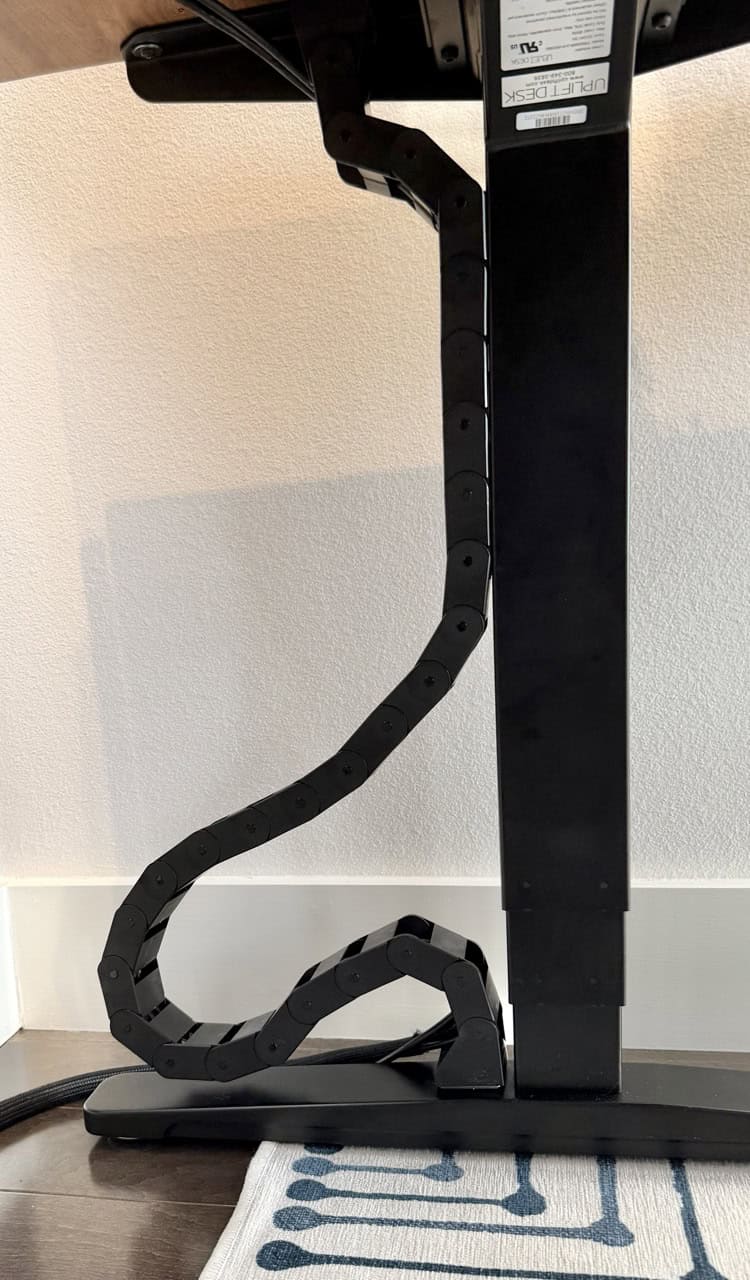
Very recently I got an under desk cable management system which is designed for standing desks. The “Vertebrae” cable management system can be quickly mounted to the underside of the desk and easily adjusts up and down with the desk to keep the cables out of the way. It looks very clean while being functional. While not cheap, you can adjust the length to suit your needs and it has good build quality.
2023 was a big year for making my home office ‘smart’. I migrated entirely to Matter over Thread and integrated everything with Home Assistant. Into 2026 I didn’t need to make any big changes. The only upgrades were the Inovelli white series smart dimmers, in-wall Eve energy smart outlet and two Ikea Grillplats smart plugs.
The smart devices that I now have in my office are:
2x Ikea Grillplats smart plugs (Matter over Thread)
Eve Energy smart outlet (Matter over Thread)
Aqara FP2 Presense Sensor (WiFi/Homekit)
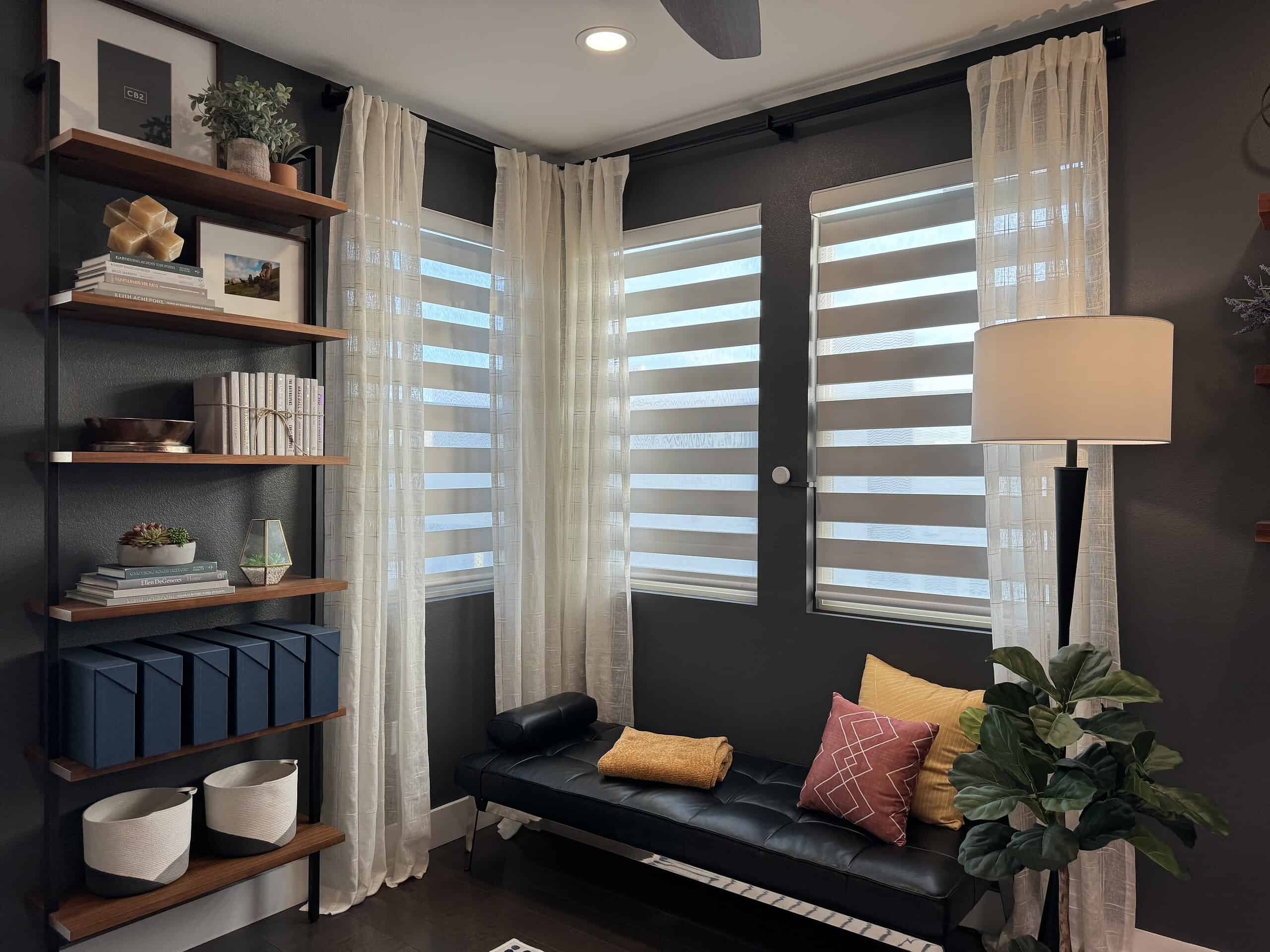
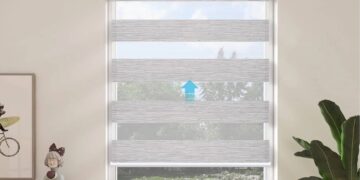
Smartwings Zebra Blinds (Matter over Thread)
Philip Hue Lights (Ceiling, floor lamp, wall sconces, desk accent LED strip)
Inovelli White Series dimmer (Matter over Thread)
Some of the automations that I have include:
The Hue lights adjust brightness and color temperature based on the time of day (adaptive lighting). The recessed lights and floor lamp can turn completely off based on the FP2’s light level (lux) reading, or can turn on when it’s cloudy or in the evening.
Ceiling fan turns on or off based on room temperature and my presence.
My headphone DAC/Amp automatically power off after a few minutes when I stop playing music on my Mac.
Window blinds automatically open and close based on the time of day and position of the sun.
When I walk into my office all of the lights turn on, including my BenQ monitor light and desk LED strip. They turn off a few minutes after I leave my office.
The Aqara FP2 has been critical for reliable automations. Unlike motion sensors, the FP2 is mmWave and can sense even tiny movements. No more lights going out on you if you are sitting still in your chair. You can read all about the Aqara FP2 in my article: Home Assistant: Setting up the Aqara FP2 Presence Sensor.
In late 2023 I got the Smartwings motorized Zebra Matter over Thread shades. They were the first shades in the world to ship with Thread and Matter from the factory. They are good quality shades, and I love the solar panel feature. This means I never have to recharge the batteries. I can control them from Home Assistant, Apple Home, and my Stream Deck XL.
I did have two Eve Energy smart plugs (peanut style), which I have since replaced with the Ikea Grillplats smart plug. The Grillplats support Matter 1.40, which is literally years ahead of Eve. I’m anticipating replacing the in-wall Eve energy outlets with the upcoming Onvis T20 later this year.
Eve has been grossly negligent in updating their firmware on their US in-wall smart outlets. Their support is very rude and refuses to comment on whether they will ever fix the numerous firmware bugs that the community has reported. I recommend NEVER buying an Eve product, ever! The Ikea smart plugs have been rock solid so I have no regrets of tossing the Eve Energy smart plugs into the trash. I am actively throwing out all of my Eve products and replacing them with products that I trust.
Smartwings Zebra Blinds (Matter over Thread)
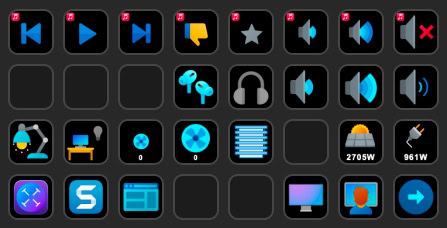
On my Stream Deck XL I have a number of Home Assistant control buttons. They show the state of, and let me control, devices such as lights, blinds and ceiling fan. Everything is automated, but the Stream Deck buttons give me manual control should I need it. The Stream Deck also shows real time solar power production and household power consumption, updated every 30 seconds.
And thanks to BetterDisplay for Mac, I can switch video inputs on my Dell monitor with just the press of a button on my Stream Deck. I can now instantly switch between my personal and work Macs in a split second. My keyboard and mouse also switch seamlessly.
Elgato Stream Deck XL Button Configuration
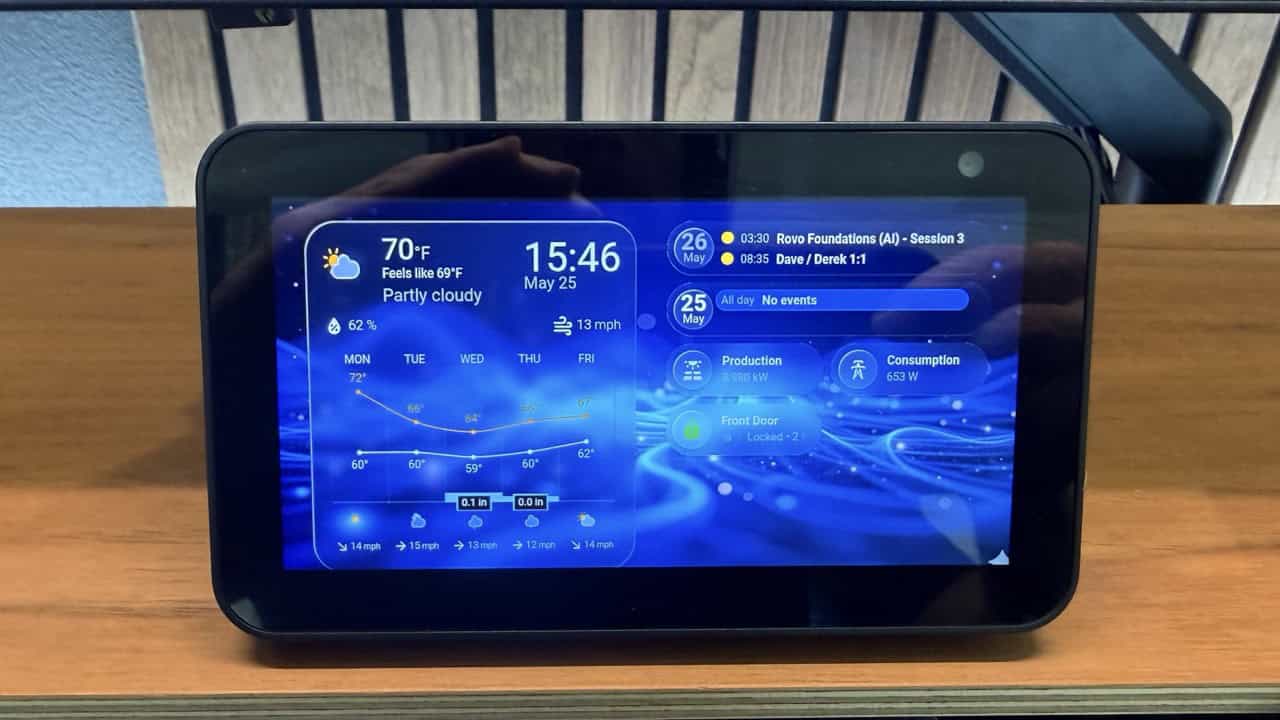
A few months ago I added an Amazon Echo Show 5 to my home office as a Home Assistant dashboard. It is tucked away under my monitor, next to my phone. It shows me the weather forecast for the week, upcoming personal and business meetings, solar power production and power consumption and my front door lock status. I wrote a detailed blog post on how I jailbroke the Echo Show 5 and how I set it up with View Assist (link below). I’m still tweaking my dashboard, but the current version works great. I use Bubble Cards with custom CSS for the liquid glass effect.
In the last couple of years I’ve done a number of network upgrades around the house. The biggest upgrade was ditching the (excellent) Ruckus R650 Wi-Fi 6 APs and getting three Ruckus R770 Wi-Fi 7 APs. To fully support the R770s and their PoE requirements and 10G uplink speed, I had a number of new Cat6A drops ran in my house. While I was at it I had two 10G drops added to my office.
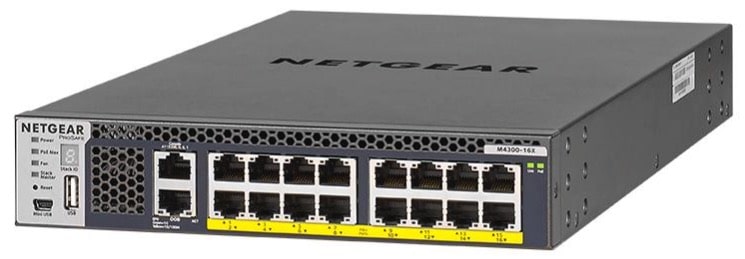
My core switches are two Netgear M4300-16x switches. These are enterprise grade Layer 3 10Gbps fully managed switches, each with 320Gbps of switching capacity. Each switch has 16 Ports RJ45 PoE+ Multi-Gigabit, supporting 100M/1G/2.5G/5G/10G. My Ruckus R770s are powered via PoE from these switches.
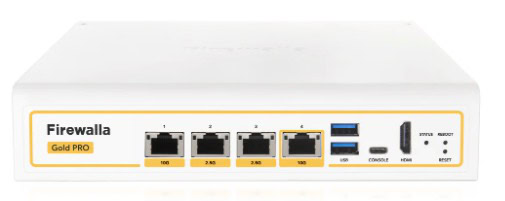
I also recently upgraded my firewall, Firewalla Gold Plus, to the Gold Pro model. The new model fully supports 10G and has a beefier processor. It is a fantastic firewall with robust IPv6 support and very advanced functionality.
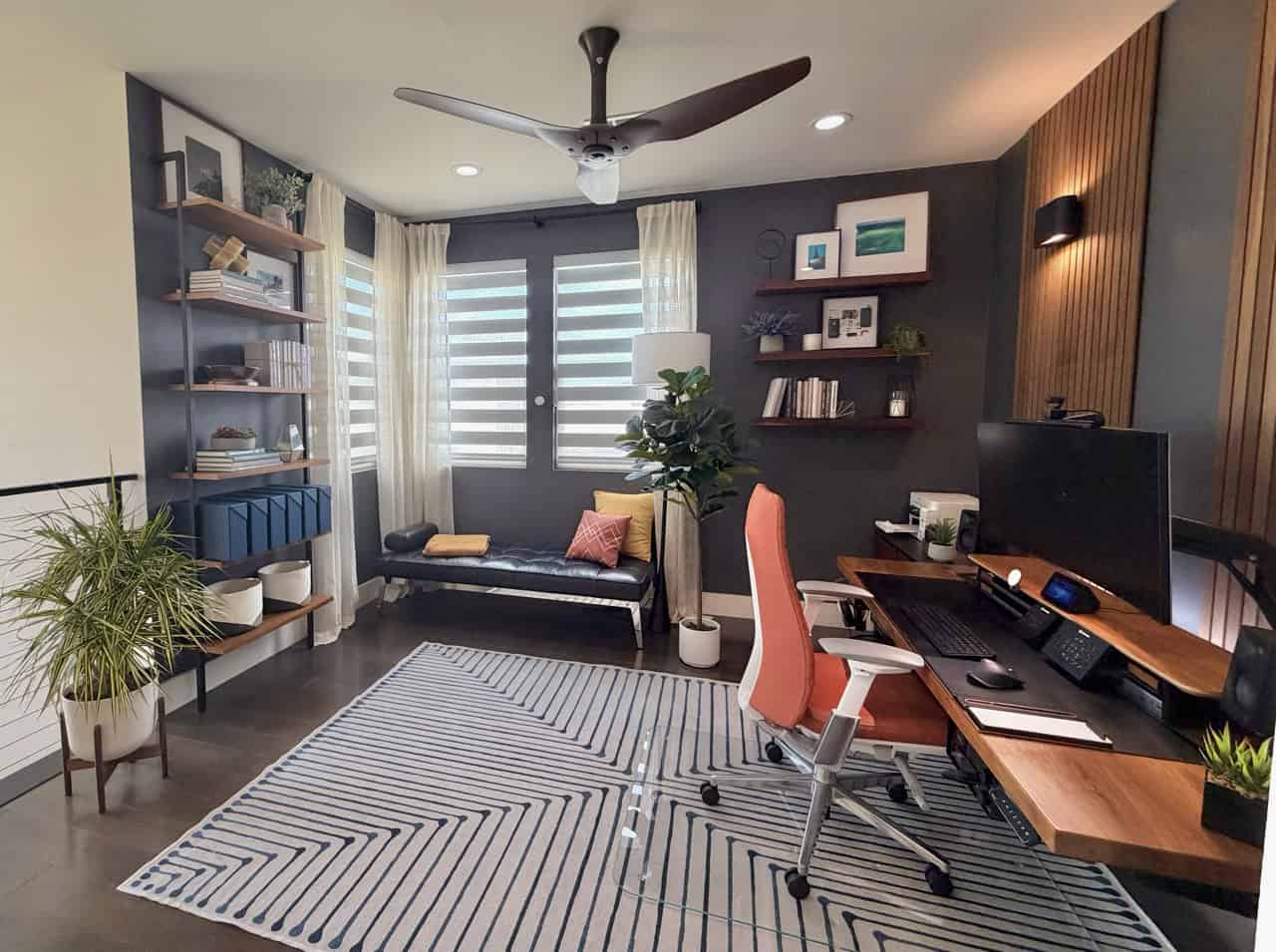
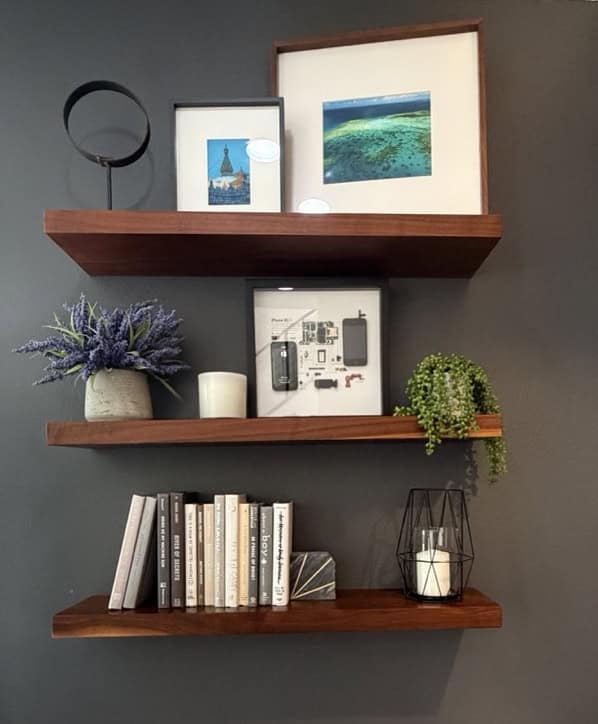
Most of my room decor remains unchanged for 2026. However, I did make one big update. I took down the Iceland photos over my desk and replaced them with two walnut slat panels and added Philips Hue wall sconces. The walnut slat panels really tie in to my walnut desk and drawers and the accent lighting from the sconces is a nice touch.
Unchanged from a couple of years ago are the Sherwin Williams Peppercorn (SW 7674) walls, in satin. I really love the color, the subtle sheen, and the contrast with the white trim and walnut floors and desk. Dark walls aren’t deal for RGB lights so consider white walls if you want to fully utilize RGB lighting in your space.
Smartwings Zebra Shades (Matter over Thread), Aqara FP2 Presence Sensor
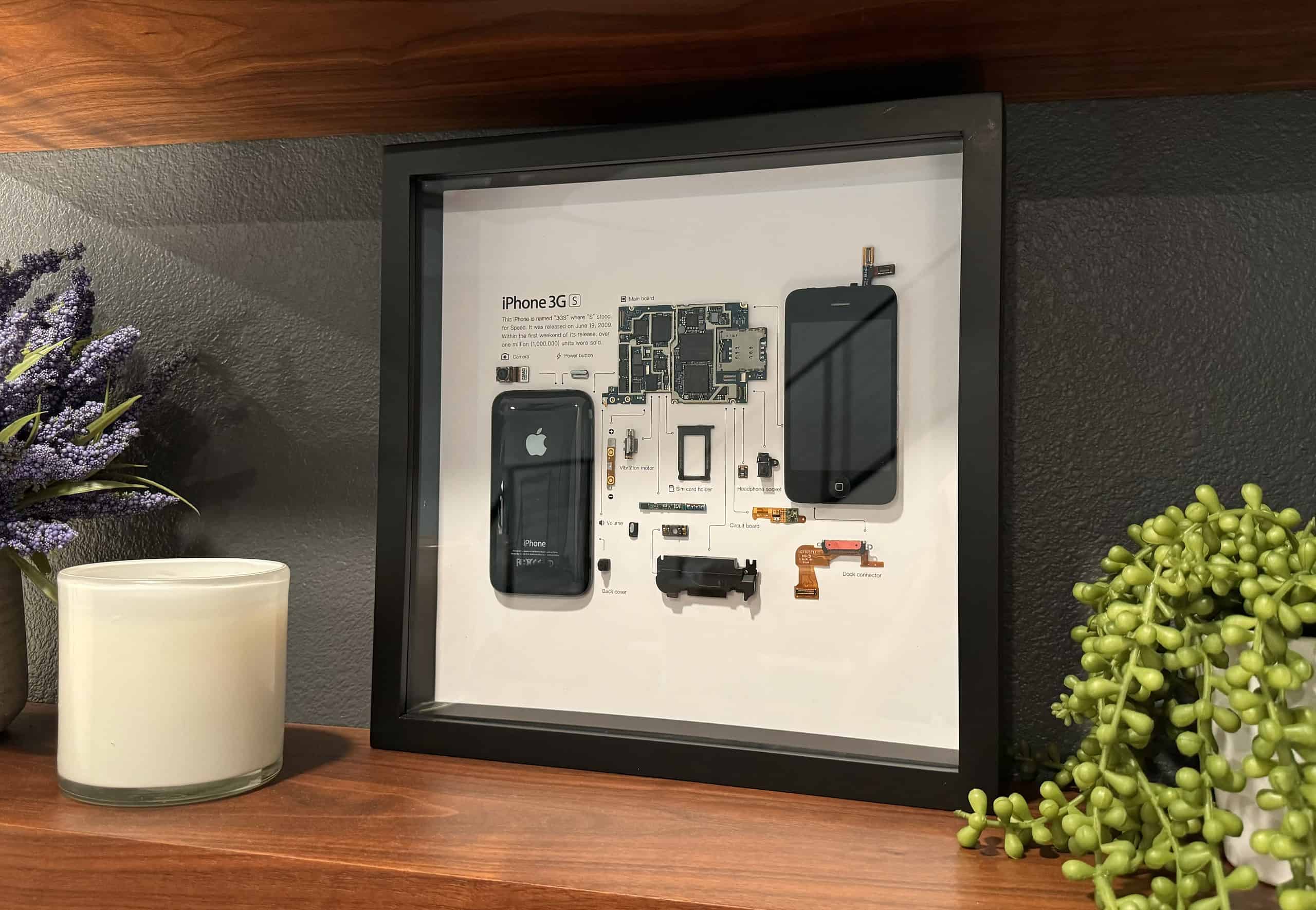
Grid Studio iPhone 3GS
Urbandi Floating Walnut Shelves
Pilsen Walnut File Cabinets and Live Snake Plant
I also wanted to try my hand at live plants this year. I do have prior convictions of killing plants, but I wanted to try again. This time I bought a few plants from Easy Plants. These are supposed to be easy to care for and harder to murder. After six months two survived, but I’m guilty of killing my Fiddle Leaf Fig which is a shame. I’m not sure why the Fiddle Leaf Fig didn’t survive but it really looked great while it lasted. Oh well. Back to a fake Fiddle Leaf Fig.
Since my last desk setup post in late 2023 I have made a number of changes to make my home office even better. While no one change was earth shattering, all of the upgrades combined really put the finishing touches on my dream home office.
On my radar for a future upgrade is a new retina-class wide-screen or 32″ monitor. As of mid-2026 I haven’t seen one that I really like, so maybe over the next couple of years I will see a model that will entice me to upgrade. I also can’t wait for the MacBook Pro M6 Pro/Max release later this year or early 2027. But until then my current setup is more than enough.