[Note: This is not a sponsored post, however Aqara was kind enough to send me a pre-release sample for this review. However, they had no editorial input and are seeing this post for the first time just like you.]
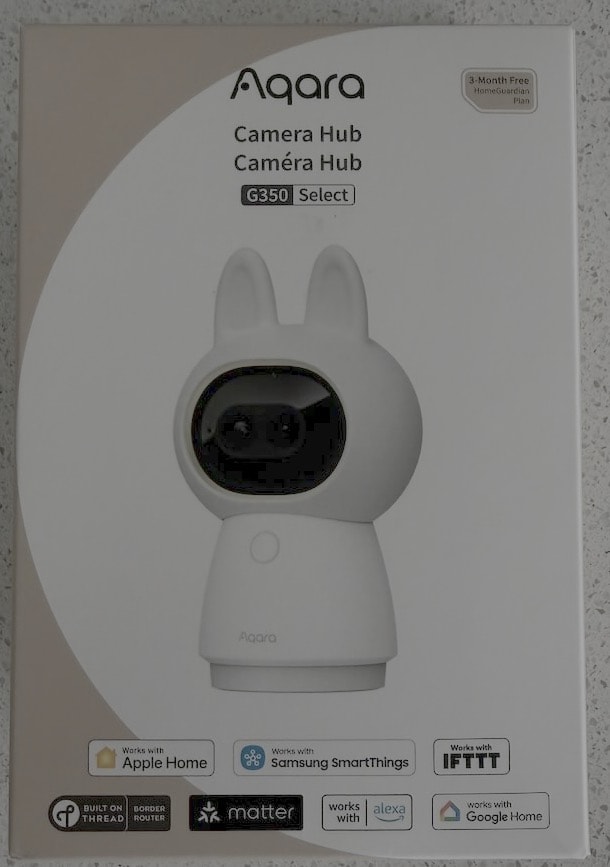
Announced at CES 2026, and now available, is the brand new Aqara Camera Hub G350 for USD $139.99. The headline feature of this new smart camera is official support for the Matter v1.5 camera standard. Officially published in November 2025 Matter 1.5 specification now allows platform agnostic integration of video feeds into various smart home ecosystems. This was one of the long standing gaps in the Matter standard, and we now have the world’s first certified Matter v1.5 camera.
In this review I cover the following areas:
Camera Hub G350 Features
Unboxing
Camera Onboarding
Camera AI Detection Features
RTSP Support
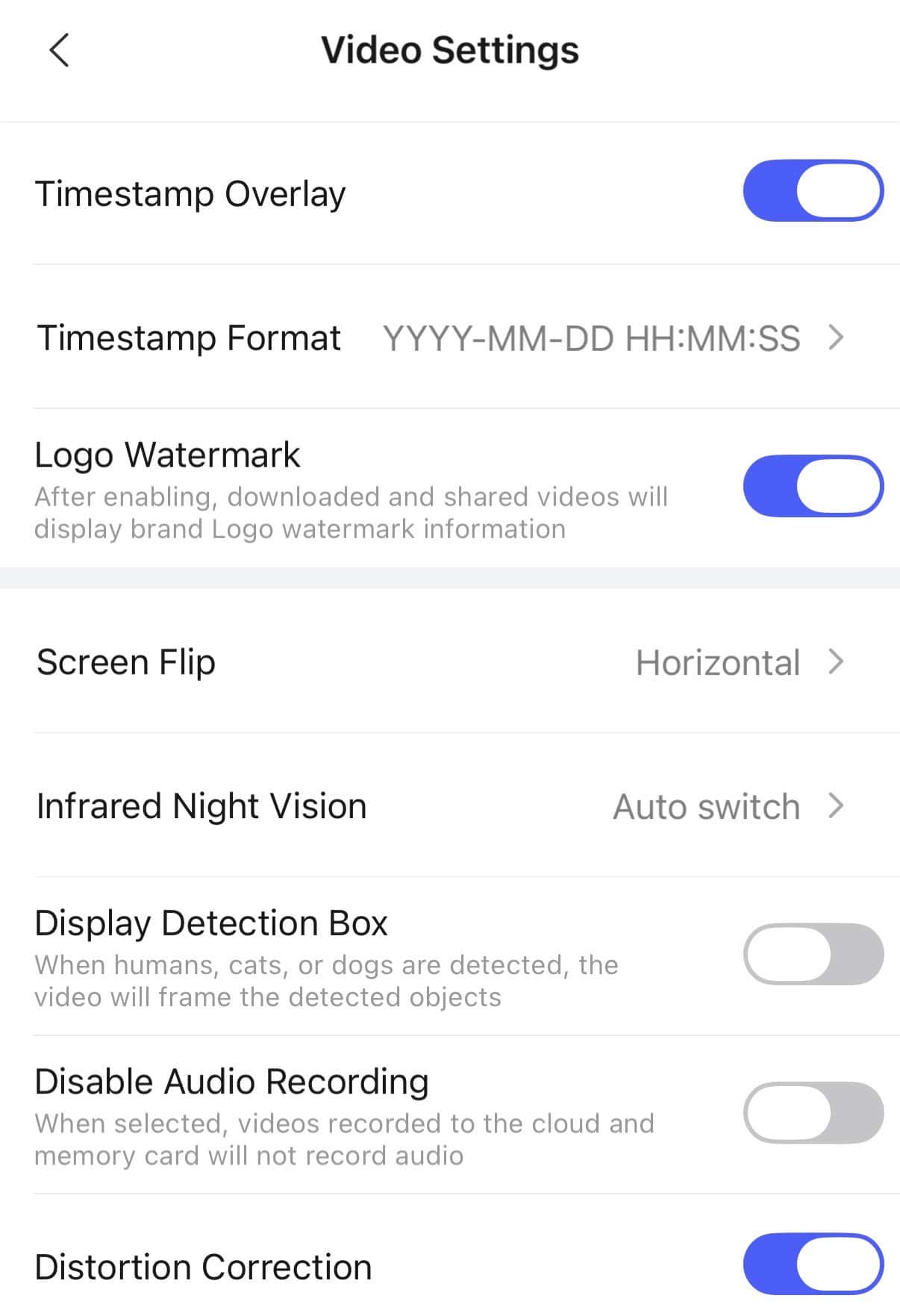
Video Settings
HomeGuardian Subscription
Home Assistant Support
Aqara App Video Controls
Video Quality
Thread Border Router Support
Matter v1.5 Camera Support
Scenes and Automations
Ecosystem Support
Aqara Camera Hub G350 Features
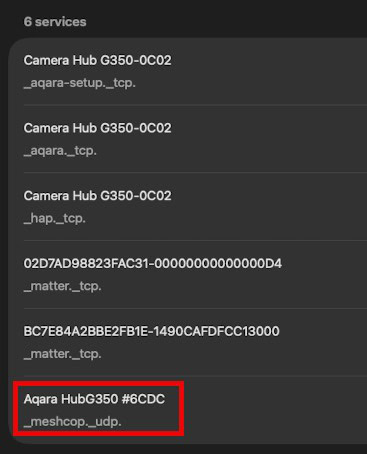
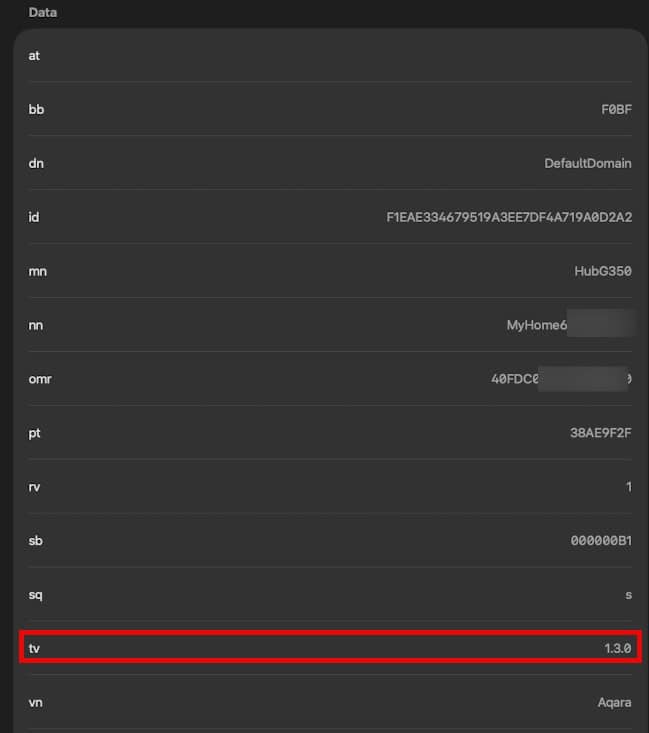
The Camera Hub G350 has dual lenses (up to 4K video), supports PTZ (pan, tilt, zoom), and has 9x hybrid zoom. It also boasts a number of built in AI features, such as people and pet tracking, facial recognition, and more. In addition to advanced camera features, it can also act as an Aqara hub to bridge Zigbee devices into your smart home platform of choice. The G350 also has an integrated Thread Border router (v1.3.0 unfortunately), which can be automatically added to your existing Apple Thread network, if it exists.
The camera also supports three RTSP streams (up to 2160p), HomeKit secure video, local MicroSD storage, and dual band Wi-Fi 6. The camera sits on a 360 degree motorized pan platform for full area coverage.
Detailed specs:
Wide-Angle Lens Video Resolution: 3840×2160 Wide-Angle Lens Angle: 133°(diagonal) Wide-Angle Lens Focal Length: 2.8 mm Telephoto Lens Video Resolution: 2560×1440 Telephoto Lens Angle: 43°(diagonal) Telephoto Lens Focal Length: 8 mm Aperature: f/1.6 Frame Rate: 20 fps Aspect Ratio: 16:9 Video Codec: H.264 Wireless Protocols: Wi-Fi IEEE 802.11 b/g/n/ac/ax 2.4/5 GHz, Zigbee/Thread IEEE 802.15.4, Bluetooth Power Input: 5V⎓2A Local Storage: MicroSD card (not included). CLASS 10 or above is supported, up to 512GB storage.
The Unboxing
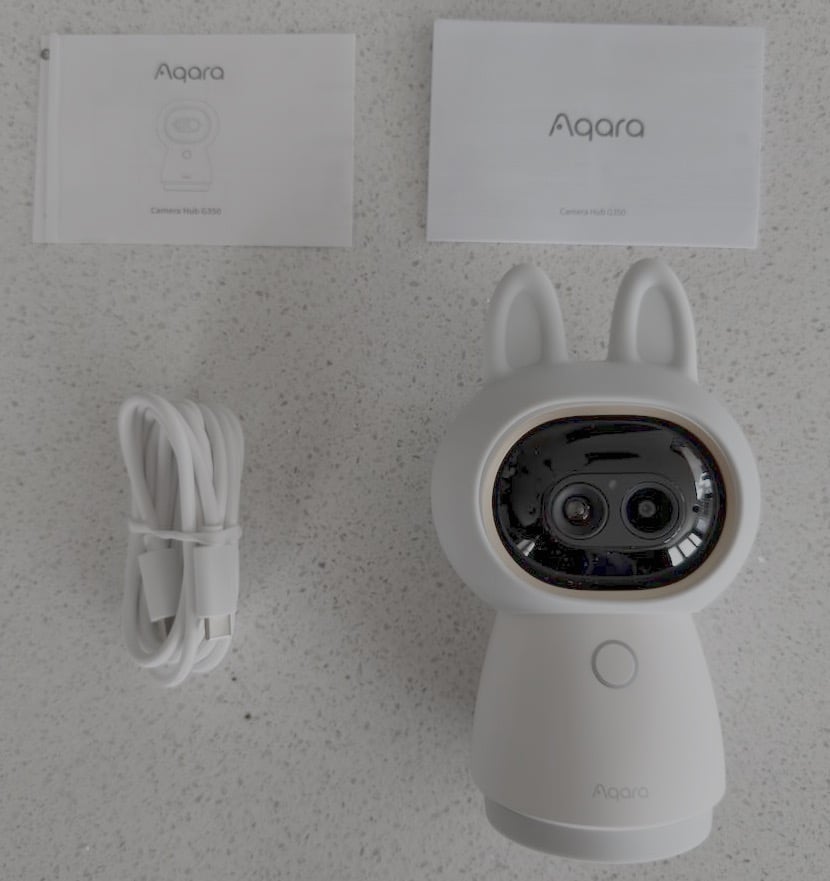
The Aqara Camera Hub G350 ships with the camera, USB-C to USB-C cable, and short instruction manual. If you prefer to use the camera without the rubber ears, they can be easily removed. It is powered by a single USB-C connection, with no native PoE option. This is designed to be an indoor camera, so it does not have any weather proofing rating. For more secure mounting it has a threaded 1/4″ hole in the bottom.
Camera Onboarding
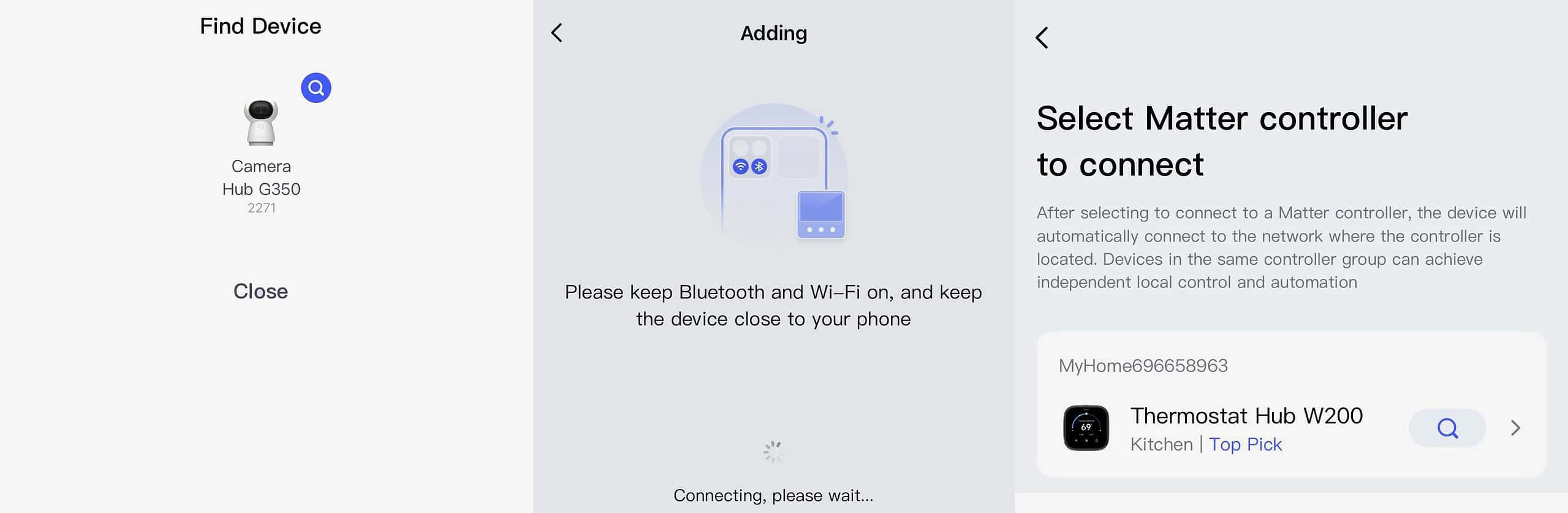
Setting up the Aqara Camera Hub G350 is pretty straight forward. Once you power it on the Aqara mobile app should automatically detect it. You then step through the setup process, including adding it to your 2.4 GHz or 5 GHz Wi-Fi network. I’m testing the Aqara W200 thermostat, so I added the G350 camera to my W200 Matter controller.
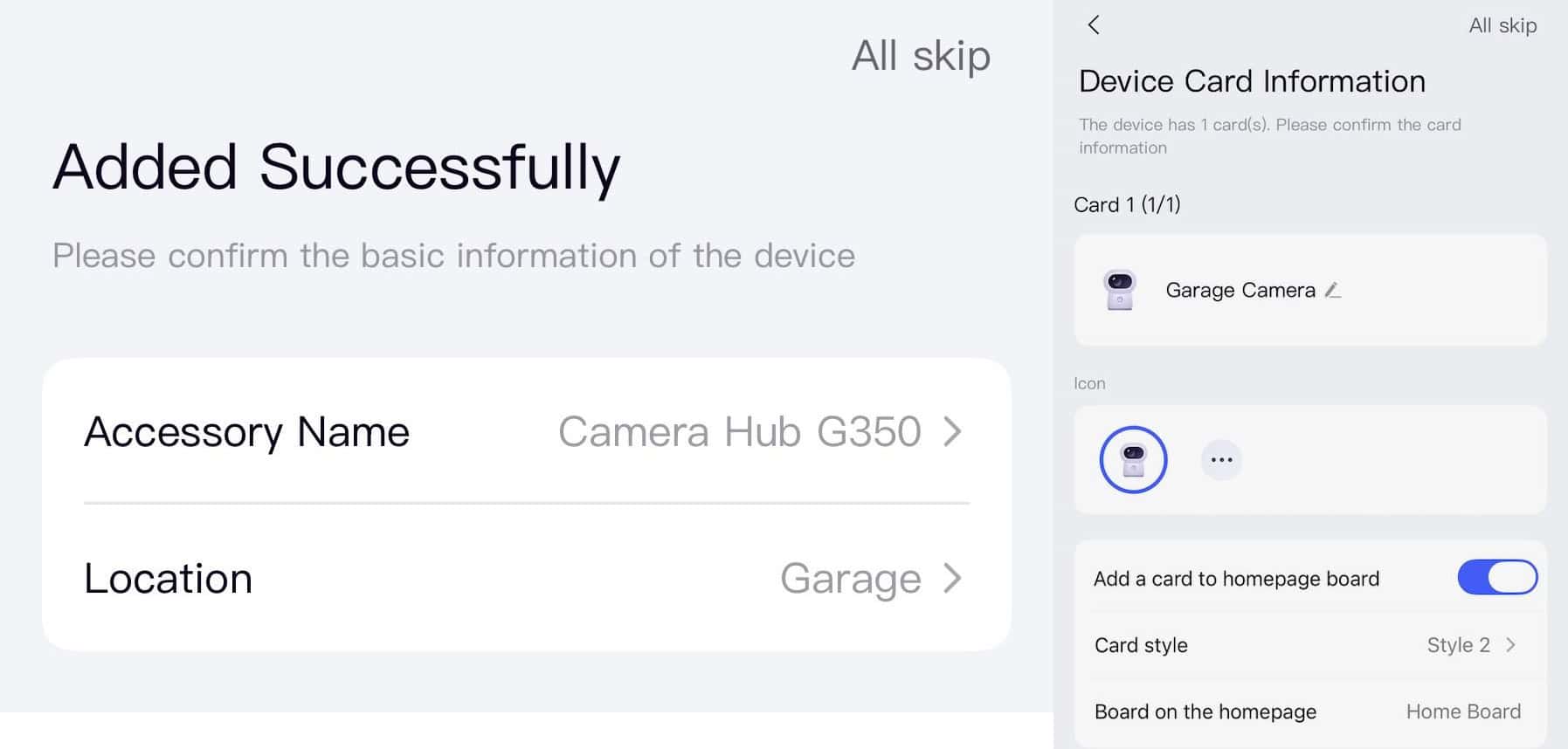
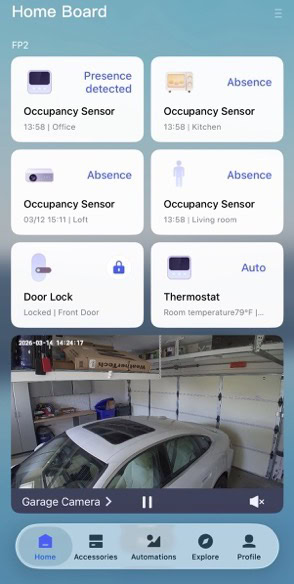
After the G350 is onboarded, you can add it to the Aqara app home screen. This gives you quick access to the feed and PTZ camera controls.
Camera AI Detection Features
Of course no smart camera discussion could be complete without covering their AI detection features. Aqara has included a number of AI detections. While I understand locking AI video search and video summary behind a “HomeGuardian” subscription, vehicle and package detection have no place behind a paywall. A few features are in beta, which they label as Lab.
AI Video Search ($$, Lab)
AI Video Summary ($$, Lab)
Person Detection
Motion Detection
Face Detection
Smile detection
Animal detection
AI Sound Detection
Gesture Detection (Lab)
Lens Obstruction Detection
Vehicle Detection ($$, Lab)
Package Detection ($$, Lab)
Fire Detection ($$, Lab)
If you opt in for cloud video storage, you can select from the following list which event types get sent to the cloud:
Person detection
Face Detection
Smile Detection
Animal Detection
AI Sound Detection
Lens Obstruction Detection
Motion Detection
Vehicle Detection ($$)
Package Detection ($$)
Fire Detection ($$)
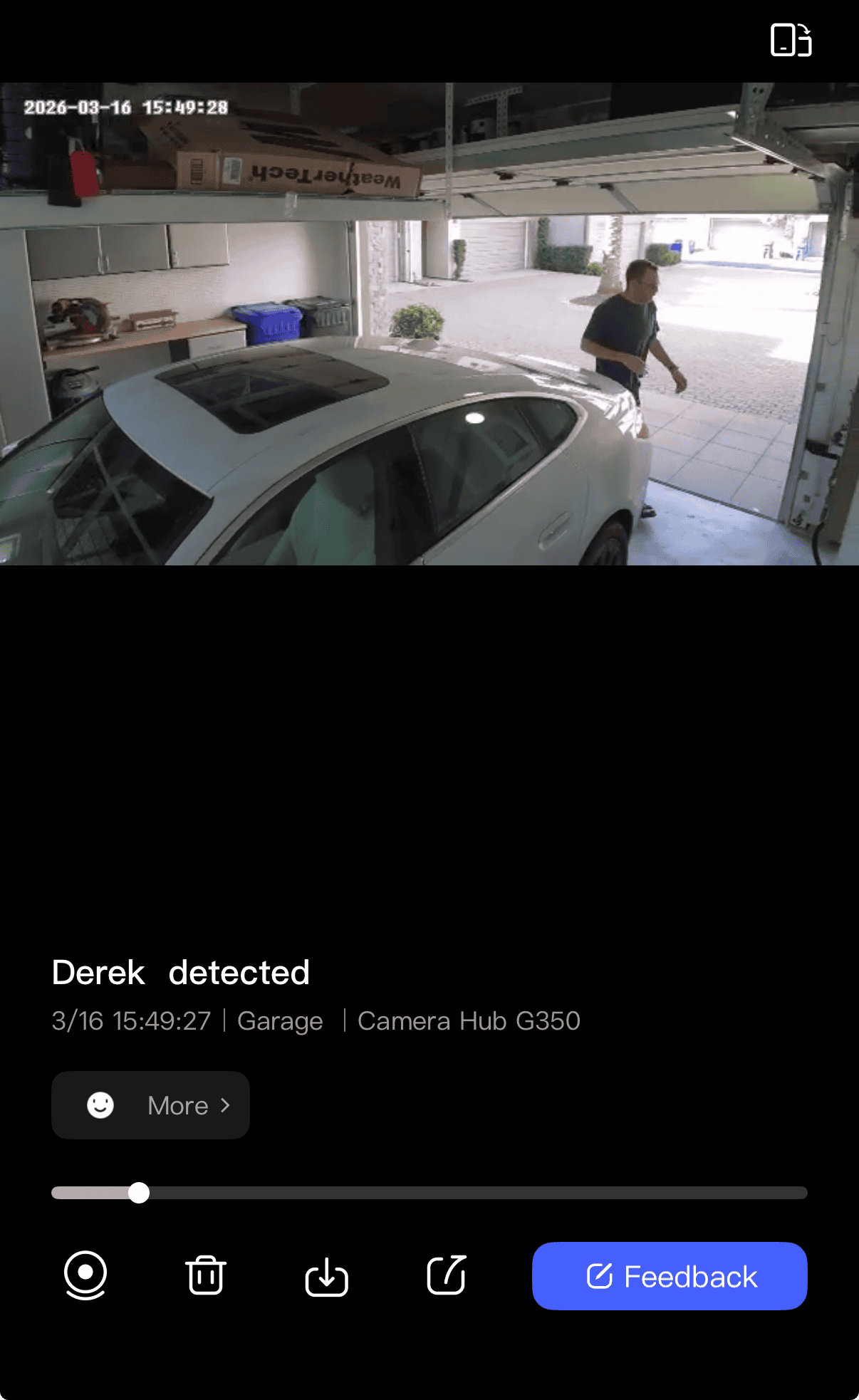
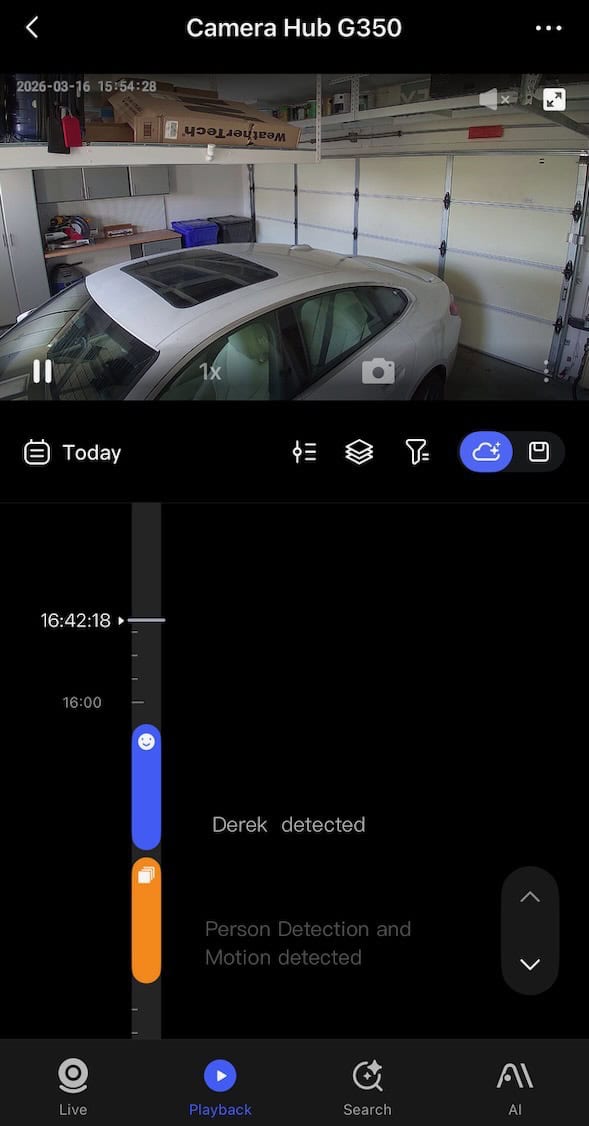
If facial recognition is your jam, then you are able to upload named selfies to the Aqara app which is then downloaded directly to the camera for on-device detection. When a known face is recognized you can get an alert in the Aqara app, such as “Derek detected”, with a frame snapshot, and a video snippet.
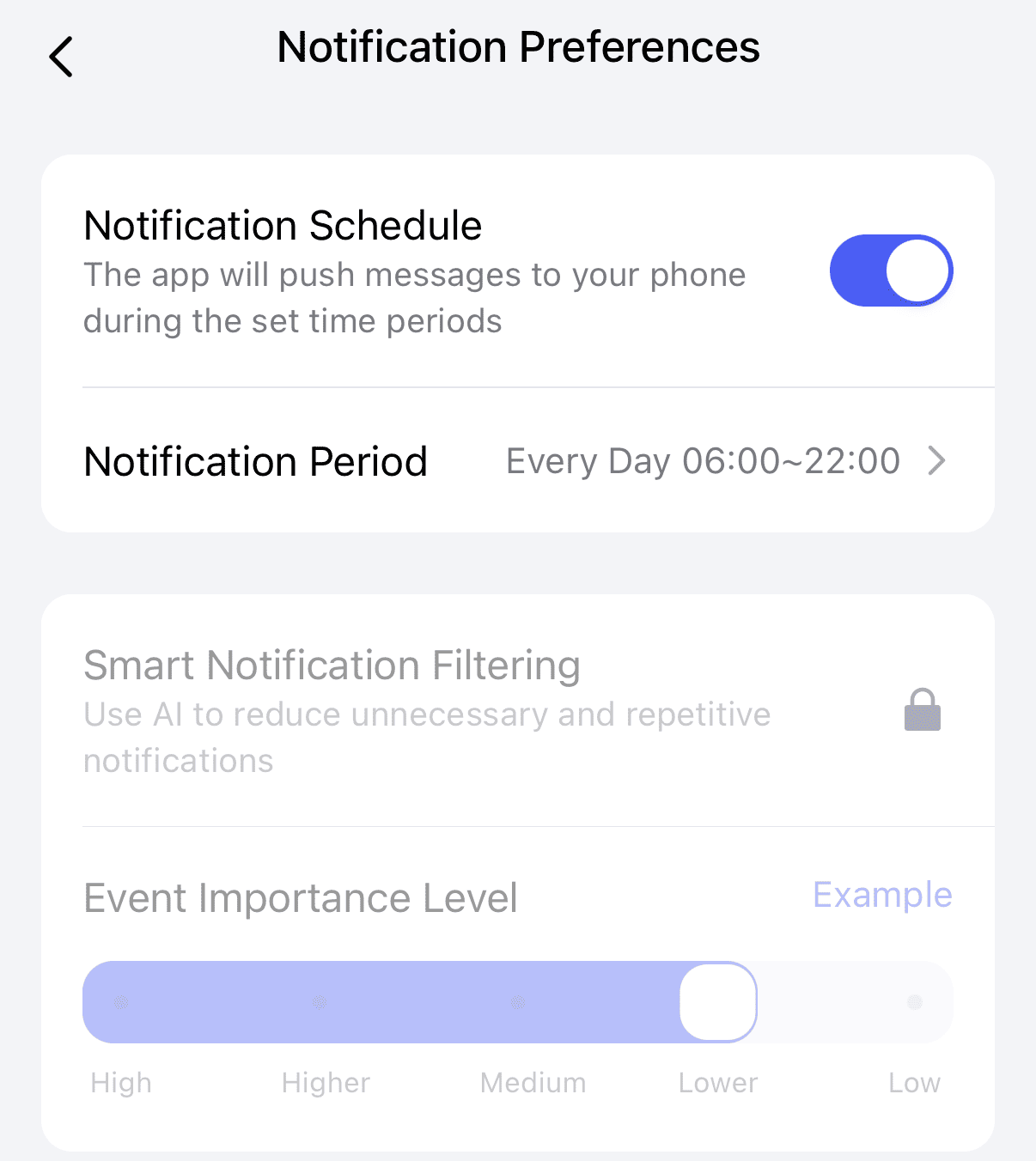
Aqara also has Smart Notification Filtering, which is powered by AI. This feature is tied to their HomeGuardian subscription, so I wasn’t able to try it out.
RTSP Support
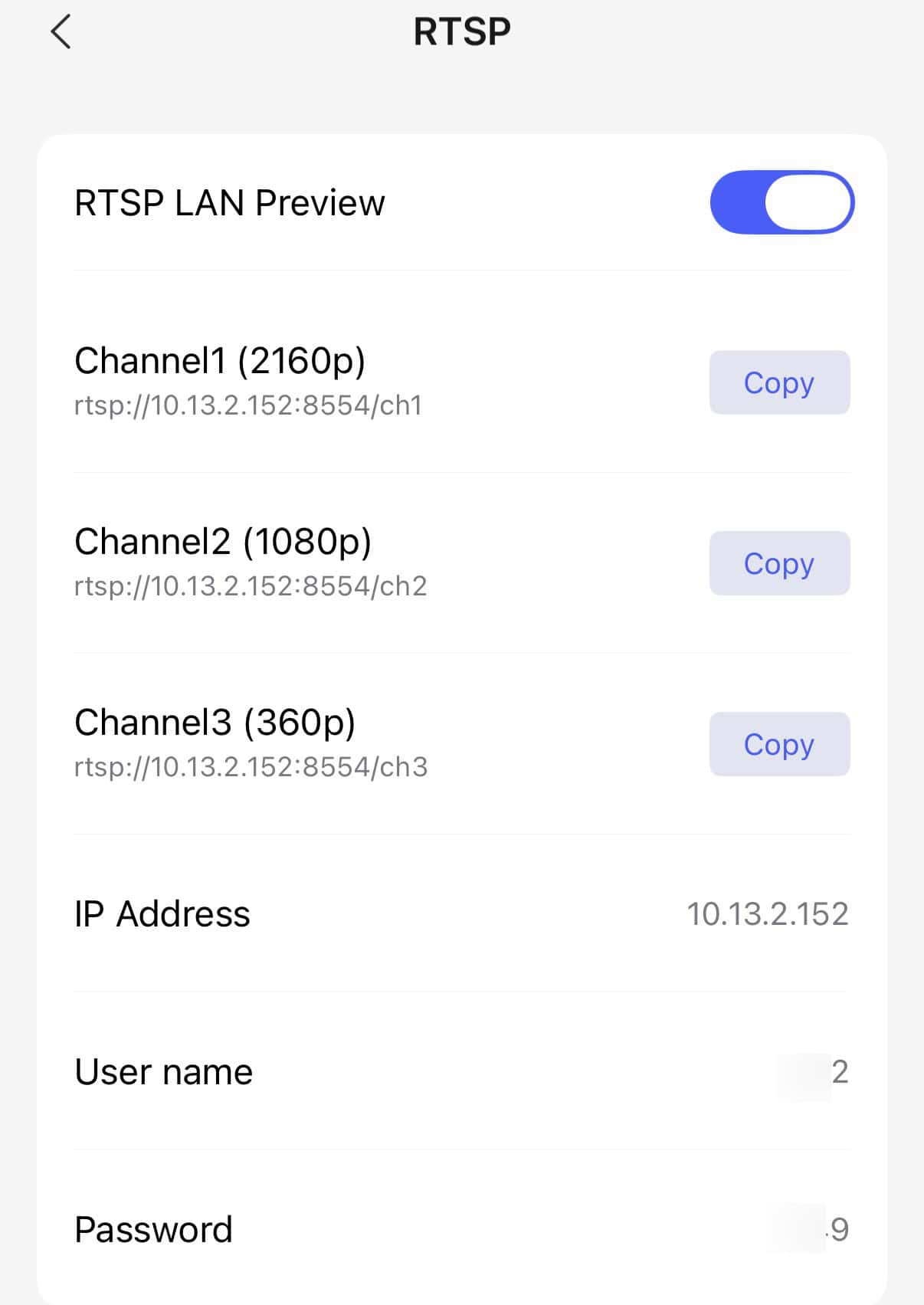
One great feature about the G350 is that it supports RTSP video streams. To enable RTSP streams, you can go into the Aqara app and enable the RTSP LAN Preview setting. From there it’s a one tap copy to grab the URLs. You have a choice of three resolutions (360P, 1080P and 2160P). This is great for third party compatibility.
Aqara Camera Hub G350 RTSP Support
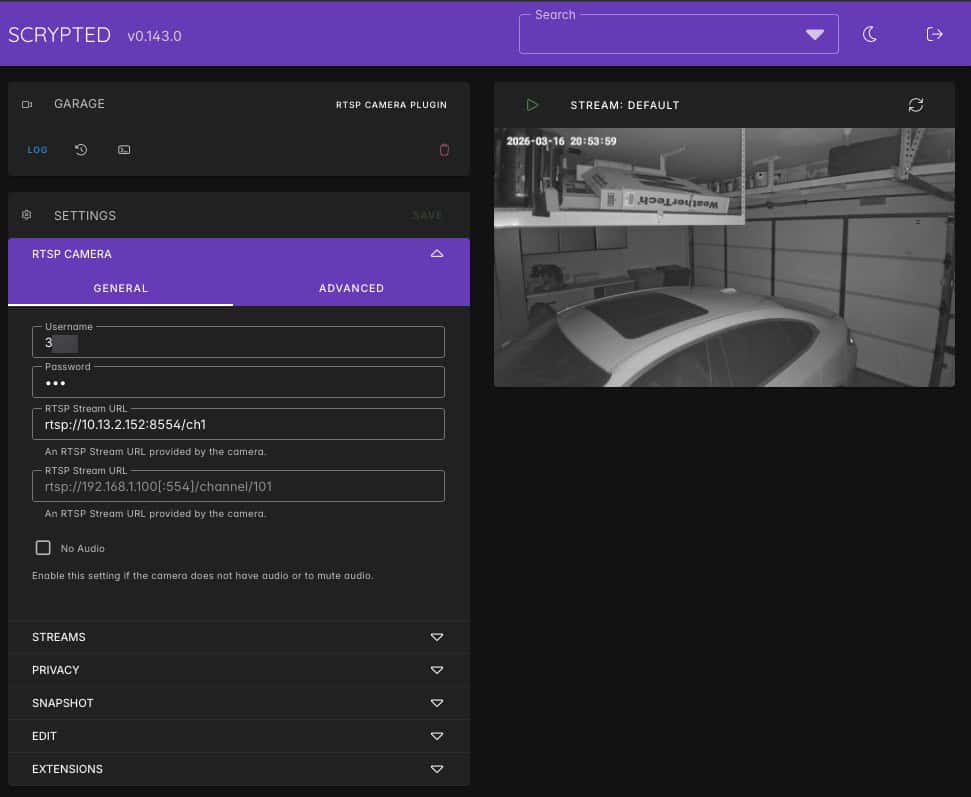
Using Scrypted I was able to verify that the RTSP streaming worked as advertised. However, it appears that the G350 does not support ONVIF PTZ controls, which is a bummer. Hopefully a future firmware update can add ONVIF support.
Video Settings
Aqara provides a number of ways you can customize the video stream. For example, screen flip supports both upside down mounting as well as right side up. Night vision can be auto, always on or always off. Customizable (and optional) timestamp overlay and format is a nice touch as well.
HomeGuardian Subscription
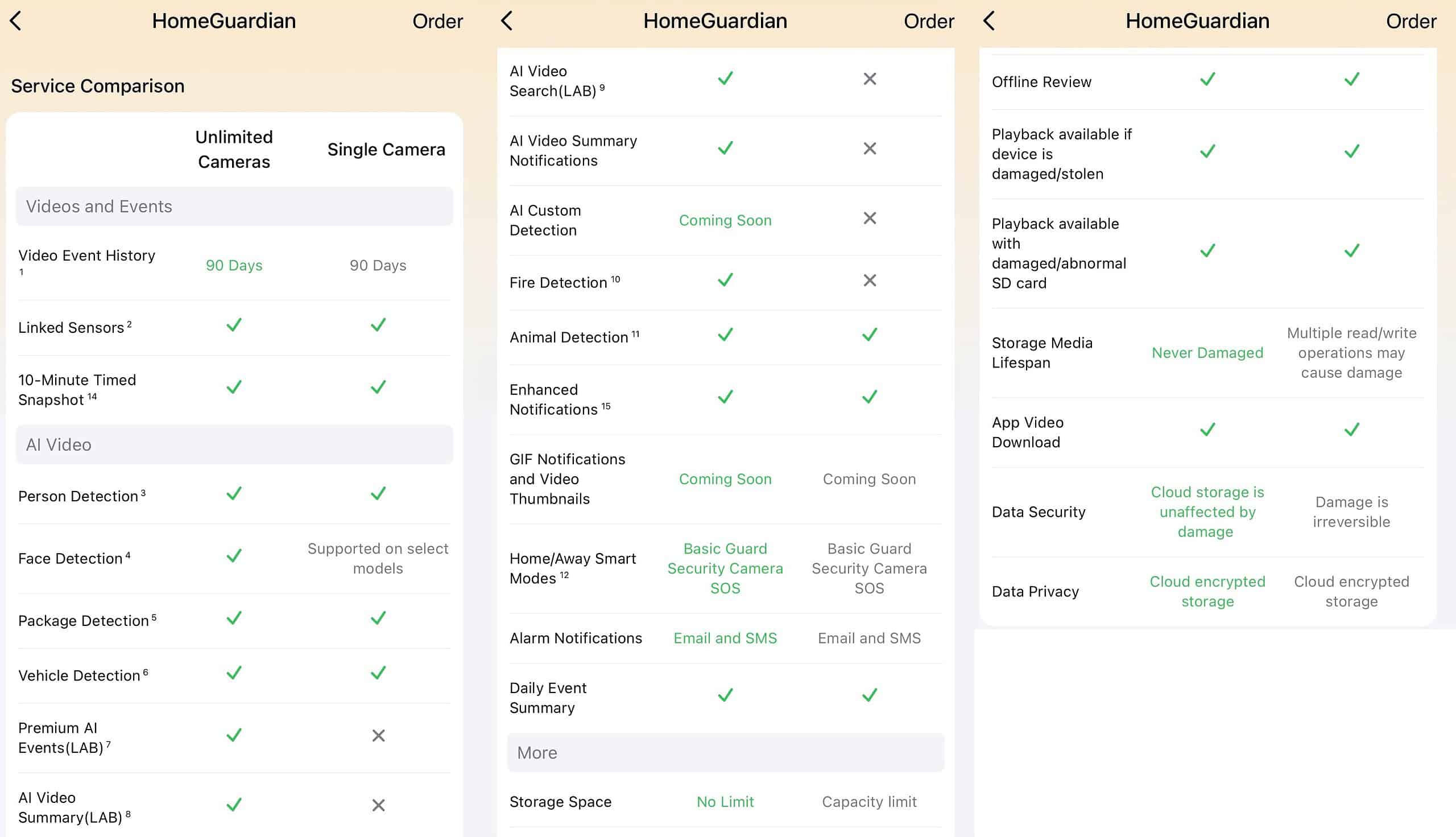
If you are interested in Aqara’s HomeGuardian cloud video storage subscription, you can see all of the single camera and unlimited camera features below. Single camera is $49.99 annually, and unlimited cameras are $99 annually. These prices are similar to the Ring Protect plans, but Ring doubles the recording to 180 days and adds extended warranty protection.
A HomeGuardian subscription is NOT required the use the camera. You can use local storage and RTSP to your NAS all for free. Some limited cloud storage is also available for free.
HomeGuardian Features (Click to Enlarge)
Home Assistant
Many of you might be using Home Assistant and want to know how best to integrate the G350 camera. Today, the best method is via Homekit or RTSP streams. But let’s also take a look at Matter.
Matter
As of mid-March 2026, Home Assistant does not yet support Matter v1.5. However, they have stated that full Matter v1.5 support, including cameras, is coming. However, due to the heavy lift of the Matter v1.5 spec and adding native camera support to Home Assistant, I would not expect full support for some time.
If you try and add the Camera Hub G350 to Home Assistant via Matter it will be detected as a bridge. However, it will have no entities, sensors, or diagnostics. Until Home Assistant supports Matter v1.5 with cameras, I would not bother to onboard the camera as a Matter device.
If you do want to try and onboard the G350 via Matter, make sure you use the Aqara app to generate a new Matter pairing code. Do NOT try and scan the physical Matter QR code as that will fail.
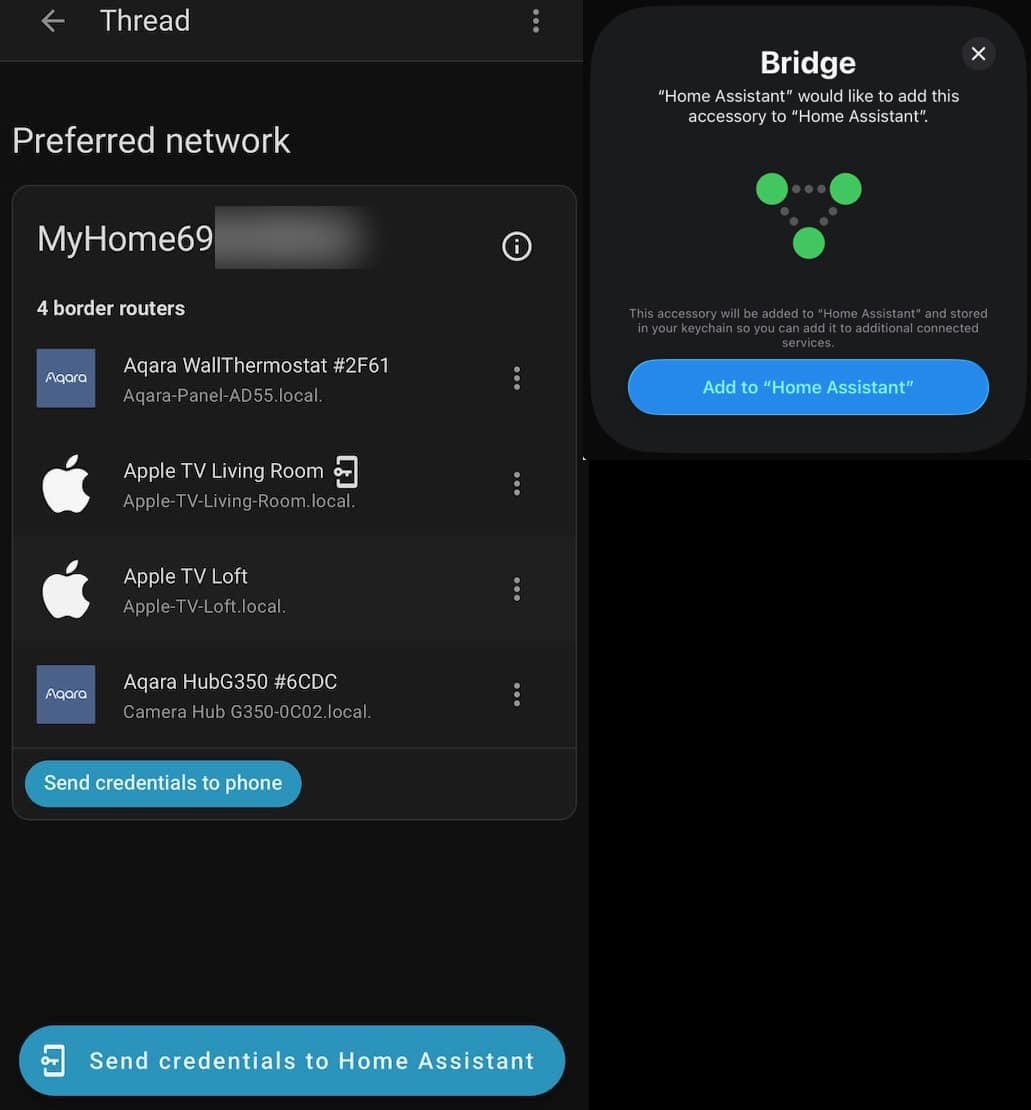
The Hub G350 can also act as a Thread border router. During the Aqara app onboarding process the camera was added to my existing Thread network. However, in the Home Assistant companion app on my iPhone I had to set my Apple TV back to being the OTBR that Home Assistant uses for credential management. To do that, tap on the three dots next to the Thread border router you want to use and tap “Used for Android + iOS Credentials”. Otherwise I was unable to onboard new Thread devices into Home Assistant.
HomeKit
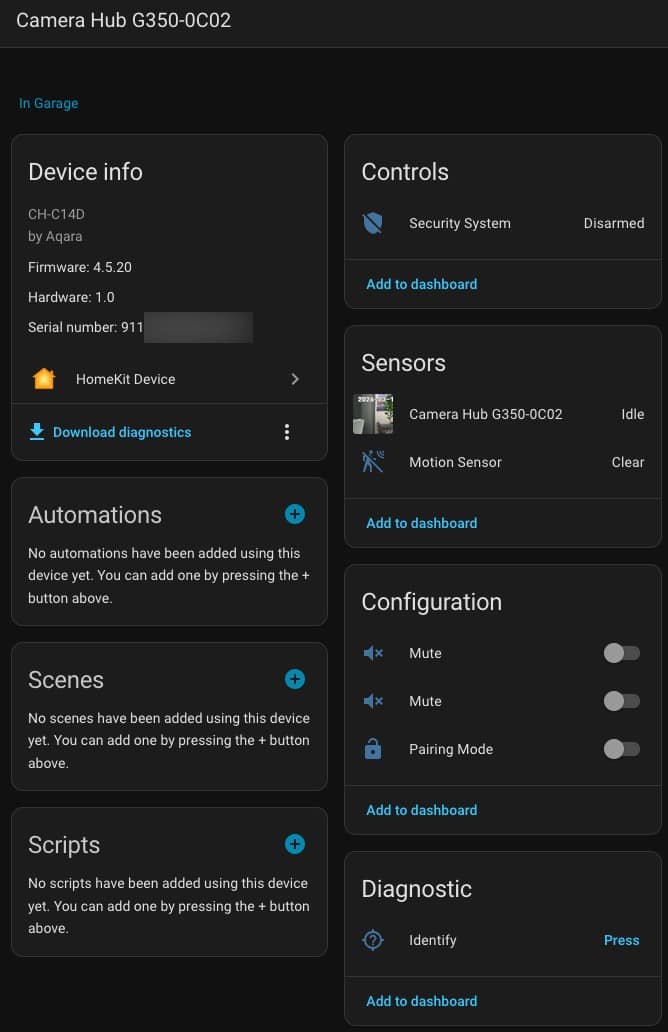
Unlike the current Matter integration for Home Assistant which doesn’t support any useful functionality, you can also bring in the G350 as a Homekit device. Because the G350 supports Homekit secure video, using the Homekit integration does enable useful features in Home Assistant such as a live video stream.
As you can see in the screenshot below, in terms of sensors you have a live video stream and motion sensor. This at least gets you basic functionality until full Matter v1.5 support comes. Note that you do NOT have PTZ controls via Homekit.
If you bring in the G350 video stream via HomeKit, you can use a dashboard card (like Frigate) to display the video stream.
Aqara App Video Controls
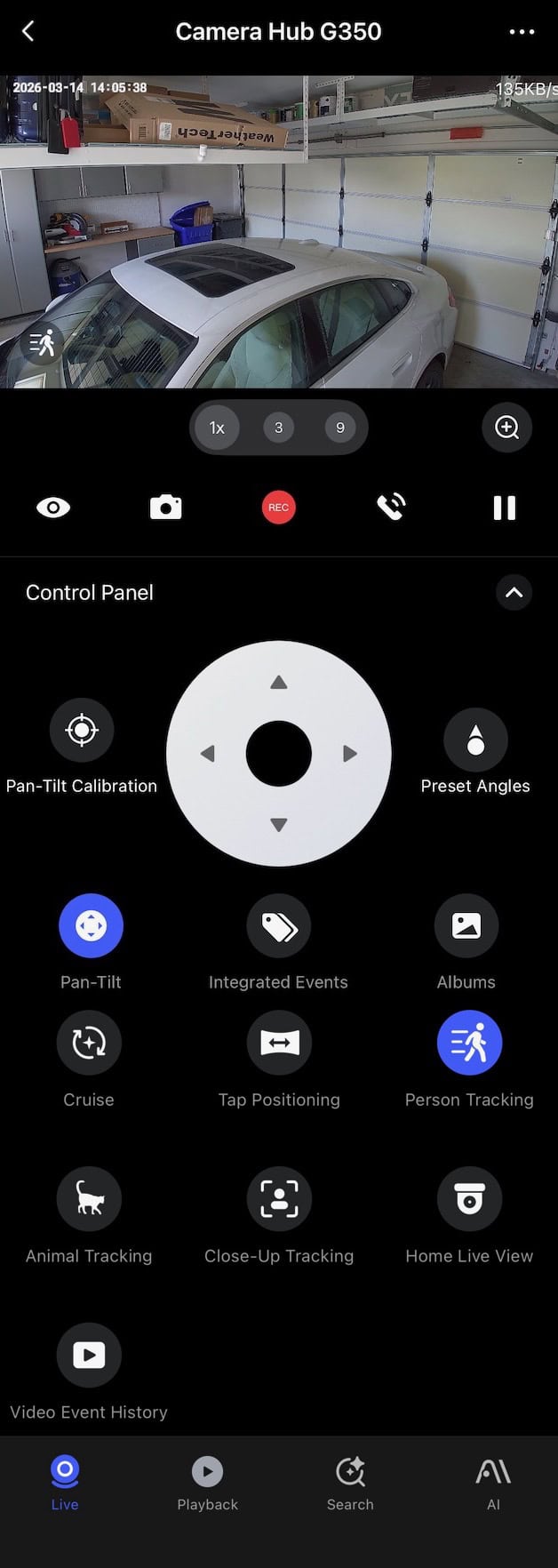
In the Aqara app you have a number of camera controls at your disposal. These range from PTZ controls, turning on/off person and animal tracking, and more.
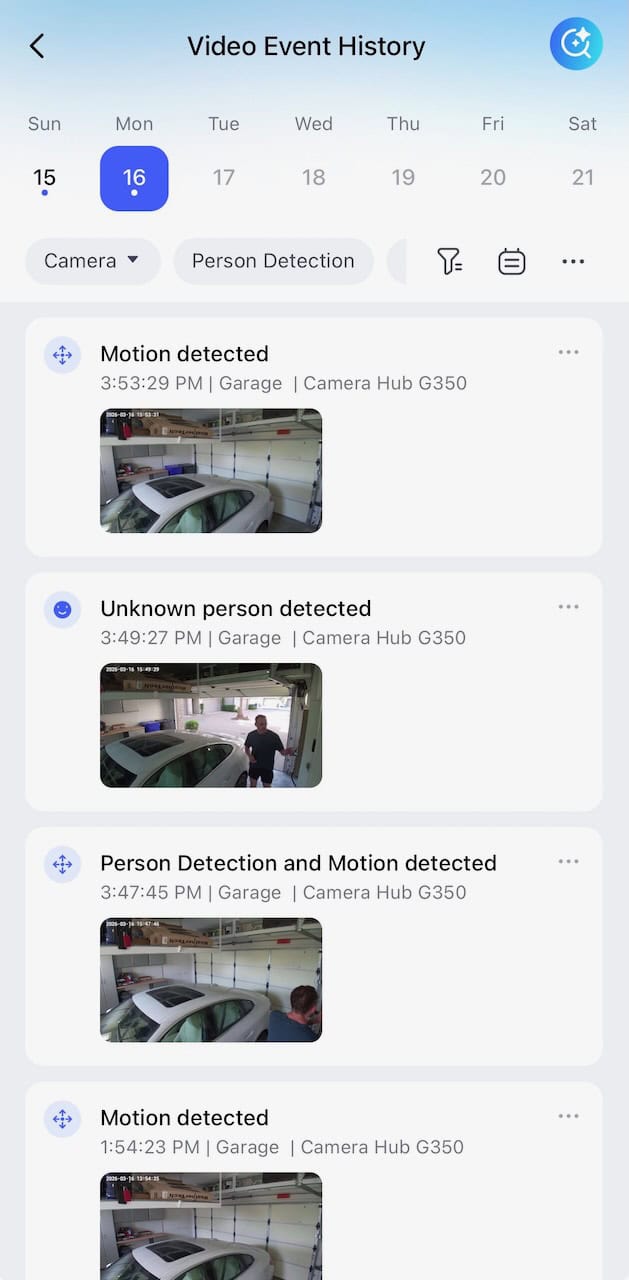
Aqara also gives you a full video history event timeline. If you have multiple cameras you can filter by camera. Other filters include by person, pets, lingerer detection, barking, vehicle, package removed, fire, and more.
The automatic people tracking works very well, as well as facial recognition. In the video clip below you can see that it did facial recognition on me, and it panned across the garage as I walked close to the entrance into the house. From here you can also download the clip to your phone, or activate the iOS sharesheet.
Aqara also gives you a full timeline view with a plethora of filtering options.
Video Quality
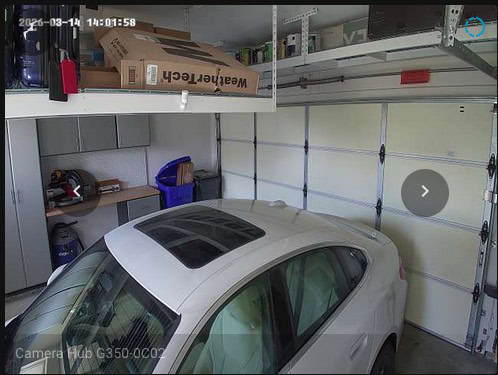
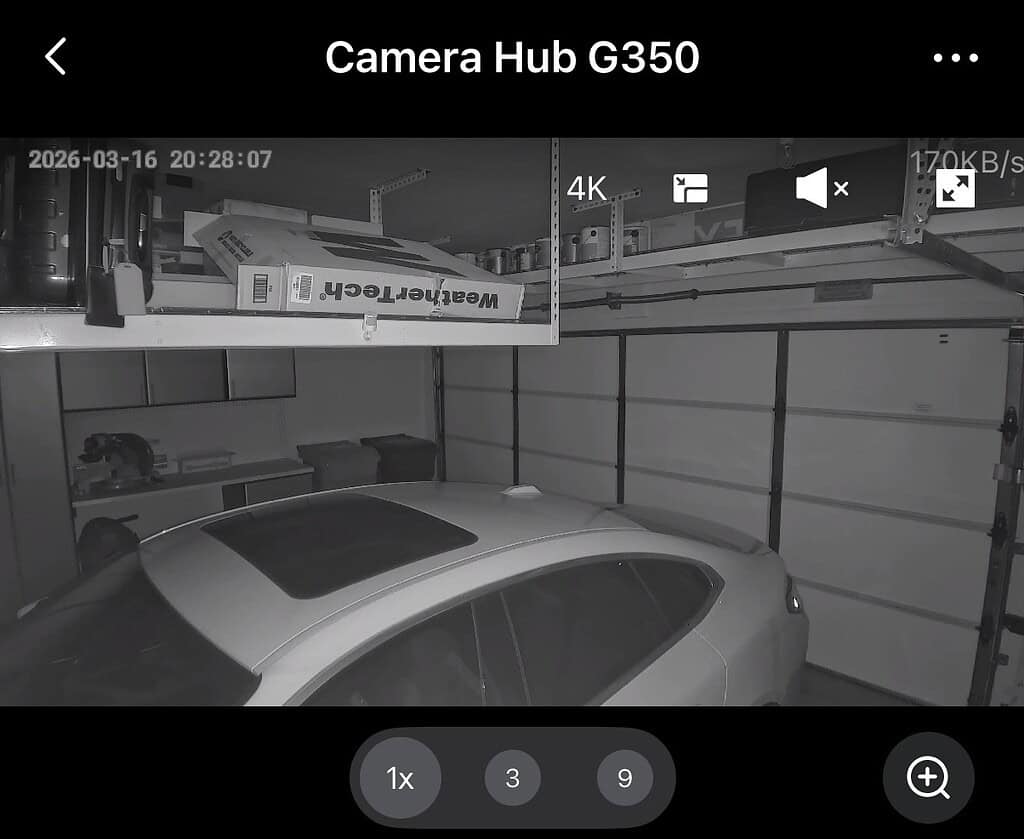
The Aqara Camera Hub G350 has great daytime video quality. It can capture video in up to 4K resolution. Although with Apple Homekit secure video you are still limited to 1080P. In night mode you get a traditional IR greyscale image. Full night color vision would be nice, but it’s not available on the G350.
Aqara has a reputation for very fast connection and initial streaming with their cameras. The G350 does not disappoint, and similarly nearly instantly connects in the Apple Home app to the live video stream.
Thread Border Router Support
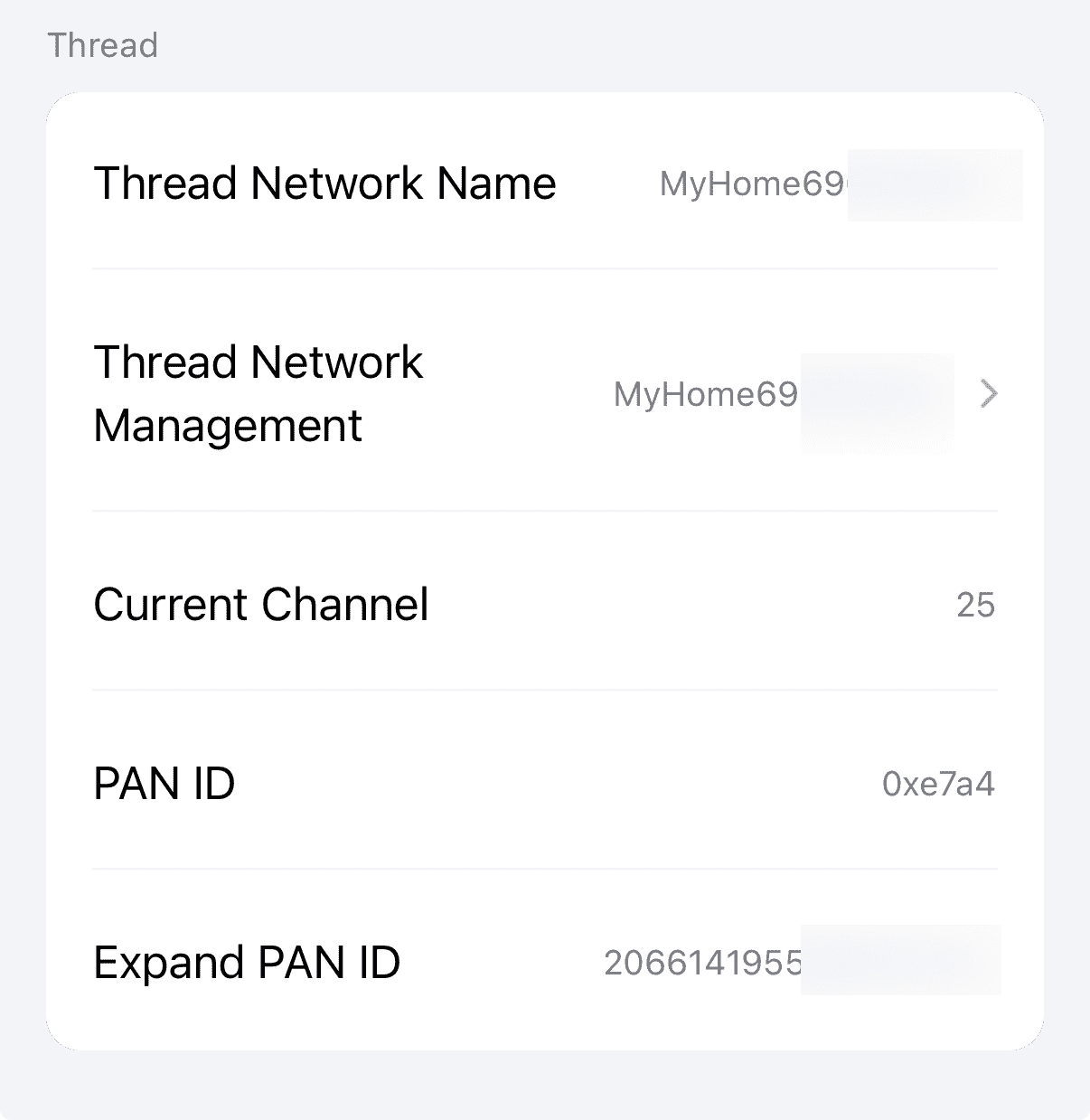
As previously mentioned, the Camera Hub G350 can be a Thread Border router. When you use the Aqara iOS app it can onboard the G350 Thread border router into your existing Apple Home Thread network. Unfortunately Aqara has only implemented Thread v1.3 and does NOT support TREL as of firmware 4.5.20_0020.0017.
Thread devices normally talk to each other over a low-power 802.15.4 radio mesh. TREL wraps those same Thread packets inside regular UDP/IP, so they can travel over Wi-Fi or Ethernet between Thread Border Routers. AppleTVs with tvOS 26 are also behind with Thread v1.3, but DO advertise TREL support. I hope that Aqara swiftly ships support for Thread v1.4, which makes TREL mandatory.
I did not see a way to disable the OTBR functionality, in case you want to only have hardwired OTBRs like the Apple TV. After adding the Camera Hub G350 I did not experience any Thread network instability with my 75+ Thread devices.
Matter v1.5 Camera Support
As of firmware 4.5.20_0020.0017, Aqara is officially shipping Matter v1.5 camera support. However, at this time it appears as though only Samsung SmartThings is shipping Matter camera support. Apple Home, Google Home and Home Assistant are all lagging and will hopefully support it in the future. The Home Assistant team has said support is coming, but gave no timeline. I do not use Smartthings so I can’t comment on how well that works. I did see a reference that a future firmware support should enable PTZ controls with SmartThings.
Scenes and Automations
In the Aqara app you have a number of controls for the G350 for both scenes and automations. I personally do all home automations in Home Assistant. But it’s nice to know these options exist.
Aqara Camera Hub G350 Scene Options
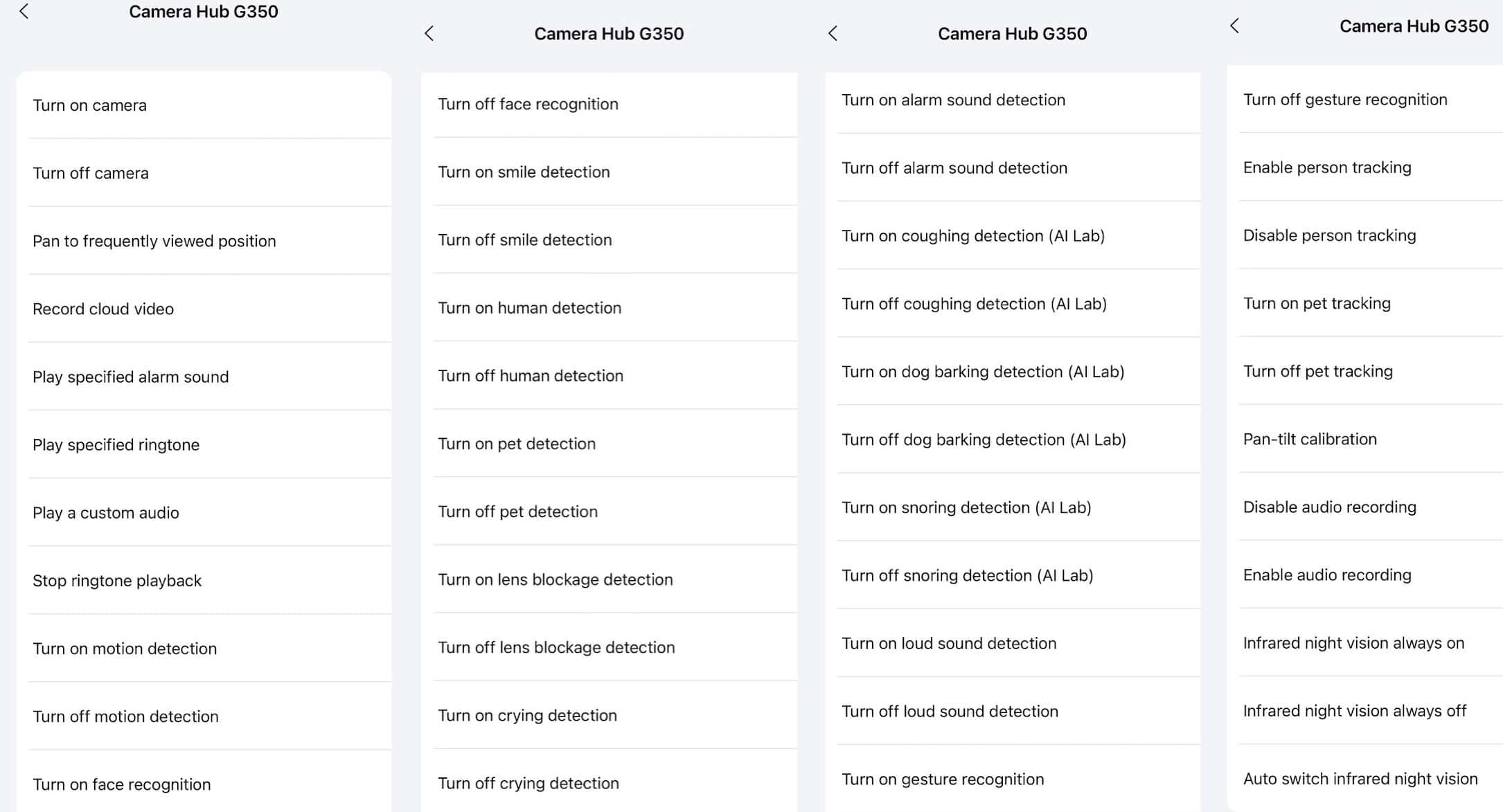
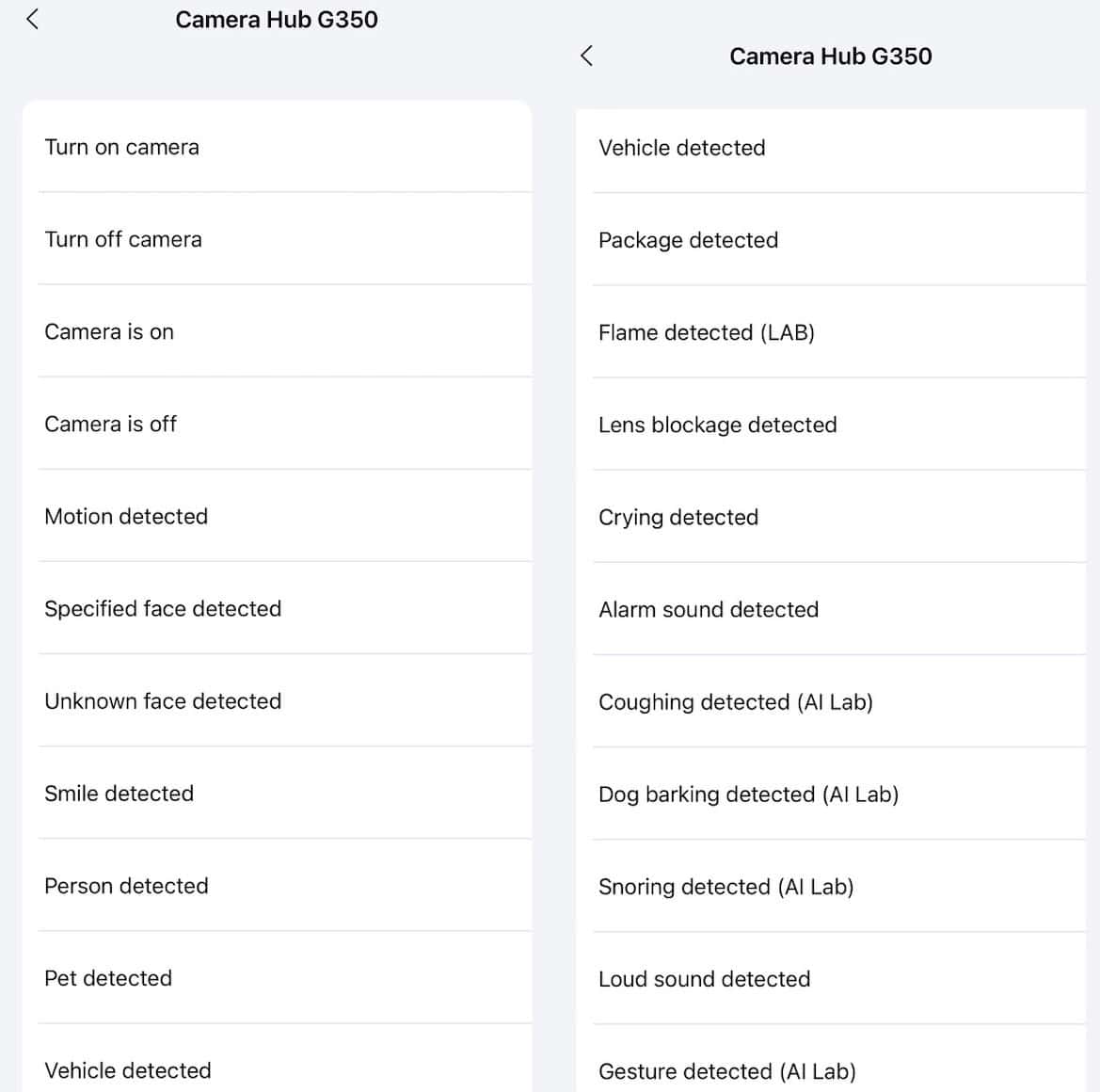
If you want to use the G350 as a trigger for Aqara automations, you have a number of options here as well.
Aqara Camera Hub G350 Automation Options
Ecosystem Support
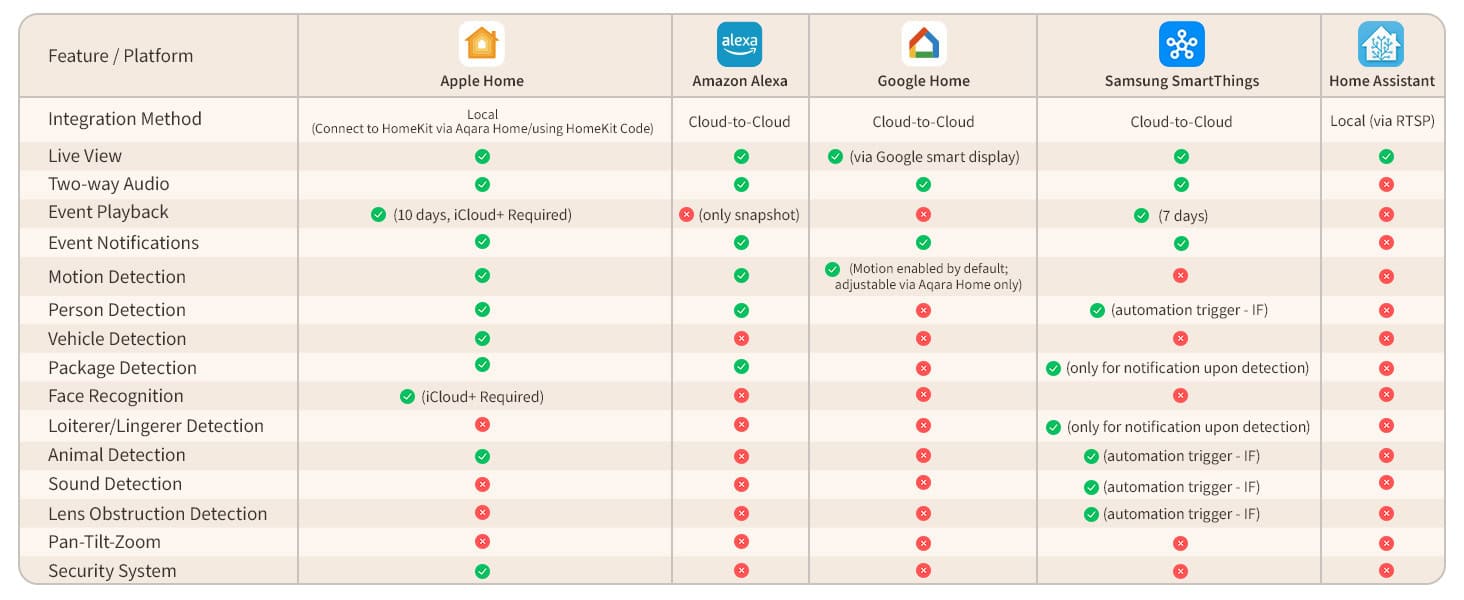
Aqara put together a nice chart of the various ecosystems and what features each one supports. Samsung SmartThings, with Matter v1.5 camera support, is the clear feature leader followed by Apple Home.
Image Credit: Aqara
Summary
Aqara positions the indoor Camera Hub G350 as the world’s first Matter-certified camera, featuring dual lenses, 360° pan & zoom, 4K clarity, and two-way talk with unified smart home control out of the box. The Aqara G350 received the Matter v1.5 specification certification on February 10, 2026. It can also act as a Thread border router, and Zigbee bridge. Rounding out the feature set is Wi-Fi 6 support for both 2.4 GHz and 5 GHz bands.
As with prior Aqara cameras, the G350 is very full featured with a wide variety of AI features and supports both local and cloud storage of video. It supports Apple Homekit secure video, so no cloud subscription is needed if you want to use it within the Apple ecosystem.
The G350 image quality is excellent, although night mode only supports grey scale and not full color. Face detection seems reliable, as does automated people tracking using the 360 degree pan base. Although SmartThings is the only platform as the date of this post to support Matter v1.5 cameras, other ecosystems like Home Assistant have support on their road map.
I am very impressed with the feature set, and local video storage options. Aqara offers a HomeGuardian premium subscription to unlock additional AI features, in addition to extended cloud storage. If you are in the market for a high-quality camera that supports the very latest Matter standards the G350 is a great buy.