When designing my home network I believe in using the best of breed device for each major function, such as firewall, Wi-Fi, and switches. However, without a single pane of glass, this results in fragmented device names. This blog post covers a Python script which can sync device names from your Firewalla firewall to both Ruckus One and the TP-Link Omada SDN controller.
The Firewalla Gold Pro is my primary firewall, and as such, all internal devices on my network are registered with it. I painstakingly rename all devices in Firewalla to make it easier for me to identify them. However, I also use Ruckus One as my Wi-Fi AP controller and have a couple of TP-Link Omada switches as well. This script can be used to sync device names from Firewalla to Ruckus One and Omada SDN, using the device MAC address as the unique identifier.
Firewalla
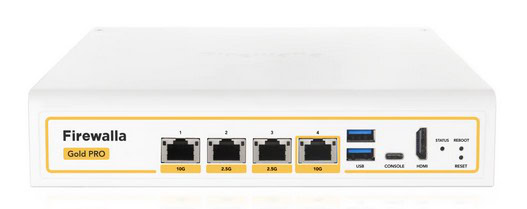
I’ve used various Firewalla firewalls in my home network for a number of years. My most recent upgrade was to the Firewalla Gold Pro. This model supports 10 Gbps of throughput with deep packet inspection. It also supports quite a few features that I love such as VPN server and client, network segmentation, dynamic content filtering, and a lot more. No subscriptions are required, but they do offer an optional paid subscription that unlocks their MSP portal.
If you want additional features, they offer three flavors of their MSP portal. The first is “Lite” which is free, and has very limited features. Their “Professional” plan is $39/year and offers a rich set of features. This it the plan I use. Their “Business” plan is $299/year and offers even more features. You can check out their MSP comparison here.
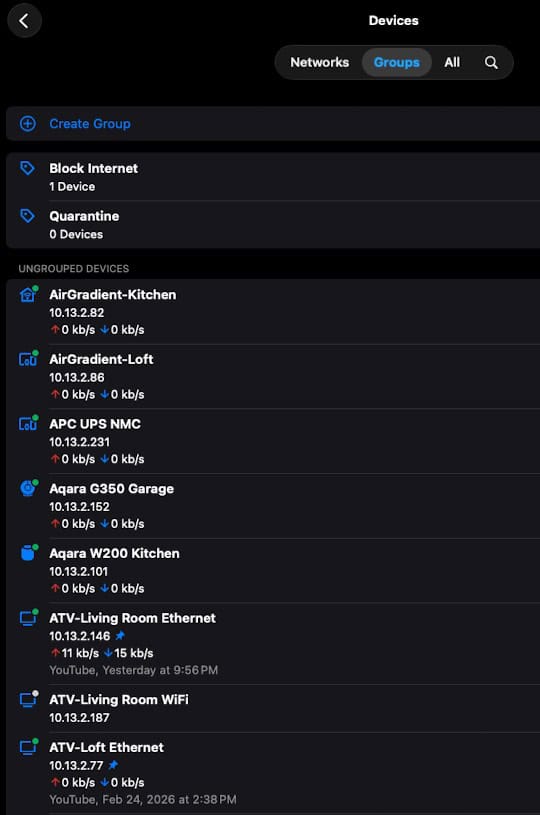
The primary configuration interface of the Firewalla is their mobile app (which can also run on macOS). My internal network has over 100 devices, so within the Firewalla macOS app I give each device a logical name.
Ruckus One
For a number of years I’ve been using enterprise grade Ruckus Wi-Fi APs in my house. One could argue they are the best enterprise Wi-Fi APs on the market. Ruckus APs are most commonly deployed in massive hotels, airports, convention centers, etc. Even though they are not a household name, many models can provide world class Wi-Fi in your home.
I have three of their Wi-Fi 7 APs in my house, the R770. The R770s support the Ruckus Unleashed controller, which is 100% free and local. However, I find enough value in their cloud controller, Ruckus One, that I’ve been using it for a couple of years.
If you want to read more about using Ruckus enterprise Wi-Fi APs at home, check out my article (with links to many other posts I’ve written): Demystifying Ruckus Home Wi-Fi: Getting Started Guide
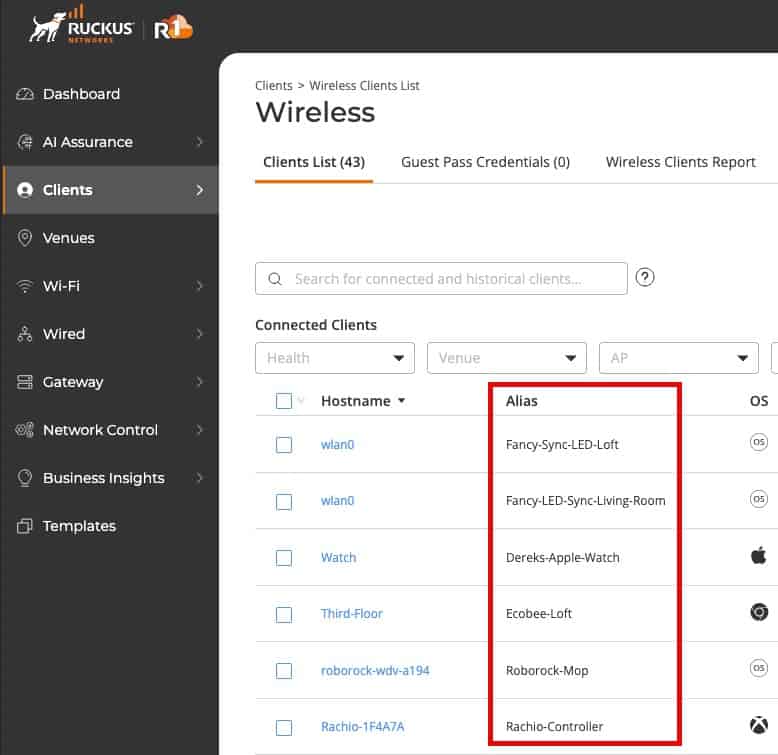
Ruckus One has a robust API, and in late April 2026 they finally added the ability to add device aliases. Thankfully, they have a full read/write API for device aliases which my script leverages.
Omada SDN Controller
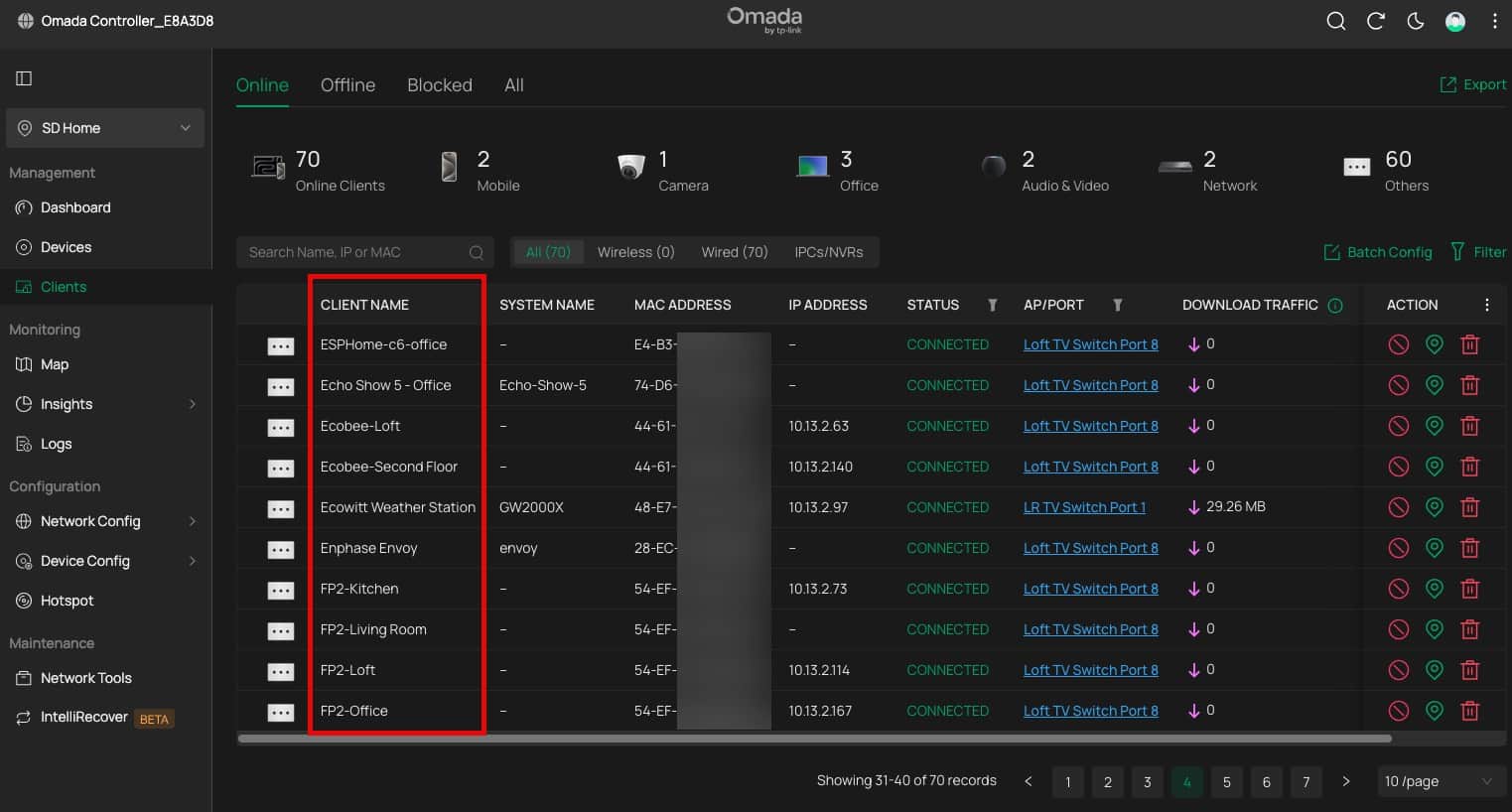
While I don’t use TP-Link Omada switches as my “core” switches (I use Netgear Enterprise ProAV switches for that), I do use their SG2008 switch as my “edge” switches. In my home lab I run a local instance of the Omada SDN controller to manage the Omada switches. My script makes direct API calls to the local Omada SDN controller to push client name changes.
Device Alias Sync Script
Over on my Github repo I have a project called “Firewalla-Omada-RuckusOne-NameSync” which is a Python script that I use to push client name changes from Firewalla to Ruckus One and the Omada SDN controller. It was built to be extensible, so with a little help of your favorite AI coding agent, it should be easy to support other platforms like Ubiquiti.
Before you can use this script you need to collect all of the authentication information from Firewalla, Ruckus One and Omada SDN controller. Once the secrets are collected you can run the script to push the client name changes. Please see my Github repo readme for all of the details on how to run it and configuration options.
					[DEFAULT]
FIREWALLA_API_TOKEN=your_token_here
FIREWALLA_MSP_ID=your-msp-id

# Omada SDN controller — only required when using --platform omada
OMADA_URL=https://192.168.1.1:8043
OMADA_USERNAME=your_omada_username
OMADA_PASSWORD=your_omada_password
OMADA_SITE=Default
OMADA_VERIFY_SSL=true

# Ruckus One — only required when using --platform ruckus
RUCKUS_CLIENT_ID=your_client_id_here
RUCKUS_CLIENT_SECRET=your_client_secret_here
RUCKUS_TENANT_ID=your_32_char_tenant_id_here
RUCKUS_REGION=us
The script has a number of options that can be used to customize the sync process. It even has a preview mode that can be used to see what would change and will verify that your credentials are correct.
					# Sync to all configured platforms (default)
python Firewalla-sync.py

# Sync to a specific platform only
python Firewalla-sync.py --platform omada
python Firewalla-sync.py --platform ruckus

# Sync to multiple specific platforms
python Firewalla-sync.py --platform omada ruckus

# Preview what would change without pushing anything
python Firewalla-sync.py --dry-run
python Firewalla-sync.py --platform ruckus --dry-run

# Suppress per-device NOT FOUND lines (show summaries only)
python Firewalla-sync.py --quiet

# Push all Firewalla devices to Ruckus One, even if unseen by Ruckus (Ruckus only)
python Firewalla-sync.py --platform ruckus --force-all

# Preview force-all changes without pushing anything
python Firewalla-sync.py --platform ruckus --force-all --dry-run
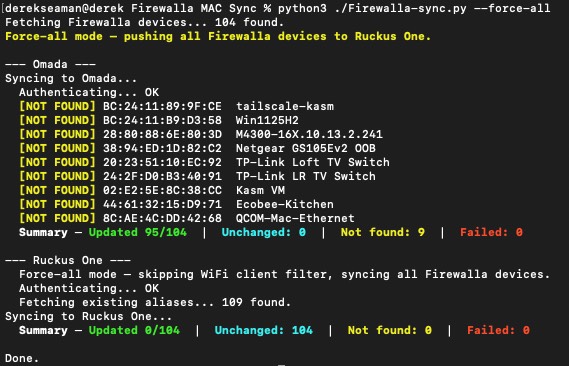
When you run the script it has color coded output which is pretty verbose. I personally like the –force-all option for Ruckus One. Why? Not all of my devices are online all of the time, so this will always push MAC addresses and the device alias to Ruckus One regardless of whether or not the device is online. Sure some non-WiFi devices will be in Ruckus One, but that’s harmless and they will not show up in the web UI.
Summary
I use my Firewalla Gold Pro as my firewall/router and meticulously name all of the devices in my house. By using my Python script I can push device aliases from my Firewalla to Ruckus One and TP-Link Omada SDN controllers. This allows me to have a consistent name for all of my devices across all three platforms.