I’ve recently gone down the ESPHome rabbit hole with Home Assistant. My primary uses cases are Bluetooth proxies and capturing Bluetooth IRKs for room-level presence detection. In this post I cover three popular Seeed Studio ESP32 devices: C3, C6 and S3. I’ve created Github repos for each model to simplify their use with ESPHome. If you have any interest in getting started with ESPHome, this post is for you.
Seeed ESP32 Model Comparison
Seeed Studio has a number of ESP32 models including the C3, C6 and S3. New to their lineup is also the C5, but they won’t be available until March 2026. I have a few on order, so assuming they work with ESPHome I’ll update my Github repo. The big features in the C5 are the support for dual band Wi-Fi (2.4 & 5 GHz) along with Thread/Zigbee.
Your intended use(s) will influence which ESP32 model you will want to use. Up until recently the C3 series made a poor Bluetooth proxy, but the 2026.1 ESPHome build has made this more possible through platform optimizations. However, I would consider a different model for the Bluetooth proxy use case.
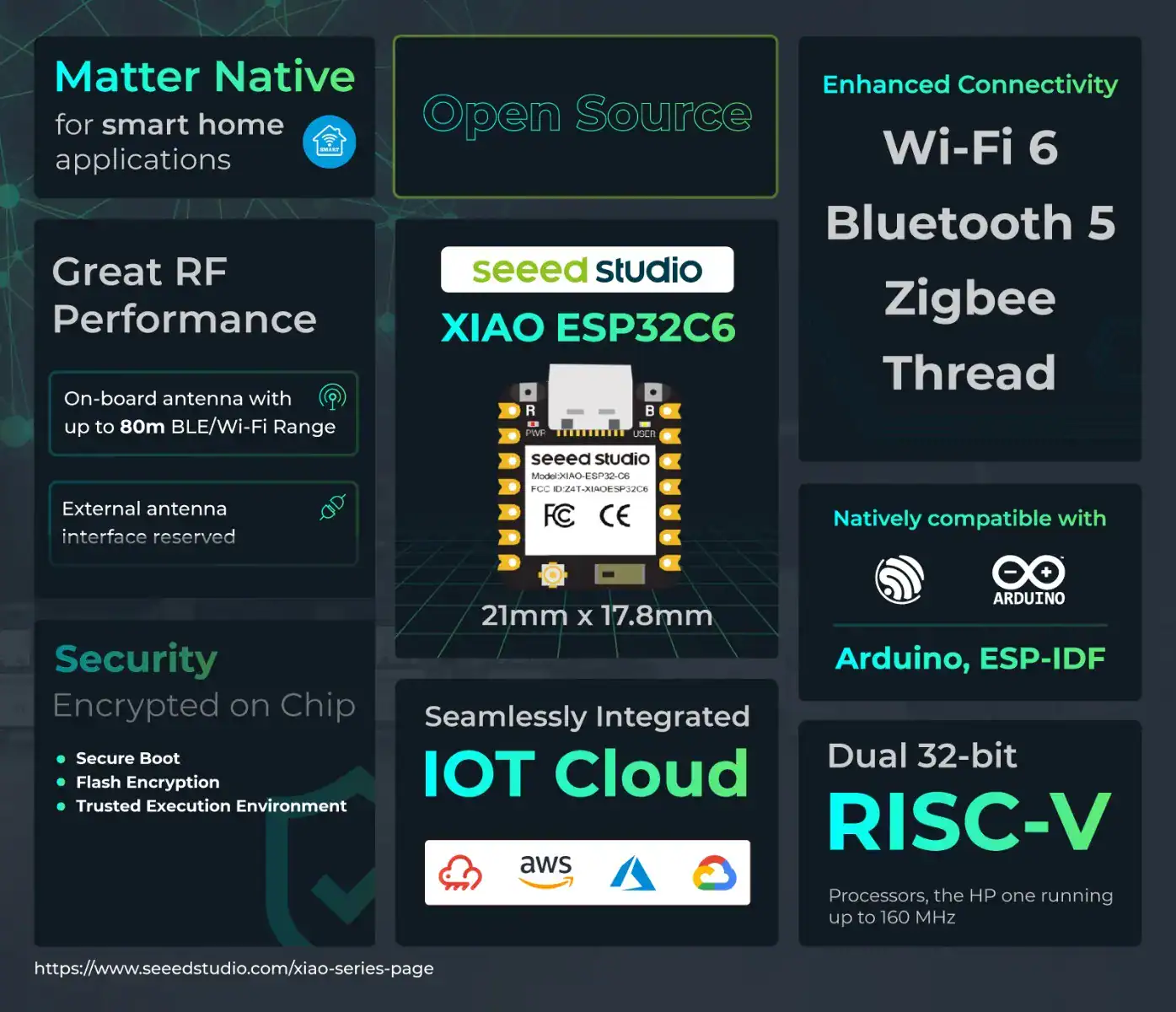
I’ve personally standardized on the Seeed Studio ESP32-C6 for my Bluetooth proxy and IRK capture devices. It’s future looking with Wi-Fi 6 support as well as Thread and Zigbee. I also like the fact the C6 has a user controllable status LED, which I leverage for status feedback.
If you have heavier processing needs such as cameras or AI/ML, then the S3 is a good choice. I use the unsoldered versions (no header), since I don’t need to access any of the GPIO pins. All of these models are the same size at roughly 2 cm square. Tiny!
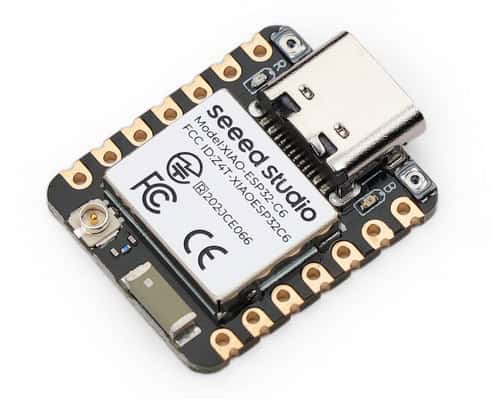
Seeed Studio Xiao ESP32-C6
Seeed Studio ESP32-C6 Specs
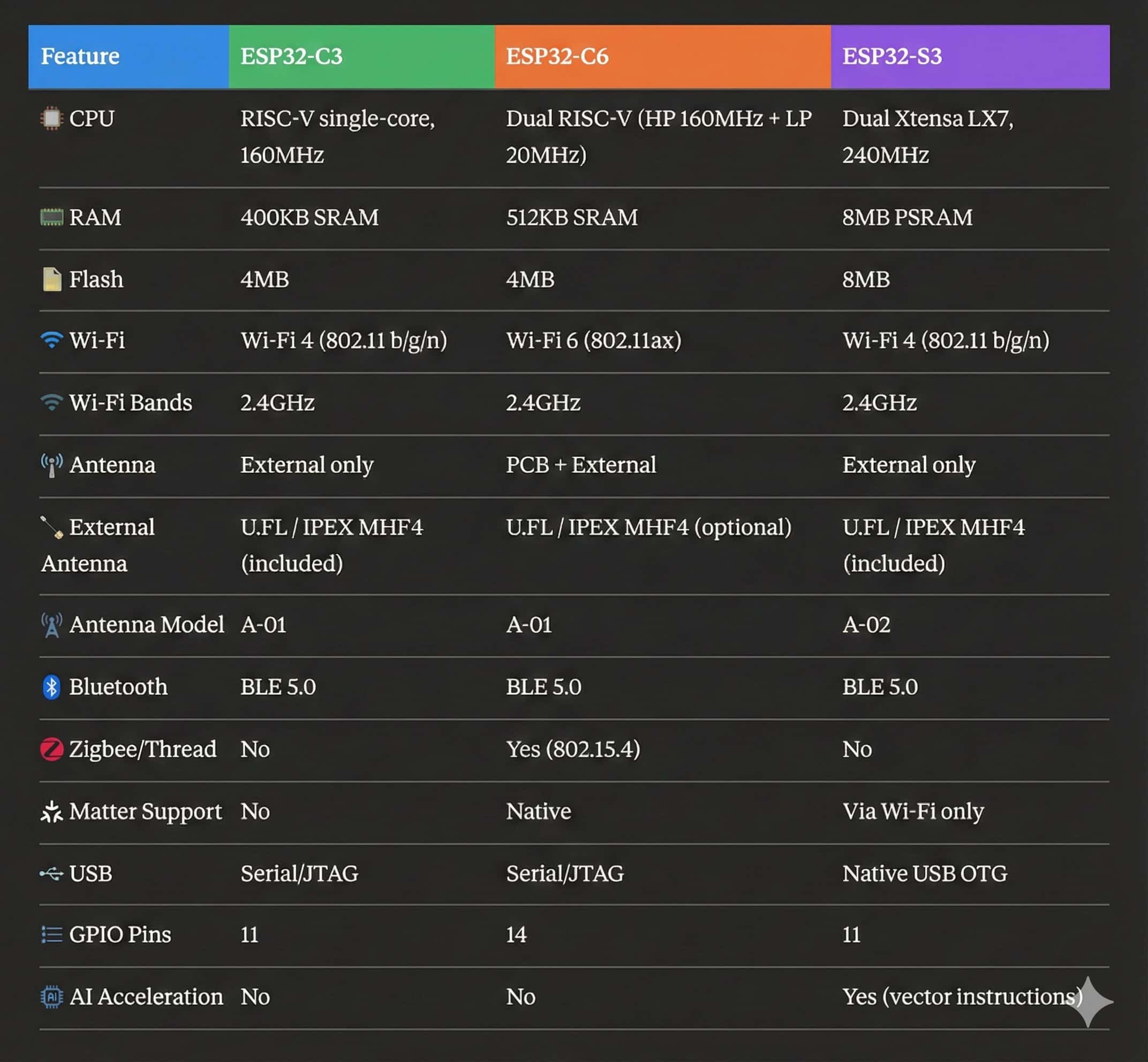
The table below lists all of the major features of each Seeed Studio ESP32 module.
If you want to purchase any of these directly from Seeed Studio, you can use these links (non-affiliate):
I’ve recently added ESPHome configuration packages for the Seeed Studio ESP32 C3/C6/S3 models. For all three I have two packages: Bluetooth proxy and Bluetooth IRK capture. Each Github page has a very detailed description of the packages and how to use them with the ESPHome Device Builder add-on in Home Assistant.
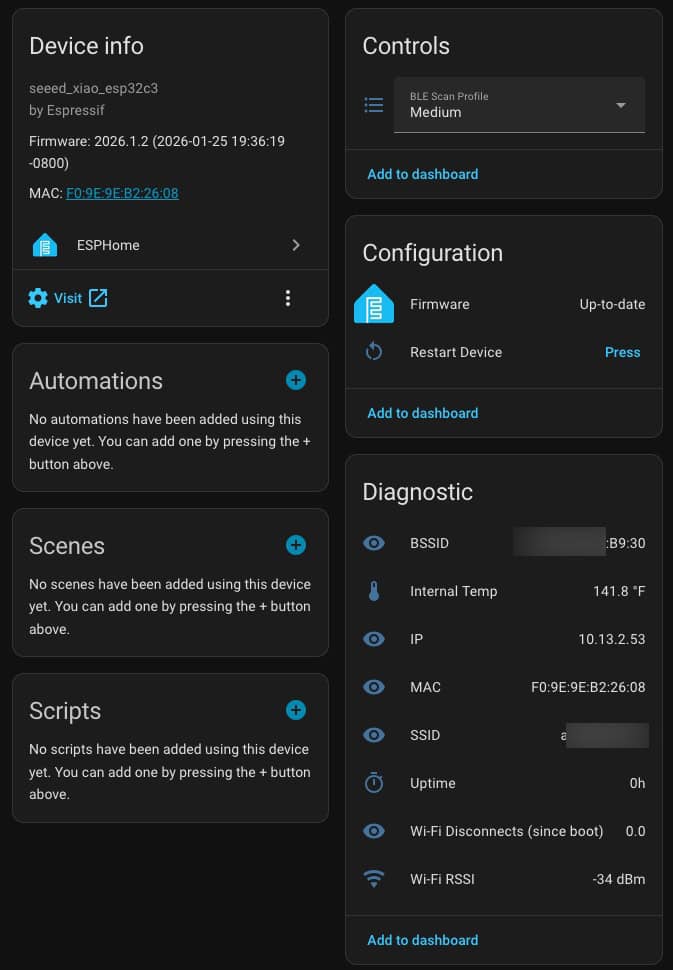
One of the most common use cases is that of a Bluetooth Proxy. The screenshot below is from the Seeed Xiao ESP32-C3 Bluetooth Proxy package. The S3 is the same, however the C6 has a toggle control for the external antenna.
Bluetooth Proxy Package
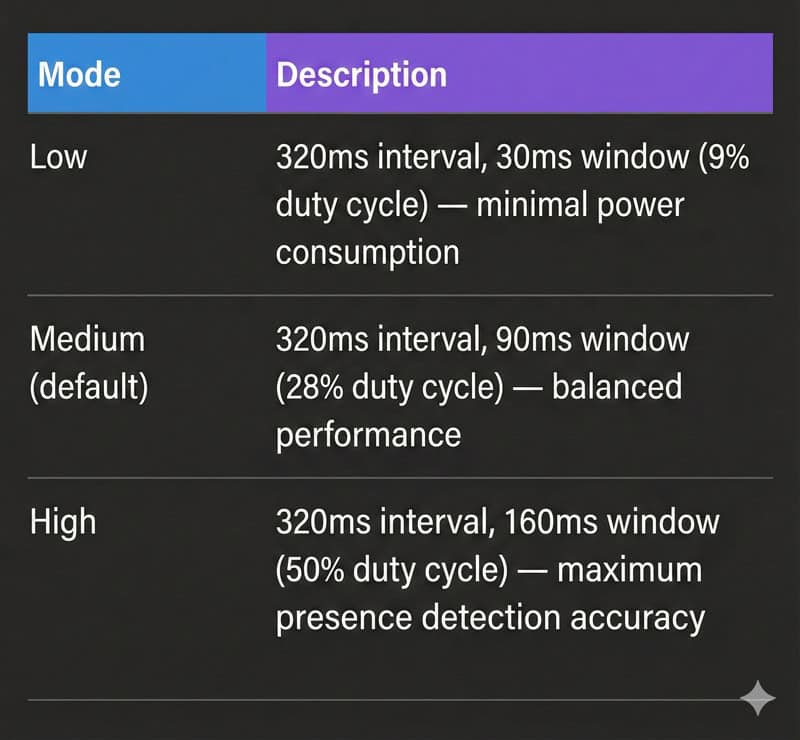
I tried to include as much diagnostic information as possible to aid with future troubleshooting. I’ve also included three preset Bluetooth scanning profiles: Low, medium (default) and high. I’m personally using medium with excellent results on the ESP32-C6. According to my Ruckus Wi-Fi APs, ‘medium’ consumes about 99MB of traffic every 24 hours, per Bluetooth proxy.
Bluetooth Proxy Scanning Options
ESPHome Bluetooth IRK Capture Package
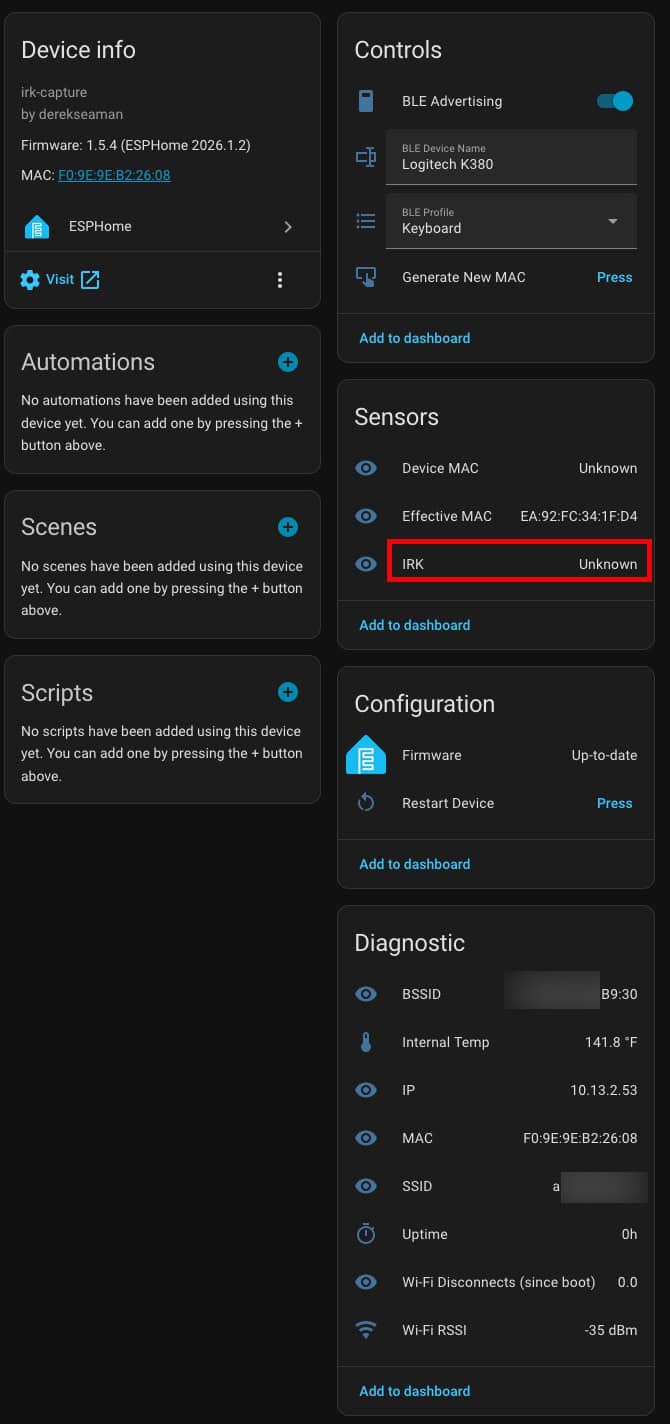
The second package that I’ve included for each model is the Bluetooth IRK capture package. I’ve tested the package to grab Bluetooth IRKs on the iPhone, Apple Watch, Android phones and watches.
Many modern smart devices—including iPhones and Apple Watches—use Bluetooth Resolvable Private Addresses (RPA) to protect your privacy. Instead of broadcasting a fixed Bluetooth address that could be used to track you, these devices constantly change their MAC address.
While great for privacy, this makes home presence detection challenging. The solution is Private BLE Device tracking in Home Assistant. By obtaining your device’s Identity Resolving Key (IRK), Home Assistant can identify which rotating addresses belong to your device, enabling reliable presence detection at home without compromising your privacy protection elsewhere.
For more information about room-level tracking with Bluetooth IRKs see my other posts:
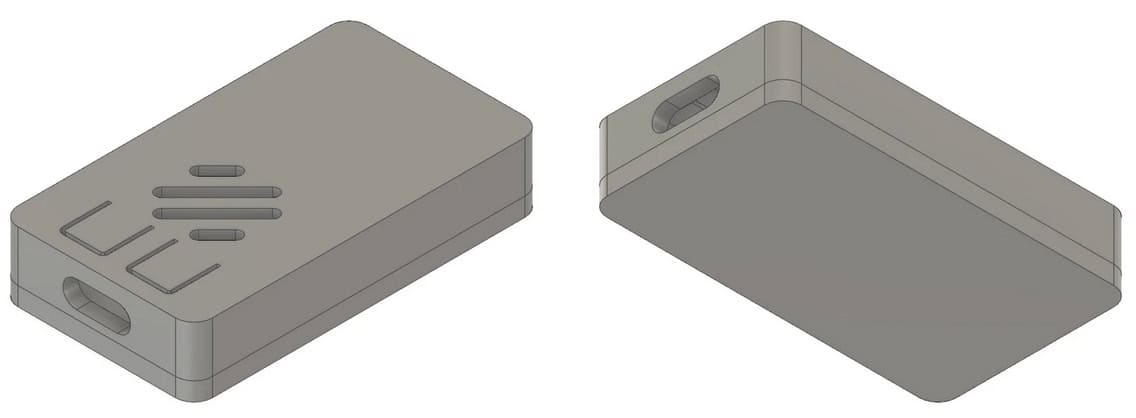
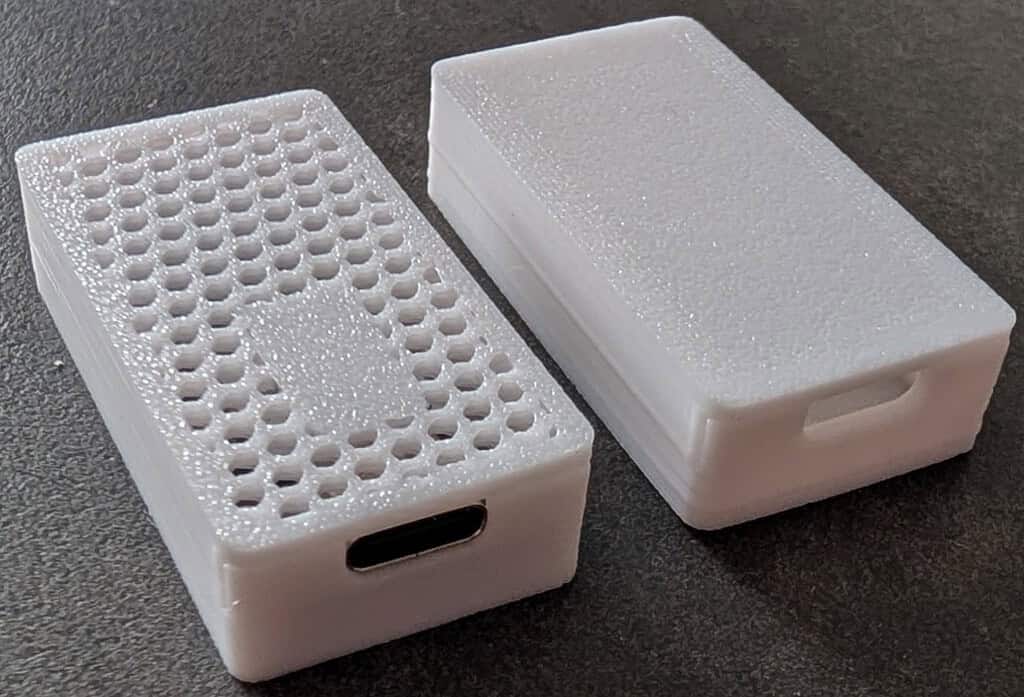
If you want 3D printed cases for the Seeed Studio ESP32-C3 and C6 variants with antennas, you can buy them from the links below (no affiliation). You can choose between white and black cases.
Although I personally haven’t tried them, if you want to print your own here is a case that claims to support all three models. However, notice that this model does not support the version specific PCB buttons.
Seeed Studio has a large range of ESP32 devices for all kinds of use cases. Many of these are compatible with ESPHome and by extension, Home Assistant. I’ve created a Github ESPHome repo for the C3, C6 and S3 variants which support the Bluetooth proxy and Bluetooth IRK capture packages.
These ESP32 devices are super cheap, so it won’t break the bank to get a few and play around with them. They have endless uses! Don’t blame me if you end up going deep into the ESPHome rabbit hole.