Just released in the autumn of 2026, Onvis is now shipping their Smart Wall Outlet T20. This is a US in-wall smart outlet that supports Matter over Thread. In the US, there are very few in-wall smart outlets options, so it’s great to see another option enter the market. In this post I’ll review the Onvis Smart Wall Outlet T20 and compare it to other smart outlet options.
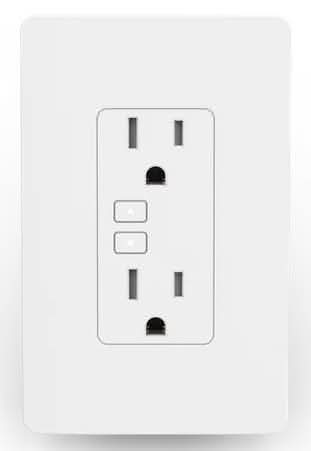
Since this outlet supports Matter over Thread, it will work with a wide range of smart home hubs. This includes Apple Home, Google Home, SmartThings, Alex, and Home Assistant. Of course a Thread border router is required no matter which smart home hub you use.
Disclosure: Onvis sent me a free Smart Wall Outlet T20 sample. However, this post is not sponsored in any way and Onvis did not review or approve the content of this post.
Unboxing
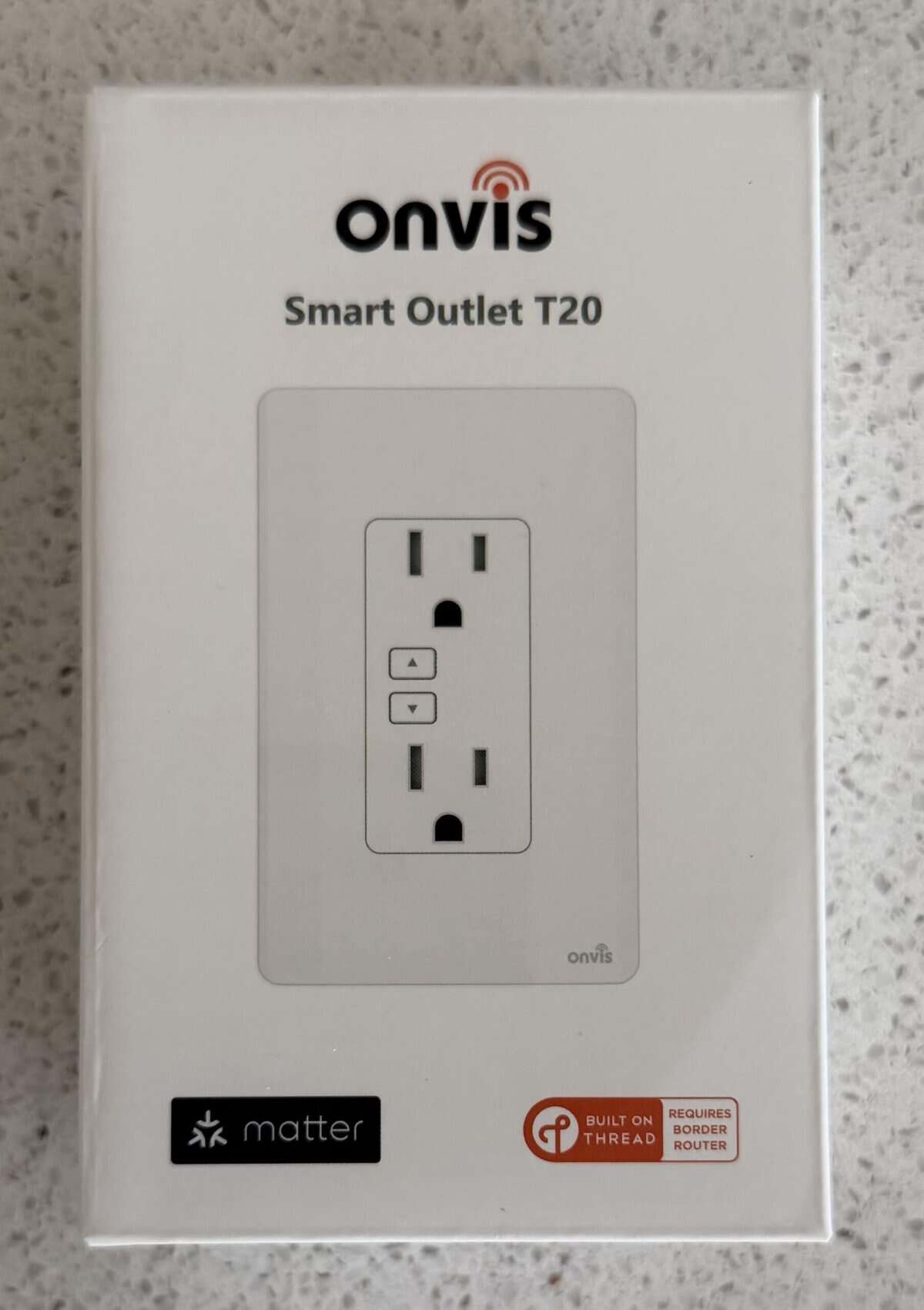
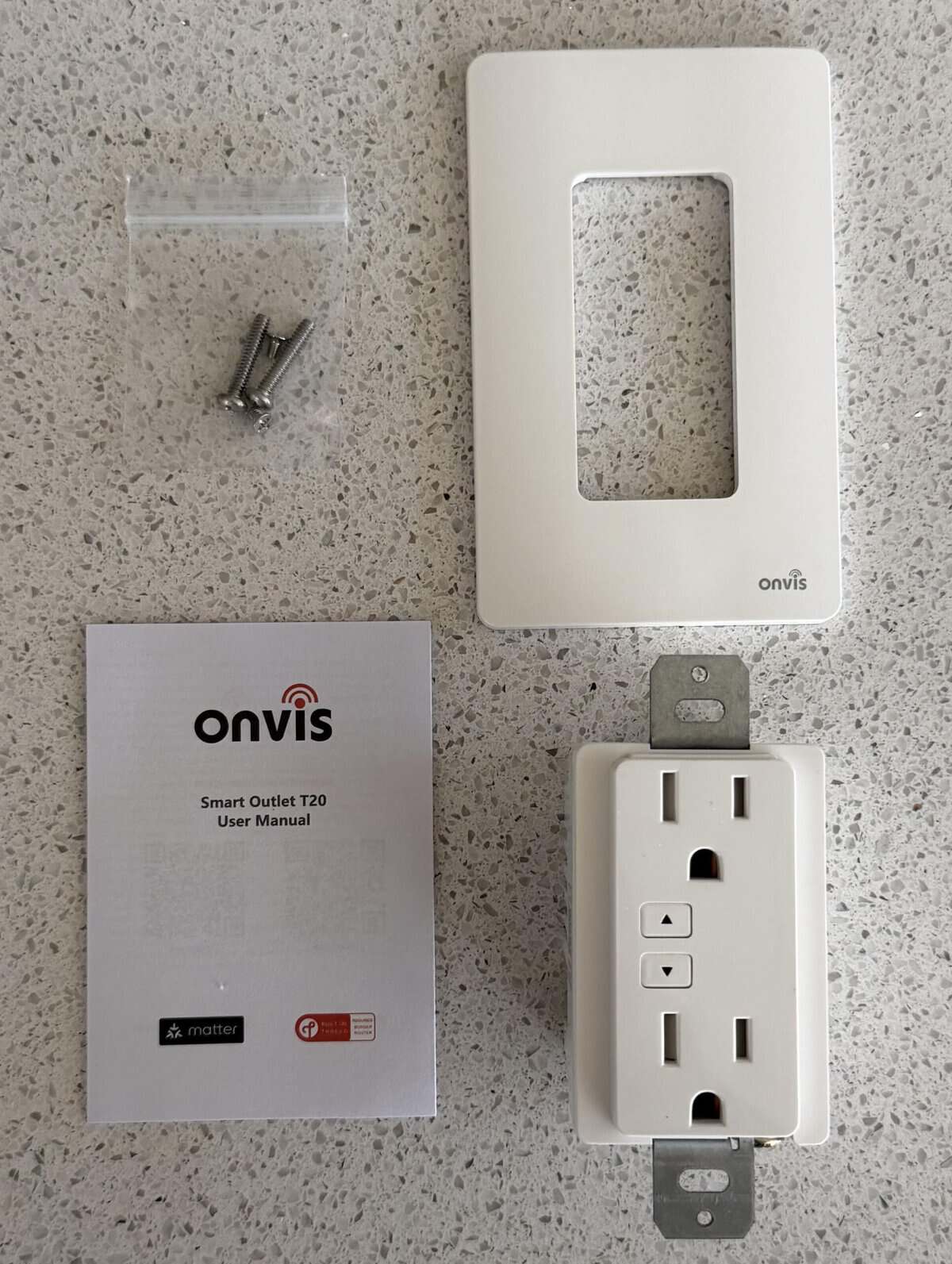
As you would expect, the Onvis Smart Wall Outlet T20 comes in a typical retail box. It clearly shows that it supports Matter over Thread. Opening the box reveals four pieces: the smart outlet, a manual, screws, and a cover plate.
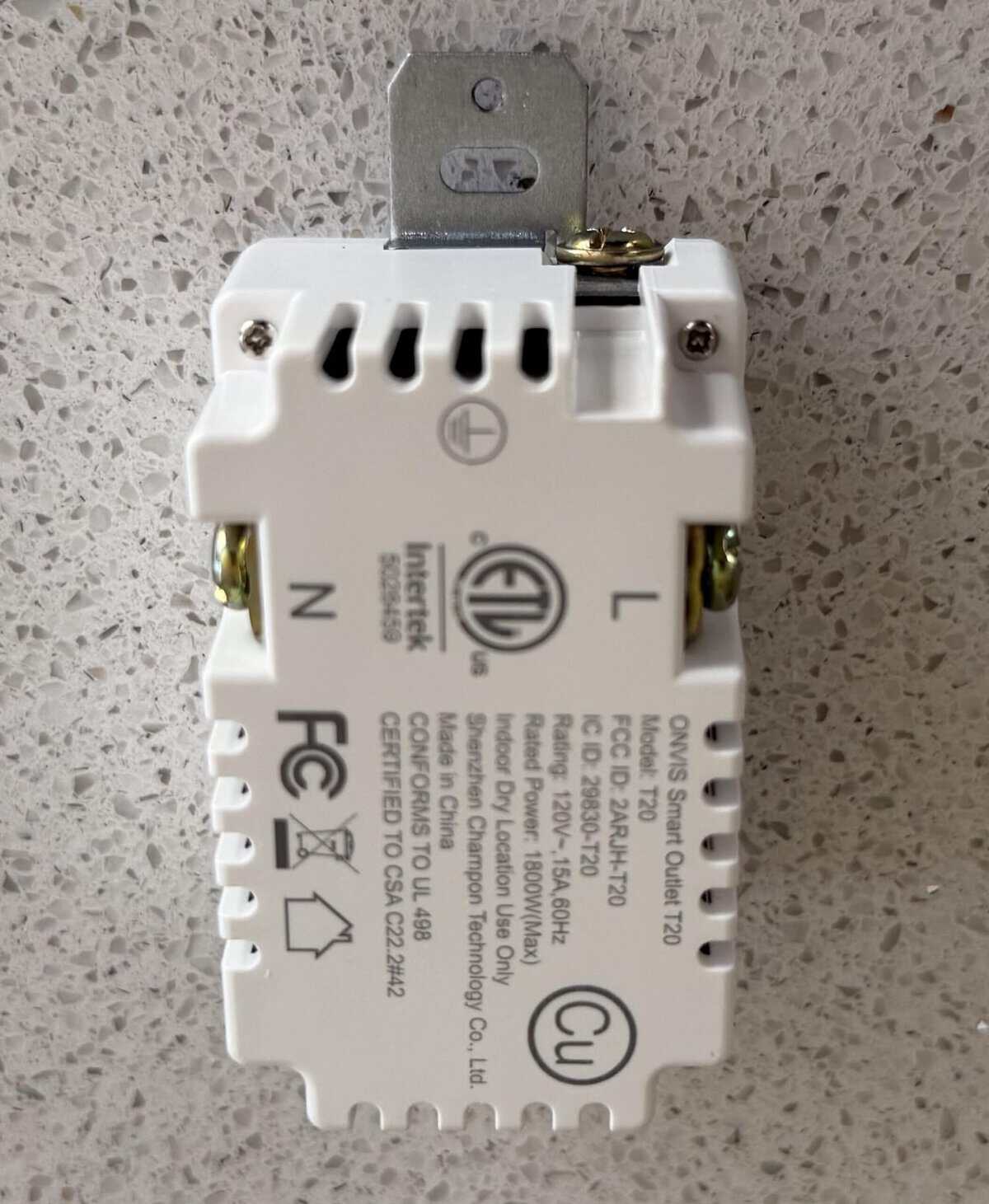
A rear view of the T20 reveals the screw terminals for the wires.
Installation
The Onvis Smart Wall Outlet T20 is fairly bulky, and uses screw terminals for the wires. It does NOT support ‘backstab’ wiring, any type of ‘quick connect’ wiring, or come with pigtail wiring. This makes installation a bit more difficult and time consuming than it should be. The smart wall outlet that it was replacing used pigtail wiring. Thus, I had to bend J hooks into each wire to secure the wires to the screw terminals.
I was tightening down the ground wire screw terminal and it quickly stripped. This was the first outlet or switch terminal I have ever stripped, and I’ve replaced close to 100 outlets and switches over the year, so that was very disappointing.
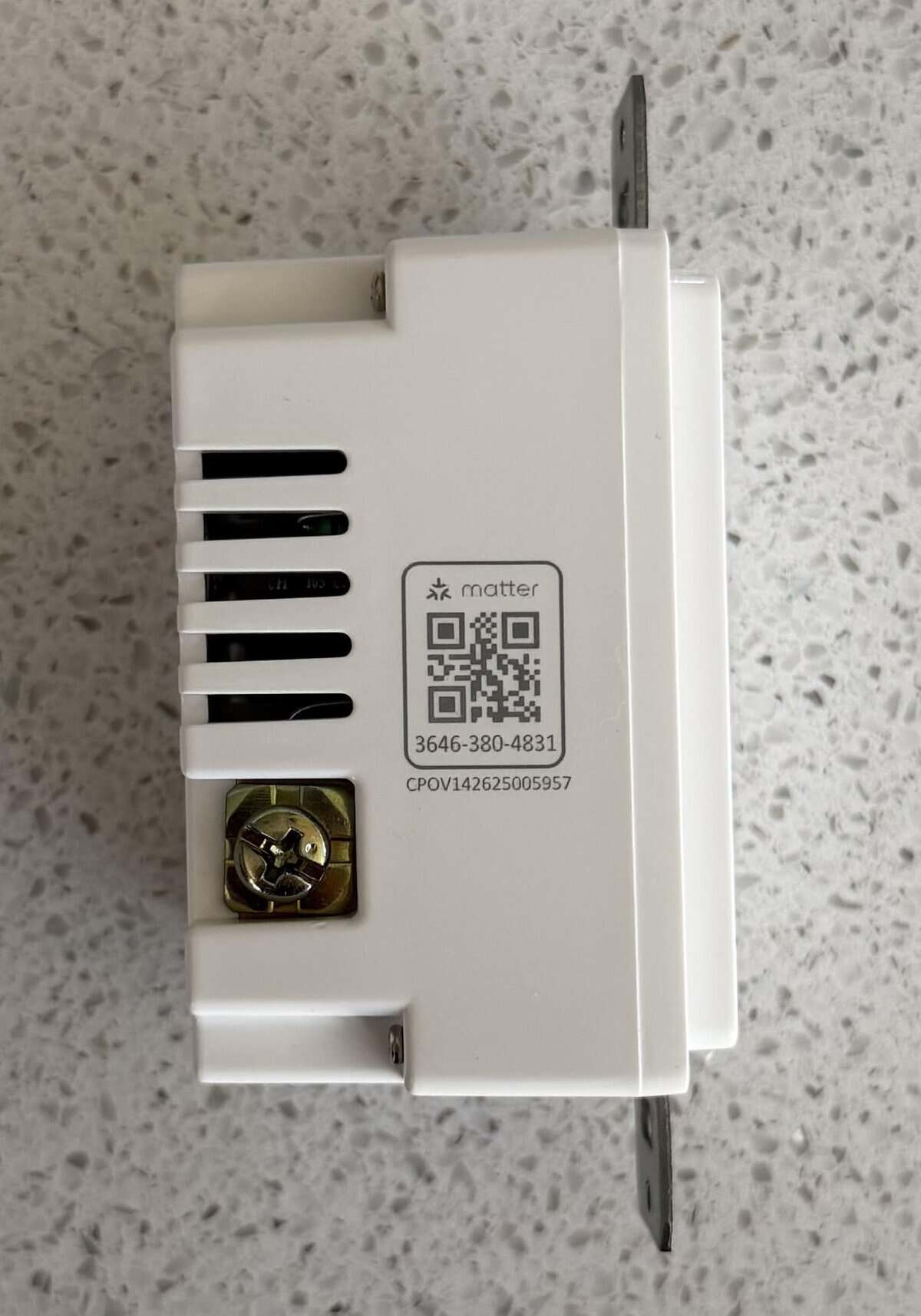
After the outlet was wired up, it was time to turn the power back on and scan the Matter QR code. I commissioned the outlet using the Home Assistant companion app on my iPhone, and it worked perfectly on the first try. The Matter QR code is located on the side of the outlet and in the instruction manual.
I will also add that getting the cover plate mounted correctly was a bit of a challenge. The cover plate is a screwless design, so you have to first mount the ‘base’ with tiny screws. This mounting system is VERY finicky, and other reviewers on Amazon have complained about it as well. Since Onvis uses non-standard screws, some people have had to drill out and tap the screw holes to use standard screws. I’m also not a fan of the Onvis logo on the cover plate.
Finally, I’m not a fan of the placement of the front facing on/off buttons. They are vertically aligned with the outlet, and larger plugs can mostly cover them, rendering them very hard to use. Other smart wall outlets I’ve seen use horizontally aligned buttons, which are much better.
I would rate the mechanical design of the T20 a “C-” at best. Between the stripped screw terminal, the finicky mounting system, terminal only wiring, this product is very disappointing for the price.
Smart Outlet Features
The Onvis Smart Wall Outlet T20 supports Matter v1.4.0, which is the bare minimum version of Matter that I would expect. That’s still pretty dated, but at least there’s support for Thread 1.4 and the native Matter energy monitoring. One positive aspect is the outlet’s that it supports independent control of each outlet and power monitoring for each outlet. While this may seem like a trivial feature, other in-wall smart outlets I have tested only have combined power monitoring for both outlets which greatly limits the usefulness of the power monitoring.
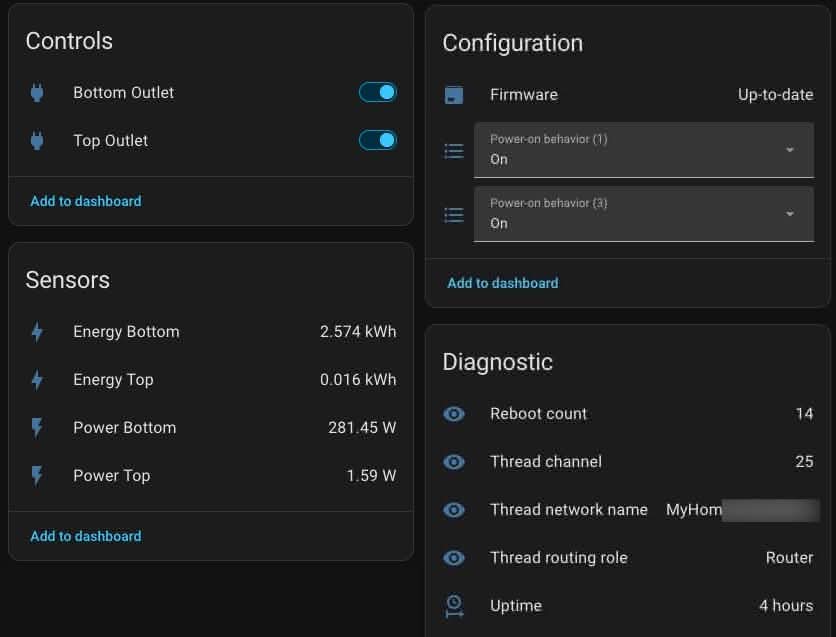
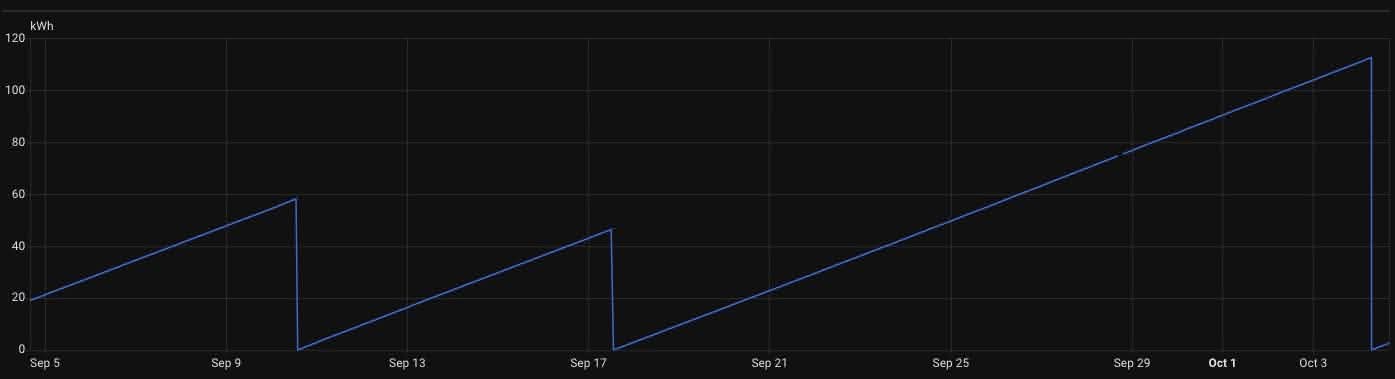
In Home Assistant you get individual on/off switches for each outlet, as well as individual power monitoring for each outlet. Oddly, the energy usage was behaving very strangely for the first month. The lifetime energy was reset at random intervals. I’ve seen ranges from 7 to 15 days. However it has not happened in the past 30 days. I’ll keep an eye on it and see if the issue returns.
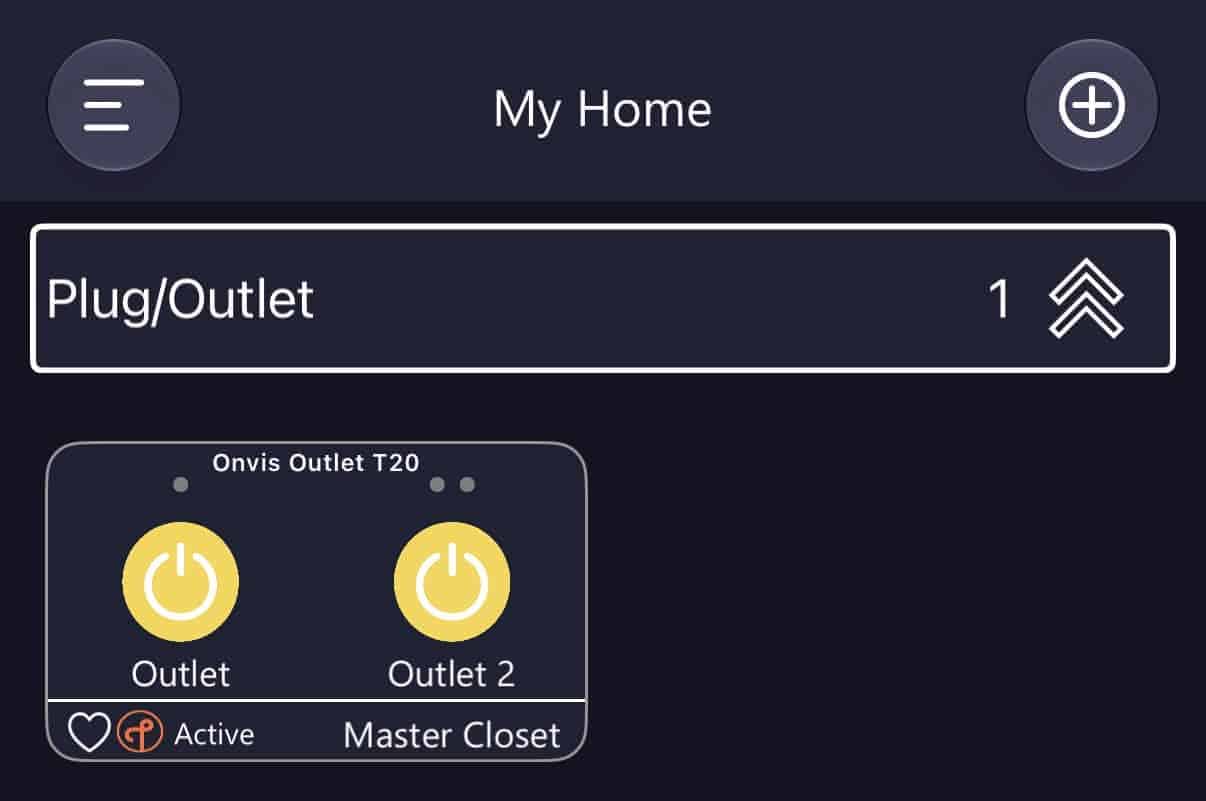
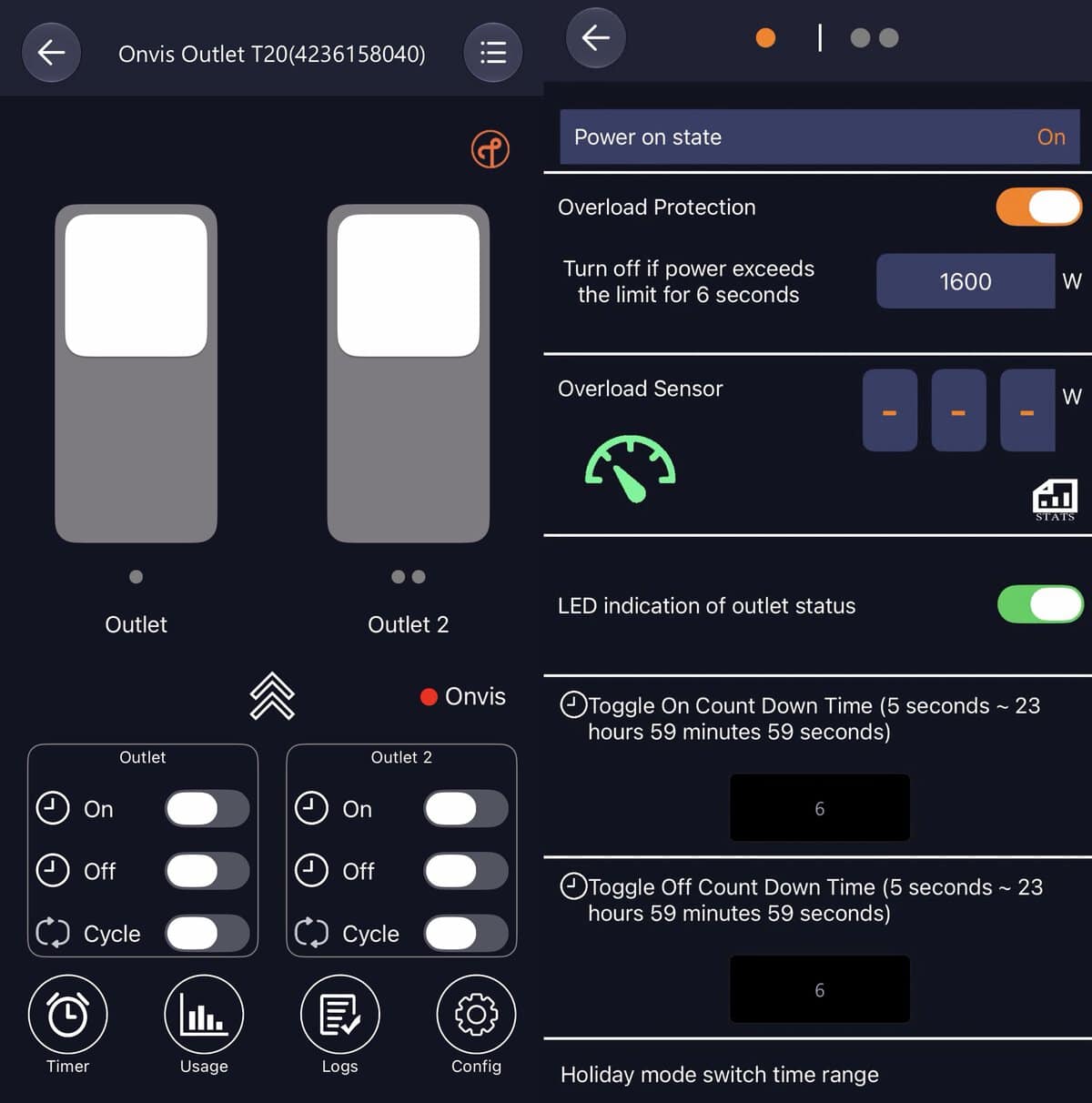
Although not required, I did install the Onvis iOS app on my iPhone. For the Onvis app to first discover the you need to pair the T20 to Apple Home. Once it’s paired to Apple Home you need to put the T20 into pairing mode again (I used Home Assistant) and enter the code into the Onvis app. This unlocks additional features in the Onvis app. For example, you can set timers, monitor power usage, turn the LEDs off and set overload protection.
The Onvis iOS has a pretty terrible UI and is very slow. Personally, I would completely ignore the Onvis and just use the basic features in your favorite smart home platform.
How Does it Compare?
Unfortunately for US customers, we have extremely limited options for Matter over Thread in-wall smart outlets. I’m aware of exactly three options: Onvis, Eve and SmartSetup.
I’ve been using Eve Energy in-wall smart outlets for years, but they are pretty terrible and I would never recommend them to anyone. Their firmware is super ancient (latest is from 11/16/2023), only supports Matter 1.1 (very buggy, very old), and only supports combined energy usage for both outlets. Eve support is also very hostile and refuses to say if they will update the to something modern and less buggy. Do NOT EVER buy Eve Energy, or ANY of their products.
I have not personally tested the SmartSetup Matter over Thread Wall Outlet, and they aren’t currently available on Amazon. Reviews are mixed, but apparently they did have several firmware updates which is more than can be said for Eve. It’s not entirely clear they are still being supported or even sold anymore.
If you really want a smart plug for the US market and can live with a ‘peanut’ style plug, I would personally recommend the Ikea Grillplats plug. At $8 US, you can’t beat the price or features. Supports Matter/Thread v1.4, highly detailed energy usage (lifetime cumulative actually works), and it’s been rock solid for me. In Home Assistant you get individual sensors for current, voltage, power and energy usage. Ironically it’s the cheapest option out there, but it’s also the best (IMHO).
Summary
While on paper the Onvis Smart Wall Outlet T20 looks great, the build quality of the device disappoints. Once you get it installed, it has been a decent performer. Cumulatively lifetime energy usage appear to be broken in Home Assistant, and I suspect that’s a firmware issue. If you really want a smart plug for the US market and can live with a ‘peanut’ style plug, I would personally recommend the Ikea Grillplats plug. It’s far cheaper and much more feature rich. If you really must use an in-wall smart outlet for the US market, the Onvis T20 is your only semi-decent option.