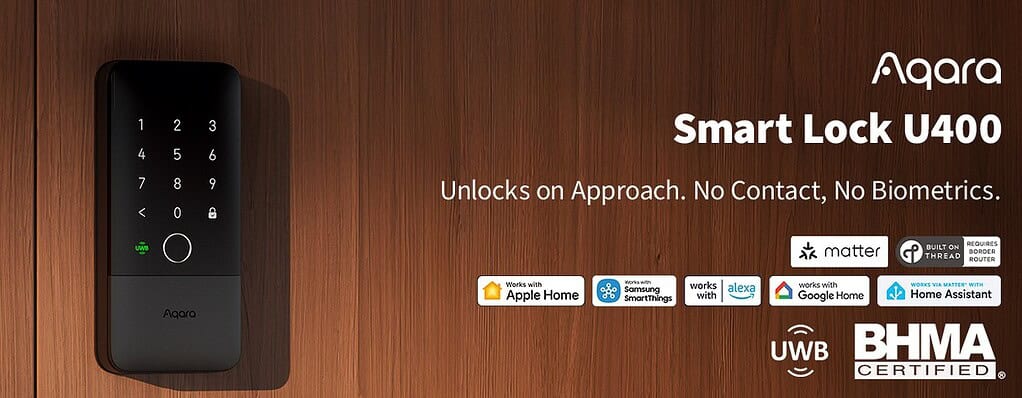
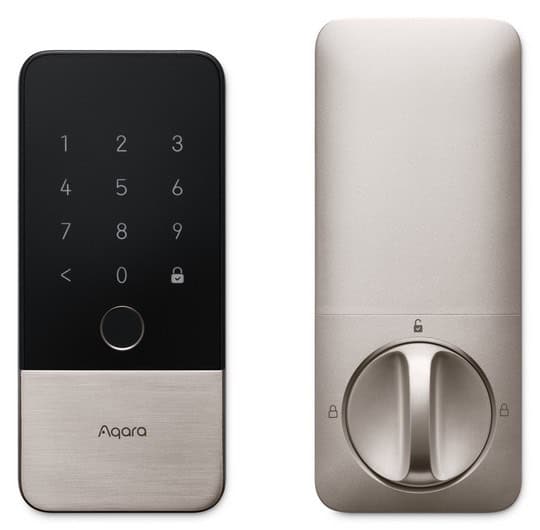
In early 2026 Aqara introduced the U400 smart lock. It was the first smart lock to support UWB (Ultra-Wideband) technology. The day it was released I jumped on the opportunity to get my hands one and placed an order. Over the past few months I’ve been using it daily, and I’m excited to share my experience.
My Smart Lock Journey
In mid-2024 I purchased the Aqara U200 smart lock from their Kickstarter campaign. One of the big selling points was that it was one of the first smart locks to support Matter over Thread along with Apple HomeKey. When paired with my iPhone and Apple watch I could unlock my front door with a tap of my wrist or phone.
Apple HomeKey was a game changer, and worked flawlessly for me. The Aqara U200 was also a retrofit lock, meaning the exterior of the lock was the same as my existing lock. However, the interior side was a bit bulky and mostly plastic.
Since the Aqara U200 is a retrofit lock, it’s great for renters or anyone that can’t replace their exterior lock. The interior is a bit bulky, but battery life was excellent and it was extremely reliable. I was very happy with my purchase. But what if locking my front door could be even easier? Yes, first world problems.
What is UWB and Aliro?
Ultra-Wideband (UWB) is a short-range radio technology that transmits data using extremely short pulses spread across a wide slice of the radio spectrum. Unlike Bluetooth, which simply checks whether your phone is “close enough” to trigger an action, UWB can measure the precise distance between two devices down to a few centimeters — in three dimensions. That means the lock doesn’t just know you’re nearby — it knows where you are, how far away you are, and what angle you’re approaching from.
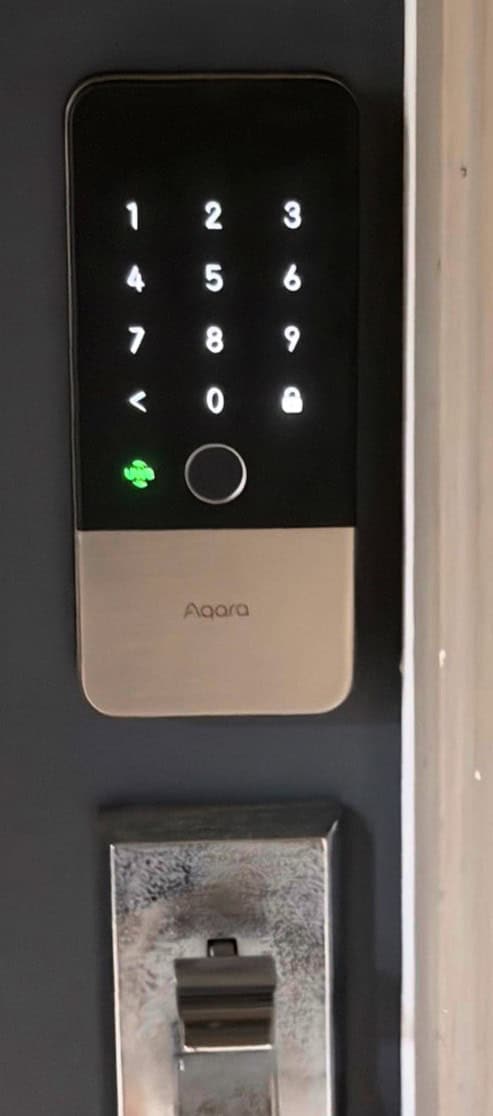
That last part matters more than it might seem. Bluetooth-based auto-unlock relies on signal strength (RSSI), which is notoriously noisy — walls, your body, and nearby wireless devices can all distort the reading. Because UWB tracks your angle of approach (AoA), speed, and precise distance in real time, the Aqara U400 can wait until you’re actually walking toward the door (from only the outside) before acting — which means far fewer ghost unlocks and a much more satisfying “it just works” experience.
Until the emergence of Aliro, UWB smart locks were limited to the Apple ecosystem. The CSA (Connectivity Standards Alliance) recognized this problem and wanted to develop an open standard for authenticating to access control devices like locks. Aliro promises cross-platform compatibility to include Apple, Google and Samsung devices. Aliro supports NFC, Bluetooth LE, and UWB protocols for authentication.
Aliro is also more secure than other methods, as it uses modern cryptographic standards and your phone or watch store the private key which never leaves your devices. Even if someone intercepted the Alira communications, they would not be able to grab a valid key to unlock your device. The system works completely offline, so no network connection is used.
On February 26, 2026 the Aliro standard v1.0 was released. Aliro is not just limited to residential smart locks. It was designed to also support commercial uses as well. In April 2026 the Aqara U400 was the first smart lock to pass the Aliro 1.0 certification process. You can check out the official documentation here. At the time of this writing, the only other lock to pass the Aliro certification process is the ULTRALOQ Bolt Mission.
The Aqara U400 supported UWB with Apple HomeKey from launch, so the Aliro certification didn’t make any difference for me. However, for anyone using Android it’s a big deal. Is UWB really all that’s its cracked up to be? We’ll find out.
Aqara U400 Features
The Aqara U400 supports Matter over Thread connectivity to your favorite smart home hub. This design enables compatibility with Apple Home, Google Home, SmartThings, Home Assistant and more. Thread is very low power, so this helps extend battery life. Thread, IMHO, is much preferable to Wi-Fi or Bluetooth for battery powered devices like smart locks. However, you will need a Thread border router.
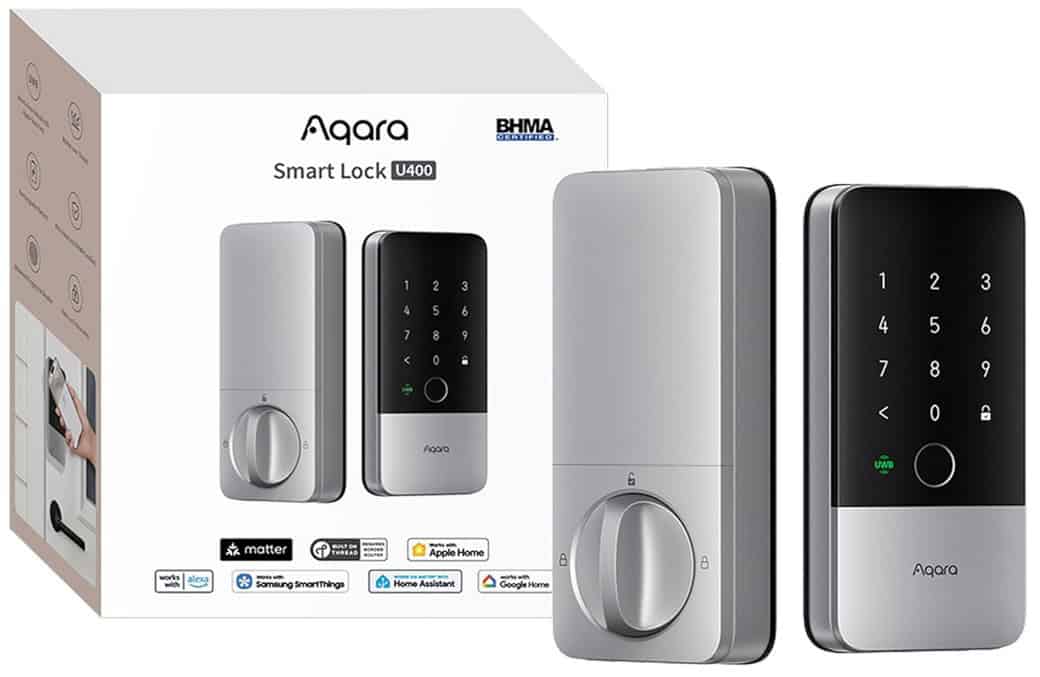
The Aqara U400 has a full complement methods to unlock your door. These include:
- Walk-up UWB auto-unlock (Phone/Watch)
- Tap to unlock with Apple HomeKey (NFC) (iPhone/Watch)
- Digital Home Key in Samsung Wallet
- Fingerprints (Up to 50)
- Keypad PIN code (6-10 digits, up to 75)
- NFC card
- Physical key (two provided)
- Scheduled or permanent access codes (via Aqara app)
- Smart home hub lock/unlock automations via Matter over Thread
“Missing” from the U400 is palm vein recognition, along with face recognition. However, I would argue that UWB auto-unlock is a much more useful and is more secure. I put facial and palm unlock methods more into the ‘gimmick’ category so I’m actually glad they are not included in the U400 and likely increasing the cost.
In addition to a variety of methods to unlock your door, the U400 also features:
- Rechargeable battery (~6 months battery life; two in the Deluxe version)
- Battery has a built-in USB-C port for easy in-place charging
- Exterior emergency USB-C charging port
- Auto-lock on door close (internal gyro sensor; no external sensor needed)
- IP65 weather resistance (exterior)
- BHMA Grade 3 certified
- Rekeyable design
In the Aqara app you also have a wide range of additional options to customize the lock behavior:
- Failed attempt lockout – Exceeding 10 incorrect attempts within a preset time period will lockout the keypad, fingerprint, password and NFC unlock methods. However, keys, Bluetooth and remote unlock methods will still work.
- Auto-lock on door close – The U400 will automatically lock the door when the door is closed. Can be configured in various intervals from immediate to 10 minutes.
- Safety Re-Lock – After a remote or third party unlock, the U400 will re-lock the door after a preset time period. Configurable from 3 seconds to 10 minutes
- Night Latch Mode – Only an Aqara app admin credentials, Bluetooth, non-password Matter unlocking methods, or a physical key will be allowed.
- Do Not Disturb Mode – When enabled, the U400 will be quieter and most operating sounds will be muted. You can customize the start and end times.
- UWB Approach Direction – You can customize the approach direction. You have three options: Front (always enabled), left side and right side. This can help prevent false unlocks. I use this feature to disable the right side approach
- UWB Dual Door Mode – If you have an out storm door this can help with signal reflection and make unlocking more reliable.
- UWB Unlock Distance – You can also control the distance between the U400 and the phone/watch. You have 0.8m to 1.6m options.
- UWB Sensing Duration – Extends the UWB sensing duration. Configurable from 60s to 300s.
- UWB Blind Spot Assist – For doorways with corners or deep door frames this can help extend the search signal time. Configurable from 10s to 60s.
- Voice & Sound – You can configure volume and alert delay periods for door unlock alerts and door not closed alerts. You can also change the language.
- Linked Devices – If you have an Aqara camera, such as the Doorbell G400 you can link it to the lock and the video feed will be displayed on the U400 ‘card’ screen in the Aqara app.
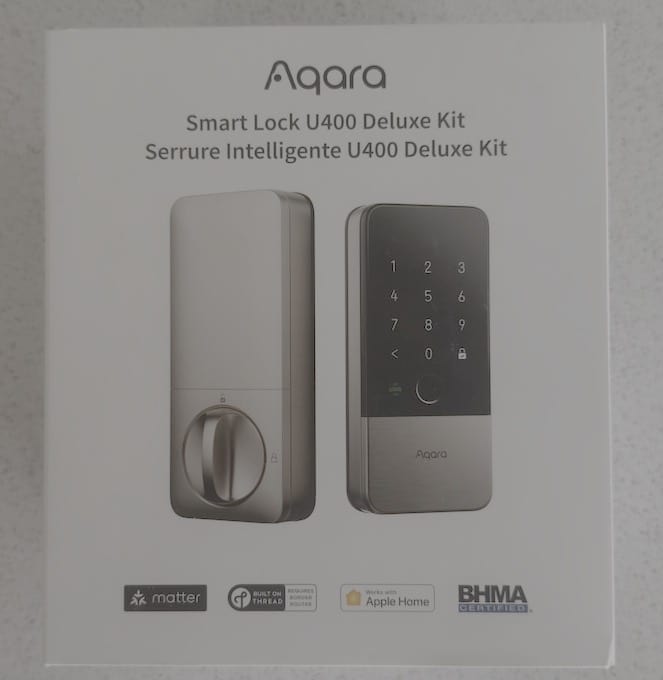
Smart Lock U400 Deluxe Kit
Aqara sells two versions of the U400 lock. The first is the “base” model which most retailers like Amazon sell ($269 USD). However, Aqara also has the “deluxe” model which is exclusively sold by Apple ($299 USD). Features exclusive to the deluxe model include:
- Upgraded exterior Zinc body (vs. Aluminum)
- Premium brushed finish (exterior and interior)
- Premium interior solid metal thumbturn (vs plastic)
- Significantly heavier build quality (premium feel)
- Second battery
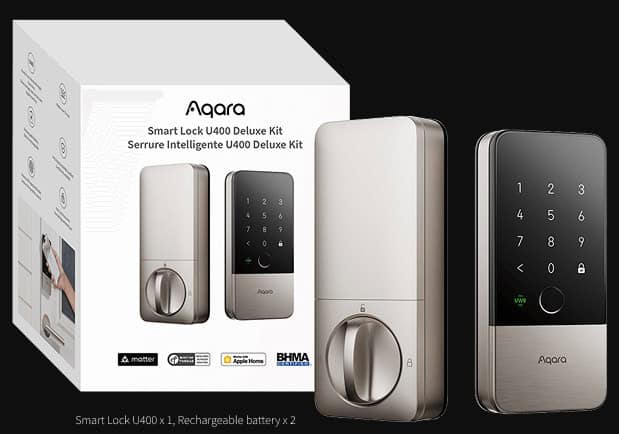
The majority of the interior body is still plastic, including the battery cover. However, for the extra $30, I would strongly recommend the deluxe model from Apple. Compared to the Aqara U200 (all plastic), the U400 deluxe build quality is on an entirely different level. The difference in weight between the standard and deluxe versions of the U400 is dramatic.
In 2026 Apple has had a severe supply shortage so buying one can be extremely difficult. As of the time of this writing they can’t be ordered from the Apple Store.
Unboxing
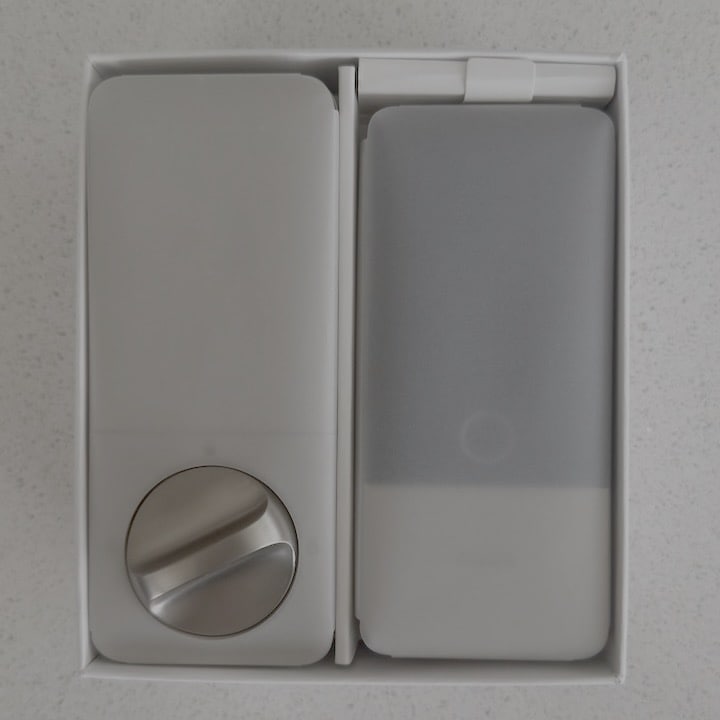
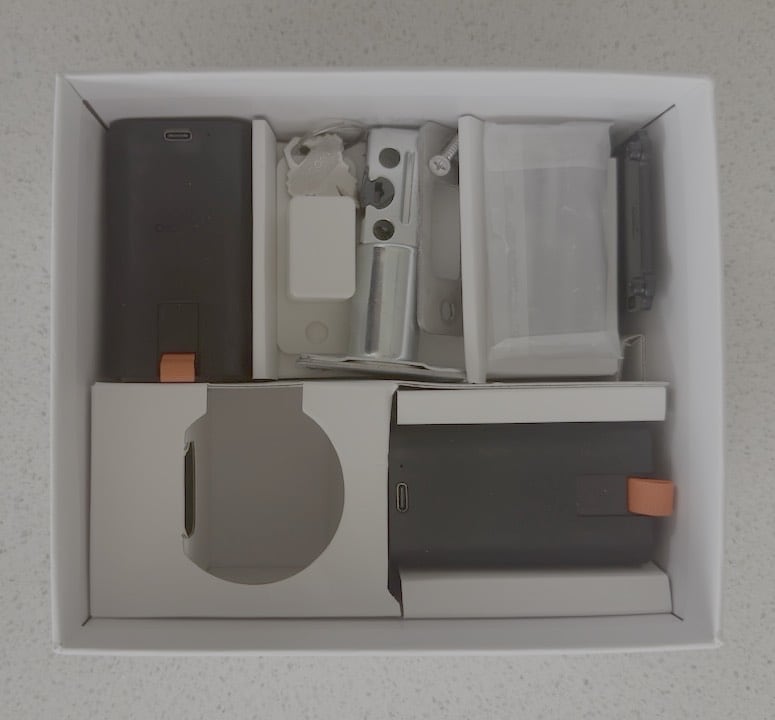
The Aqara U400 comes with all of the hardware needed for installation. This includes a new dead bolt, strike plate, batteries (2x on deluxe model), screws and two keys.
Installation
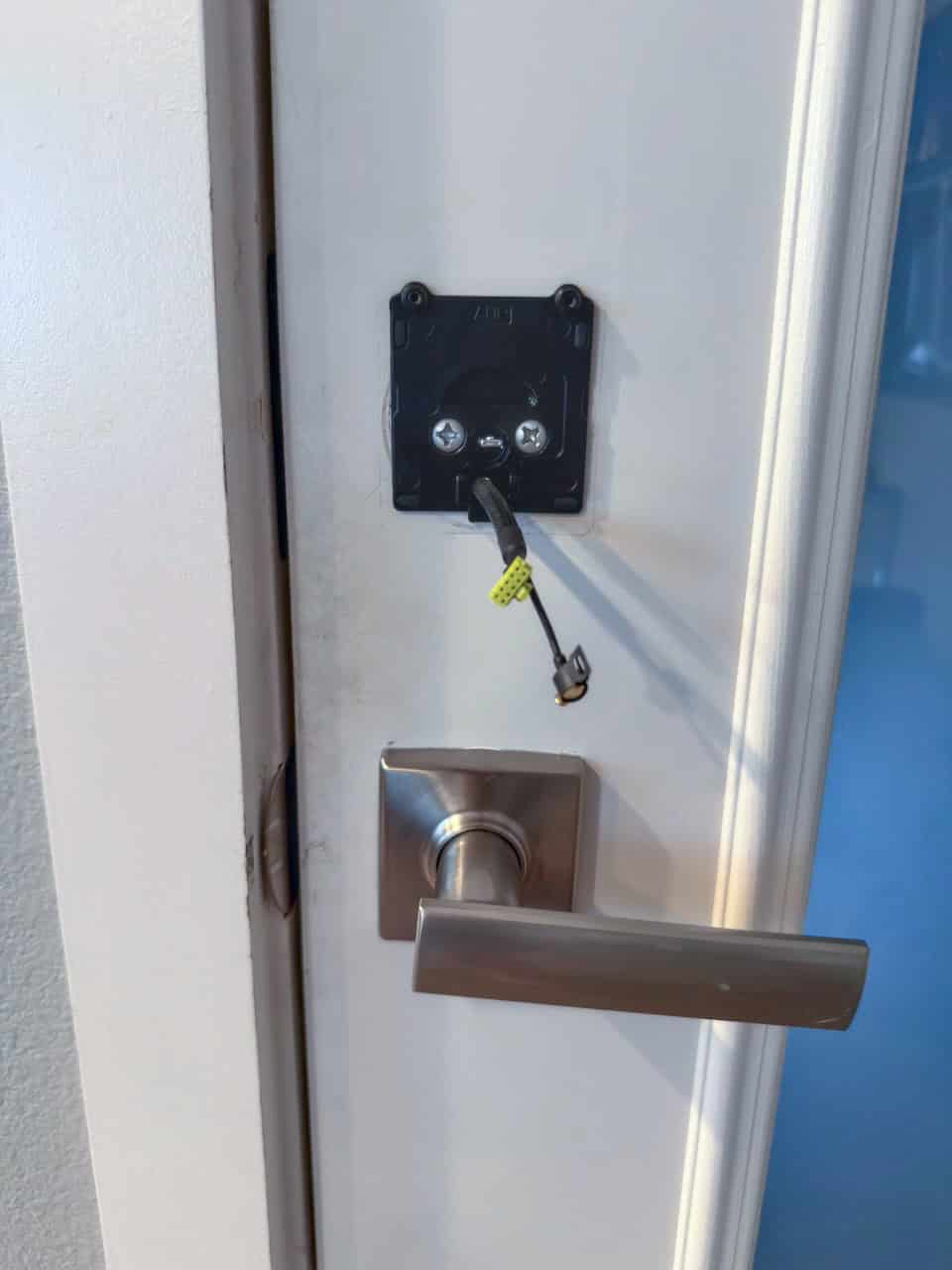
Unlike the Aqara U200, the U400 requires you to replace both the exterior and interior lock assemblies. Installation is quite easy, and took me less than 30 minutes. After you replace the exterior lock assembly you feed two cables through the rear mounting plate and connect them to the back of the lock assembly.
Keeping the lock perfectly vertical while tightening the two screws that hold the lock assembly to the mounting plate is a bit of a challenge but not impossible.
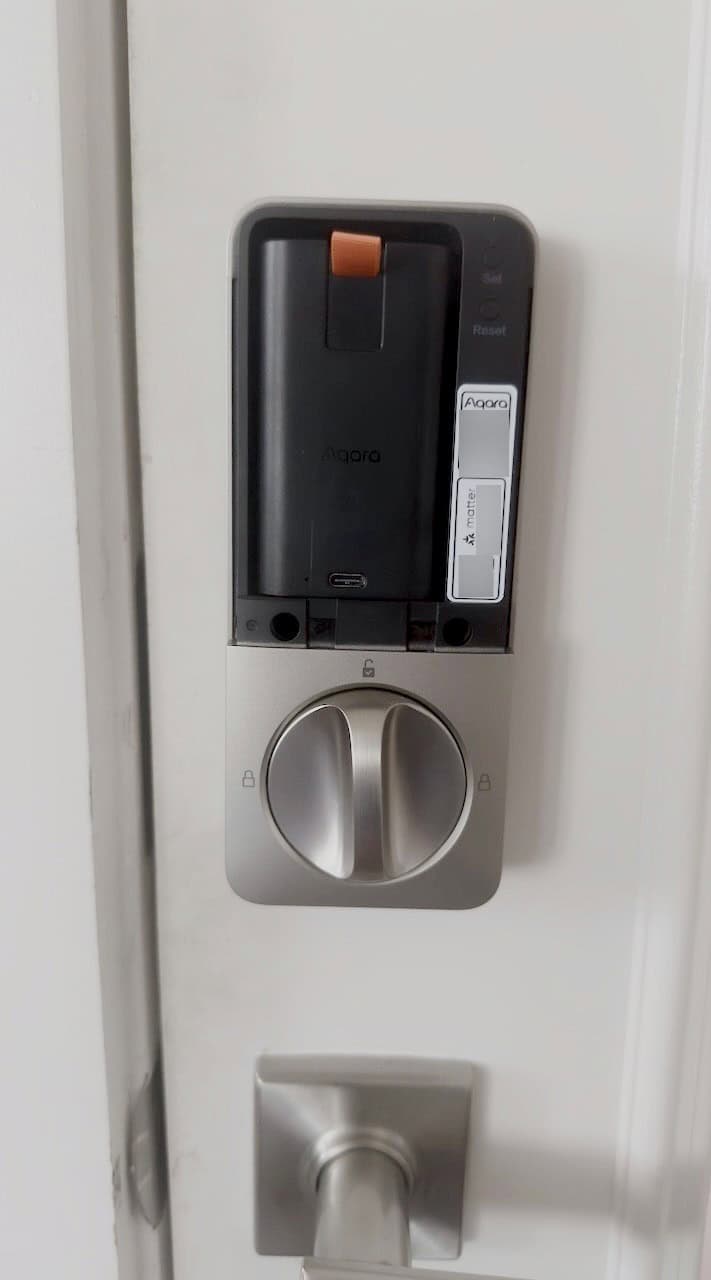
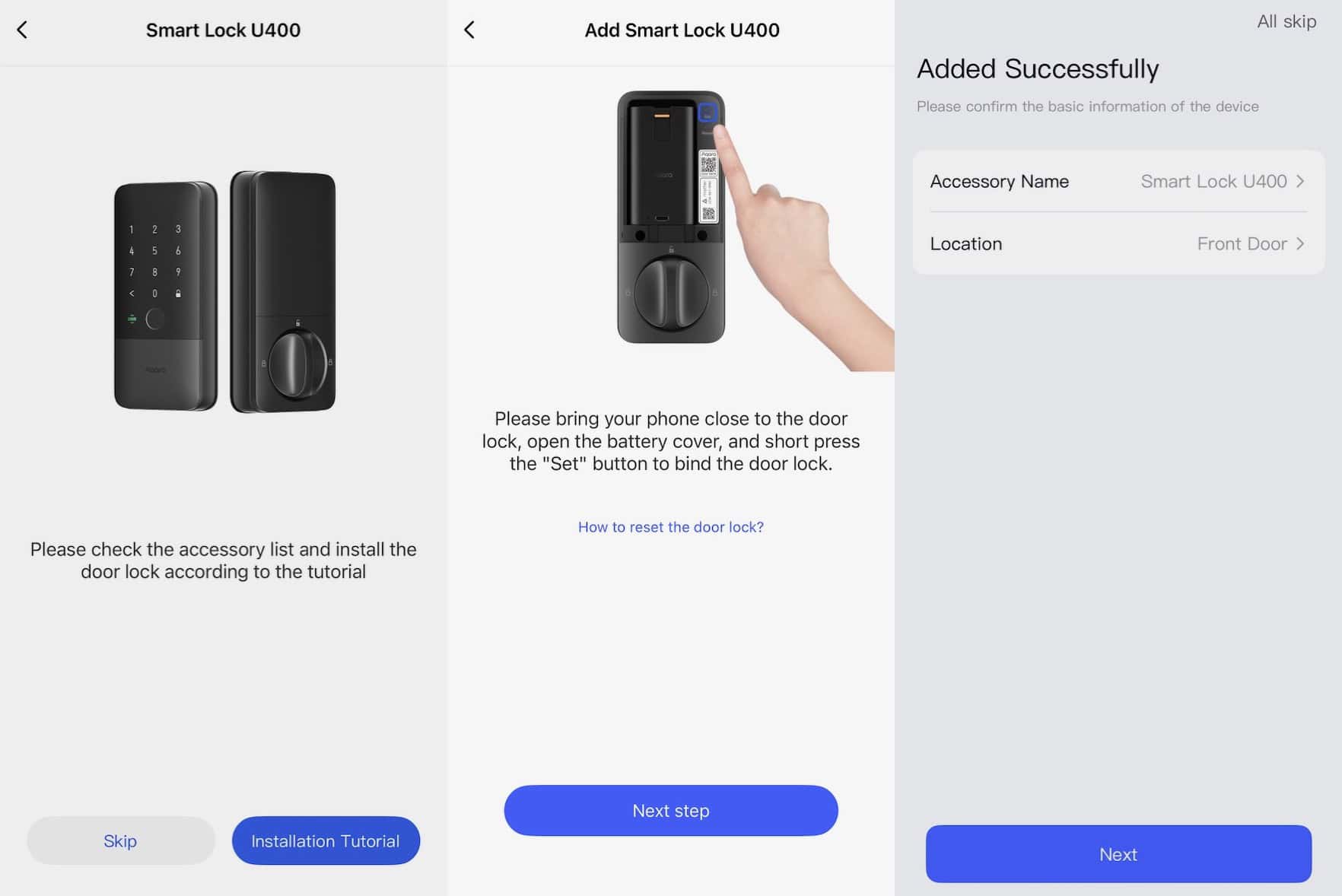
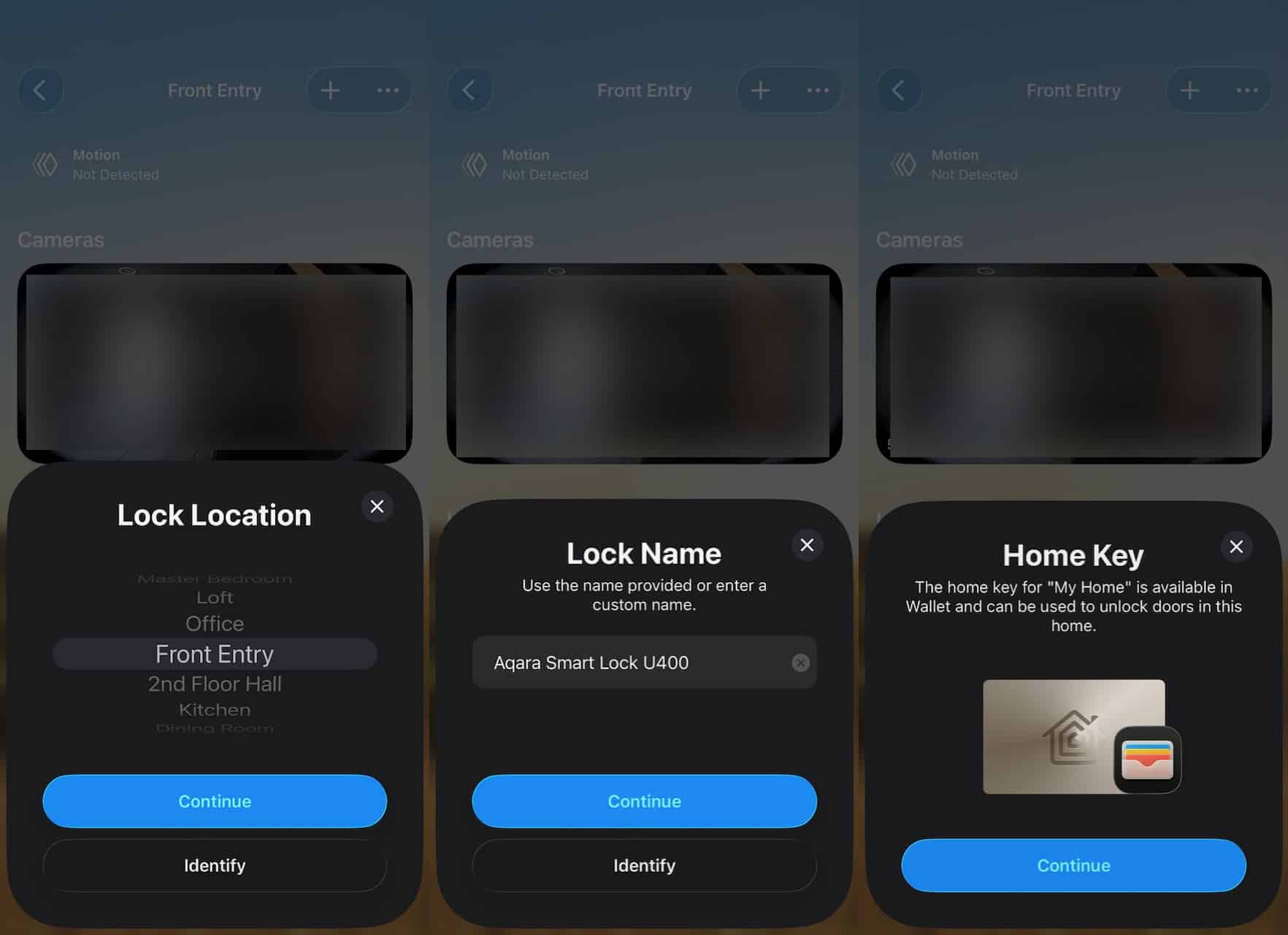
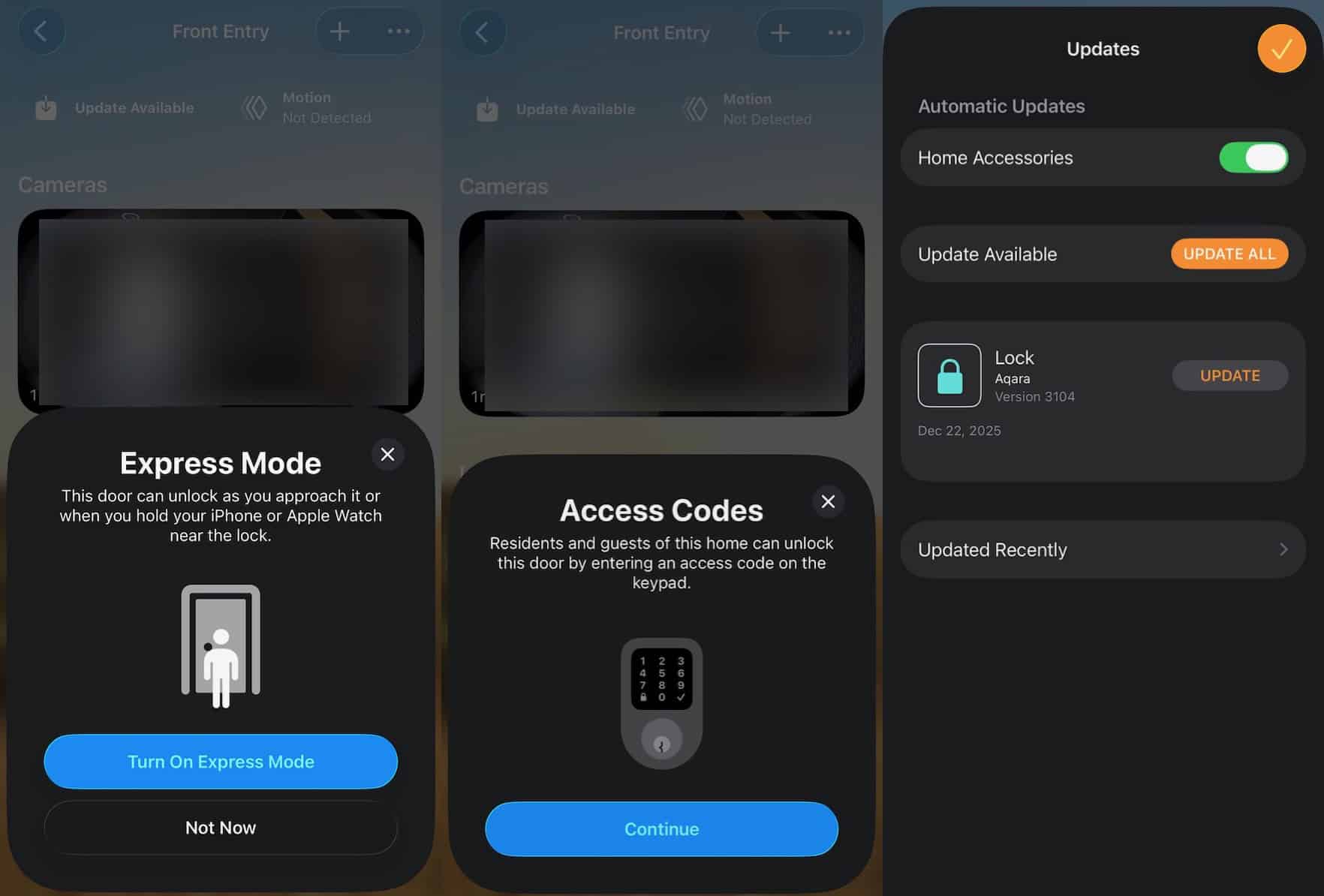
Onboarding the U400 through the Aqara iOS app is very easy and only took a few minutes. During the onboarding process you can add the lock to Apple Home, enable HomeKey, and turn on express mode. You can also immediately do a firmware update if one is available.
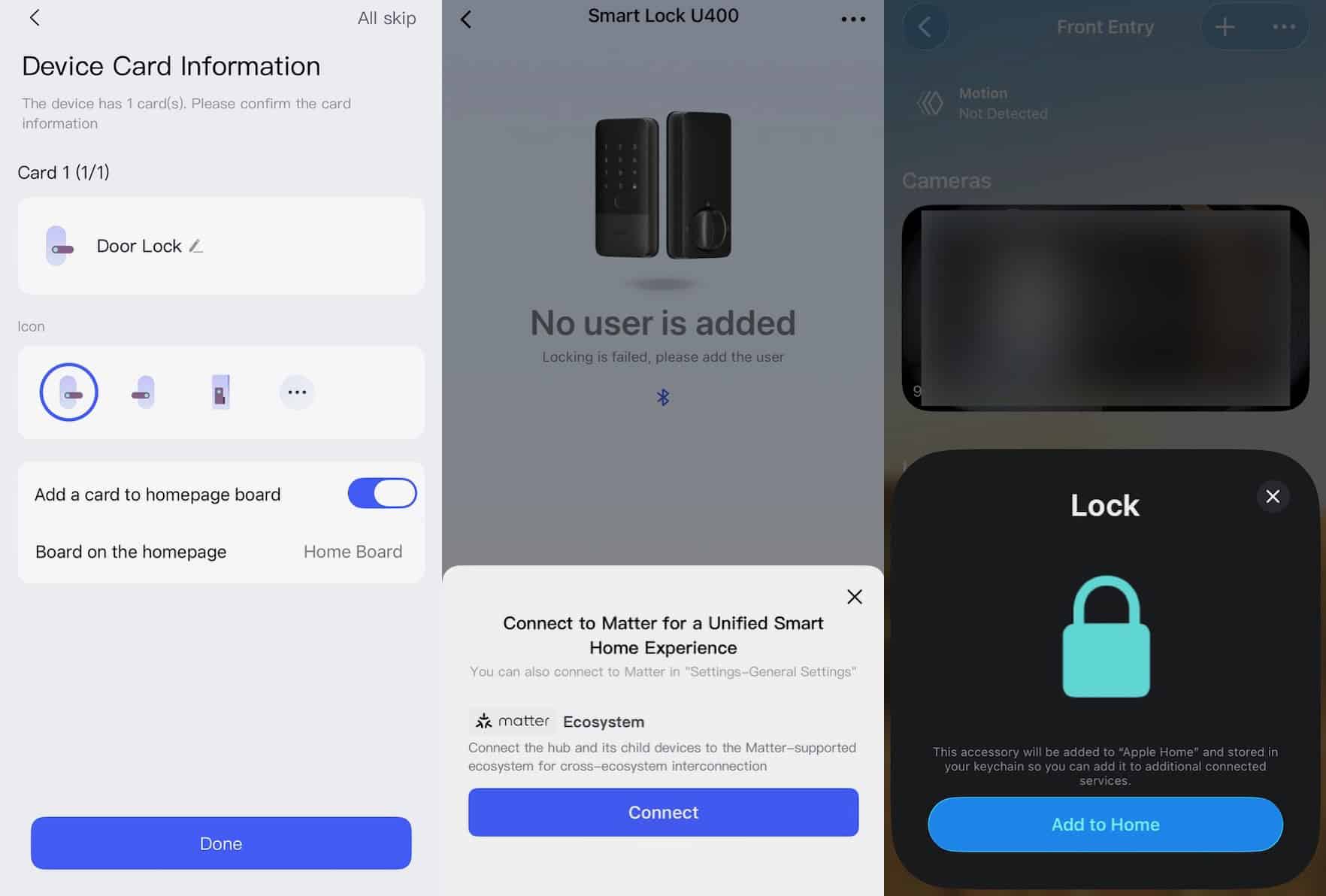
Home Assistant Integration
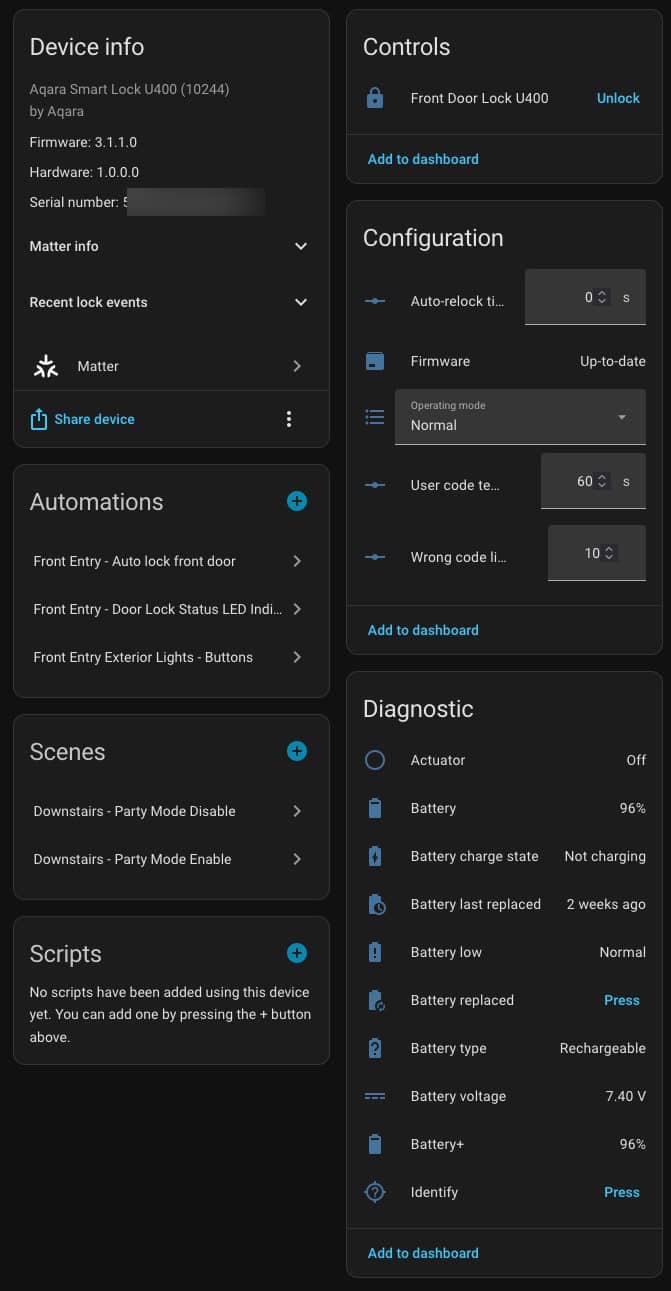
The Aqara U400 integrates very well with Home Assistant via Matter over Thread. There are a few adjustable configuration options such as auto-relock time and a few others. It also has very robust battery diagnostics.
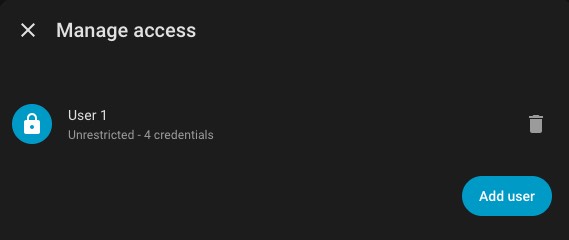
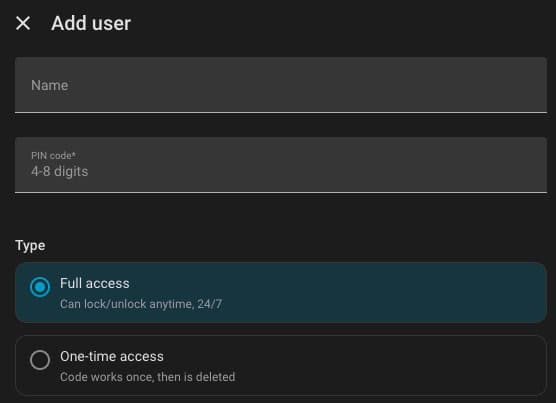
Recently Home Assistant added support for managing Matter lock users. From here you can add a new user to the U400. You can name a user and set a PIN code from 4-8 digits. You can also change the access level from full access to one-time access.
Home Assistant Automations
One of my favorite automations in Home Assistant is the ability to control the LED color of two light switches next to the door, depending on the locked or unlocked state of the U400. My light switches are the Inovelli white series, which gives me a lot of freedom to control the LED color and brightness. When the U400 is unlocked both light switch LEDs are bright red. When the U400 is locked both light switch LEDs are a dim blue.
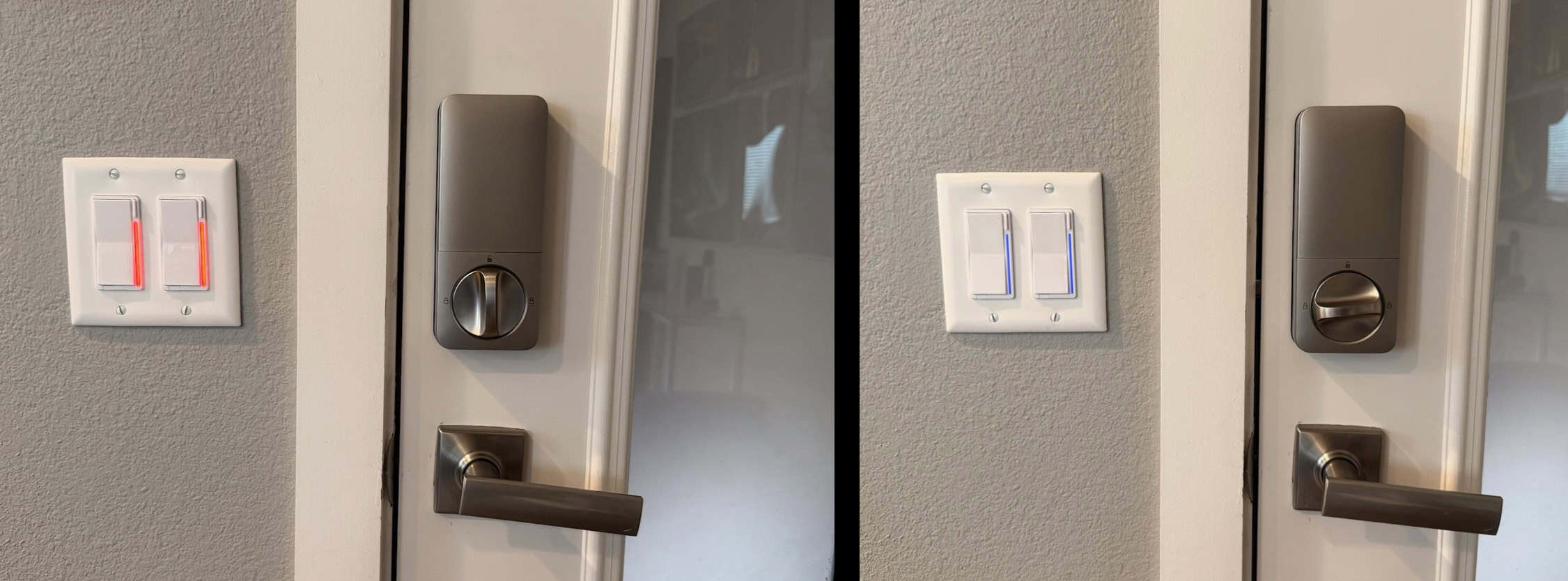
I also have a lock ‘override’ feature which allows me to double tap the top button on the right switch to enable an override mode for the autolock feature. When this is enabled the U400 will unlock, and will not relock until I turn the automation off. Double tapping the down button on the right switch will disable the override mode and lock the door. And just like the previous automation, the light switch LEDs change color depending on the locked or unlocked state of the U400.
Summary
I’ve had the Aqara U400 installed since launch day, back in early January 2026. In the five months I’ve had it I’ve been able to really get a feel for how it reliable it is. Using UWB unlock with my Apple Watch and iPhone is nearly instantaneous and flawless. I can waltz right up to the door from the outside, the UWB light flashes green and the door unlocks a split second before my hand even touches the handle. So satisfying! The U200 was great with HomeKey via NFC, but that took a couple of seconds and wasn’t great if your arms were full.
My first purchase was the ‘basic’ U400 model from Amazon. However, after learning about the Deluxe model from Apple, I quickly upgraded to the Deluxe model. Build quality is far superior, not to mention the upscale brushed zinc finish. The first Deluxe model I got had a defective speaker, so I returned it and the replacement has been flawless.
Two years ago the Aqara U200 was the best smart lock on the market (for me), but lacked UWB. The Aqara U400 has everything the U200 had, plus UWB. I’m a massive fan of UWB so this is the perfect smart lock for me. Battery life is excellent, and the lock has never jammed. I could not be happier with the U400. If you are able to replace the exterior portion of your lock, the U400 might just be the best smart lock on the market.


Thanks a lot for the review, I had a Level Bolt lock and while I was able to add it to HA using MoT the lock itself was garbage. I got NFC tags to put on some jackets and car fobs but they didn’t work well, it took a long time to read. The opening and closing mechanism eventually didn’t work. Even after pulling the lock from the door and placing it on the table (assembled) the lock would jam and display and error. All of this in the span of 4 months.
From the review this lock ticks all my checkboxes: physical key, rechargeable battery with external charging method, pin, NFC, UWB (whenever I change phones). The other neat feature is being able to add users in HA, no need for a dongle now.